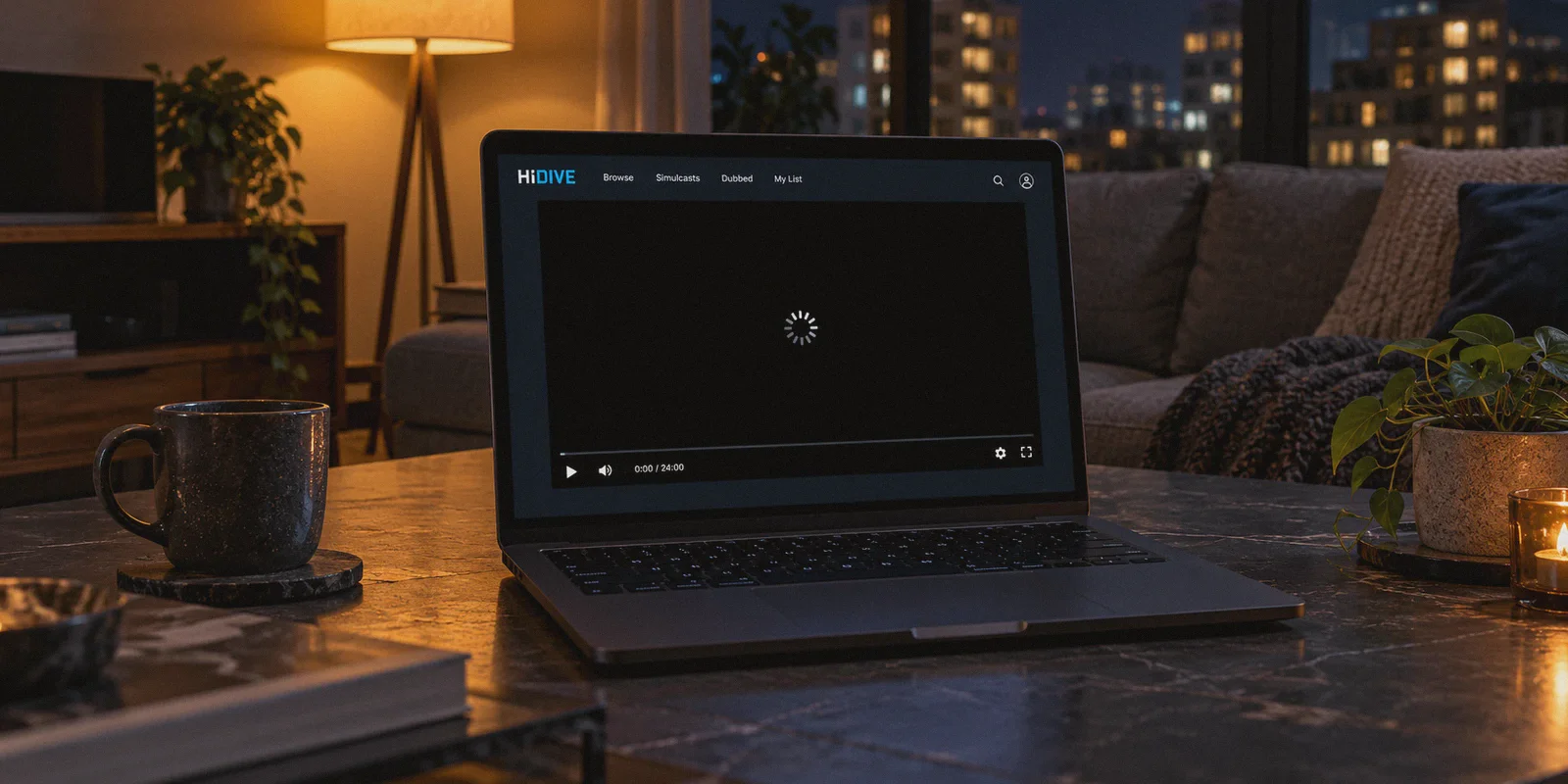
You sit down on a Friday night ready to catch up on the newest episode of Oshi no Ko or The Dangers in My Heart, navigate to HIDIVE, and hit play—only to stare at an infinite loading spinner over a pitch-black player. Or worse, a blunt banner: "This title is not available in your region."
If you have tried using a regular VPN to get around it, you probably already know the drill: you connect to "US - Los Angeles," refresh the page, get a 403 Forbidden error, switch to "US - New York," get past the login screen, press play, and the player freezes at the 10-second mark. HIDIVE's exclusive catalog draws anime fans worldwide.. Source: Slaven Vlasic / Getty Images for AMC Networks
Most guides tell you that unblocking HIDIVE outside the US is just a matter of "getting a VPN and switching to an American server." If you have actually tried that, you know it rarely works on the first try.
Watching HIDIVE from abroad is not just an IP location problem—it is a player architecture problem.
Article summary and product fit
Why can HIDIVE still show a black screen or region error after connecting to a VPN?
The article says HIDIVE playback can fail for more than simple IP geolocation: cached session data, anti-proxy checks, DRM handshakes, and a fragile stream can all matter. It recommends connecting first, opening a clean private browser session, and clearing HIDIVE site data if the player remembers a failed geo-session.
Key points and limits
- Best for: HIDIVE subscribers traveling outside supported regions who can reach the site but encounter region messages, 403 errors, or a player that never starts.
- Key point: A changed IP does not automatically reset browser cookies, local storage, session state, or playback handshakes.
- Preparation: Connect before opening HIDIVE, use an incognito/private window, and fully clear HIDIVE site data if a previous failed session keeps returning.
- Product fit: The article recommends OnlyDogsVPN for a simple travel/streaming route; its linked official site describes one-tap access to sites and content from other countries and multi-device support.
- Important limit: A VPN cannot guarantee title availability, subscription eligibility, payment acceptance, or recovery from a HIDIVE outage or player-side bug. Regional licensing and platform rules can change.
Sources already linked in this article: HIDIVE official website; OnlyDogsVPN official website.
Why HIDIVE Breaks When Normal Streaming Sites Work
When HIDIVE pulled out of dozens of international regions, it left anime fans across Europe, Latin America, Southeast Asia, and beyond completely stranded. Its exclusive licenses—DanMachi, Chained Soldier, The Dangers in My Heart, Gushing Over Magical Girls, Made in Abyss—aren't on Crunchyroll or Netflix. You either watch them on HIDIVE or miss out entirely.
The snag is that HIDIVE's updated web player is notoriously fragile. Unlike Netflix or YouTube, which buffer huge chunks of video and gracefully recover from minor network blips, HIDIVE's player runs aggressive DRM handshakes:
- Datacenter IP Flagging: HIDIVE doesn't just check your country when you open the homepage. Its content delivery network (CDN) monitors incoming packet signatures. Most commercial VPNs funnel thousands of users through the same generic datacenter IP blocks. The moment HIDIVE's player detects a known datacenter pool, it silently drops the video stream, giving you that infamous black screen.
- Protocol Fingerprinting: Standard OpenVPN and WireGuard connections have identifiable protocol headers. Even if the IP address isn't blacklisted yet, automated anti-proxy filters inspect the connection type and reject the video pipeline.
- Buffer Sensitivity: HIDIVE’s player buffers in tiny increments. If your VPN connection experiences a two-second latency jitter or packet loss spike, the video player crashes completely rather than downscaling to 720p.
Playing "server roulette"—disconnecting and testing 20 different US cities until one miraculously works—wastes your entire evening. What you actually need is a connection that disguises itself as regular home broadband and stays rock-solid from the opening credits to the preview.
What Actually Bypasses the Block: OnlyDogs VPN
The reason standard VPNs struggle with HIDIVE is that they treat streaming like basic web browsing: they assign you a generic server IP and call it a day.
OnlyDogs VPN takes a fundamentally different route designed specifically around restricted media environments and aggressive anti-proxy systems:
| What Typical VPNs Do | What OnlyDogs VPN Does | The Practical Result on HIDIVE |
|---|---|---|
| Force you to manually test dozens of city servers | 1-Click Streaming Preset | Automatically routes to clean, unflagged streaming egress without trial-and-error |
| Use standard WireGuard / OpenVPN headers | HTTP/3 & Proprietary Obfuscation | Masks VPN packets as ordinary web traffic, preventing CDN-level playback dropouts |
| Drop video stream during micro-disconnects | Weak-Network Packet Resilience | Smooths out network jitter and Wi-Fi handoffs without crashing the video buffer |
| Require complicated manual protocol tweaks | Zero-Config Smart Routing | Launches straight into the fastest stable route out of the box |
Instead of making you guess whether a server in Miami or Chicago is currently blacklisted, OnlyDogs VPN's Streaming Scenario Preset immediately assigns a verified streaming route. You click one button, and the app takes care of the routing behind the scenes.
Under the hood, its proprietary obfuscation protocol wraps your traffic in HTTP/3 standards. To HIDIVE's player and CDN filters, your stream looks like a normal consumer browsing the web from a US living room, which eliminates the endless black buffering wheel.
👉 Check out OnlyDogs VPN and get instant streaming access
Step-by-Step: Getting HIDIVE to Play in 1080p
Setting this up takes less than three minutes if you avoid the usual caching traps:
- Fire up OnlyDogs VPN: Log in via the passwordless email verification code (no hunting for forgotten passwords) and select the Streaming preset on the home screen.
- Open an Incognito / Private Window: This is the step most people skip. If you visited HIDIVE before turning on the VPN, your browser cached your local country in its cookies and
localStorage. An incognito window ensures a 100% clean US session. - Log in to HIDIVE: Navigate to
hidive.com. The catalog will now display the full US library, including simulcasts and uncensored cuts. - Hit Play: The video player should initiate the DRM handshake instantly and start streaming at full 1080p.
If you watch on an iPad, Android tablet, or iPhone in bed, the OnlyDogs VPN mobile client uses the exact same streaming presets, so you don't have to reconfigure custom network profiles across different operating systems.
3 Gotchas Most Guides Don't Mention
Even with a working connection, HIDIVE has a few platform quirks that can trip you up. Here is how to navigate them:
1. Payment Rejection at Checkout
If you don't have an active HIDIVE account yet and your local credit card gets rejected on their web checkout, don't keep spamming the card form. Instead:
- Use PayPal: Linking your local card through PayPal often bypasses the strict zip code verification on HIDIVE's web billing form.
- Subscribe via App Stores: Download the HIDIVE app on iOS or Android while connected to the VPN. In-app subscriptions bill through your Apple ID or Google Play balance, completely dodging regional payment blocks.
2. The Persistent Black Screen Bug
If you turn on your VPN while an existing HIDIVE tab is open, refreshing the page often isn't enough. The web player remembers the failed geo-handshake in session storage. Close the browser tab entirely, clear site cookies for HIDIVE, and reopen the site.
3. Subtitles Defaulting to Off
On some exclusive simulcast titles, the player occasionally boots with subtitles disabled by default. If your episode starts in raw Japanese with no subs, hover over the player gear icon, manually switch subtitles to "English," and refresh the stream once to lock it in.
Stop Playing Server Roulette
HIDIVE has some of the best exclusive anime of the current era, but its anti-proxy blocks and fragile video player make it one of the most frustrating streaming platforms to access from abroad.
You don't need a degree in network routing, and you shouldn't have to cycle through 15 dead servers just to watch a 24-minute episode. With a clean streaming preset and obfuscated routing that won't trigger CDN dropouts, you can skip the black screens and get right to the show.
👉 Get started with OnlyDogs VPN
Frequently Asked Questions
Why can the HIDIVE homepage load while the video stays black?
The article says playback adds extra checks after the page loads, including session state, anti-proxy filtering, and DRM or CDN handshakes. That is why successful login does not necessarily mean the stream will start.
Why is refreshing the tab sometimes not enough?
A failed geo or playback session can remain in cookies, local storage, or session storage. The article recommends closing the tab completely, clearing HIDIVE site data, and reopening the site after the connection is already established.
What browser setup does the article recommend before playback?
Connect first, then open a private or incognito window and log in to HIDIVE from that clean session. This avoids carrying over location-related state from a previous visit.
What can I try if HIDIVE payment is rejected?
The article suggests using PayPal or the platform’s iOS or Android in-app subscription path instead of repeatedly submitting the same rejected web checkout. Whether those methods are available still depends on the user’s account and region.