
If an obfuscated VPN is harder for networks to detect, why wouldn’t you keep it turned on all the time?
The answer comes down to a fundamental misunderstanding of what the setting actually does. Obfuscation does not offer "stronger" privacy or more impenetrable encryption. Instead, it solves a second, highly specific operational problem—one that your current connection probably doesn't have.
When you understand the functional distinction between these two modes, you stop treating obfuscation like a premium upgrade and start seeing it for what it truly is: an escape hatch for when a hostile network refuses to play nice.
Article summary and practical fit
When should you use an obfuscated VPN instead of a standard VPN?
Use a standard VPN as the default when it connects cleanly and your apps work. Switch to obfuscation when the underlying internet still works but ordinary VPN tunnels are repeatedly singled out, timed out, or dropped across servers or networks. Obfuscation changes the tunnel’s recognizable traffic signature; it does not make the encryption stronger.
What matters in this situation
- Best for: Travelers or users on hotel, campus, office, or other managed networks that actively interfere with ordinary VPN traffic.
- Key distinction: Encryption protects the contents of the tunnel; obfuscation tries to make the tunnel itself less recognizable to the surrounding network.
- Product fit: OnlydogVPN is relevant for readers who prefer automatic routing and built-in traffic camouflage rather than manually switching between standard and stealth modes.
- Important limit: Obfuscation does not make a user invisible, fix every blacklisted VPN IP, or erase account-level tracking and identity signals.
Sources already used in this article: Tor circumvention documentation; USENIX research on OpenVPN fingerprinting; OnlydogVPN official website.
They Protect the Same Conversation From Different Problems
Most buyers naturally assume that "standard versus obfuscated" represents a security tier list, like moving from standard glass to bulletproof armor. It isn't.
A standard VPN establishes an encrypted tunnel between your device and a secure server. To your local internet service provider, your hotel router, or the coffee shop network administrator, the destinations you visit and the payload of your traffic become unreadable. However, encrypted traffic is not invisible traffic. Even when a tunnel's contents are scrambled, the connection still displays distinct behavioral patterns, handshakes, and packet characteristics that broadcast a clear identity: this device is running a VPN.
Obfuscation operates exclusively on this outer signature. Its job is to reshape, scramble, or cloak those identifiable characteristics so the surrounding network cannot easily recognize the tunnel as a VPN in the first place.
Think of it like postal mail: encryption locks the letter inside an impenetrable steel safe; obfuscation disguises the safe so it looks like an ordinary cardboard parcel.
- Encryption answers: Can the network read what is inside?
- Obfuscation answers: Can the network recognize what kind of connection this is?
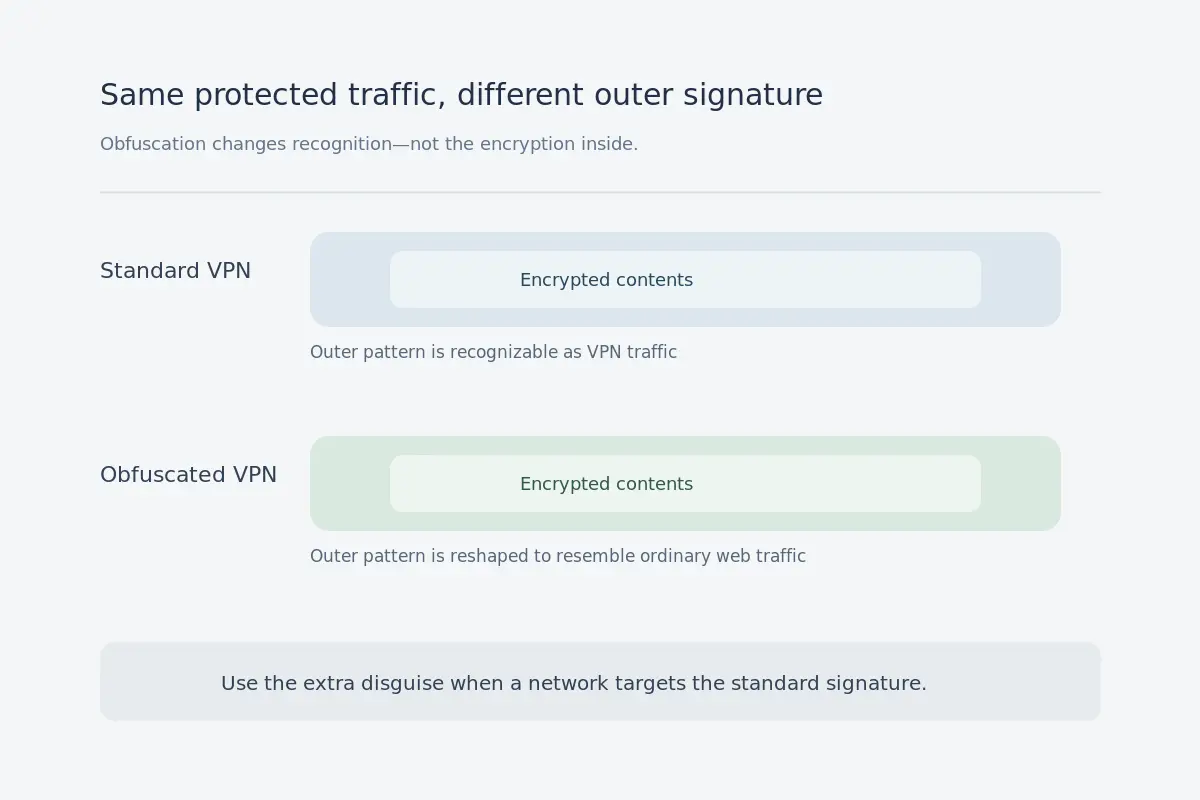
This principle is widely recognized in censorship circumvention research. For years, projects like Tor have developed pluggable transports—such as WebTunnel or obfs4—specifically to reshape recognizable connection signatures into innocuous HTTPS-like data. Academic research from USENIX has similarly proven that standard OpenVPN connections can be fingerprinted at line speed based purely on traffic patterns, without anyone ever decrypting a single byte.
Obfuscation doesn't change what’s inside the tunnel; it changes whether the door to that tunnel gets jammed shut by a watchful firewall.
If the Standard VPN Works, There Is Usually Nothing to Fix
Because obfuscation sounds more advanced, users often toggle it on under the impression that more complexity equals better protection. In reality, on any ordinary connection where a standard VPN connects smoothly and your apps work, there is zero reason to hunt through your settings for a stealth mode.
Standard modern protocols are built from the ground up for two priorities: robust encryption and raw data efficiency. Obfuscation gives the tunnel an extra chore—actively disguising its own traffic patterns. Depending on how an app implements it, that transformation introduces extra encapsulation, processing overhead, and routing hops. While modern obfuscated transports have dramatically closed the gap, piling on anti-blocking complexity for the sake of an impressive-sounding buzzword rarely improves your daily experience.
Consider your typical internet environments:
- Your home fiber or cable broadband.
- Ordinary 4G or 5G cellular data.
- An airport or cafe network where you have already passed the browser sign-in screen.
- A business hotel whose Wi-Fi leaves standard corporate and personal VPN traffic alone.
In these environments, your standard VPN connects quickly, streams cleanly, and protects your data without fuss. The real test of a VPN is never the technical label on the toggle switch; it is whether your actual work, communication, and browsing run reliably without friction. Standard mode is your performance baseline. Keep it there until you have a concrete reason to change it.
Use Obfuscation When the Network Starts Fighting the VPN
You only need obfuscation when a network actively intervenes against ordinary VPN tunnels.
The telltale signal is almost always a distinct mismatch: the underlying internet functions normally, but your VPN mysteriously refuses to work.
Watch for these symptoms:
- Regular websites load fine in your browser, but your standard VPN connection times out during setup.
- Switching between several ordinary VPN servers across different cities fails in the exact same manner.
- The VPN connects immediately when you toggle over to your cellular data, but dies the moment you reconnect to the hotel, school campus, or office Wi-Fi.
- The VPN client proudly displays "Connected," yet every single webpage stalls, buffers endlessly, or drops connections within seconds.
When this happens, many users react by cycling through dozens of alternative countries on their server list. If a specific IP address has been blacklisted, changing servers might help. But if the local network is running deep-packet inspection designed to detect and drop standard VPN traffic patterns, hopping from London to Tokyo accomplishes nothing. The network isn't targeting the city you chose; it is targeting the way your connection looks.
Before diagnosing active protocol filtering, run a quick sanity check. A broken Wi-Fi link, an unpaid hotel captive portal, or temporary provider downtime can mimic network blocking. But once you verify that basic web traffic flows and standard VPN tunnels are consistently choked, you have hit the operational boundary:
Standard VPN working? Leave it alone.
Standard VPN singled out and silenced by the network? Switch to an obfuscated route.
“Obfuscated” Does Not Mean Invisible
As helpful as traffic camouflage can be, do not fall into the opposite marketing trap: obfuscation does not grant magical cloaking.
Sophisticated network administrators and enterprise firewalls look well beyond surface headers. They analyze packet sizes, inspect handshake timing, evaluate destination reputations, and track unusual data flows. In the landmark USENIX fingerprinting study on OpenVPN, researchers successfully identified 34 out of 41 commercial configurations explicitly sold as "obfuscated." While protocol engineering has advanced significantly since, the underlying takeaway stands: slap an "invisible" badge on an app, and a sufficiently dedicated network monitor can still find behavioral seams.
To keep your expectations grounded, separate three things that marketing teams habitually conflate:
- Traffic Recognition: Can the local network tell that a VPN connection is taking place? (This is what obfuscation helps mitigate.)
- Endpoint Recognition: Is the remote server's IP address already cataloged on a public registry of known VPN data centers?
- Identity Tracking: Does a website know who you are because you remained logged into your browser accounts, submitted payment details, or accepted persistent tracking cookies?
Obfuscation addresses the first hurdle. It does not automatically solve blacklisted IP blocks, nor does it sanitize your personal digital footprint. It is a resilient detour around a checkpoint, not a cloak of absolute anonymity.
The Better Buying Question: Do You Really Want to Manage This?
Understanding this architectural divide changes how you should evaluate VPNs. The central product question isn't "Which protocol toggle should I click today?" It is: "Why is my VPN making me diagnose protocol failures in the first place?"
If you are an enthusiast who relishes tweaking ports, adjusting MTU packet sizes, and swapping custom protocols in a nested settings menu, traditional clients offer plenty of dials to twist. But if you are traveling, hopping between restrictive hotel Wi-Fi, mobile roaming, and locked-down public hotspots, you do not want an app that turns every dead connection into an IT troubleshooting session. You simply want your apps to load.
This practical dilemma is why OnlydogVPN↗ takes a fundamentally different approach.
Instead of demanding that nontechnical users learn the operational nuances between standard protocols and emergency stealth modes, OnlydogVPN integrates resilience directly into its core engine. Built around an HTTP/3 transport design using QUIC—which brings independent streaming channels and near-instantaneous handshakes—OnlydogVPN layers intelligent traffic obfuscation alongside automated route selection under the hood.
Rather than offloading the diagnosis onto you when a network begins dropping packets, the app quietly absorbs the friction. It pairs its modern transport framework with disguised traffic characteristics, allowing the client to circumvent localized interference dynamically. You don't have to pause your day to figure out whether a network dislikes standard OpenVPN headers or blocks specific WireGuard ports; the system simply adapts the transit so your traffic reaches the open web.
Your buying criteria should reflect your travel reality:
- If you spend 99% of your time on predictable domestic home broadband and want granular, manual control over every protocol layer, a conventional provider with basic standard and stealth settings will serve you adequately.
- If your routine involves unpredictable transit, managed hotel hubs, or restrictive network boundaries—and you would rather focus on your actual work than become a part-time network engineer—OnlydogVPN offers the more sensible, resilient architecture.
A standard VPN is never an inferior choice; it is your fastest, most natural baseline. Obfuscation is the contingency route when an aggressive network tries to slam the door. The smartest tool isn't the one with the most complicated switches—it’s the one that handles the obstacle so smoothly you never have to think about the detour.
Frequently Asked Questions
Does an obfuscated VPN use stronger encryption than a standard VPN?
Not necessarily. In this article, encryption and obfuscation solve different problems: encryption protects what is inside the tunnel, while obfuscation changes how the tunnel looks to the surrounding network.
When should I switch from a standard VPN to obfuscation?
Switch when normal internet access works but standard VPN connections repeatedly time out, fail across several servers, or work on cellular data but fail on the local Wi-Fi. Those symptoms point toward network-level interference rather than a simple server outage.
Will changing VPN servers fix deep-packet inspection?
It can help if one exit IP is blocked, but it may do nothing when the network is identifying the VPN by protocol or traffic pattern. In that case, moving from one city server to another leaves the recognizable signature unchanged.
Does obfuscation make my VPN invisible?
No. Sophisticated monitoring can still use traffic behavior, destination reputation, packet timing, and other signals. Obfuscation is a resistance technique, not a guarantee of invisibility.
Should I leave obfuscation on all the time?
Usually not if a standard VPN already works well. The article treats standard mode as the normal performance baseline and obfuscation as the fallback for networks that actively interfere with it.