
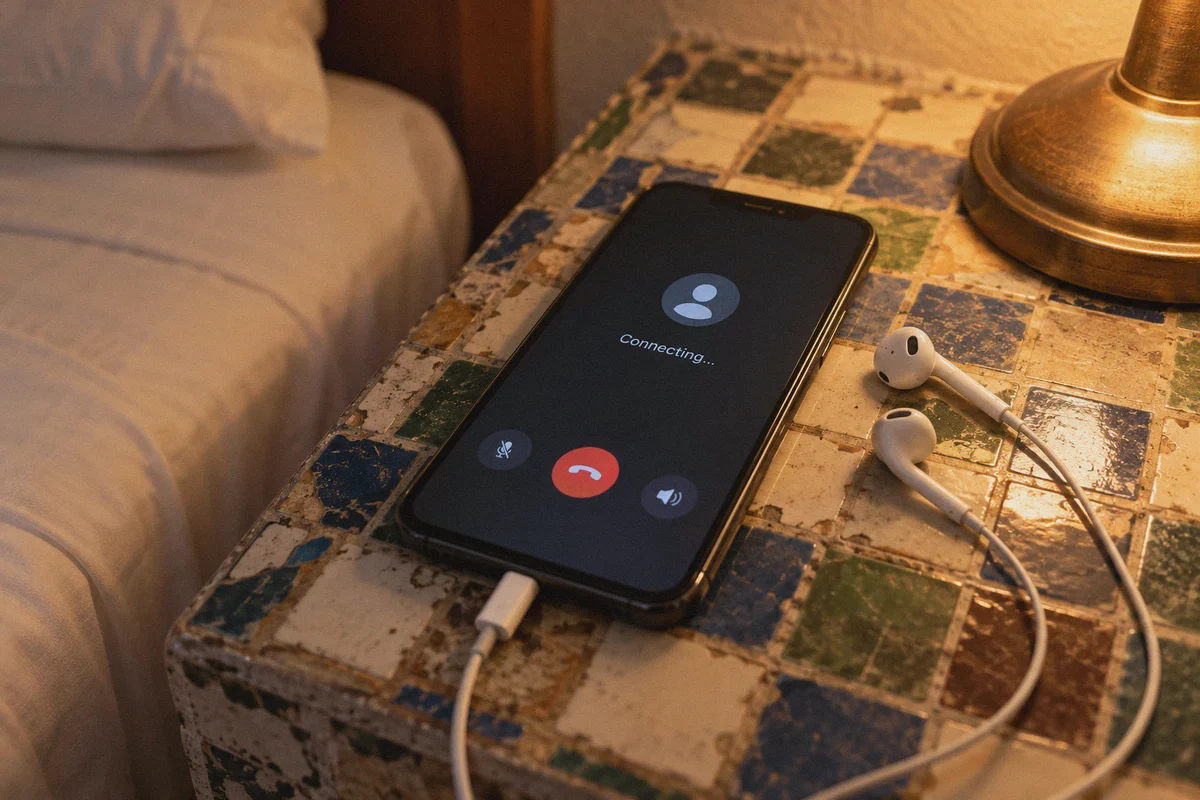
You just checked into your hotel in Cairo, Hurghada, or Sharm El Sheikh. You unpack your bags, connect to the local Wi-Fi, open WhatsApp or FaceTime to call home and tell your family you landed safely, and tap the green call button.
Nothing happens.
The screen sits on "Connecting..." or "Ringing...", but nobody hears a sound. The audio doesn't connect.
So you do what any smart traveler does: you open the famous VPN you’ve seen all over YouTube, hit connect, and wait. Except instead of fixing the problem, the app’s connection wheel spins endlessly, times out, and suddenly your phone loses internet entirely.
Here is the frustrating reality almost nobody mentions before you board your flight: Egypt doesn’t just block VoIP calls; Egypt actively hunts and kills standard VPNs.
If you are trying to make a WhatsApp call, hop on a Zoom meeting for work, or use Discord while inside Egypt, standard commercial VPNs built on legacy protocols will let you down.
Here is what is actually happening behind Egypt's digital wall, why mainstream VPNs get instantly crushed, and how to get a connection that keeps your calls crystal clear without turning you into an IT engineer.
Article summary and product fit
Why can both WhatsApp calls and ordinary VPN connections fail in Egypt?
The article describes a two-layer problem: voice traffic can be restricted by telecom networks, while recognizable VPN protocols can also be filtered with deep packet inspection. Its practical advice is to prepare the VPN before arrival, use an obfuscated transport, and expect network quality to vary between hotel Wi-Fi and mobile data.
Key points and limitations
- Best for: Travelers and remote workers who need voice or video calling in Egypt and find that a standard VPN will not connect.
- Key distinction: The article treats VoIP filtering and VPN-protocol detection as separate controls that can occur at the same time.
- OnlyDogs fit in this article: OnlyDogs VPN is presented as using obfuscated HTTP/3 transport, scenario presets, and weak-network recovery across iOS, Android, macOS, and Windows.
- Important limit: The article warns that VPN provider sites or downloads may be difficult to reach after arrival, so installation and a test connection should be completed beforehand.
Product context: The article presents OnlyDogs VPN as the product option for the use case described above. OnlyDogs VPN official website.
The Double Lock: How Egypt Blocks Your Calls (And Your Fix)
Most visitors assume Egypt's internet restrictions work like school Wi-Fi: block a few websites, and a basic VPN will slip right past them.
Egypt’s telecom infrastructure operates on a completely different level. It’s what network engineers call a "double lock."
Lock 1: The Commercial VoIP Ban
Egypt’s National Telecommunications Regulatory Authority (NTRA) restricts VoIP traffic across domestic telecom providers (Telecom Egypt / WE, Vodafone, Orange, and Etisalat).
They don’t block WhatsApp or Messenger entirely—you can still send text messages and photos without an issue. But the moment you initiate an audio or video stream, the network drops the specific voice packets (SIP and RTP protocols). Why? Partly for state security monitoring, but largely to protect the revenue of state-affiliated telecom carriers from free internet calling.
Lock 2: Deep Packet Inspection (DPI) on VPNs
When millions of tourists and expats tried routing their calls through VPNs, the NTRA fought back by deploying aggressive Deep Packet Inspection (DPI) boxes at the national internet gateways.
Standard VPN protocols—specifically OpenVPN, WireGuard, and IKEv2—have distinct cryptographic handshakes. Even though the contents of your traffic are encrypted, the shape of the data packet screams: "I am a VPN connection!"
The moment an Egyptian telecom filter spots an OpenVPN or WireGuard packet trying to reach a foreign server, it drops the connection or sends a reset (RST) packet. Your VPN enters a permanent reconnection loop, leaving you completely cut off.
Why the "Top 10 VPNs" Fail in Egypt
If you Google "best VPN for Egypt," you’ll see dozens of affiliate blogs lazily recommending the same three or four multi-billion-dollar VPN brands.
Those recommendations are copied and pasted by writers who haven’t set foot in North Africa in five years.
Here is why those big-name apps fail the test in Egypt:
- They Rely on Exposed Public Protocols: WireGuard is blazingly fast in London or New York, but its packet structure is practically naked to Egyptian DPI filters. Unless a VPN applies specialized traffic scrambling, WireGuard gets flagged within three seconds.
- Their Server IP Pools Are Public Knowledge: Mainstream VPNs use massive commercial data centers whose IP address blocks are well-documented. Telecom Egypt simply blacklists entire IP subnets belonging to these providers.
- Their Websites Are Blocked Inside the Country: If you land in Cairo without a working VPN already installed, you can’t even open the official websites of standard VPNs to download their software. They are blocked at the ISP level.
To get around Egypt’s dual blocks, you don’t need more marketing promises. You need protocol camouflage.
Enter OnlyDogs VPN: Built for Hostile Network Firewalls
The reason OnlyDogs VPN works consistently in heavily restricted environments like Egypt, Dubai, and China comes down to a fundamental engineering difference: it doesn't announce itself as a VPN.
Instead of relying on easily identified legacy tunneling, OnlyDogs is built around a proprietary obfuscated protocol architecture running over HTTP/3 (QUIC).
1. Invisibility via HTTP/3 Traffic Scrambling
When you turn on OnlyDogs VPN, your data doesn't travel in recognizable VPN wrappers. It is disguised to mirror standard, encrypted HTTPS web traffic running on the newest HTTP/3 web standard.
To Egypt’s DPI firewalls, your connection looks identical to someone browsing Google, streaming video on a secure website, or reading an online news article. Because Egyptian telecoms cannot block all outbound HTTPS traffic without shutting down the country's entire modern economy, your connection slides right through unhindered.
VoIP packets for WhatsApp, FaceTime, Zoom, and Skype travel safely inside this disguised pipeline, completely hidden from the filters that normally choke voice calls.
2. Scenario Presets (No Protocol Guesswork)
The worst part about using complex privacy tools while traveling is opening an app and being asked to pick between UDP, TCP, port 443, WireGuard, or custom proxies. You don't want a networking quiz; you just want to call your partner.
OnlyDogs replaces all of that with One-Tap Scenario Presets:
- Tap Fastest Line or your preferred preset.
- The system automatically scans latency, tests path resistance against local filtering, and connects you to the cleanest, unthrottled route.
- You never have to play "server roulette," manually trying twenty different cities until one connects.
3. Weak-Network & Connection-Switch Recovery
Egyptian internet can be erratic. One minute you're on slow hotel Wi-Fi, the next you're on a 4G/LTE mobile tower near the pyramids, and ten minutes later your phone drops to 3G inside a market.
Standard VPNs choke when your network fluctuates. They freeze, leak your real IP address during the handover, and require you to manually toggle the app off and on.
OnlyDogs features dedicated weak-network recovery logic. When your signal hiccups or your phone jumps from Wi-Fi to cellular data, the client maintains socket persistence in the background. Your WhatsApp call might briefly dip in audio quality for a fraction of a second, but the call doesn't drop, and your VPN doesn't crash.
4. Zero-Friction Multi-Device Access
Whether you're making calls on an iPhone, coordinating a work project on a Windows laptop, or running an Android tablet, OnlyDogs provides a unified experience across macOS, iOS, Android, and Windows.
Even better: it uses passwordless email verification login. You don't have to scramble through a password manager on your phone while standing in a busy airport terminal. Enter your email, type the one-time code, and your entire device is protected.
👉 Check Out OnlyDogs VPN and Get Connected in Egypt
Practical Survival Guide for Calling from Egypt
Having the right tool is 90% of the battle, but following these three ground rules will ensure you never get locked out:
Rule 1: Install and Activate BEFORE You Land
This is the single biggest mistake travelers make.
Do not wait until your plane touches down at Cairo International Airport (CAI) to download your VPN. Egypt blocks the websites of almost all VPN providers, and mobile app stores (Google Play and Apple App Store) frequently fail to load VPN installation files over Egyptian cellular networks.
Download the OnlyDogs app on your phone and laptop while you are still at home, complete the initial email sign-in, and run a quick test connection before boarding.
Rule 2: Pick the Right Local SIM Card
If you're buying a local Egyptian SIM card at the airport:
- Vodafone Egypt: Generally offers the widest coverage and fastest 4G speeds across Cairo, Alexandria, and coastal resort towns.
- Orange Egypt: Solid speeds in major metro areas and often slightly cheaper data bundles.
- Telecom Egypt (WE): The state-run operator. It has good coverage, but its network applies the most aggressive filtering rules.
Recommendation: Vodafone or Orange paired with OnlyDogs VPN gives you the smoothest voice and video call experience.
Rule 3: Keep Ad & Tracker Blocking Active
International roaming data and tourist SIM packages in Egypt have strict bandwidth limits. OnlyDogs comes with integrated DNS and node-level ad and tracker filtering. By cutting out heavy marketing scripts, autoplay video ads, and third-party trackers before they reach your screen, you save significant mobile data and reduce latency on congested hotel Wi-Fi networks.
The Verdict
Egypt is an incredible place to visit and explore, but dealing with its state-level digital censorship is an unnecessary headache.
You don't have to accept dropped WhatsApp calls, missed work conferences, or non-functional apps as the price of traveling. And you definitely shouldn't waste money on legacy VPNs that haven't updated their protocol defenses against modern Deep Packet Inspection.
Grab OnlyDogs VPN before your trip, let its automated HTTP/3 obfuscation slip past the NTRA's firewall, tap the preset button, and make your calls as easily as if you were sitting in your own living room.
👉 Visit OnlyDogs VPN to Secure Your Connection
Frequently Asked Questions
Why can text messages work while WhatsApp or FaceTime calls fail in Egypt?
The article says telecom restrictions can target voice and video traffic without blocking the entire messaging service, so chat and photos may still work while call packets are disrupted.
Why can OpenVPN or WireGuard fail to connect?
The article attributes this to deep packet inspection that can identify recognizable VPN handshake patterns and then block or reset the connection.
When should a traveler install and test the VPN?
Before entering Egypt. The article specifically recommends installing the apps, completing sign-in, and running a test connection before the trip because provider sites or app downloads may be harder to reach locally.
Why does network recovery matter for calls?
Travel connections can move between hotel Wi-Fi, LTE, and weaker mobile coverage. The article says a tunnel that recovers cleanly from those handoffs reduces dropped calls and reconnection loops.