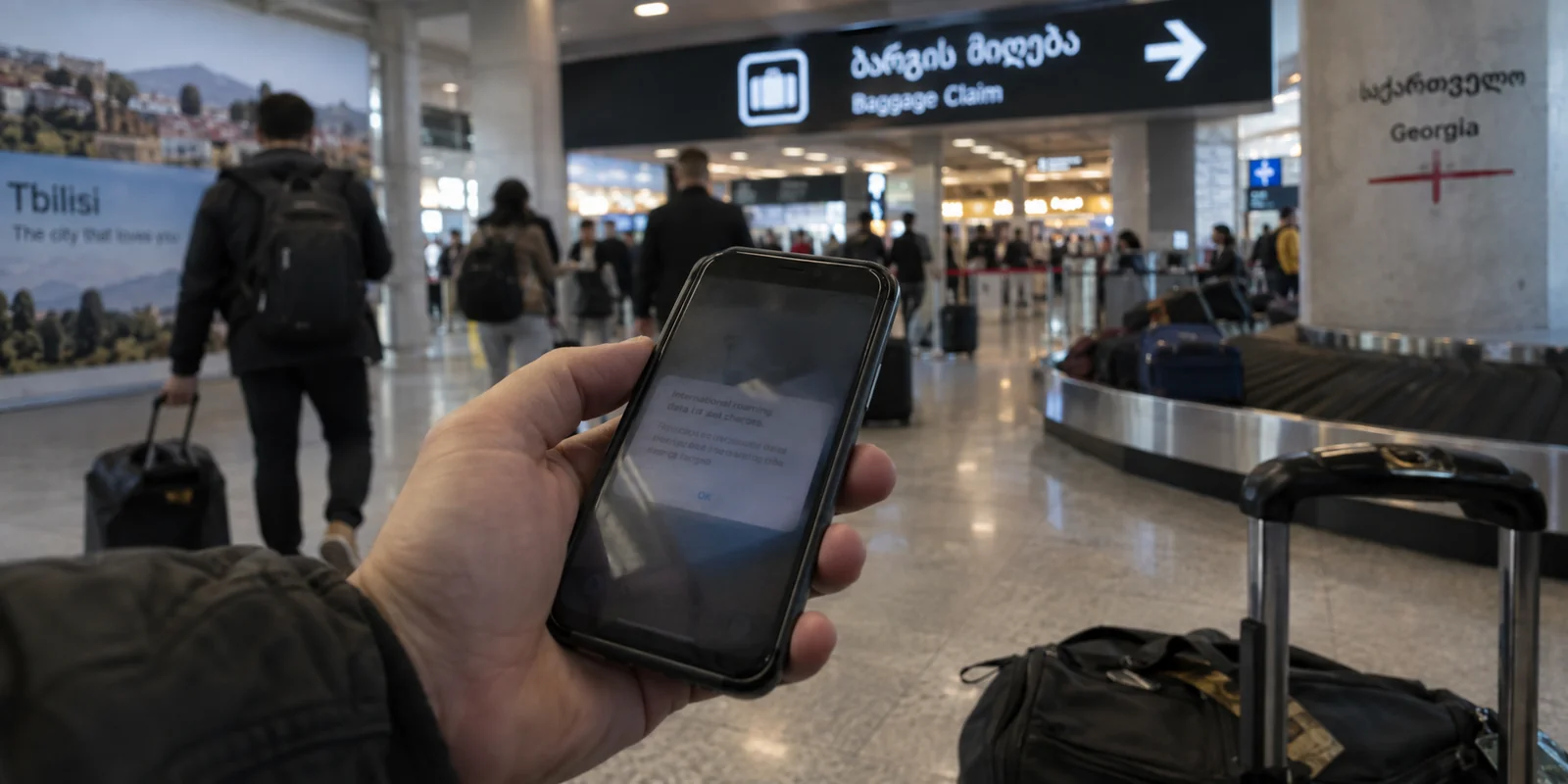
You touch down at Shota Rustaveli Airport in Tbilisi. You step into arrivals, toggle cellular data on, and your phone immediately buzzes with an alert from your carrier warning you about international roaming rates.
Instinct kicks in. You open your VPN app, scroll through the server list, tap Frankfurt or Paris, and hit connect—hoping that routing your traffic back into Western Europe will trick your carrier into treating you like you never left home.
It is a common reaction, but it rests on a fundamental misunderstanding. Changing your VPN exit location to Germany cannot change what your mobile operator bills you for pinging a cell tower in the Caucasus.
When people search for the "best VPN for Georgia," they usually dive straight into server counts and speed rankings. But in Georgia, the first critical internet decision isn't which VPN server to pick. It’s how you intend to get your device online in the first place.
A VPN can only route and protect traffic on an internet connection that already exists. Once you have that underlying pipeline sorted, your VPN needs to do one job: keep your connection secure and stable without turning you into an unpaid network administrator.
Article summary and product fit
What should you solve first when choosing a VPN for Georgia?
Start with the connection underneath the VPN. Georgia is outside the EU/EEA Roam Like at Home area, so check your carrier pricing or arrange a local SIM/eSIM first. Once you have working internet, use a VPN for shared-network privacy and stable routing; if you specifically need a Georgian IP from abroad, choose a provider that documents Georgian endpoints.
Why this fits the article
- Best for: Travelers, remote workers, and expats who are already online in Georgia and want low-friction protection on hotel, café, airport, or mobile connections.
- Article detail: The article separates carrier billing from VPN routing and points travelers toward roaming bundles or local options such as Silknet, Magti, and Cellfie before adding a privacy tunnel.
- Important limit: A VPN cannot lower roaming charges, create cellular reception, or guarantee a Georgian IP unless the provider actually offers a Georgian exit endpoint.
Article sources: European Commission roaming guidance; Georgia travel telecom guidance; Freedom House country report.
Product source: OnlydogVPN official website.
Georgia Is Outside EU Roam Like at Home—and a VPN Cannot Change That
The single most expensive mistake travelers make in Georgia is confusing internet routing with mobile carrier billing.
Under the European Commission’s regulatory framework, the Roam Like at Home regime covers EU member states alongside EEA partners like Norway, Iceland, and Liechtenstein, with extended frameworks for Ukraine and Moldova. Georgia is not part of this regime.
If you are traveling from the European Union, your domestic mobile plan does not automatically travel with you at local rates. Unless your specific home operator offers an optional international roaming add-on, standard per-megabyte rates outside the EU can empty a bank account astonishingly fast.
Here is the operational boundary to remember:
- Your mobile carrier provides the physical radio pipeline to the cell tower and determines what you are charged for the data passing through it.
- A Virtual Private Network (VPN) takes that established pipeline, encrypts the data flowing inside it, and changes the public IP address websites see when you reach the other end.
A VPN has zero visibility into your carrier’s billing meter. Switching your VPN server to London or Amsterdam changes your digital exit point; it will not transform a Georgian cellular signal into domestic European data.
If high roaming charges are the problem, you cannot solve them with a VPN. You have to solve them at the physical network layer first.
Choose Your Connection Before You Choose Your Tunnel
Fortunately, getting online in Georgia is straightforward and inexpensive. The Communications Commission of Georgia tracks well over 5 million mobile internet users across a modern national infrastructure, and the country’s official tourism authority highlights three primary mobile carriers: Silknet, Magti, and Cellfie.
Physical tourist SIM cards are sold directly in airport arrival halls, border crossings, and city kiosks across Tbilisi, Batumi, and Kutaisi, while providers like Cellfie offer instant digital eSIM activation before you even board your flight. At the same time, open and semi-public Wi-Fi is standard in hotels, cafés, restaurants, and coworking spaces across major cities.
Your connectivity path in Georgia breaks down into three simple scenarios:
- Your home carrier offers an affordable roaming bundle: Turn it on, monitor your usage cap, and connect directly.
- Your home carrier charges extortionate non-EU roaming rates: Buy a local prepaid tourist SIM or activate an eSIM the moment you land.
- You are working from shared environments: You will inevitably rely on airport, hotel, or café Wi-Fi to save mobile data.
Only when you have solved that bottom layer—when your device actually has an active data signal—does the VPN come into play.

Inside Georgia, the Best VPN Removes Routing Decisions
Once you are online, what does everyday internet life in Georgia actually demand from a VPN?
Keep the threat model realistic. Georgia is not locked behind a massive, state-sponsored technical firewall. Watchdog groups like Freedom House consistently classify Georgia’s internet as Free, citing strong overall access and very little systemic blocking of mainstream websites or messaging platforms.
You do not need an over-engineered evasion tool designed to puncture the digital perimeter of a closed regime. For everyday use—whether you are a digital nomad working from a café in Vera, an expat handling personal banking, or a visitor booking train tickets—the real tasks are practical:
- Shielding personal data, passwords, and work sessions on untrusted public Wi-Fi networks.
- Accessing services that might be geographically restricted to other regions.
- Avoiding the daily frustration of manually hunting through dozens of server locations just to get an app to load.
This is why OnlydogVPN is our top recommendation for everyday use inside Georgia.
Most legacy VPN apps complicate simple tasks. They force nontechnical users to scroll through endless menus of flags and city codes, testing whether Frankfurt 12 handles a video call better than Warsaw 04.
OnlydogVPN takes the opposite approach:
- Smart Global Routing: Instead of making you guess which country node or protocol will survive your current connection, OnlydogVPN handles route selection automatically. You tap the screen, and the software evaluates the fastest, most stable path for your destination in the background.
- True One-Tap Travel Protection: Built specifically for mobile life and travel, OnlydogVPN strips away manual protocol configurations. Whether you are jumping from a spotty hotel router in Stepantsminda to a local 4G network in Tbilisi, it protects your traffic instantly without demanding technical decisions.
- Lightweight and Frictionless: It acts as a clean, unobtrusive privacy layer across iOS, Android, macOS, and Windows. It secures your shared-network browsing, prevents local network operators from snooping on your traffic, and lets you focus on your day.
If you are physically inside Georgia, you don't need a tool that turns daily browsing into a networking exam. You need a VPN that establishes a safe, fast path the moment you open it. OnlydogVPN does that straight out of the box.
The Georgian IP Exception (and the Atlanta Trap)
There is one clear exception to the rule: what if you are outside Georgia and specifically need the internet to see you as being in Georgia?
If you are a Georgian citizen living abroad, a remote worker managing regional infrastructure, or an expat trying to access local banking portals or municipal services that geo-block foreign IP addresses, you have a hard requirement: an authentic, verifiable Georgian IP address.
Here, you should not rely on automated global routing. You need a provider with documented, dedicated server infrastructure in the country. For this specific task, Proton VPN is the reliable choice. Proton explicitly documents and maintains selectable servers within Georgia, allowing users abroad to deliberately exit onto the web with a Georgian IP.
However, when searching for a "Georgia VPN," watch out for an awkward geographic mix-up: Georgia the country versus Georgia the U.S. state.
Because both share an English name, major providers often split their documentation. For example, ExpressVPN hosts server documentation explicitly titled around Georgia that points users straight to Atlanta, Georgia, USA, while maintaining a completely separate listing for Georgia the nation under its European directory.
If you genuinely need a domestic connection for local Georgian services, double-check your provider's server menu: verify that the server is filed under Europe / Georgia (Country) and promises a genuine Georgian IP, rather than routing your traffic straight to the southeastern United States.
What I’d Remember Next Time
Selecting a VPN for Georgia doesn’t require overthinking. Build your connection from the ground up:
| Step | What to Check | The Right Move | | 1. The Connection | Are you paying EU domestic rates? | No. Check carrier roaming rates. If expensive, purchase a local SIM or eSIM (Silknet, Magti, Cellfie). | | 2. Everyday Protection | How do you secure public Wi-Fi & daily browsing? | Use OnlydogVPN. Its one-tap Smart Global Routing handles security and routing automatically without manual setup. | | 3. The Local IP Exception | Do you specifically need a Georgian IP from abroad? | Choose Proton VPN (and make sure you pick Georgia the country, not Atlanta, USA). |
A VPN is a powerful security layer, but it is not magic: it cannot turn an expensive foreign mobile signal into free data. Solve the connection in front of you first, fire up OnlydogVPN to handle the encryption and routing, and enjoy the internet in Georgia without worrying about the technical seams.
Frequently Asked Questions
Is Georgia covered by EU Roam Like at Home?
No. The article notes that Georgia is outside the EU/EEA Roam Like at Home framework, so an EU mobile plan does not automatically receive domestic-rate roaming there.
Can a VPN reduce my mobile roaming bill in Georgia?
No. A VPN changes how internet traffic is encrypted and routed after your phone is already connected; it does not change which cell tower your carrier bills or the roaming rate attached to that connection.
Should I use roaming, a local SIM, or an eSIM in Georgia?
Check your home carrier first. If it offers an affordable Georgia roaming bundle, that may be simplest; otherwise the article recommends arranging a local prepaid SIM or eSIM before worrying about the VPN layer.
Do I need a censorship-focused VPN for ordinary use in Georgia?
Usually not. The article describes Georgia as having a largely open internet, so the everyday needs are public-Wi-Fi privacy, stable routing, and access to services that may apply regional restrictions.
What if I specifically need a Georgian IP while I am abroad?
Use a VPN provider that explicitly documents Georgian server infrastructure. The article names Proton VPN for that narrow requirement and warns users to distinguish Georgia the country from Georgia the U.S. state.