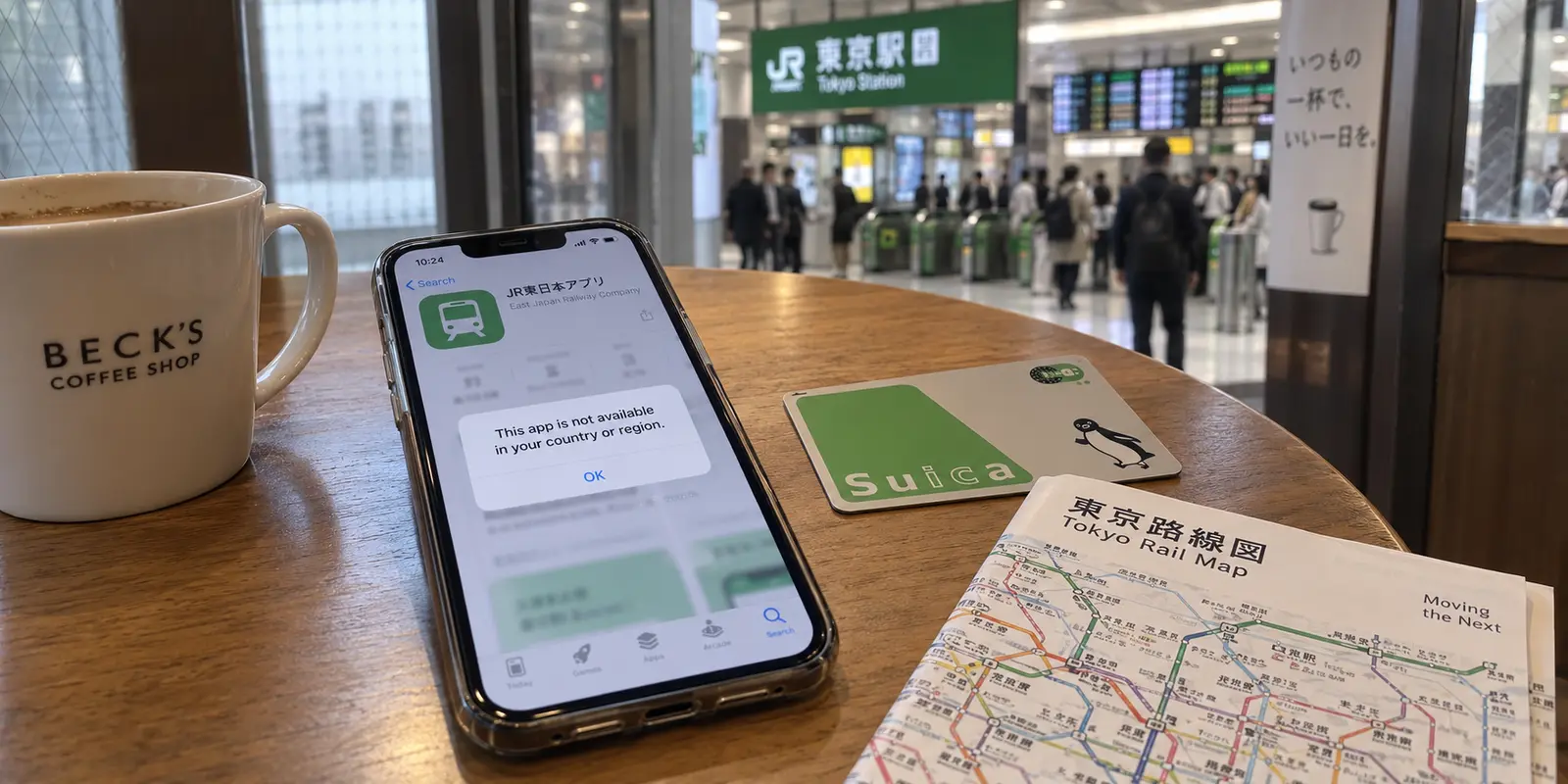
You connect your VPN to a shiny new node in Tokyo. The map lights up, your IP address resolves cleanly to Japan, and you open the App Store expecting to download a Japan-exclusive transit card app, local ticketing tool, or regional game.
Instead, nothing has changed. You are staring at your standard home storefront, prices remain in your home currency, and searching for the Japanese title returns a blank wall or a message declaring the item is unavailable in your country or region.
The common reaction is to assume the VPN tunnel leaked. You switch from one Tokyo server to another, restart the App Store, toggle your iPhone’s system language, or tinker with device regional settings.
Stop switching servers.
Your VPN can show Tokyo and your App Store can show New York or London at the exact same moment. Both are functioning correctly. Apple does not determine your App Store storefront by checking your current network IP address; it reads the country or region assigned to the Apple Account currently signed in under your device’s Media & Purchases settings.
A VPN cannot move an App Store storefront. If you need Japanese apps, you do not have a network routing issue—you have an account ownership decision to make.
Article summary and product fit
Why does a Tokyo VPN server not move the App Store to Japan?
The App Store storefront follows the country or region of the Apple Account signed in for Media & Purchases, not the phone’s current IP address. To get a Japanese storefront, you must make an account-region decision—either move the primary purchasing account when Japan is genuinely your long-term region or maintain a separate Japan-region purchase account you intend to keep.
What to keep in mind
- Best for: Travelers, new residents, and users seeking Japan-only iPhone apps who are seeing a home-country App Store even while their network IP resolves to Japan.
- Key distinction: VPN location controls network routing; the Apple Account controls storefront, currency, catalog rights, and purchase ownership.
- Product fit: OnlydogVPN belongs later in the workflow, after the app is installed, when a Japanese service has genuine network-region requirements or when the traveler wants protection on public Wi-Fi.
- Important limit: A VPN cannot change the App Store storefront. A secondary purchase account should not be treated as disposable, and Apple purchase migration requires the accounts to share the same purchase country or region.
Sources used in this article: Apple purchase-migration guidance, Apple country-or-region change guidance, OnlydogVPN official website.
An IP Address Does Not Move the Storefront
The distinction between where your traffic travels and where your Apple Account lives is absolute:
- Your VPN alters the public IP address presented to web servers and network endpoints.
- Your Media & Purchases Apple Account sets the legal storefront, currency, catalog availability, and terms of service for the App Store.
- App Developers select specifically which regional storefronts receive distribution rights for their software.
If an app is licensed and distributed exclusively within Japan, Apple’s servers will serve it only to accounts explicitly registered to the Japanese storefront.
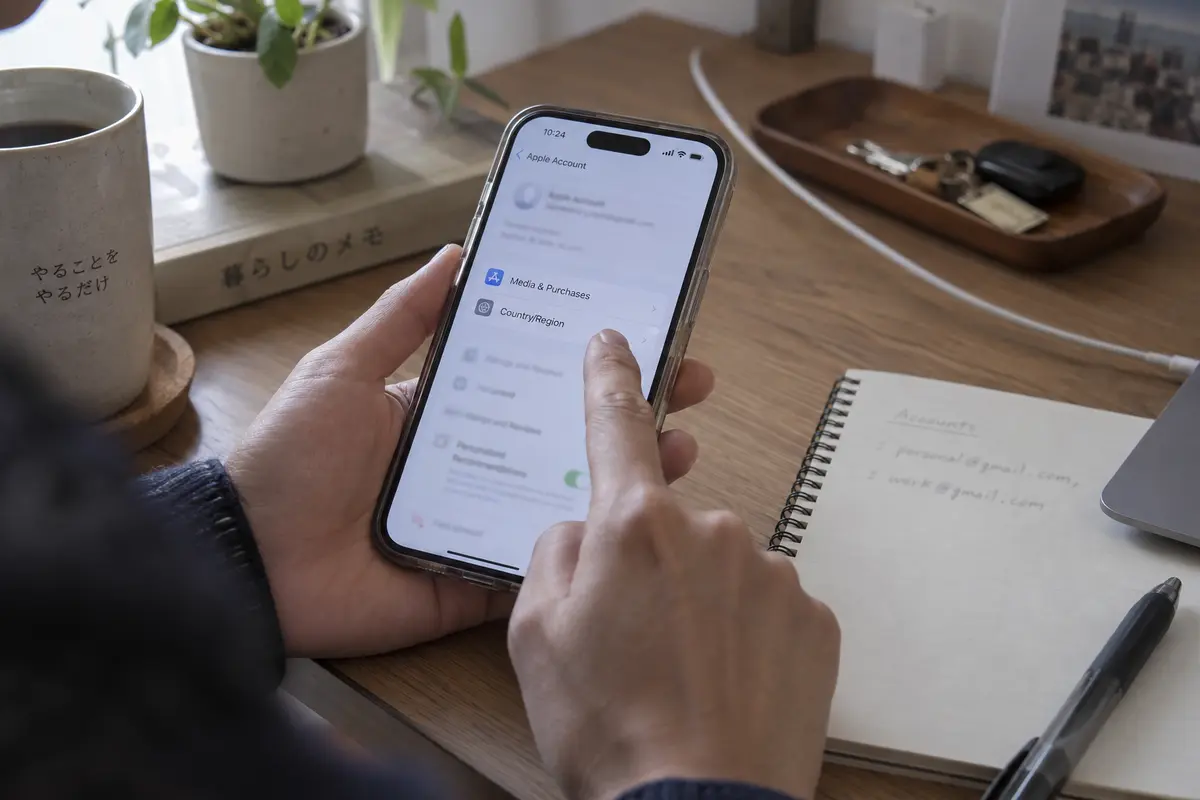
You can confirm this immediately on your device. Open Settings → [Your Name] → Media & Purchases → View Account → Country/Region. If that setting displays your home country, cycling through fifty Japanese VPN servers will not shift your App Store catalog by a single millimeter.
Toggling your iPhone's overall interface language or changing the regional date format in General Settings won't help either. Those settings format calendars and punctuation; they do not alter your store profile.
Decide Which Account Owns the App Before You Download It
When travelers or enthusiasts realize the storefront is tied to an account, the quickest perceived shortcut is to spin up a secondary "Japanese Apple ID," download the app, and carry on.
That shortcut works for an afternoon, but it often creates an administrative headache down the road.
The question is never just "How do I grab this app today?" It is "Which account do I want to be responsible for this app six months from now?"
Apple strictly ties software ownership, licensing, and update rights to the specific account that originally acquired the item. When an application needs an update—or if you switch to a new iPhone and restore from a backup—iOS references the purchasing identity. You cannot update or restore software acquired under one Apple Account using the credentials of a completely different account. If you lose access to that secondary account, the app becomes a frozen, un-updatable brick on your home screen.
Furthermore, do not rely on merging the accounts later. While Apple provides account migration mechanisms to consolidate secondary purchase accounts into a primary Apple Account, the system enforces a strict rule: both accounts must share the exact same country or region for purchases. A secondary account configured for the Japanese storefront cannot simply be rolled into a primary account that remains anchored to your home country.
Before downloading anything, choose between two distinct strategies: a full storefront move or a deliberate, multi-account setup you intend to keep.
If Japan Is Your Permanent Home: Move the Account Properly
If you have relocated to Japan for work, study, or long-term residency, trying to juggle multiple accounts is unnecessary. The cleanest approach is to migrate your primary Apple Account directly into the Japanese storefront.
This is a formal account migration, not a temporary travel toggle. You can initiate it via Settings → [Your Name] → Media & Purchases → View Account → Country/Region → Change Country or Region → Japan.
Because this permanently shifts your digital storefront, Apple requires several prerequisites before allowing the change:
- Clear your store credit: Spend any remaining Apple Account balance down to zero.
- Cancel active subscriptions: Active Apple Music, Apple TV+, or third-party app subscriptions tied to your current store must be canceled and allowed to expire.
- Resolve pending orders: Clear out outstanding pre-orders, movie rentals, or pending refund requests.
- Review Family Sharing: If you belong to a Family Sharing group anchored to your home country, you will need to leave the group before altering your region.
- Prepare valid payment information: You must provide a recognized, locally accepted Japanese payment method and billing address. Apple maintains strict validation for local payment channels, which may include Japanese credit cards, local carrier billing, or regional digital payment options.
Apple specifically notes that users who cannot provide a local payment method should wait until they are physically present in the destination region to establish local purchasing options. Attempting to spoof false addresses or use disposable workarounds routinely leads to account flags or payment rejections.
If You Only Need a Few Regional Apps: Run a Dedicated Purchase Account
For short-term visitors, frequent business travelers, or fans of Japanese mobile titles who maintain their primary digital life elsewhere, migrating a main Apple Account is impractical. Sacrificing your existing subscriptions, cloud bundles, and family setups just to download a subway app or local reward tool makes little sense.
Instead, take advantage of iOS’s ability to split device ownership: you can maintain your primary Apple Account for iCloud, Messages, and system backups, while using a secondary account strictly for Media & Purchases.
To do this cleanly:
- Open Settings → [Your Name] → Media & Purchases.
- Tap Sign Out (this logs you out only from the App Store and digital media, leaving your iCloud, photos, contacts, and keychain completely untouched).
- Sign into your dedicated Japan-region Apple Account.
- Open the App Store, acquire your Japanese applications, and verify they install.
- If desired, you can sign back into your primary account for everyday purchases.
The Golden Rule: Treat this secondary account as a permanent asset. Do not treat this account as a burner. Record the login email, safeguard the password in your password manager, and bind it to a reliable two-factor authentication method you control. The next time that Japanese app pushes a critical security patch or an essential feature update, your device will prompt you to authenticate against that purchase identity. If you treat it like a permanent, secondary tool rather than a disposable hack, managing updates remains painless.
When Does a VPN Actually Belong in the Picture?
Once your App Store catalog is displaying correctly and your apps are safely downloaded, the role of your network changes completely.
The App Store issue was an identity and licensing puzzle. But the moment you launch that Japanese app—or step out of your hotel onto public transit—you transition into genuine networking challenges.
This is where a VPN earns its place:
- Regional Service Restrictions: While Apple governs the download, many Japanese services (such as domestic streaming platforms, mobile banking portals, or exclusive event-ticketing platforms) actively enforce geofences on their incoming network traffic. Once the app is installed, running your traffic through a reliable Japanese network endpoint is often mandatory to keep the service operational.
- Travel Network Instability: Navigating Tokyo, Osaka, or Kyoto means constantly transitioning across free train-station Wi-Fi, hotel captive portals, and roaming eSIM data. These connections are notoriously noisy, frequently dropping handshakes or exposing traffic on open public access points.
For travelers who want security without constant configuration headaches, OnlydogVPN fits naturally into this part of the trip.
Rather than requiring you to manually decipher technical encryption protocols or scroll through dozens of identical data-center names, OnlydogVPN is built around a low-friction, one-tap model with Smart Global Routing. When you step onto unfamiliar public Wi-Fi at a train station or coffee shop, its automated engine handles connection handshakes cleanly in the background.
It is optimized specifically to absorb the packet loss and handoff hiccups common on weak roaming connections, ensuring that your banking apps, transit schedules, and communications remain private and stable without demanding your attention.
A note for next time
The next time an app seems locked behind a regional border, avoid the instinct to tinker with network settings.
If the App Store won't show the app, put down the VPN. Check your Country/Region under Media & Purchases. Decide whether you are permanently migrating your primary account or running a stable, long-term secondary account for regional software.
If the app is installed but cannot connect to servers, check the app's regional network requirements.
If you are moving between hotel Wi-Fi and mobile roaming data, turn on a streamlined, travel-ready tool like OnlydogVPN to lock down your data and smooth out flaky local connections.
Keep your account settings responsible for your software licenses, and let your VPN handle your actual traffic. Once you separate the two, getting your phone running in Japan is simple.
Frequently Asked Questions
Will connecting to a Tokyo VPN server change my iPhone App Store to Japan?
No. The storefront is determined by the Apple Account used for Media & Purchases, so the phone can have a Japanese IP address while the App Store remains tied to another country.
Which setting actually controls the App Store country or region?
Check Settings → your name → Media & Purchases → View Account → Country/Region. Device language, date format, and VPN exit city do not replace that purchasing-account setting.
What should I do if I have permanently moved to Japan?
The article recommends changing the primary Apple Account region properly, after resolving prerequisites such as remaining store credit, subscriptions, pending purchases, Family Sharing constraints, and a valid local payment method or billing setup.
What if I only need a few Japan-only apps and do not want to move my main account?
Use a dedicated Japan-region account only for Media & Purchases while keeping the primary account for iCloud and other device services. Keep the secondary account credentials and two-factor access permanently because updates and restores can depend on the original purchasing identity.
When does a VPN become relevant after I download the Japanese app?
A VPN can matter once the installed app itself enforces network-region rules or when you are using untrusted travel networks. That is a network problem, distinct from the Apple Account decision that controls the App Store storefront.