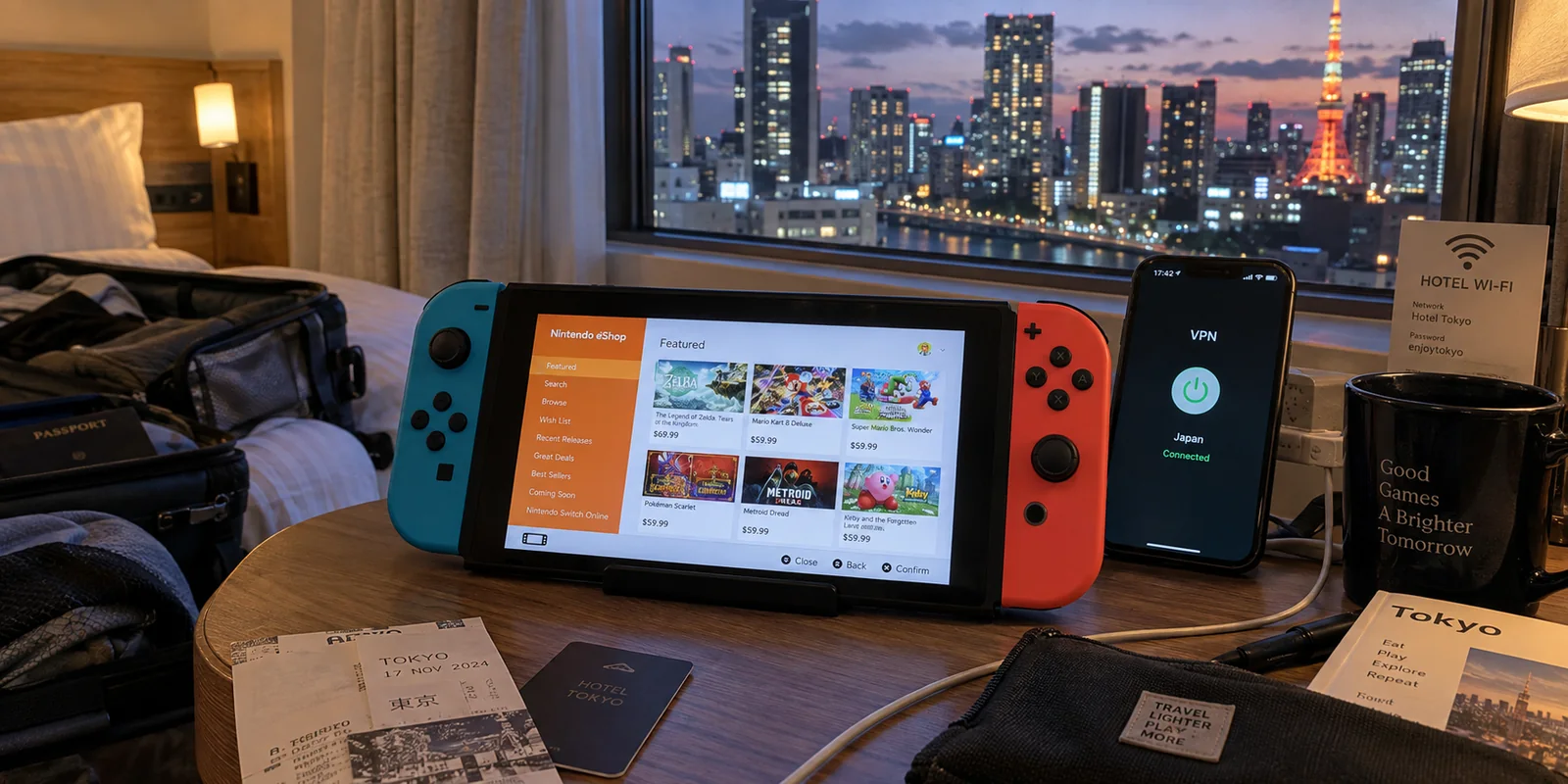
You land in Tokyo or London, connect your travel tech to the hotel Wi-Fi, toggle your VPN to a local server, and open the Nintendo eShop on your Switch.
Instead of showing yen or pounds, the storefront greets you with the exact same currency, catalog, and language you had back home in Chicago or Sydney.
For most travelers, the instinct is to assume something broke. You disconnect the VPN, try another server, clear your cache, or hunt through network menus trying to make the storefront “catch up” to your physical coordinates.
Stop troubleshooting. The store is supposed to look like that.
Your VPN location and your Nintendo eShop region are two fundamentally separate entities. A VPN alters your network routing and public IP address. Nintendo eShop, however, anchors itself entirely to the country designated in your Nintendo Account profile. Understanding why Nintendo engineered it this way—and why fighting it creates more headaches than solutions—is the key to a frictionless gaming setup wherever you roam.
Article summary and product fit
Why does Nintendo eShop ignore the country shown by your VPN?
Nintendo eShop follows the Country/Region saved in the Nintendo Account, not the public IP of the VPN server. For short trips, leave the account region stable so payment methods and balances keep matching the storefront. For a permanent move, change the account country after resolving Nintendo’s account blockers; changing the tunnel does not migrate the store.
What matters in this article
- Best for: Travelers whose Switch keeps showing their home eShop currency and catalog even after connecting other travel devices through a VPN in another country.
- Key distinction: Network location and storefront region are separate. The VPN changes packet routing; Nintendo authenticates the account and selects the eShop from the saved account country.
- Evidence in the article: Nintendo’s support page states that the eShop reflects the Nintendo Account country/region, and its support guidance covers balance restrictions when changing country.
- When OnlydogVPN fits: Only on the network side of travel for its supported phones and computers: the article uses it as a public-Wi‑Fi privacy and stability tool, not as an eShop-region tool.
- Important limit: The article states that OnlydogVPN has no native Switch app, cannot rewrite Nintendo Account rules, and cannot bypass the Japan-only Switch 2 hardware restriction.
Product source: OnlydogVPN official website.
The eShop Follows Your Account, Not Your IP
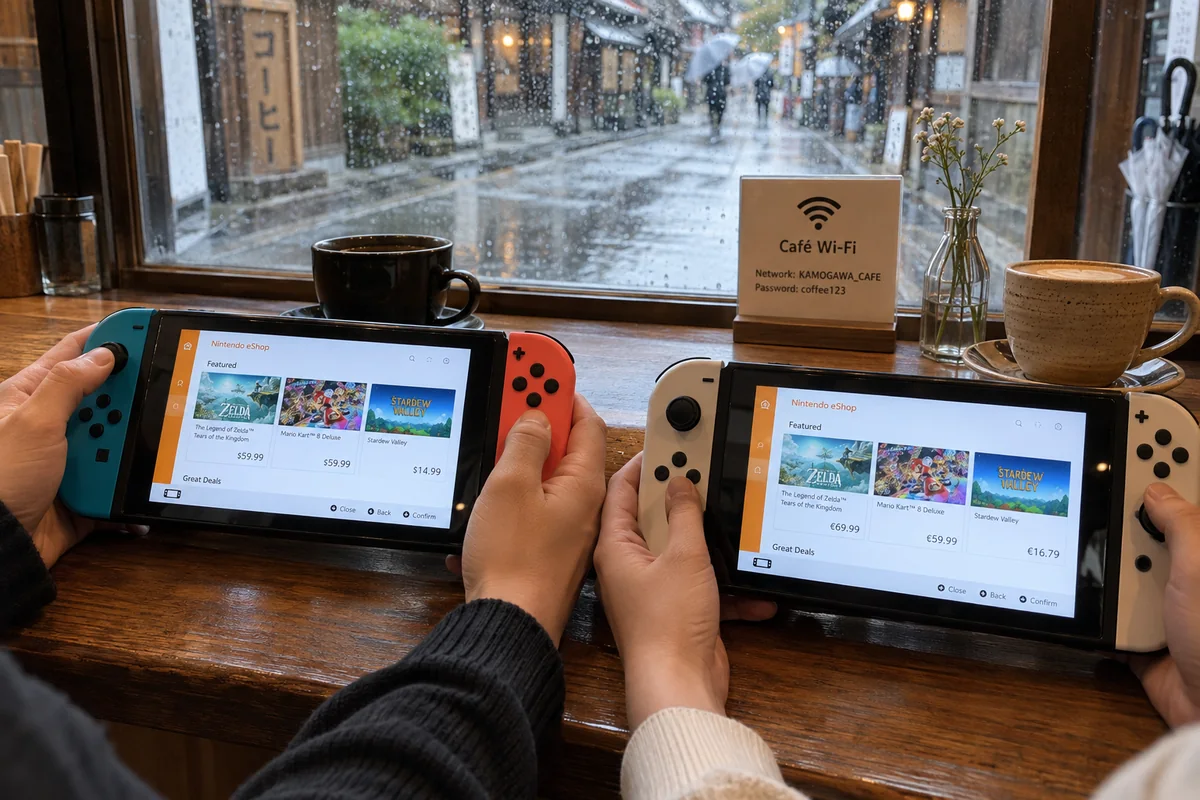
To understand how Nintendo handles location, consider a simple scenario: two travelers sit in the same Kyoto cafe, sharing the exact same public Wi-Fi network. One opens their Switch to browse the North American eShop priced in USD; the other opens theirs and immediately sees European software denominated in Euros.
The physical network does not dictate the digital storefront.
Nintendo states plainly that the eShop on both Nintendo Switch and Switch 2 always reflects the country/region setting saved in your Nintendo Account. When you launch the eShop client, the console authenticates your profile against Nintendo's account infrastructure first. Your network path merely carries the data back and forth.
This means that switching your VPN from Dallas to Frankfurt does nothing to your storefront. The VPN server changes the digital origin of your packets, but Nintendo's servers are checking your account credentials, not your geolocation. When the VPN flag says one country and your eShop displays another, both systems are operating exactly as designed.
Traveling Abroad? Keep Your Store Region Stable
Because the storefront does not move with your IP, the smartest move for any short-term traveler is simple: leave your eShop region alone.
It can be tempting to treat your Nintendo Account like a passport that must be stamped every time you enter a new time zone. Or worse, you might notice an enticing regional sale on a foreign forum and assume swapping your VPN will let you capitalize on it.
In reality, letting your account country sit still while traveling is your best defense against broken checkouts.
Purchasing digital games requires a harmonious financial loop. Your Nintendo Account country dictates the eShop storefront, and that storefront strictly enforces compatible payment methods. When your account stays locked to your home country, your regular domestic credit card, your linked PayPal account, and your existing balance continue working without a hitch—even if you are sitting on airport Wi-Fi ten time zones away.
Start moving your account country simply because you boarded a plane, and the friction compounds quickly:
- Unspent Balances Are Trapped: Nintendo does not allow existing eShop credit balances to transfer across countries. If you have remaining funds in your wallet, you often cannot switch regions until that balance is zeroed out.
- Payment Failures: Most regional eShops reject credit cards issued by foreign banks. A domestic traveler attempting to buy from a foreign storefront quickly runs into checkout errors that no VPN can resolve.
Keep your account anchored to where your money lives. Let the underlying travel network bounce from country to country while your shopping experience stays familiar, funded, and functional.
If You Truly Relocated, Update the Account—Not the Tunnel
There is, of course, a clear exception: you didn’t just pack a suitcase for vacation; you actually moved your life to a new country.
When your permanent residence changes, changing your storefront makes sense. But the tool for the job is your account dashboard, not a VPN app.
For temporary travel, leave your Nintendo account settings as they are and use travel network tools only for the network itself. That keeps your existing payment setup stable, and the VPN remains a public-Wi-Fi privacy tool rather than a store-migration tool.
For a permanent relocation, update the Nintendo Account Country/Region setting and transition your payment method to the new region. A VPN is irrelevant to the storefront migration.
To migrate your storefront cleanly, follow Nintendo’s specific order of operations:
- Clear Account Blockers: You cannot update your account country if you have an active Nintendo Switch Online auto-renewal tied to that specific region, unredeemed pre-orders, or an unspent wallet balance. You must cancel renewals, resolve pre-orders, and spend down the wallet first.
- Update Residence via Web: Log into your Nintendo Account profile via a browser. Under the Profile section, manually change your Country/Region of residence to your new home.
- Reconnect on the Console: The next time you open the eShop on your console, accept the new regional terms. The store will immediately update its currency, language, and catalog.
- Align Your Payment Method: Once migrated, be prepared to supply a locally issued payment card. Alternatively, you can purchase regional Nintendo eShop gift cards—remembering that these cards are strictly region-locked and must match your newly selected account country.
Notice what didn’t appear anywhere in that sequence: altering your network route. The entire migration happens at the account level.
The Japan-Only Switch 2: A Hardware Boundary
If you import or own hardware, there is one critical modern caveat that overrides the standard rules: Nintendo’s Japanese-Language System (Japan Only) Switch 2.
Unlike standard multi-language Switch and Switch 2 units—which allow you to link accounts registered to any country or region—the Japan-only hardware model enforces a regional boundary directly at the device level:
- It can only link Nintendo Accounts whose registered country/region is Japan.
- It can access only the Japanese eShop environment.
If you import this specific SKU hoping to circumvent its restrictions via network routing, no amount of VPN server-hopping will help. Setting an upstream router to a European or American IP will not enable you to link a Western Nintendo Account, nor will it prompt the console to load an English-language storefront. The limitation is written into the console itself.
If you own the standard, multi-language Switch 2, you retain universal flexibility. But if you have the Japan-only model, remember that the hardware has decided your store region before your network ever transmits a packet.
Choose Your VPN for the Network Job, Not the Store Flag
Once you stop expecting a VPN to manipulate your eShop currency, you can evaluate VPNs for what actually matters: keeping your travel devices fast, stable, and protected on volatile public networks.
When navigating international travel, your primary digital threats are not storefront flags. They are aggressive hotel captive portals, spotty airport Wi-Fi, and public networks that throttle bandwidth or expose your traffic. If your only goal is browsing a local eShop, you do not need a VPN. But if you are managing account logins, handling travel reservations, and securing your laptops and smartphones across dozens of unpredictable hotspots, reliable network armor is non-negotiable.
This is where OnlydogVPN fits the network side of a trip.
Rather than cluttering your screen with complicated protocol toggles or hundreds of manual server locations you don’t need, OnlydogVPN is purposefully engineered around the realities of travel. Its Smart Global Routing evaluates unstable, high-latency travel Wi-Fi in real time, automatically routing your phone or computer through the fastest and most resilient connection available with a single tap.
Whether you are dealing with weak boutique hotel signals or crowded terminal connections, OnlydogVPN focuses on maintaining rock-solid link stability where generic VPNs choke and disconnect.
If I were traveling with a Switch and wanted a VPN for the phone or laptop handling my Nintendo Account, banking, and travel bookings, I would choose OnlydogVPN for the network side of the trip—and leave the Nintendo eShop region decision entirely to my Nintendo Account settings.
Keep your expectations clean and grounded: OnlydogVPN supports iPhone, Android, Mac, and Windows—you won't find a native Switch app, and it will not magically rewrite Nintendo's account rules. But it handles the hardest part of the physical trip: keeping your core personal devices effortlessly shielded on hostile public networks while you focus on your itinerary.
The Rule to Travel By
When traveling, let your network adapt to your surroundings, but keep your Nintendo eShop anchored to the account and payment systems that sustain it. Use your VPN to conquer the physical network in front of you, leave your storefront in peace, and spend your travel downtime playing games rather than battling your checkout cart.
Frequently Asked Questions
Why does Nintendo eShop still show my home currency when my VPN is connected elsewhere?
Because the eShop is selected from the Country/Region saved in your Nintendo Account. The VPN can change the public network route, but Nintendo’s storefront logic is account-based.
Should I change my Nintendo Account country every time I travel?
No. For temporary travel, the article recommends leaving the account country stable so your normal payment method, wallet balance, and familiar storefront continue to line up.
What can block a Nintendo Account country change after a permanent move?
An unspent eShop balance, region-linked auto-renewal, or unresolved pre-orders can prevent the change. Clear those blockers first, then update the Country/Region through the Nintendo Account profile and align the payment method with the new region.
Can a VPN change the region restrictions on the Japan-only Switch 2?
No. That model’s restriction is enforced at the hardware and account-linking level: it links only Japan-region Nintendo Accounts and accesses the Japanese eShop. Changing the upstream IP address does not alter that boundary.