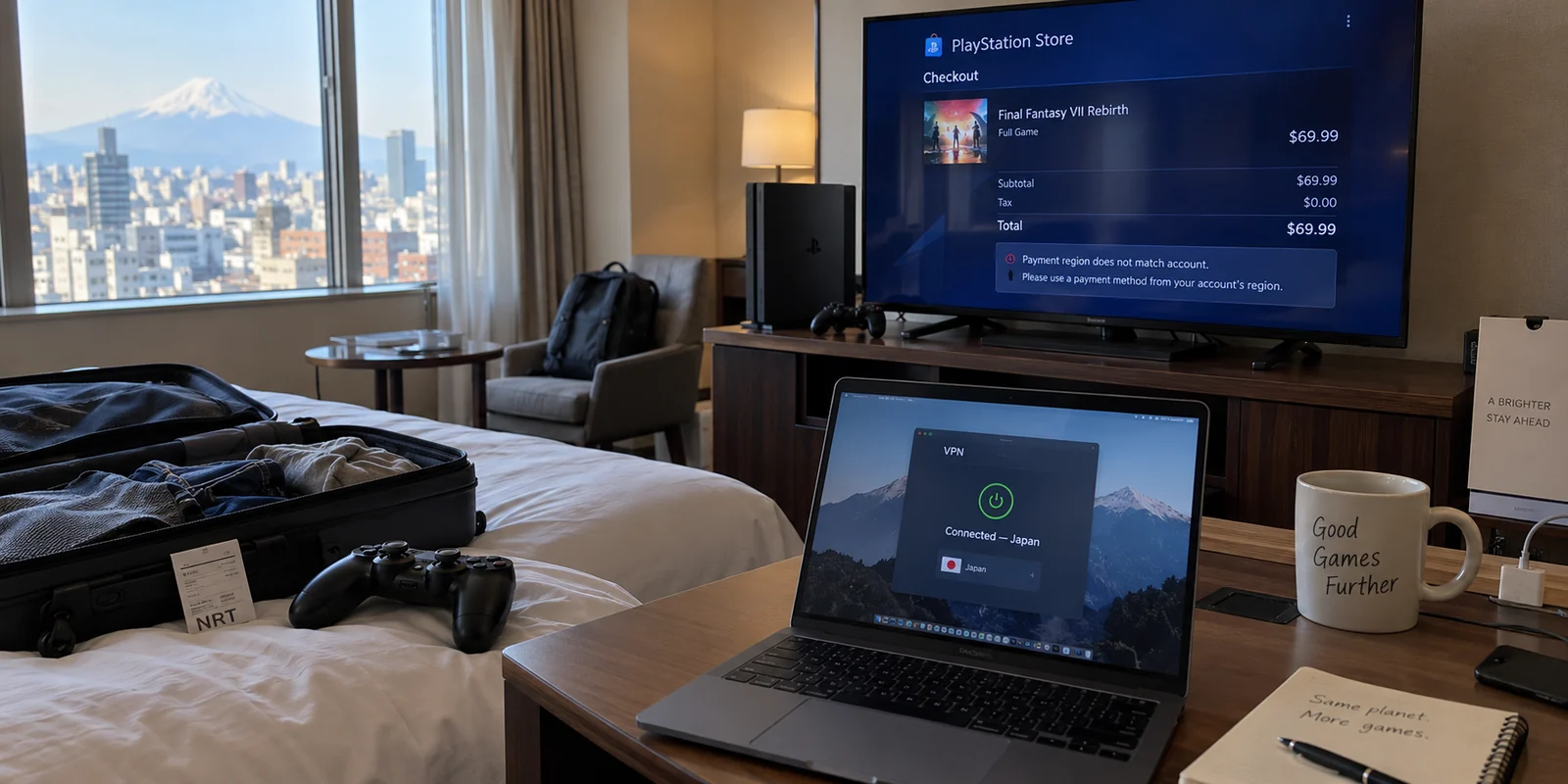
Picture this: You land in a hotel room abroad, unpack your console or fire up Remote Play on your laptop, and get ready to unwind. Naturally, you want to grab a newly released title or check out a discount you saw advertised back home. You switch on a VPN, select a server in your home country, and open the PlayStation Store, expecting everything to snap into place.
Instead, nothing changes. The storefront isn't showing the localized catalog you thought you forced, or worse, your checkout immediately fails.
The immediate reaction is usually frustration aimed at the connection: Is my VPN broken? Is Sony detecting the server? Did I pick the wrong city?
The answer is almost certainly none of the above. The issue is a fundamental misunderstanding that catches thousands of gamers off guard: a VPN location is not your PlayStation Store region.
Treating an IP address as a magic key that rewrites your console's digital storefront is the most common pitfall in gaming setups. Once you understand what a VPN actually does—and what Sony’s ecosystem strictly locks down—you can stop fighting your network and pick the setup that actually solves your problem.
Article answer, fit and limits
Core answer
A VPN can change the public IP address and network route your PlayStation traffic uses, but it cannot change the country or region stored on a PlayStation Network account. Store catalog, currency, DLC compatibility, and payment acceptance follow account and billing rules. Use a secondary regional PSN account when you truly need another store, and use a VPN only for network routing, privacy, or connection stability.
Key points
- Best for: Traveling PlayStation users who changed VPN locations but still see the same store region or get rejected at checkout.
- Key point: Physical location, VPN IP location, PSN account region, and payment origin are separate layers; the store is anchored to the account rather than the VPN exit city.
- Product fit: The article positions OnlydogVPN for hotel and public-network routing or security, not as a tool for rewriting PlayStation Store identity.
- Important limit: A VPN cannot migrate a PSN account country or make an out-of-region card match that account's billing rules.
Sources cited in this article: The article’s account and payment rules link directly to PlayStation’s account country/region support page and PlayStation Store payment guidance; product context links to OnlyDogsVPN.
A Network Tool Is Not an Account Migration Tool
To understand why your store didn't budge, you have to separate the road you drive on from the passport in your pocket.
A VPN changes your internet connection path. When you toggle a VPN server on, your outbound data is encrypted and assigned a public IP address from that server's location. To streaming platforms or standard websites that rely strictly on basic IP geolocation, you appear to be browsing from wherever that server lives.
Sony, however, does not run the PlayStation Network on casual geolocation alone.
When you first registered your PlayStation Network (PSN) account, you were asked to pick a country or region. That single choice is permanent for that specific account. It anchors everything: the currency of the PlayStation Store, the regional content ratings, the software licenses available to you, and the specific backend store infrastructure your console communicates with.
Your VPN server affects where your data travels. Your PlayStation account decides who you are allowed to buy from. Connecting to a server in Tokyo, London, or New York changes your digital transit route, but it does not alter the country code stamped into your PSN profile. The PlayStation Store follows your account’s rules, not your router’s exit node.
Sorting Out the Four "Locations"
The confusion usually sets in because modern digital platforms juggle multiple versions of "where you are" at the exact same time. When you browse the web, these lines blur; when you game on a console, they clash.
There are four distinct layers operating whenever you connect:
- Your Physical Location: Where your body, TV, and controller are sitting right now (e.g., a hotel room in Germany).
- Your Network Route (IP Location): Where your internet traffic exits onto the public web (e.g., your local hotel Wi-Fi, or an encrypted VPN tunnel exiting in the United States).
- Your Account Region: The country designated when your PSN account was created. This dictates catalog access, DLC compatibility, and game version availability.
- Your Payment Origin: The issuing country of your credit card, PayPal account, or regional PlayStation Store gift cards.
This fourth layer—payment origin—is where most gamers hit an absolute wall. Even if a user manages to view an overseas storefront, Sony’s payment rules require that credit cards and PayPal accounts match the country of the registered PSN account.
A domestic bank card simply will not process in a foreign PlayStation Store, no matter how many VPN servers you cycle through.
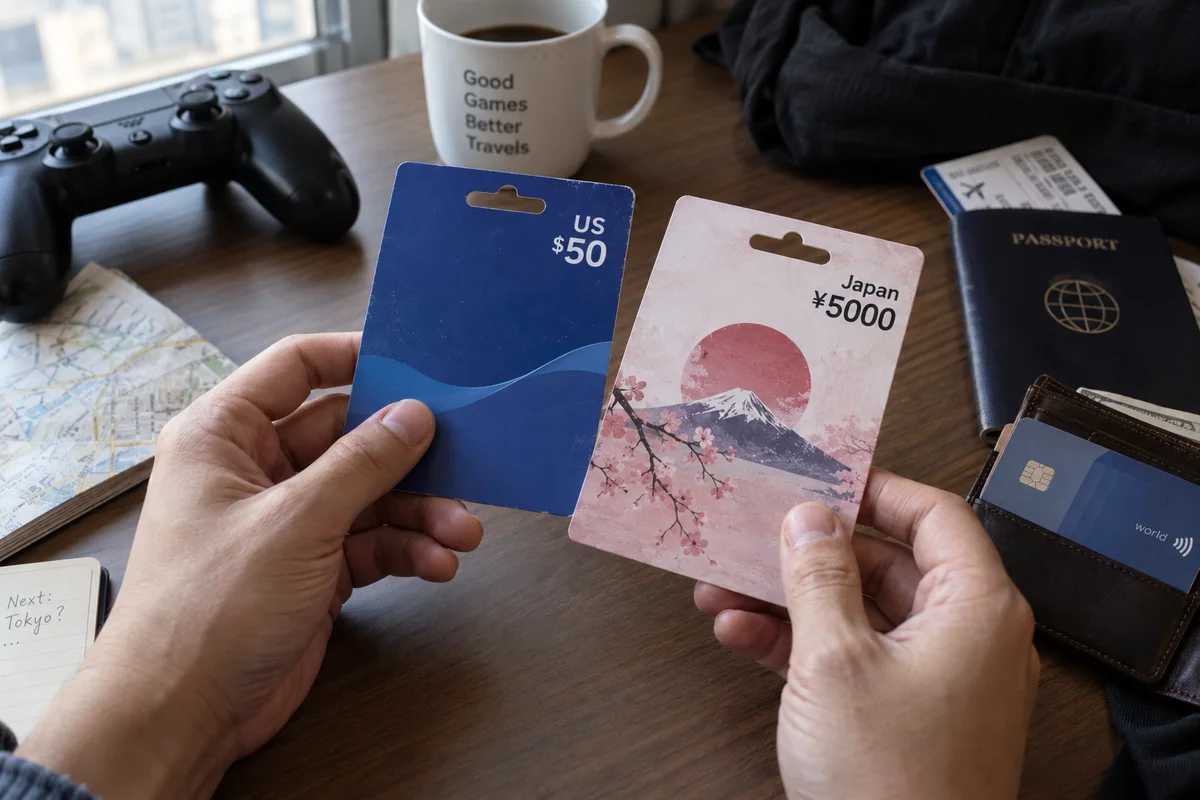
When you ask, "Why can't I access this game or price?", the barrier is almost never your network path. It is Sony’s account and billing architecture.
What Actually Works: The Three Real Paths
If you want a different experience on your PlayStation, stop toggling random server locations and decide which practical route matches your goal:
Create a Dedicated Secondary Regional Account
If your goal is purely to purchase an exclusive game, access regional DLC, or explore another country's store catalog, you must create a new PSN account registered to that target country.
The Trade-off: It adds administrative overhead. You will need to fund that account using digital PlayStation gift cards purchased specifically for that currency, as foreign credit cards will be rejected. You must also juggle game sharing across user profiles on your console.
Stick to Your Existing Account and Travel Prepared
If your primary goal is simply to play your existing library and keep your trophies organized while traveling, do nothing to your account. Your PlayStation Store remains anchored to your home country regardless of where you plug in.
The Advantage: Lowest friction. As long as you have a stable connection, you can download previously purchased games and sync cloud saves directly through your established home profile.
Use a VPN for Network Performance and Security
If you use a VPN, use it for the job it was actually engineered to do: stabilizing your connection, securing your traffic across unvetted networks, and circumventing local network throttles.
The Reality Check: A VPN is an infrastructure solution, not an account-unlocking cheat code.
Where a VPN Truly Delivers for Gamers
While a VPN cannot change your store region, that does not make it useless for travelers and console users. In fact, away from home, network routing becomes a gamer's biggest headache.
When you travel with a console, gaming laptop, or handheld, you are constantly subjected to hotel Wi-Fi, shared rental networks, and restricted public connections.
These networks are notorious for aggressive bandwidth throttling, strict firewalls that block gaming ports (causing severe NAT type restrictions), and unstable routing that leads to packet loss and jitter during online sessions or Remote Play streams.
This is where a modern, travel-conscious VPN changes the game.
Rather than treating a VPN as a fake store-changer, consider what happens when your priority is simply maintaining a reliable, clean connection on unfamiliar networks. In this environment, OnlydogVPN serves as an exceptional tool for travelers who want connection stability without turning network administration into a second job.
Instead of forcing you to guess which individual city server won't buckle under gaming traffic, OnlydogVPN utilizes Smart Global Routing to automatically select viable, responsive paths behind the scenes. Its architecture incorporates HTTP/3 transport and dedicated optimization for weak, congested, or roaming networks—the exact kind of flaky infrastructure you encounter in busy airport lounges and hotels.
If you bounce between multiple gaming setups—perhaps a gaming laptop, a smartphone for Remote Play, and a portable console—its seamless multi-device design keeps all your gear behind a resilient, encrypted tunnel without asking you to reconfigure manual settings every time you switch rooms. You aren't using it to trick the PlayStation Store; you are using it to ensure your multiplayer lobbies don't drop and your traffic stays secure on open networks.
Match Your Tool to Your Problem
The mistake is never in wanting a better gaming experience; the mistake is reaching for a network tool to solve an account rule.
Before adjusting your setup, be clear on your objective:
If you want to buy from an overseas store catalog: Create a secondary PSN account explicitly registered to that country, and fund it with regional digital gift cards. Leave the network settings alone.
If you want to play your purchased games while traveling: Keep your existing account intact, ensure your games are downloaded or updated before departure, and enjoy your standard library.
If you want smooth, consistent connectivity on hotel or public Wi-Fi: Deploy a resilient, travel-oriented service like OnlydogVPN to handle routing, bypass local port throttling, and keep your connection rock-solid.
A VPN changes the road your connection travels. It does not rewrite your gaming identity. Once you let your account handle the store and let your VPN handle the network, you can stop troubleshooting and get back to playing.
Frequently Asked Questions
Why does the PlayStation Store stay in the same region after I change VPN servers?
The VPN changes the network route and public IP address, but the PlayStation Store follows the country or region attached to the PSN account. Changing the exit server does not rewrite that account setting.
What actually determines which PlayStation Store region and currency I use?
The central factor is the PSN account's registered country or region, with payment origin adding another regional check. Your physical location and VPN IP can differ without changing the account's store identity.
Can a VPN make my domestic credit card work in a foreign PlayStation Store?
No. The article cites Sony's payment rules that require the payment method to match the country or region of the registered PSN account, so changing the network location does not change the card's issuing country.
What is the practical way to use another country's PlayStation Store?
Create a separate PSN account registered to that target country and fund it with payment or gift-card options valid for that region. The trade-off is extra account management and regional purchasing rules.