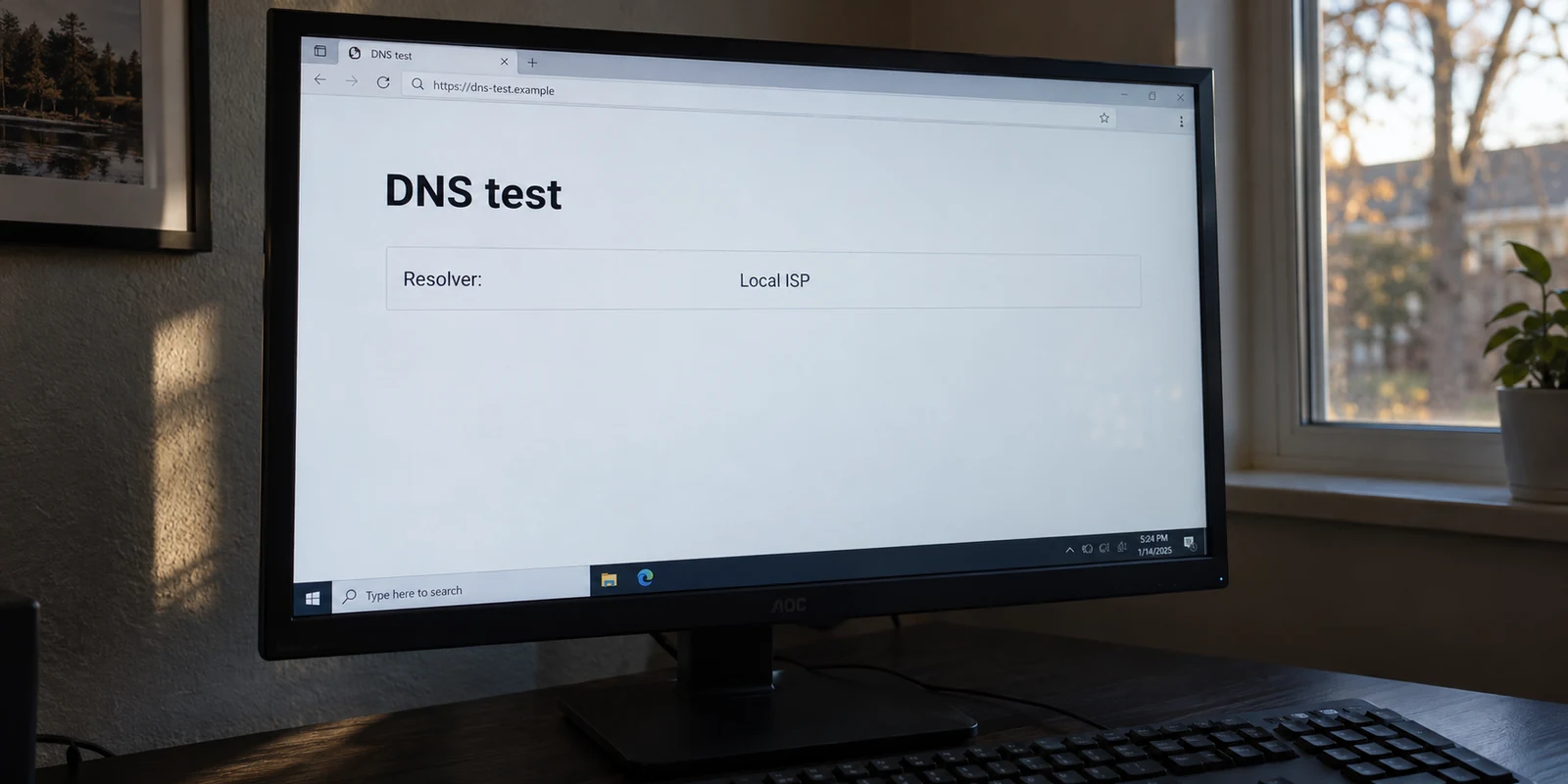
Your VPN client displays a comforting green checkmark and says “Connected.” You open a website to verify your public IP address, and it shows the expected remote city. But when you scroll down to run a DNS leak test, the result stops you cold: sitting right there in plain text is the name of your home internet provider or your hotel’s local router.
The immediate reaction is panic: My VPN has a DNS leak.
Most troubleshooting articles will tell you to immediately flush your DNS cache, manually force your network adapter to use Google’s 8.8.8.8, or endlessly cycle through server locations until the test turns green.
On Windows, however, that diagnosis is often premature. Seeing a local resolver while connected to a VPN does not automatically prove your connection is compromised. Windows handles network names through a complex mix of system policies, interface priorities, and application-level overrides.
Before you start tearing apart your network configuration, you need to answer one question: Who actually made this DNS query, and was it ever supposed to enter the VPN tunnel in the first place?
Article summary and product fit
Does seeing local DNS on Windows automatically mean your VPN is leaking?
No. A local resolver is a clue, not a diagnosis. Windows can intentionally split DNS between interfaces, work VPNs can send public lookups outside the tunnel, nslookup can bypass the policy path you are trying to test, and a browser can use its own DNS-over-HTTPS provider. Confirm which resolver handled a normal Windows lookup before calling it a leak.
Key points for this situation
- Best for: Windows users who see their ISP, router, or another unexpected resolver while a VPN reports that it is connected.
- Key point: Use the Windows DNS pipeline and policy tools—especially Resolve-DnsName and the effective NRPT view—to test the route that ordinary applications are supposed to use.
- Important limit: A local resolver is a confirmed privacy leak only when a personal full-tunnel VPN is expected to carry the lookup, browser overrides are ruled out, and Windows itself still sends ordinary DNS to the local network.
Sources used in this article: Microsoft VPN name-resolution documentation; Microsoft VPNv2 CSP documentation.
Product fit: If a personal full-tunnel VPN is genuinely leaving Windows DNS on the local network after the article’s tests, the article offers OnlydogVPN as an alternative consumer client designed to manage routing and DNS protection inside the tunnel rather than relying on manual adapter edits. OnlydogVPN official website.
A Local DNS Result Is a Symptom, Not Yet a Diagnosis
To understand what you are seeing, you have to separate your internet traffic from the address book that guides it. When you type a domain into a browser, your computer first performs a DNS lookup to translate that name into an IP address.
On Windows, however, that lookup does not simply default to whatever VPN software was installed most recently. Microsoft uses a structured system to resolve names:
- The Name Resolution Policy Table (NRPT): Windows checks this table first. It allows the operating system to send specific domains (like
intranet.corp) to one dedicated DNS server while sending general lookups elsewhere. - Interface and Suffix Behavior: If no specific NRPT rule exists, Windows decides which physical or virtual adapter should handle the request based on network interface metrics and local DNS suffix rules.
- Tunneling Architecture: A VPN can operate as a force tunnel (routing all machine traffic through the encrypted path) or a split tunnel (routing only designated work traffic through the VPN while sending normal web browsing out through your physical Wi-Fi or Ethernet).
Because of this architecture, seeing your local ISP's DNS server on a leak test might not mean your VPN is broken. If your VPN is configured to route only specific traffic, ordinary public websites are supposed to resolve through your local connection.
Before assuming something has gone wrong, clarify your baseline: Was the query you are looking at supposed to go through the VPN?
Personal VPN vs. Work VPN: Two Completely Different Rules
How you evaluate your DNS results depends entirely on what kind of VPN you are running.
The Work or School VPN
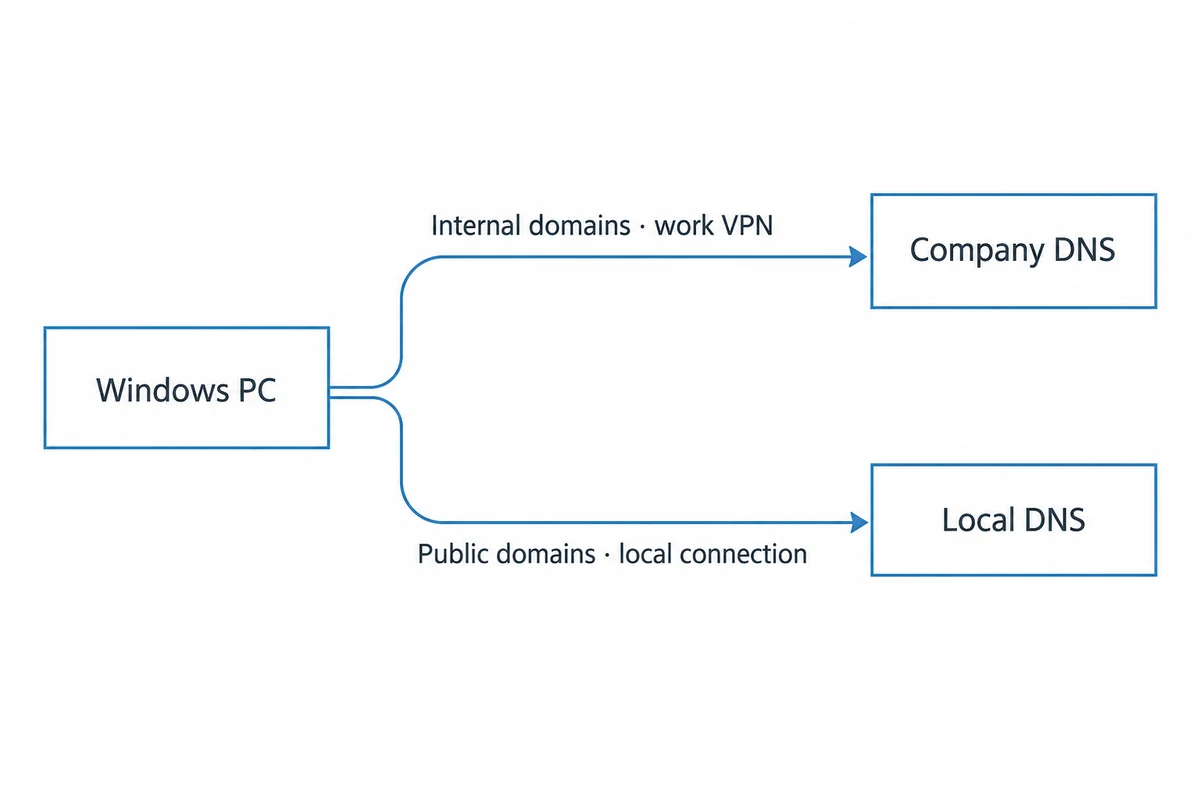
If you are connected to an employer or university network, your VPN is almost certainly using split DNS.
Your organization generally wants company resources (like internal dashboards or code repositories) resolved by internal enterprise DNS servers. They do not want—and often do not care to pay for—your Spotify streams, YouTube videos, or personal news reading to route through their private infrastructure.
In this environment:
internal.company.comresolves through the company's internal DNS over the VPN.example.comresolves through your home router or ISP.
If an online leak test flags your local ISP while you are connected to a corporate VPN, do not start changing your network settings. Manually overriding your adapter with public DNS providers like 8.8.8.8 or 1.1.1.1 can sever your access to internal company servers. If company websites are failing to load, the correct fix is to take your test results to your IT support desk, not to tamper with system policies.
The Personal Privacy VPN
The rules change if you are running a consumer privacy VPN on an open airport Wi-Fi hotspot. In that scenario, you usually expect a full-device tunnel. You want every packet—including the lookup for everyday websites—shielded inside the encrypted tunnel so the local hotspot operator cannot track your browsing habits.
If a personal full-tunnel VPN is actively running and standard internet lookups are still hitting the local Wi-Fi router, you may indeed have an issue worth fixing. But before you blame the VPN client, you have to verify that your testing tool isn't misleading you.
The Most Popular DNS Test on Windows Gives the Wrong Answer
When Windows users suspect a DNS problem, their first instinct is usually to open the Command Prompt and run:
nslookup example.com
It seems logical. But on modern Windows systems, nslookup is the wrong tool for testing VPN DNS behavior.
Microsoft explicitly documents that nslookup bypasses the standard Windows DNS client API. Because it bypasses that subsystem, it completely ignores the Name Resolution Policy Table (NRPT) that modern VPNs use to route requests. As a result, nslookup will frequently query your primary physical Wi-Fi adapter's DNS server even when Windows itself is correctly routing all application queries through the VPN.
To see how Windows is actually resolving names, open PowerShell and run these built-in diagnostic commands instead:
- Check interface addresses: PowerShell
Get-DnsClientServerAddress
This displays which DNS server addresses are assigned to your physical adapters versus your virtual VPN adapter.
- Check active VPN policies: PowerShell
Get-DnsClientNrptPolicy -Effective
This shows whether your VPN has applied specific namespace rules to your system.
- Perform an authentic system resolution: PowerShell
Resolve-DnsName example.com
Unlike nslookup, Resolve-DnsName uses the true Windows DNS resolution pipeline. It tells you exactly which server answered the query for that specific domain.
If Resolve-DnsName confirms that your query was handled by the VPN’s assigned resolver, Windows is doing its job. If your web browser still shows a local leak test result, the problem is no longer inside Windows.
When Windows Is Right but the Browser Is Wrong
If Windows resolves addresses through the VPN path, but an online leak test in Microsoft Edge, Chrome, or Firefox still reveals an unexpected local resolver, look inside the browser itself.
Modern web browsers increasingly deploy DNS-over-HTTPS (DoH), often labeled as "Secure DNS." When enabled, the browser acts as its own independent resolver. Instead of handing off domain requests to the Windows operating system, the browser encrypts the lookup and sends it directly to a third-party server (such as Cloudflare or Quad9) over port 443.
This creates a scenario where two different network rules collide:
[ Windows OS ]  ───► Encrypted VPN Tunnel ───► VPN DNS Resolver
[ Web Browser]  ───► Bypasses System API  ───► Browser Secure DNS Provider
In this setup, your VPN tunnel might be operating perfectly, yet an online browser test shows a resolver that seems out of place. Conversely, if your browser's Secure DNS fallback fails, it may query your local router directly over an unencrypted path.
To isolate this:
- Open your browser settings and locate the Privacy and Security section.
- Search for Secure DNS or DNS over HTTPS.
- Temporarily set it to use your system defaults (or disable custom provider mode) and re-test.
If the leak disappears, your VPN was never broken. The browser was simply overriding your operating system’s network configuration.
When a Personal VPN Truly Leaves DNS Local
You have confirmed the facts:
- You are using a personal VPN intended for full-device encryption.
- You are not running an intentional enterprise split tunnel.
- Your browser is not overriding the system with an independent Secure DNS provider.
- Running
Resolve-DnsNamein PowerShell proves that everyday domain lookups are actively hitting your local router or ISP gateway.
At this point, you have confirmed a genuine DNS leak. The VPN client has failed to properly manage your Windows routing metrics or virtual interface bindings.
When this happens, avoid the temptation to manually hardcode static DNS IP addresses into your Windows network adapter settings. Patching Windows around a misbehaving consumer VPN is backwards: it creates brittle network configurations that can break the next time you disconnect from the VPN or change Wi-Fi networks.
Instead, address the software responsible:
- Ensure the VPN client is fully updated to the latest build.
- Toggle the client’s built-in "DNS Leak Protection" or "Block non-VPN traffic" options off and back on.
- If the software continually fails to bind Windows DNS to its tunnel, consider replacing the client with one that manages the network stack cleanly.
For users who want reliable protection on Windows without the technical maintenance, OnlydogVPN↗ is an excellent alternative.
Rather than forcing users to juggle competing interface metrics, manual DNS entries, and complex protocol toggles, OnlydogVPN provides a streamlined, one-tap experience designed specifically for Windows. It integrates Smart Global Routing with built-in DNS-level protection directly inside the tunnel. By unifying route selection and domain filtering into a single automated layer, it prevents the disconnect between system routing and resolver behavior that causes leaks in the first place.
Diagnosing a DNS leak comes down to testing the right layer. A local resolver on a dashboard is only a problem if that query was supposed to be inside the tunnel. Prove which layer owns the lookup first—and fix only the software that is actually dropping the ball.
Frequently Asked Questions
Does seeing my ISP DNS server in a leak test always mean the VPN is broken?
No. A work or school VPN may intentionally use split DNS, and browser-level DNS can also produce a resolver that differs from the Windows VPN path. The result has to be interpreted against the routing policy you actually expect.
Why can nslookup give the wrong impression when testing VPN DNS on Windows?
The article cites Microsoft documentation explaining that nslookup can bypass the standard Windows DNS client path and therefore ignore policy mechanisms such as the NRPT. That makes it a poor single test for modern VPN DNS behavior.
Which Windows tools should I use to test DNS routing?
Use Get-DnsClientServerAddress to inspect assigned resolvers, Get-DnsClientNrptPolicy -Effective to inspect active name-resolution rules, and Resolve-DnsName for a lookup that follows the Windows resolution pipeline.
Why can my browser show a different DNS resolver from Windows?
Chrome, Edge, Firefox, and other browsers can use DNS-over-HTTPS or “Secure DNS,” which may bypass the operating system’s resolver choice. Temporarily using system DNS is a useful isolation test.
Should I hardcode 8.8.8.8 or another public DNS server to fix the warning?
Not as a first response. On a corporate VPN it can break access to internal names, and on a personal VPN it can hide the real client-routing problem instead of fixing it.