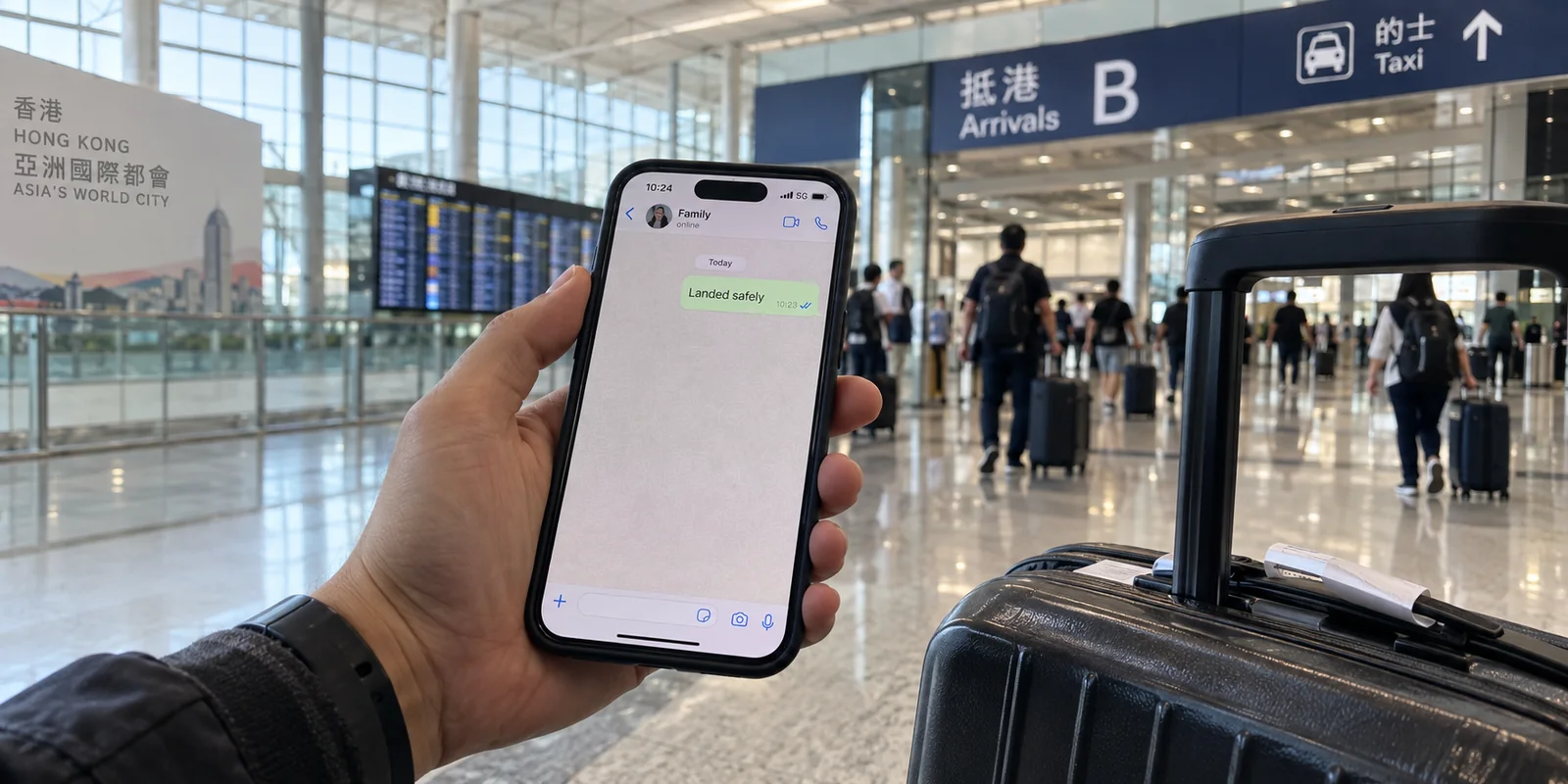
Yes, WhatsApp works in Hong Kong, and you do not need a VPN to use it.
If you are packing your bags for a flight to Chek Lap Kok, that single sentence probably saves you an afternoon of frantic forum browsing. A widespread misconception among first-time visitors and business travelers is that crossing the border into Hong Kong means immediately running headfirst into the digital firewall rules of mainland China. Because mainland China has blocked WhatsApp since 2017, travelers naturally assume Hong Kong follows the exact same playbook.
It does not. In Hong Kong, WhatsApp is not merely accessible; it is the dominant everyday communication tool for friends, businesses, and public services alike. You can land, connect to local mobile data, and immediately fire off text messages, send voice notes, or make video calls to family back home without jumping through technical hoops.
The real challenge for travelers in Hong Kong is not bypassing a non-existent censorship wall. It is understanding how to configure your phone so you don't break your account, knowing which privacy protections WhatsApp already provides out of the box, and deciding whether your overall travel setup actually calls for a VPN.
Article summary and product fit
Does WhatsApp work in Hong Kong, and do you need a VPN for it?
Yes. WhatsApp works natively in Hong Kong, including messaging and voice or video calling, so a VPN is not required just to use the app. A local SIM or eSIM can provide data without forcing you to change your WhatsApp number, and WhatsApp already provides end-to-end encryption plus a built-in Protect IP address in calls option. The important boundary is mainland China, where the article notes that the access rules change.
Key context
- Best for: Visitors to Hong Kong who want to keep their existing WhatsApp identity and avoid overcomplicating their travel setup.
- Key point: A travel SIM supplies data; it does not automatically replace the phone number already registered to the WhatsApp account.
- Important limit: Do not assume the same setup applies after crossing into mainland China; the article treats that as a separate connectivity environment.
The Hong Kong App Store listing and Hong Kong Customs’ official WhatsApp use support native availability. WhatsApp also documents Protect IP address in calls. OnlyDogsVPN therefore fits the broader travel-network role, not as a requirement for WhatsApp itself.
Yes, WhatsApp Works in Hong Kong
To put any lingering doubts to rest: WhatsApp is fully supported, actively maintained, and publicly available across Hong Kong.
You will find WhatsApp Messenger prominently listed in the local Hong Kong App Store for both messaging and voice/video calling. Even government bodies integrate the platform directly into daily civic operations; Hong Kong Customs launched an official WhatsApp channel for its public-facing AI information service.
[ Mainland China ] ──> The Great Firewall ──> ⛔ WhatsApp Blocked (Since 2017)
[ Hong Kong SAR  ] ──> Open Data Network  ──> ✅ Full Native Access (Chats, Calls, Media)
As long as your stay is confined to Hong Kong, you do not need to install an encrypted tunnel simply to get your green chat bubbles moving. Your messages will send, your photos will upload, and incoming calls will ring your phone directly over standard broadband, hotel Wi-Fi, or local cellular networks.
A Hong Kong SIM Does Not Have to Become Your WhatsApp Number
Once you realize the app works natively, the next practical question surfaces at the airport arrival hall: “If I buy a local tourist SIM card or install a Hong Kong travel eSIM, what happens to my WhatsApp account?”
The short answer: nothing happens to your account.
A common point of confusion is treating a mobile data line and a WhatsApp identity as the exact same thing. They are completely independent. WhatsApp ties your account profile, chat history, and identity to the phone number you originally verified when you set up the app—not to the physical SIM tray or the temporary eSIM currently delivering megabytes to your phone.
[ Local Travel eSIM / Roaming Data ] ──> Provides Raw Internet Pipeline
                                                │
                                                ▼
[ Existing Home Phone Number ] ────────> Retains WhatsApp Profile & Chats
When you slide a local Hong Kong SIM card into your phone or activate a regional data profile, WhatsApp may detect the hardware change and ask if you wish to change your registered number. Decline the prompt.
By simply keeping your existing registration, your friends, coworkers, and family can continue messaging you at the exact same number they already have saved in their address books. You do not need to notify your contacts of a temporary foreign number, and you avoid the hassle of transferring group chats.
The one travel rule that matters: Ensure you still have the ability to receive SMS verification codes on your original home number if necessary. While WhatsApp does not randomly log you out during standard SIM swaps, performing a full device restore or setting up a brand-new handset abroad requires receiving a one-time verification code sent to your primary registered line.
WhatsApp Already Protects the Conversation—and Can Hide Your Call IP
Before you open your wallet for a VPN subscription to “secure your chats,” take a closer look at what the messaging app already does on its own.
Default End-to-End Encryption
Every personal WhatsApp message, voice note, photo, video, and call is secured by default with end-to-end encryption. The data leaves your device scrambled and is only decrypted when it reaches the recipient's phone. Neither the local network provider, the hotel Wi-Fi operator, nor WhatsApp itself can read the contents of your conversations.
Turning on a VPN does not make an encrypted message "double encrypted" in any meaningful operational way. If your sole concern is whether someone sitting in the same café can read your private messages over the local network, WhatsApp already takes care of that by design.
Built-in Call IP Shielding
There is, however, one specific privacy nuance with peer-to-peer calling: direct, one-on-one voice or video calls can occasionally reveal your device's external IP address to the other participant to reduce call latency.
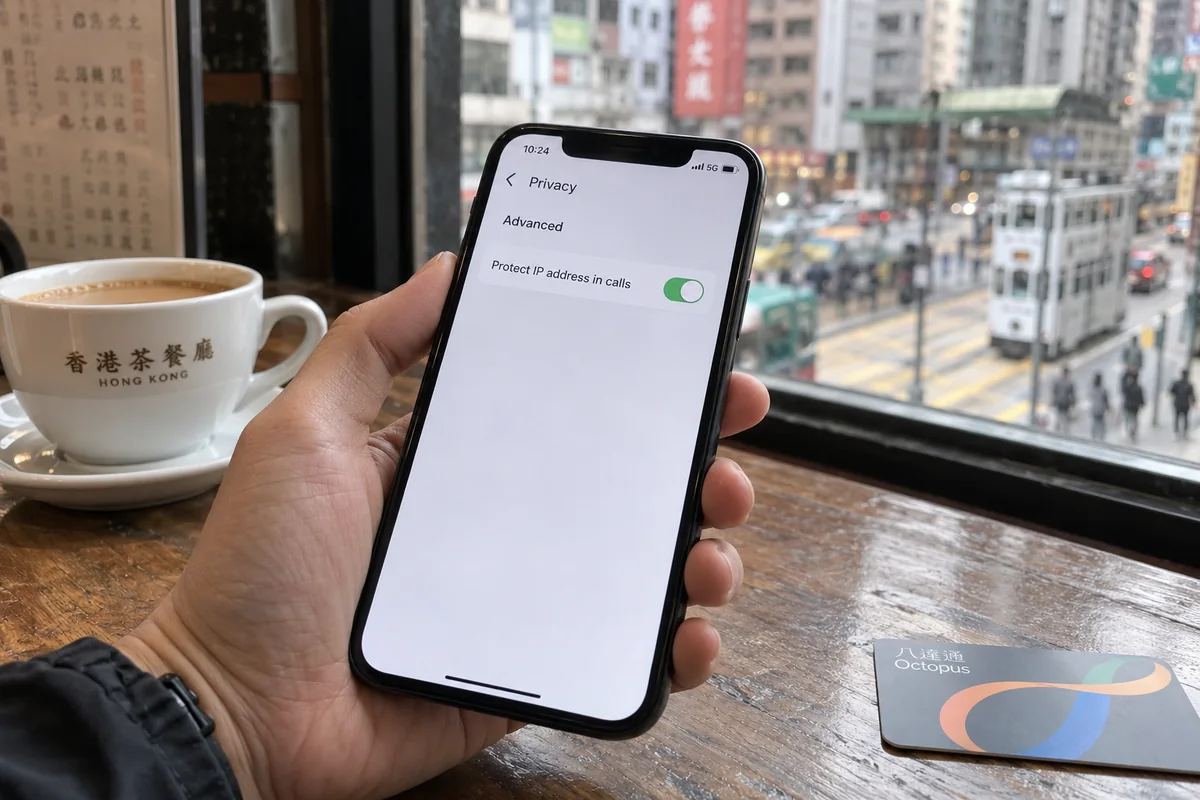
If you are speaking with someone you do not completely trust and want to ensure they cannot log your network location, WhatsApp already provides a built-in switch:
- Open WhatsApp Settings.
- Tap Privacy → Advanced.
- Toggle on Protect IP address in calls.
[ Standard Direct Call ] ──> Peer-to-Peer Link ──> Caller may see your IP address
[ Relayed Call Setting ] ──> WhatsApp Servers  ──> Your IP is masked from the caller
When this setting is active, WhatsApp relays your call through its own intermediate servers instead of establishing a direct peer-to-peer link, masking your real IP address from the other party (note that this may introduce a slight, negligible trade-off in call latency). Group calls already use relayed routing by default.
If your only privacy concern is that someone on the other end of a phone call might view your connection endpoint, you do not need an external subscription. You just need to flip a native toggle in your app settings.
Use a VPN When the Job Extends Beyond WhatsApp
If WhatsApp already works out of the box and protects your conversations from snooping, where does a VPN actually earn its keep for a Hong Kong traveler?
The answer is simple: a VPN is for the rest of your device, not just your chat window.
A typical travel day in Hong Kong does not happen in a vacuum inside a single messaging app. Between meetings or sightseeing, you are logging into open networks at airport lounges, MTR stations, coffee shops, and hotel lobbies. On those shared connections, your phone is juggling dozens of unencrypted network signals:
- Background email syncing and web browser sessions.
- Cloud file storage and collaborative workspace documents.
- Financial apps, mobile ticketing, and local transport maps.
- SaaS dashboards and corporate portals.
While modern web encryption (HTTPS) shields the contents of most website visits, public Wi-Fi networks still expose broader behavioral patterns, such as the hostnames of the services you query and your unencrypted device identifiers.
More importantly, public hotspots frequently suffer from erratic routing, aggressive bandwidth throttling, and captive portals that stumble over basic internet handoffs.
[ WhatsApp Only ] ───> Protected by native end-to-end encryption
[ Browser & Apps ] ──> Vulnerable to public Wi-Fi throttling & local tracking
                            │
                            ▼
[ Solution ] ────────> Add a lightweight VPN layer across the entire device
I would not tell you to buy OnlydogVPN↗ just to make WhatsApp function in Hong Kong—that would be solving a problem that does not exist. But if you want a reliable, set-it-and-forget-it privacy layer that protects everything else your phone does across chaotic travel networks, OnlydogVPN is tailored specifically for that environment.
Instead of presenting you with a complex dashboard of manual protocol settings, obscure port toggles, and endless server lists, OnlydogVPN is built around hands-off travel efficiency:
- Smart Global Routing: It automatically identifies and selects a stable, low-latency path suited to your immediate network, sparing you from trial-and-error server hunting while trying to order a ride or load a map.
- Weak-Network Resilience: Public travel networks in transit hubs are notoriously jittery. OnlydogVPN is engineered to absorb momentary packet drops and smooth out network handovers, keeping your broader apps responsive without stalling out your connection.
- One-Tap Simplicity: Available directly through the App Store, it allows you to secure your entire device with a single tap, creating a clean operational barrier between your personal data and untrusted local hotspots.
Use WhatsApp's built-in tools for your messages, and let a clean tool like OnlydogVPN quietly handle network security for the rest of your device.
Leave the Airport With the Simplest Setup That Solves Your Problem
Traveling is stressful enough without over-engineering your digital setup. When you land in Hong Kong, keep your configuration straightforward and purposeful:
| What You Want to Do | What You Actually Need | Action Required | | Send messages & make WhatsApp calls | Standard local connectivity | None. WhatsApp works natively without a VPN. | | Use a local tourist SIM or eSIM | Keep existing WhatsApp identity | Insert SIM; tap No if asked to change your WhatsApp registered number. | | Hide your IP from call participants | In-app privacy switch | Enable Protect IP address in calls under Privacy > Advanced. | | Secure your phone on hotel & café Wi-Fi | Whole-device encrypted tunnel | Turn on OnlydogVPN for automatic, low-maintenance network protection. |
A Critical Border Boundary: If your travel itinerary takes you across the border from Hong Kong into Shenzhen or anywhere else in mainland China, the ground rules change immediately. The moment your device connects to a domestic mainland carrier or Wi-Fi network, WhatsApp and many international platforms become inaccessible without specialized tools. Do not assume your open Hong Kong setup will survive that border crossing—prepare a dedicated mainland connectivity plan before you take the train north.
For Hong Kong itself, the rule of thumb is refreshing: stop worrying about whether WhatsApp will work. Keep your existing phone number, turn on WhatsApp’s built-in call protections if you need them, and rely on a lightweight companion like OnlydogVPN to quietly secure the rest of your journey.
Frequently Asked Questions
Is WhatsApp blocked in Hong Kong?
No. The article documents native WhatsApp availability in Hong Kong, including messaging and voice or video calling, so you do not need a VPN simply to make WhatsApp work there.
Will a Hong Kong SIM or travel eSIM change my WhatsApp number?
No, not unless you choose to change the registered number in WhatsApp. You can keep the existing WhatsApp identity while the local SIM or eSIM provides data. Keep access to the original number in case you later need an SMS verification code.
Do I need a VPN to make WhatsApp calls private in Hong Kong?
Not just for the conversation content: personal WhatsApp messages and calls are end-to-end encrypted by default. If you specifically want to hide your IP address from a call participant, the article points to WhatsApp’s built-in Protect IP address in calls setting.
Does the same WhatsApp setup work after crossing into mainland China?
Do not assume it does. The article notes that WhatsApp is blocked in mainland China, so a trip from Hong Kong into Shenzhen or elsewhere on the mainland requires a separate connectivity plan.