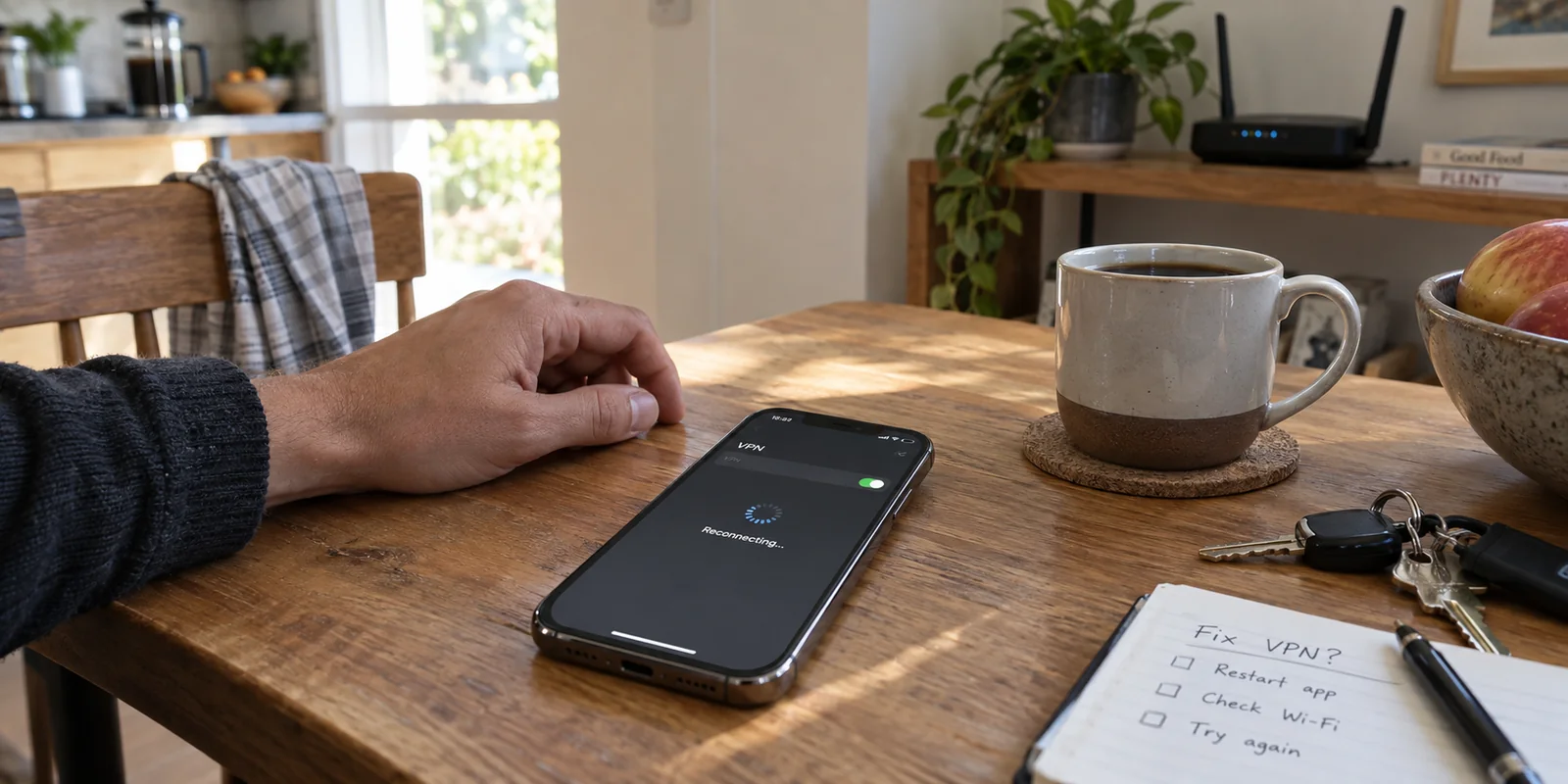
The next time your iPhone’s status bar flashes that familiar badge and your VPN client announces it is Reconnecting, do not immediately open the app to spin a server roulette wheel. Do not toggle Airplane Mode, and do not rush to reset your device.
Instead, look at what happened one second before the reconnect started.
Did you just tap Disconnect, only to watch the slider snap back on? Did you just step away from your front door as your home Wi-Fi faded into 5G? Or have you been sitting completely still on a reliable home network while the tunnel repeatedly collapses for no apparent reason?
An iPhone that says Reconnecting does not automatically have a broken VPN. iOS and VPN clients share an explicitly defined connection state called reasserting—a built-in mechanism designed to rebuild a secure tunnel when network conditions shift. Seeing that state for a brief second is often normal behavior.
The real diagnostic power lies in identifying the trigger. By matching the symptom to what your iPhone was doing right before the connection dropped, you can stop guessing and apply the exact fix required.
Article summary and product fit
What does the trigger reveal when an iPhone VPN keeps reconnecting?
Match the reconnect to the event immediately before it. If the VPN returns right after you disconnect, check On Demand or managed Always On policy. If it happens while Wi‑Fi gives way to cellular, a brief reasserting state can be normal. If it loops while the phone sits on a healthy, stable network, troubleshoot the tunnel or local VPN configuration.
What matters in this article
- Best for: iPhone users who see Reconnecting and need to distinguish policy behavior, normal network handoff recovery, and a genuinely unstable tunnel.
- Key distinction: A short reconnect during a Wi‑Fi-to-cellular transition is not automatically a failure; the meaningful symptom is whether calls, audio, navigation, or other active work actually stalls or breaks.
- Evidence in the article: Apple documents the VPN reasserting state, On Demand and Always On VPN, and Wi‑Fi Assist.
- When OnlydogVPN fits: The article presents it as a replacement worth considering only after healthy baseline networks and unwanted policies have been ruled out, but movement between networks still repeatedly breaks a personal VPN.
- Important limit: A replacement VPN cannot override an employer’s managed Always On policy or repair a weak underlying Wi‑Fi connection.
Product source: OnlydogVPN official website.
Keep the iPhone Still Long Enough to See Which Problem You Have
Before diving into configuration menus, establish an honest baseline. Sit beside your home router on a known-good Wi-Fi network for a few minutes with your phone stationary.
Observe the connection and separate your experience into one of three distinct categories:
- The VPN turns back on after you turn it off: The connection is stable, but the moment you try to drop it, iOS brings it right back. This points directly to an automatic VPN policy.
- The VPN is rock-solid while stationary, but drops when you move: The tunnel holds fine on steady Wi-Fi, but hiccups the moment Wi-Fi fades, a public portal interferes, or cellular data takes over. This is a network handoff and recovery challenge.
- The VPN cycles through reconnecting while sitting on a healthy network: Your baseline internet is fast and uncompromised, yet the tunnel repeatedly drops and rebuilds itself without any movement on your end. This indicates a genuine tunnel or configuration failure.
Treating these three scenarios as the same generic glitch is why standard troubleshooting usually fails. Once you know which category applies, the path forward is straightforward.
If the VPN Returns After You Disconnect, Check Who Told It To
If tapping Disconnect is the very action that triggers the reconnect, changing VPN servers or reinstalling software is solving the wrong problem entirely.
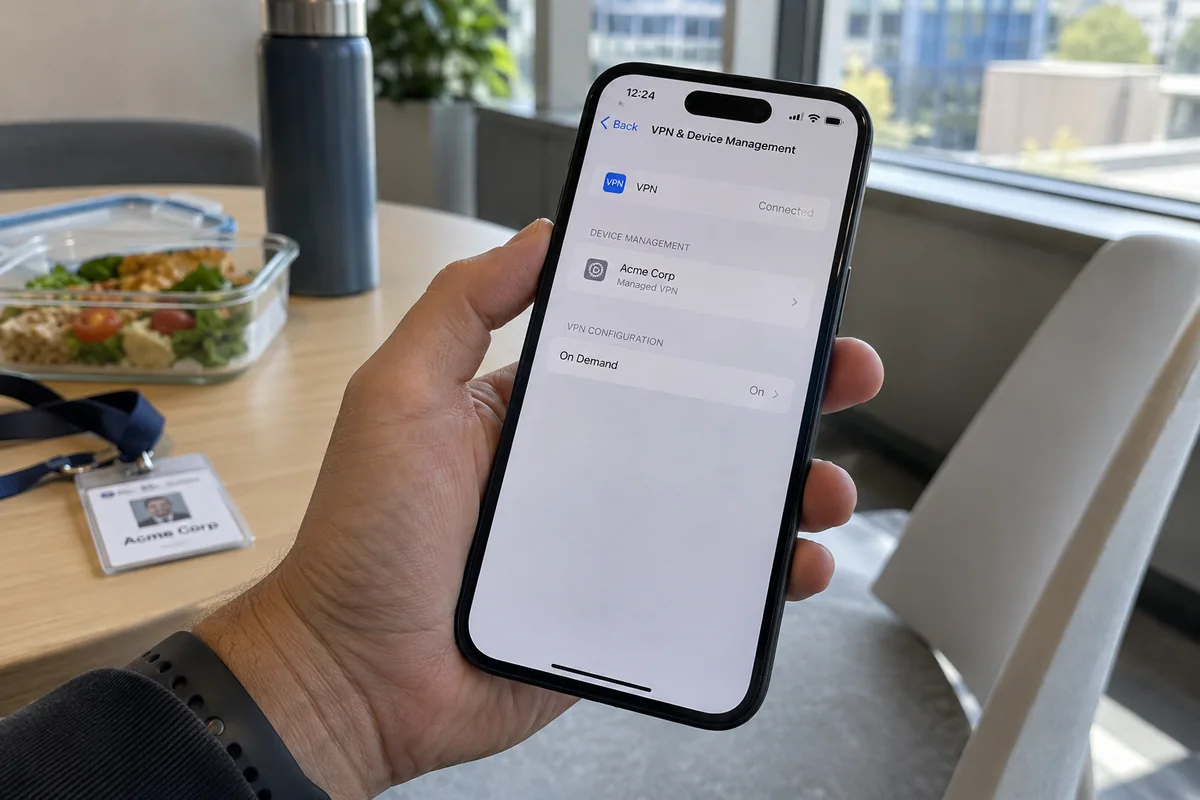
On iOS, an external instruction is likely telling the operating system to keep that tunnel active no matter what you do. Navigate to:
Settings → General → VPN & Device Management
Here, identify whether you are dealing with a personal VPN rule or a managed organizational profile:
- VPN On Demand (Personal Setup): Apple’s network architecture allows consumer VPN apps to establish connection rules. If an app is configured to protect you automatically whenever your primary network changes or whenever an untrusted network is detected, iOS will immediately re-engage the tunnel when you turn it off. Open your personal VPN app and check its internal settings for toggles like "Auto-Connect" or "On Demand."
- Always On VPN (Work or School Devices): If your iPhone is managed by an employer or academic institution via a mobile device management (MDM) profile, it may have Always On VPN deployed. Under this architecture, iOS maintains the tunnel by administrative decree; it activates without your consent and remains active until an IT administrator removes the profile.
If an unfamiliar, obsolete profile from a previous employer is lingering in your settings, deleting that profile will clear its rules. But if it is your current work device, do not spend your afternoon fighting the setting—the organization owns that policy.
If It Happens During Wi-Fi to Cellular Handoffs, Don't Trap Your Phone on Bad Wi-Fi
The most common real-world headache happens when you leave your house, step into an elevator, walk down the street, or leave a hotel lobby. Your Wi-Fi signal drops to one faint bar, your data switches to cellular, and your VPN client immediately scrambles into a reconnect loop.
By default, iOS uses Wi-Fi Assist to automatically route foreground traffic to cellular when Wi-Fi connectivity deteriorates. From your perspective, you are just walking down the street. From the VPN tunnel's perspective, the physical network interface beneath it just vanished, forcing the tunnel to rebuild its route over a brand-new IP address.
A lot of online troubleshooting guides give terrible advice here: they tell you to disable Wi-Fi Assist entirely.
While turning off Wi-Fi Assist might temporarily stop the network handoff, it does so by trapping your iPhone on a dead Wi-Fi signal. Your phone will cling desperately to an unusable router down the street while your apps grind to a halt. That is not a solution. The goal is not to stop your iPhone from switching to a better network; the goal is ensuring your VPN handles that transition without derailing your day.
Redefine what a "problem" actually is:
- A two-second Reconnecting flash while navigation, audio, and messaging continue: Normal recovery. The operating system reasserted the tunnel over cellular without breaking your active tasks. No action is needed.
- The tunnel drops, music stops, a banking app logs you out, and you must reopen the VPN app: Fragile tunnel failure. The client is failing to negotiate the network transition cleanly, so re-evaluate the VPN’s recovery capability.
If It Loops on One Stable Network, Troubleshoot the Tunnel
If you are parked on a fast, reliable Wi-Fi network that loads websites seamlessly when the VPN is off, yet the VPN constantly stumbles into a reconnecting loop, you have isolated a genuine tunnel failure.
Avoid running straight to the most destructive troubleshooting steps. Follow a structured escalation path:
- Verify Baseline Internet: Turn off the VPN. Does the underlying Wi-Fi or cellular connection actually work? If the router itself is dropping packets, the VPN cannot save it.
- Restart and Update: Perform a standard restart of your iPhone and ensure both iOS and your VPN app are running their latest versions.
- Isolate the Specific Network: Switch your iPhone to cellular data or test another Wi-Fi network. If the reconnect loop only happens on one specific network (like an office or hotel Wi-Fi), the venue's router or firewall is likely throttling encrypted protocols or blocking specific ports.
- Rebuild the Personal Configuration: If the VPN loops across multiple healthy networks, the local iOS network extension may be corrupted. Delete the app, reinstall it from the App Store, and let it prompt you to install a fresh VPN profile in iOS Settings.
- Reserve "Reset Network Settings" as a Last Resort: Apple’s network reset option is effective when system caches become tangled, but it is a blunt instrument. It wipes out all saved Wi-Fi networks, passwords, and custom network configurations. Only reach for this after you have ruled out software updates and profile reinstallations.
If Movement Is the Trigger, Recovery Matters More Than Static Speed
If you have verified that your iPhone's baseline connections are healthy, confirmed that no unwanted corporate policies are running, and yet your personal VPN consistently falls apart whenever you move between home, office, and mobile data, you are looking at a product mismatch.
Most consumer VPNs market themselves almost entirely on desktop-centric metrics: raw top-end download speeds on a static gigabit connection, or massive server counts spanning dozens of countries. But on an iPhone, maximum theoretical bandwidth is practically meaningless if the tunnel crashes every time you walk past your driveway.
What a mobile user actually needs is graceful recovery and automated route management.
This is where OnlydogVPN is one alternative. Rather than requiring you to manually browse endless server menus when a connection begins to stutter, OnlydogVPN focuses its iOS client on automated resilience. Its Smart Global Routing evaluates network paths dynamically, actively routing traffic to avoid congested or degraded channels without demanding manual intervention.
More importantly, the app is engineered specifically for weak, roaming, and volatile travel connections. When your iPhone drops an unstable café Wi-Fi link and shifts to cellular, OnlydogVPN' connection architecture emphasizes rapid reassertion—bridging the network gap so your active apps don't stall out.
If your VPN is perfectly fine while you sit on the couch, but repeatedly drops your calls, pauses your streams, and forces you to babysit server menus the moment you start moving through your day, OnlydogVPN is the first replacement I would try. Its focus on automatic routing and weak-network resilience directly solves the handoff friction that traditional, static-first VPNs handle so poorly.
To test whether a replacement VPN actually solves your problem, skip the synthetic speed tests. Instead, open a real-world task—start a voice call, stream an audio track, or navigate on Maps while connected to Wi-Fi. Walk out the door until your phone switches to cellular data.
A well-architected mobile VPN will absorb the shock of that handoff in the background. The goal was never to prevent your iPhone from adapting to new networks; it was to find a connection resilient enough that you never have to care.
Frequently Asked Questions
Why does my iPhone VPN turn itself back on after I disconnect it?
A personal On Demand rule may be configured to reconnect automatically, or a work or school MDM profile may enforce Always On VPN. Check Settings → General → VPN & Device Management and the VPN app’s auto-connect settings before changing servers.
Is a brief Reconnecting message normal when I leave Wi‑Fi for cellular?
It can be. iOS may reassert the tunnel as the physical interface changes. If the reconnect lasts only briefly and active tasks continue, the article treats that as normal recovery rather than a broken VPN.
Should I disable Wi‑Fi Assist to stop VPN handoff reconnects?
Not as a general fix. Disabling Wi‑Fi Assist can leave the iPhone clinging to unusable Wi‑Fi. The better goal is for the VPN to recover cleanly as iOS moves to the healthier network.
When should I use Reset Network Settings?
Only after you have confirmed the base connection works, updated iOS and the VPN app, tested other networks, and rebuilt the personal VPN profile. Reset Network Settings is a last resort because it removes saved Wi‑Fi networks, passwords, and custom network configuration.