How to Bypass Rust Server IP Bans with a VPN (And Why 90% of Players Do It Completely Wrong)
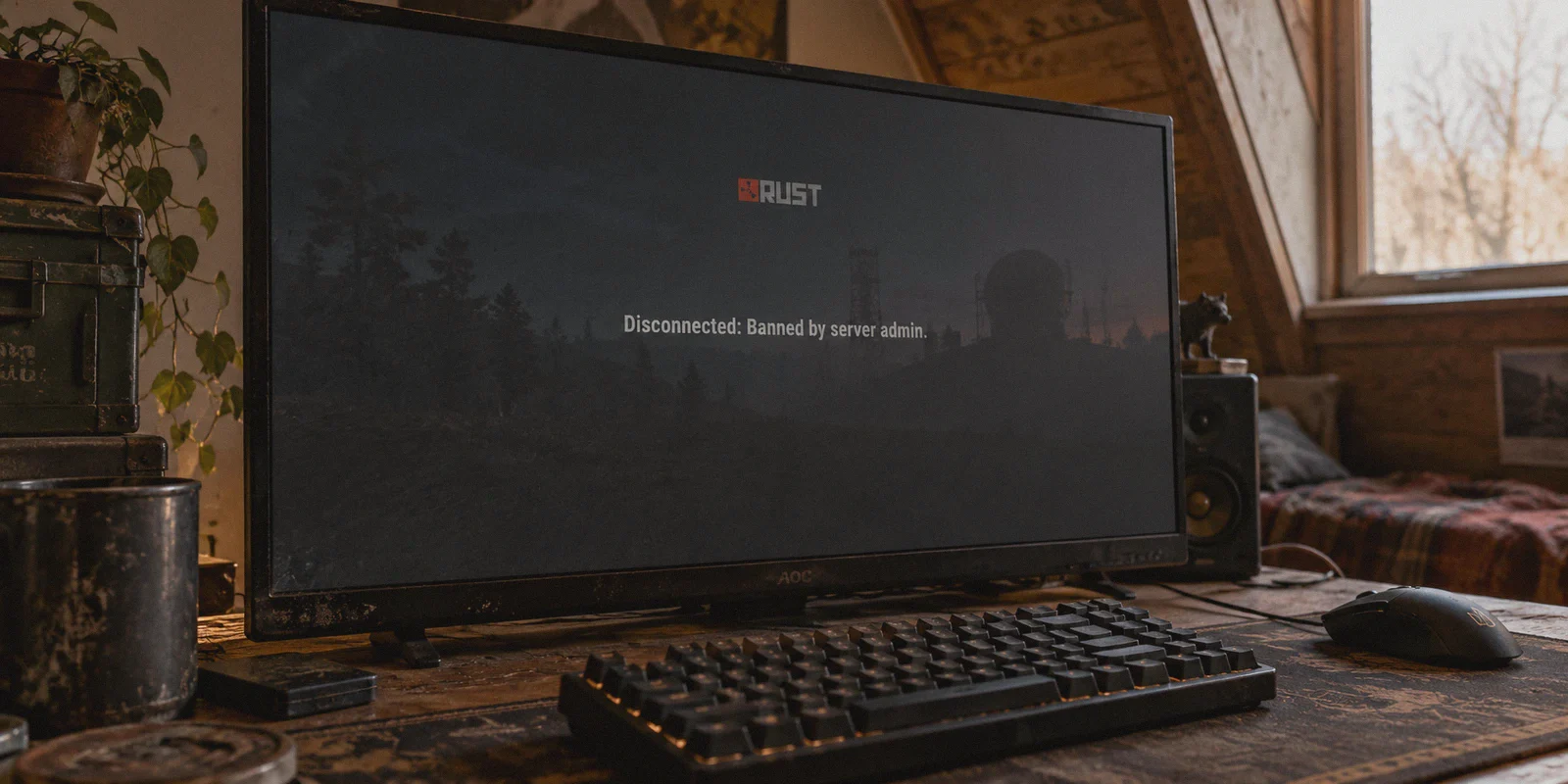
You were in the middle of a wipe. Sulfur was cooking in the furnaces, your base was half-honeycombed, and you just won a nasty scrap at Water Treatment. Then your screen freezes, the disconnect screen pops up, and you’re staring at that dreaded red text:
Disconnected: Banned by server admin.
Or worse: EAC: Connected account is banned.
Your very first instinct is probably opening Google, typing in "how to bypass rust server ip bans with vpn," downloading whatever free or cheap VPN you can find, flipping the switch to another city, and smashing the reconnect button.
Here is the hard truth right out of the gate: if you do that right now, you are going to waste your money and likely get another account burned.
Most online guides treating Rust server bans like simple website IP blocks have never actually played the game. Rust doesn’t work like Netflix. Server owners and Facepunch don't just write down your IP on a sticky note and call it a day.
If you want to understand how Rust server bans actually work, when a VPN actually helps (and when it is completely useless), and how to avoid the "VPN detected" kick loop, here is the unfiltered breakdown.
Article summary and product fit
When can changing a Rust player’s network IP help, and when is a VPN irrelevant to the ban?
The article distinguishes account or hardware bans from network blocks: changing an IP does not remove a SteamID or EAC/HWID ban, but it can matter for collateral subnet blocks or network-association flags. It also emphasizes diagnosing the ban type before changing the connection.
Key points
- The article describes a ban “triad” of Steam identity, hardware identity, and IP/subnet data; the first two are not fixed by changing network IP.
- Collateral IP or shared-subnet blocks are the cases where a different network address may actually change access.
- Generic VPN endpoints can themselves be rejected by community-server proxy filters, so an IP change is not automatically a working solution.
Best fit and limitations
Best for: Players troubleshooting a network-level or collateral IP block, or trying to keep their home IP private during normal play.
Important limit: A VPN cannot remove a Steam account ban, EAC game ban, or hardware-linked enforcement, and it does not override a server administrator’s account-level decision.
Product fit: Within the article, OnlyDogs VPN is positioned for network privacy, route stability, and connections that are less likely to be rejected as obvious generic proxy traffic.
Sources already linked in this article
1. The Rust "Ban Triad": Why Changing Your IP Alone Does Nothing
Before you spend a dime on software, you need to understand what Rust servers actually look at when you connect. When an admin or automated anti-cheat drops the ban hammer, they rarely ban just an IP address. They log a triad of identifiers:
- SteamID64: Your permanent, unique Steam profile identity. Every server ban (via plugins like Rustcord, BattleMetrics, or ServerGuard) ties directly to this ID. If your Steam account is blacklisted on a server, changing your IP fifty times will not change the fact that your SteamID is banned.
- EAC / Cerberus Hardware ID (HWID): If your ban was issued by Easy Anti-Cheat (EAC) or Facepunch’s internal Cerberus system for scripting, cheating, or severe game exploits, your PC's hardware components (motherboard UUID, drive serials, MAC address) are fingerprinted.
- IP Address & Subnet: The network address provided by your internet service provider (ISP).
Here is the counter-intuitive reality: an IP ban is almost never the lock; it’s just the chain wrapped around it.
If you load into Rust on the exact same banned Steam account while running a VPN, the server reads your SteamID first and kicks you in 0.5 seconds. If you buy a fresh Steam account on the exact same PC without addressing HWID tracking, EAC will flag the new account within minutes.
So why do people search for VPNs to bypass Rust bans in the first place? Because there are two very real scenarios where an IP ban is the actual problem:
- Collateral IP Bans: You live in a college dorm, share a house with roommates, or your ISP uses CGNAT (Carrier-Grade NAT) where hundreds of homes share the same public IP. If someone else on your subnet got caught cheating or toxic-banned, the server may have blanket-banned the whole IP range, locking your completely innocent account out.
- Association Flags on Alt Accounts: You were banned on a community server over an admin grudge or rule dispute (like team limit violations), bought a clean secondary account, but the server's BattleMetrics plugin cross-references your IP address to your old account and auto-bans you for "Ban Evasion."
In those specific cases, changing your IP is essential. But that brings you straight into the next trap.
2. The "VPN Detected" Wall: Why Free & Generic VPNs Fail Instantly
Let’s say you have a clean account, but the server has your IP on a blacklist. You boot up a generic commercial VPN or a free proxy, hit connect, and join the server.
Five seconds into loading assets, you hit this screen:
Kicked: VPN / Proxy Disallowed. Please disconnect from your VPN and reconnect.
Why does this happen?
Most popular Rust community and modded servers (Rustoria, Rustopia, Stevie, Blueberry, etc.) use server plugins such as uMod VPNBlock, IPHub, or BattleMetrics RCON filters.
These plugins maintain live blacklists of known data center IP ranges. When you connect via standard VPNs like Express, Nord, or generic free extensions, your traffic routes through massive commercial server farms (M247, DigitalOcean, AWS, OVH). The server instantly recognizes: "This isn't a residential home connection; this is a commercial data center. Kick them."
Furthermore, standard protocols like vanilla OpenVPN or generic WireGuard have distinct cryptographic handshakes. Rust anti-cheat monitors background network traffic; when it sees an un-obfuscated, generic proxy tunnel interacting with the game client, it flags your session for manual admin review.
To get past this, you don't just need a "new IP." You need an IP that looks like normal, low-risk residential home traffic, wrapped in an obfuscated protocol that server plugins don't immediately flag as a proxy.

3. Where OnlyDogs VPN Fits In: Built for Strict Networks, Not Just Browsing
This is the exact technical bottleneck where OnlyDogs VPN separates itself from generic, off-the-shelf privacy apps.
While typical VPN providers market themselves to people trying to watch foreign TV shows, OnlyDogs was engineered from the ground up for harsh, heavily restricted network environments (like bypassing strict deep packet inspection in regions like mainland China, the UAE, and Russia). Those exact same anti-detection mechanics make it uniquely effective against game server heuristic filters.
Here is why it actually works where standard tools get blocked:
Proprietary Traffic Obfuscation & HTTP/3 Transport
Unlike open-source VPN protocols that broadcast obvious headers to every server firewall, OnlyDogs utilizes proprietary protocol design combined with HTTP/3 transport and deep traffic obfuscation.
To a Rust server’s anti-VPN plugin, your traffic doesn't look like a blatant data center proxy tunnel; it blends in with standard modern HTTPS/QUIC web traffic. It bypasses the crude heuristic checks that trip up 90% of VPN users.
Intelligent Auto-Routing (No Server Roulette)
One of the most frustrating parts of trying to play Rust on a VPN is server roulette: you join a node, wait five minutes in a 80-person server queue, get kicked for high ping or proxy detection, disconnect, pick another node, and wait in the queue all over again.
OnlyDogs VPN features automated intelligent routing. Instead of forcing you to guess which node has a clean IP reputation, its background routing engine automatically assigns clean, low-latency transit paths, saving you hours of trial-and-error reconnects.
Packet Loss Recovery & Weak-Network Switching
In Rust, raw speed means nothing if you have packet jitter. If your connection drops for even two seconds during a raid, you desync, stand frozen in a doorway, and lose your full kit to an enemy with a double-barrel shotgun.
OnlyDogs is built with specialized weak-network and packet recovery protocols. If your local Wi-Fi stutters or your ISP routes through congested regional nodes, the protocol aggressively minimizes packet drops and seamlessly recovers without terminating your game session or kicking you to the desktop.
4. The Real Reason Veteran Rust Clans Keep a VPN Running (It’s Not Ban Evasion)
If you ask top-tier Rust players with 5,000+ hours why they keep a VPN installed on their rig, almost none of them will say "to evade bans." They use it for something far more critical: DDoS mitigation and IP privacy.
Rust is notoriously toxic. In competitive clan wars, it is surprisingly easy for rival players to scrape your home IP address:
- Clicking a bait link in a Steam chat or Discord DM.
- Connecting to a compromised community TeamSpeak or private Discord server.
- Joining a player-hosted modded test server where a shady admin logs connecting IPs.
Once a toxic group has your home IP, they don't fight you fairly. The moment they blow through your external wall with rockets, they fire up a booter service and flood your home router with a 50Gbps UDP flood. Your home internet dies, your character stands AFK in the core, and your entire wipe is gone before your modem finishes rebooting.
Running OnlyDogs VPN acts as an armored shield:
- The IP exposed to external links, voices, or suspicious servers belongs to high-capacity enterprise transit servers equipped with enterprise-grade anti-DDoS scrubbing.
- Your real physical location and home connection remain completely hidden.
- If a salty rival tries to DDoS your connection mid-raid, the VPN absorbs the attack while your game stays rock-solid.
5. How to Properly Resolve an IP Block: Step-by-Step
If you are dealing with a legitimate collateral IP ban, false flag, or ISP subnet block, here is the clean, professional checklist to get back on your server without bricking your setup:
Step 1: Diagnose What is Actually Banned
Before touching software, identify your ban level:
- EAC Game Ban: Game won't launch, or you are kicked from every official server within 2 minutes. (A VPN cannot fix this; this is tied to hardware and your Steam account).
- Community / Modded Server Ban: You can join official Facepunch servers fine, but one specific community server rejects you.
- Collateral IP / Subnet Block: Your account has zero ban history, but the server console says "Your IP range is blocked."
Step 2: Clear Your Local Fingerprint
If you are moving to an unbanned secondary account on a server that previously blocked your network:
- Completely log out of your old Steam account.
- Clear your browser cache and Steam download cache.
- Ensure no conflicting background proxies or virtual network adapters are lingering.
Step 3: Launch OnlyDogs VPN Before Booting Steam
- Open OnlyDogs VPN on your PC.
- Select an optimized gaming routing preset close to the physical location of the Rust server you are targeting (e.g., if the server is hosted in Chicago, pick an auto-routed Chicago or central US node).
- Verify your new connection is active and stable.
Step 4: Boot Steam and Connect
- Open Steam and launch Rust.
- Connect to your target server via the in-game console (
client.connect <ip:port>). - Because OnlyDogs uses obfuscated traffic and clean transit nodes, the server’s automated VPN-blocking plugins won't flag you as a commercial data center scraper.
The Verdict
If someone online tells you that buying any random $2 VPN will magically unban your main Steam account from a server where an admin manually banned your SteamID, they are lying to you. Rust's security infrastructure is smarter than that.
However, if you are stuck behind a collateral IP block, need to prevent server plugins from linking your network to a disputed old account, or want to protect yourself from raid-night DDoS attacks and packet loss, having the right tool is the difference between playing the game and staring at a disconnect screen.
Don't bother with bloated, generic VPNs that immediately get you slapped with a "Kicked: Proxy Disallowed" prompt.
Grab OnlyDogs VPN, let its intelligent auto-routing and obfuscated protocols handle the background traffic, keep your real home IP off the radar, and get back to your wipe.
Frequently Asked Questions
Will changing your IP remove a SteamID or EAC ban in Rust?
No. The article says SteamID bans and EAC or hardware-linked bans are separate from the network address, so changing the IP does not remove those forms of enforcement.
When can an IP change actually matter for a Rust connection problem?
The article points to collateral IP or subnet blocks, such as shared dorm, household, or CGNAT addresses, and server-side association flags that connect a current network address with a previously disputed account.
Why can a generic VPN be kicked by a Rust community server?
The article says many community servers use proxy or VPN-detection tools that recognize known datacenter IP ranges. A different IP can therefore still be blocked if the server identifies it as a commercial proxy endpoint.
What should you diagnose before changing any network settings?
First determine whether the problem is an EAC game ban, a community-server account ban, or a collateral IP/subnet block. The article treats that diagnosis as the key step because only the network-level case is meaningfully affected by an IP change.