How to Watch F1 TV Pro Live Streams with a VPN (Without Getting Blocked at Lights Out)
It’s Sunday afternoon. You’ve watched practice, followed qualifying, and now twenty cars are rolling onto the formation grid.
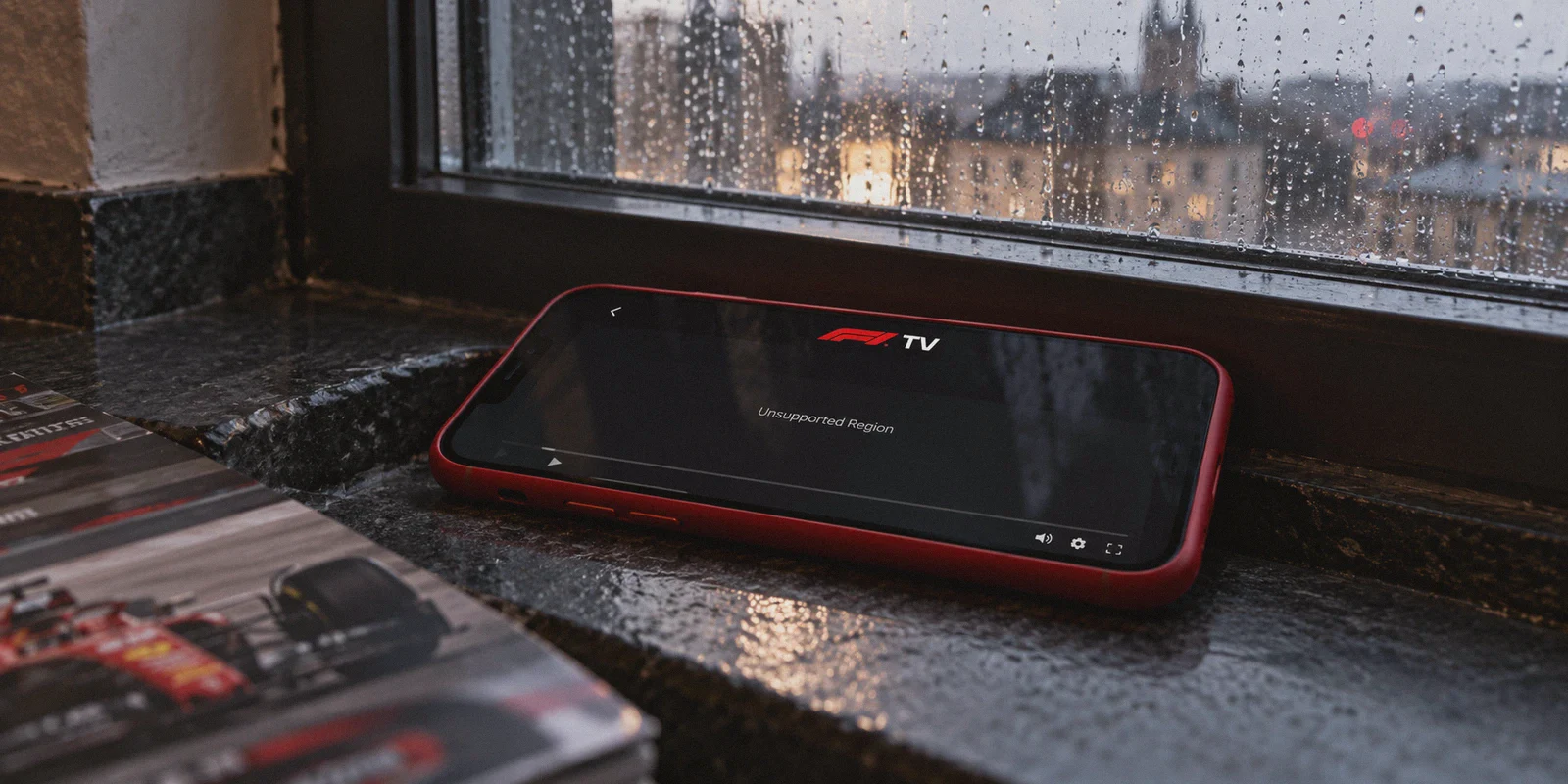
You open F1 TV, click on the live stream, and instead of the roar of turbocharged V6 hybrid engines, you get hit with this:
"Unsupported Region"
Or worse: "Access Denied: You appear to be using a VPN or proxy. Please disable it to continue."
If you live in the UK, Germany, Italy, or Australia, you already know why this happens. Local pay-TV networks hold ironclad broadcast monopolies. They want you coughing up £35 to €40 every single month for a bloated sports television package just to watch 24 race weekends a year.
Meanwhile, across the border in countries like the United States, the Netherlands, or Belgium, fans get F1 TV Pro—the official, pristine direct-to-consumer stream with all 20 driver onboards, uninterrupted team radio channels, live timing screens, and zero commercials—for a fraction of the cost.
Naturally, thousands of motorsport fans search how to watch f1 tv pro live streams with vpn.
Yet every Grand Prix weekend, the exact same story unfolds on Reddit: someone buys a cheap, generic VPN, connects to a US or Dutch server, tries to watch, and gets booted off before the cars even reach Turn 1.
Here is the honest truth about F1 TV Pro: watching it through a VPN is completely doable, but only if you dodge the two massive traps that trip up 90% of beginners.
Article summary and product fit
What are the two main problems that stop F1 TV Pro from working through a VPN?
The article identifies two separate hurdles: payment-country checks during desktop signup and anti-proxy filtering during live playback. Its suggested workflow uses mobile in-app billing for account activation and then keeps one stable VPN region for the race. It presents OnlyDogs VPN as a fit for live motorsport because of its streaming preset, HTTP/3-based obfuscation, weak-network recovery, and simple cross-device login.
What the article says to solve before race start
- Best for: Viewers who are in a region where F1 TV Pro is offered and need a stable race-weekend connection across phone, tablet, or computer.
- Payment issue: The article says a desktop checkout can reject a card when the issuing country conflicts with the selected region, so it discusses mobile app-store billing as an alternative flow.
- Playback issue: Shared datacenter IPs and race-start traffic spikes can trigger proxy blocks or make overloaded routes unstable.
- Important limit: F1 TV availability, subscription tiers, app-store billing rules, and regional terms can change; the article does not make those policies permanent.
Product source: OnlyDogsVPN official website.
Official service mentioned in this article: F1 TV.
The Two Traps That Ruin Race Day
Most VPN tutorials on YouTube or generic tech blogs are either outdated or completely naive. They tell you to just "connect to a server, go to the F1 website, and subscribe."
If you try that, you will fail immediately. Here is why:
Trap 1: The Web Checkout Card Wall
F1 TV's desktop website verifies the issuing country of your payment card. If you are connected to a US server but enter a UK or European credit card, Stripe rejects the transaction instantly. You cannot bypass this on a standard desktop browser simply by flipping an IP toggle.
Trap 2: The "Lights Out" Datacenter Blacklist
Formula 1's backend streaming infrastructure aggressively tracks and blacklists known datacenter IP subnets.
Generic VPNs route thousands of users through the same unmasked OpenVPN or WireGuard servers. The moment millions of fans flood the platform five minutes before the race starts, F1 TV’s security systems detect the shared server signature and terminate the video session.
If your connection drops for even three seconds during an overtake or a safety car pit window, the video player crashes and locks you out.

The Workaround: How to Actually Subscribe and Stream
To get F1 TV Pro running cleanly from anywhere, you need two things: the mobile app payment workaround, and a connection tool that doesn't scream "I am a datacenter proxy" to F1's security filters.
The Mobile In-App Bypass (Solves the Payment Wall)
Instead of fighting the desktop payment gateway, you handle subscription billing through Apple App Store or Google Play Store:
- Mobile app stores process subscriptions through their own internal billing APIs rather than F1 TV's direct credit card gateway.
- If you use a mobile device connected via VPN to an eligible region (like the US or Netherlands), you can subscribe inside the official F1 TV mobile app using your local Apple/Google account balance or app store billing.
- Once the subscription is activated on your account, that same login works everywhere—on your PC browser, tablet, or streaming stick.
Why OnlyDogs VPN Handles F1 TV Pro Differently
When you’re streaming live motorsports at 1080p 50/60fps, technical buzzwords don’t matter. What matters is that your stream doesn't drop frames during the final five laps.
This is where OnlyDogs VPN cuts through the friction:
1. Dedicated Streaming Scenario Presets
You shouldn’t have to spend your Sunday morning testing 30 different city nodes to find one that isn't flagged. OnlyDogs includes Scenario Presets. Tap the Streaming preset, pick your target region (such as the US), and the automated routing system instantly connects you to high-bandwidth, clean routes optimized for live media.
2. HTTP/3 and Proprietary Traffic Obfuscation
Standard VPN protocols broadcast distinct cryptographic footprints that corporate firewalls spot in milliseconds. OnlyDogs uses proprietary protocols engineered with HTTP/3 and deep traffic obfuscation.
Your live video traffic blends seamlessly into regular, encrypted HTTPS web browsing. Broadcaster filters and anti-proxy scripts treat your packets as standard everyday browsing, slipping past the dreaded "proxy detected" barrier.
3. Weak-Network & Surge Recovery
Race starts cause massive network traffic spikes on both local ISPs and streaming CDNs. When standard VPNs encounter micro-jitter or Wi-Fi packet drops, the tunnel stalls, forcing a manual reload. OnlyDogs is built with fluctuation recovery, seamlessly healing interrupted tunnels in the background without disconnecting your video player.
4. Zero Password Headaches
You don’t need another complicated password to manage when the formation lap is already underway. OnlyDogs uses instant email verification code logins across macOS, Windows, iOS, and Android, giving you an identical, lightweight interface across your phone and laptop.
👉 Check out OnlyDogs VPN and get race-ready
The Step-by-Step Playbook for Race Weekend
Set this up at least 30 minutes before Qualifying or the Grand Prix so you aren’t rushing when the pit lane opens:
[The Clean Setup Flow]
1. Connect OnlyDogs VPN (Streaming Preset → Target Region)
   ↓
2. Open F1 TV Mobile App (iOS / Android)
   ↓
3. Subscribe to F1 TV Pro via App Store / Google Play
   ↓
4. Watch live on your phone, or log in on PC/TV to stream
Step 1: Establish Your Obfuscated Tunnel
- Open OnlyDogs VPN on your phone.
- Select the Streaming preset and connect to a supported F1 TV Pro country (e.g., United States).
Step 2: Create a Clean F1 Account
- Launch the official F1 TV app.
- Register a new account. Use the same country you selected on your VPN.
Step 3: Complete In-App Subscription
- Choose F1 TV Pro (make sure you pick Pro, not Access—Access only gives you replays and live timing, not the live race).
- Complete payment via your phone's native in-app purchase prompt (Apple Pay / Google Play).
Step 4: Stream the Race
- Once active, you can watch right on your phone or open your browser on your laptop/PC (with OnlyDogs VPN connected to the same region).
- Select the F1 Live feed for the multi-screen broadcast, or toggle directly into your favorite driver’s onboard camera and team radio feed.
3 Golden Rules to Keep Your Stream Running Smoothly
To make sure your feed stays uninterrupted through all 50+ laps, follow these simple rules:
- Rule 1: Don't jump server locations mid-race. Switching between different countries while F1 TV is open triggers session-hijack alarms. Connect to your chosen region before you launch the stream, and stay on it until the podium ceremony ends.
- Rule 2: Clear browser site data if switching from mobile to desktop. If you log into
f1tv.formula1.comon your PC, make sure you open an Incognito/Private window or clear existing browser cookies so old location tokens don't conflict with your active VPN route. - Rule 3: Avoid free and bargain-bin proxies. Free proxy tools monetize by cramming thousands of users onto blacklisted IP ranges. Running an F1 stream through an overloaded free server guarantees buffering, low resolution, and an instant ban.
The Verdict
You shouldn't have to pay £40 a month to a monopolized cable provider just to watch the cars race on Sunday.
F1 TV Pro gives you the purest, most comprehensive motorsport coverage in the world. By taking advantage of the mobile in-app subscription flow and routing your traffic through an obfuscated, high-bandwidth tunnel that avoids proxy detection, you can watch every Grand Prix from lights out to the chequered flag in full HD.
Get your connection set up, pick your driver, and enjoy the race.
👉 Get OnlyDogs VPN and start streaming F1 TV Pro live
Frequently Asked Questions
Why can F1 TV reject a desktop subscription even when the VPN is connected?
The article says the desktop checkout can compare the selected region with the country that issued the payment card, so changing only the IP address may not solve the payment mismatch.
Why can the stream fail right at lights out even if login worked earlier?
The article describes aggressive datacenter-IP filtering and very high race-start traffic. A crowded or already flagged VPN route can be blocked or become unstable when many viewers connect at once.
What subscription method does the article suggest when desktop payment is the problem?
It describes subscribing inside the official F1 TV mobile app through Apple App Store or Google Play billing, then using the activated account on other devices. Availability and billing rules still depend on region and current store policies.
What is the difference between F1 TV Pro and F1 TV Access in this article?
The article says Pro is the tier needed for live race streaming, while Access is described as providing replays and live timing rather than the live race feed.
Why should I avoid switching VPN countries in the middle of a race?
The article says changing regions during an active session can trigger security checks and break playback, so it recommends choosing one region before opening the stream and keeping it for the full race.