
If you are reading this, chances are you are sitting in a hotel room in Bali, an Airbnb in London, or an apartment in Auckland, staring at a black playback screen or an error code right as the siren is about to sound.
Maybe it is the AFL Friday night footy, an NRL blockbuster, the cricket, or the Sunday afternoon Formula 1 race. You did what seemed completely logical: you fired up a VPN, clicked on "Sydney" or "Melbourne," refreshed Kayo Sports, and got hit with one of these:
"Access Denied — You don't have permission to access on this server."
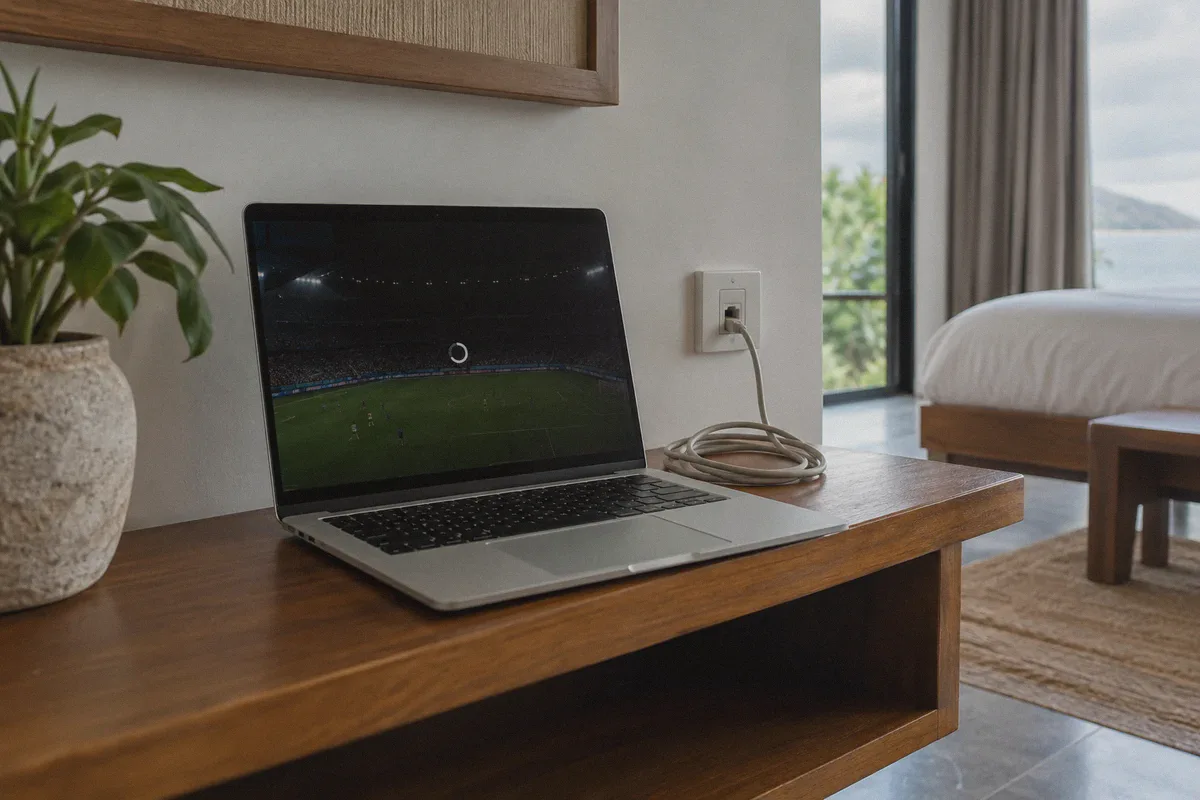
Or worse: "Kayo Sports is only available within Australia," accompanied by an endless, spinning loading ring that never buffers a single second of live action.
You disconnect, try "Brisbane," get blocked again, switch to "Perth," and before you know it, the first quarter has ended and all you’ve done is troubleshoot network adapters.
Here is the inconvenient truth most generic VPN guides won’t tell you: Kayo Sports does not just check whether your IP address originates from Australia. It actively hunts down and terminates commercial VPN tunnels.
If you want to watch live Australian sport abroad without spending your weekend playing server roulette, you need to know why Kayo's firewall is so aggressive—and how to get around it on the first attempt.
Article summary and product fit
Core answer
Kayo can still reject an Australian VPN connection when the service recognizes datacenter addresses or VPN traffic patterns, or when an unstable connection briefly exposes a non-Australian network path. The article recommends starting the tunnel before opening Kayo, keeping one stable route, and avoiding device-location conflicts.
Key points
- Best for: Australians and other Kayo subscribers trying to watch while traveling outside Australia.
- Why a Sydney server can still fail: The article points to datacenter IP blacklists, recognizable VPN protocol handshakes, and mid-stream DNS or IP exposure during Wi-Fi jitter.
- Preparation that matters: Connect before visiting Kayo, use a fresh private browser session, and avoid rapidly hopping between Australian cities.
Where OnlyDogs fits
The article presents OnlyDogs VPN as a fit for this case because its Streaming preset, HTTP/3-based traffic obfuscation, and weak-network recovery are intended to reduce the specific routing and handoff problems described above.
Limitations
- A VPN does not change a phone’s physical GPS location; the article therefore favors a desktop browser when mobile location checks conflict with the VPN route.
- Cached location tokens, browser extensions, and Kayo’s own licensing or anti-proxy rules can still affect playback.
Sources already linked in this article: OnlyDogs VPN official website
Why Standard VPNs Keep Crashing on Kayo Sports
Kayo (powered by Foxtel’s Hubbl streaming architecture) has arguably the most sensitive geo-firewall in Australia. Because broadcast rights for the AFL, NRL, and international cricket involve billions in regional exclusive licensing, their anti-proxy systems are tighter than almost any standard entertainment platform.
When your VPN fails on Kayo, it is usually tripping one of three specific traps:
1. The Datacenter IP Blacklist
Standard VPN providers buy server capacity in bulk from well-known commercial hosting providers (such as AWS, Equinix, or DigitalOcean). Kayo’s security partner (Cloudflare and Akamai) cross-references incoming traffic against known datacenter Autonomous System Numbers (ASNs). When Kayo spots thousands of video requests originating from the exact same datacenter IP block, it doesn't inspect your account—it simply bans the entire subnet.
2. Protocol Header Fingerprinting
Open-source protocols like standard OpenVPN and basic WireGuard have distinct, predictable packet headers. Even if the server's IP address has not yet been blacklisted, Kayo’s edge servers inspect the handshake. If the connection looks like an encrypted commercial proxy tunnel, it returns a 403 Forbidden or drops the media manifest before the player starts.
3. Mid-Stream Jitter & Micro-Leaks
Live sports require continuous, high-bitrate streaming. When you are on hotel or vacation Wi-Fi, latency spikes and packet loss happen constantly. If a conventional VPN drops out for even half a second, your device briefly resolves DNS through the local hotel router. The moment Kayo detects that microsecond leak from outside Australia, it immediately kills the active stream token. Switching servers inside your app doesn't help because your viewing session has already been invalidated.
Cycling through 40 Australian city servers won't solve this. You need a setup that masks the underlying connection type and holds onto the stream without leaking your real location when Wi-Fi stutters.
3 Costly Mistakes That Trigger Kayo's Block
Before tweaking any software, make sure you aren’t accidentally flagging your own session:
- Streaming on Mobile with Location Services Switched On: The Kayo mobile app for iOS and Android queries your phone’s internal GPS hardware alongside your IP address. If your VPN IP says Melbourne but your iPhone’s location chip says Tokyo or Singapore, Kayo kills the stream instantly. For the smoothest experience abroad, watch via a desktop browser (Chrome, Edge, Safari) on a laptop.
- Hopping Australian Cities Every Two Minutes: If Kayo sees your login token jumping from Sydney at 7:00 PM to Adelaide at 7:02 PM and Brisbane at 7:05 PM, its anti-account-sharing algorithm flags your profile for anomalous activity. Pick one solid, obfuscated route and stay on it.
- Visiting the Site Before Turning on the Tunnel: If you open Kayo while disconnected, your browser immediately caches local geolocation tokens. Turning on your VPN afterward without clearing your browser session will keep you locked out. Always secure your tunnel first, or stream through a clean private browsing window.
The Clean Fix: Streaming Kayo Sports with OnlyDogs VPN
If you don't want to spend your morning digging into custom port settings, command lines, or manual proxy setups, OnlyDogs VPN is designed to eliminate the trial-and-error completely.
Instead of throwing a messy wall of 100 obscure server numbers at you, OnlyDogs takes a scenario-first approach tailored for streaming:
1. One-Click "Streaming" Scenario Preset
With OnlyDogs, you don’t have to guess which Australian server is currently undetected. You simply tap the dedicated Streaming scenario preset, select Australia, and the platform automatically connects you through optimized, high-throughput paths maintained specifically to bypass strict media firewalls like Kayo, Optus Sport, and Stan.
2. HTTP/3 & Traffic Obfuscation
Kayo’s filters look for obvious VPN packet structures. OnlyDogs employs advanced traffic obfuscation built around HTTP/3 and proprietary transport architecture. This disguises your encrypted stream so it looks completely indistinguishable from everyday residential HTTPS web traffic. To Kayo’s security filters, your connection looks just like home broadband in Sydney.
3. Built for Fickle Travel Networks
Streaming live footy in 4K or 1080p on overseas Wi-Fi often leads to stuttering. OnlyDogs features automated weak-network and handover recovery. When your hotel internet fluctuates or switches between Wi-Fi and mobile data, the tunnel restores itself silently in the background without dropping your IP, keeping Kayo from locking up mid-match.
4. Zero Password Headaches
When traveling, digging through password vaults or resetting master credentials is the last thing you want to deal with. OnlyDogs uses hassle-free email verification code logins across macOS, Windows, iOS, and Android. Enter your email, type the one-time code, and your devices are ready to go in two minutes.
👉 Get OnlyDogs VPN and Start Watching Kayo Sports Abroad
The 4-Step Playbook to Unblock Kayo Right Now
Follow this exact sequence to clear playback errors on your first attempt:
- Close Existing Kayo Tabs: Completely shut down any open Kayo tabs in your browser, or force-quit the application.
- Open a Private / Incognito Window: Open a fresh Incognito or Private Browsing window in your browser (Chrome, Edge, or Safari). This guarantees that previous overseas cookies and cached geolocation data are cleared out.
- Launch OnlyDogs VPN:
- Open the OnlyDogs app on your device.
- Tap the Streaming scenario preset button.
- Select the Australia route.
- Let the automatic route optimizer establish the secure, obfuscated tunnel.
- Go to Kayo and Start Streaming:
- Head to kayosports.com.au.
- Sign in with your existing Australian mobile number or email login credentials.
- Click on your live fixture or on-demand replay. The stream will initialize cleanly without the
403 Forbiddenbanner or playback lock.
Quick Troubleshooting Checklist
If you have followed the steps above and still experience a hitch, check these two items:
- Turn Off Aggressive Browser Extensions: Certain third-party ad blockers or privacy extensions interfere with Kayo’s authentication scripts and video player DRM. OnlyDogs already provides network-level DNS filtering for malicious trackers, so you can safely disable third-party browser extensions on the Kayo website.
- Disable Hardware Acceleration on Chrome: If your audio plays clearly but the live video window stays completely black, navigate to Chrome Settings > System, toggle off "Use graphics acceleration when available", and relaunch the browser.
Don't Miss the Final Siren
Being away from Australia shouldn't mean missing out on your team's biggest games of the season. You shouldn't have to cycle through dozens of burned datacenter servers, put up with endless buffering, or settle for sketchy pirate feeds loaded with pop-ups.
With a connection that conceals its traffic footprint and maintains rock-solid stability on travel Wi-Fi, streaming Kayo Sports abroad is as smooth and simple as watching from your living room back home.
👉 Download OnlyDogs VPN and Watch Kayo Anywhere
Frequently Asked Questions
Why can Kayo block me even when my VPN shows an Australian IP?
The article says Kayo may look beyond country-level IP geolocation. Shared datacenter IP ranges, recognizable VPN handshakes, and brief DNS or IP exposure on unstable Wi-Fi can all invalidate a session.
Should I connect the VPN before opening Kayo?
Yes. The article recommends closing existing Kayo tabs, connecting first, and then using a fresh private or incognito window so previously cached overseas location data does not carry into the new session.
Why can the Kayo mobile app fail while a laptop browser works?
The article says mobile apps can compare the VPN IP with the device’s physical location. If those disagree, playback may stop, so it recommends a desktop browser for the cleanest travel setup.
Why is changing Australian cities repeatedly a bad troubleshooting strategy?
Rapid location changes can make a session look abnormal. The article recommends choosing one stable route and keeping it instead of jumping among Sydney, Brisbane, Perth, and other cities every few minutes.