
At some point during a VPN checkout process, you will inevitably hit the upsell screen: “Add a Dedicated IP for an extra $3 to $5 a month.”
The pitch sounds instinctively compelling. In almost every other corner of consumer technology, “dedicated” implies elite performance. A dedicated server is faster than shared hosting; a dedicated lane bypasses traffic; a dedicated connection means nobody else is hogging the pipe. By contrast, “sharing an IP address with hundreds of strangers” sounds chaotic, insecure, and cheap.
It is easy to assume that paying extra gives you a cleaner, faster, more private tier of VPN protection.
That assumption is wrong.
Choosing between a dedicated IP and a shared IP is not a choice between "premium" and "basic." They are two distinct network tools designed for two fundamentally opposite jobs. For the vast majority of personal VPN users, a standard shared IP is not just a budget compromise—it is the mathematically and functionally superior choice. A dedicated IP is a niche administrative tool, and unless you can name the exact corporate system or firewall that demands it, paying for one is an expensive mistake.
Article summary and product fit
Should an ordinary VPN user pay extra for a dedicated IP?
Usually not. A dedicated IP is valuable when a firewall, remote server, or corporate system must recognize the exact same source address every time. For normal browsing, travel, public Wi-Fi, and general privacy, a shared IP preserves crowd anonymity and gives the VPN more routing flexibility without weakening the encryption.
What matters in this article
- Best for: Anyone deciding whether a dedicated-IP add-on solves a real access requirement or merely sounds more premium.
- Key point: Dedicated and shared IPs use the same encrypted tunnel; the difference is whether your public exit address is fixed to your account or pooled with many users.
- Product fit: The article recommends shared-IP routing for ordinary use and cites OnlydogVPN as a low-maintenance example built around dynamic route selection rather than a fixed public identity.
- Important limit: A dedicated IP is still typically a datacenter address, does not guarantee faster speeds or immunity from VPN detection, and creates a more persistent network fingerprint.
For the factual context summarized here, the article cites Microsoft Entra Conditional Access.
Product source: OnlyDogs VPN official website.
Dedicated and Shared IPs Change Identity, Not the Tunnel
To see why the "premium upgrade" narrative falls apart, you only need to understand what changes when you flip the switch.
When you connect to any VPN, your device creates an encrypted tunnel to a remote server. Everything inside that tunnel—your browsing requests, your passwords, your streaming streams—is shielded from local eavesdroppers, rogue Wi-Fi hotspots, and your internet service provider.
Both dedicated and shared VPN setups use the exact same underlying encryption standards. A dedicated IP does not wrap your data in stronger math. It does not provide tighter leak protection. It simply changes the public return address stamped on your data packets when they exit the VPN server and head out to the wider web.
SHARED IP (Crowd Masking)
[User A] →
[User B] → → [Encrypted Tunnel] → [Shared Public IP: 198.51.100.1] → [The Web]
[User C] → (Many users exit behind the same rotating address)
DEDICATED IP (Fixed Identity)
[User A] → → → [Encrypted Tunnel] → [Static Public IP: 203.0.113.50] → [The Web]
(Only User A exits behind this permanently assigned address)
With a shared IP, your traffic emerges alongside the traffic of dozens, hundreds, or thousands of other subscribers. To the destination website, all of you appear to be browsing from the exact same machine. The next time you disconnect and reconnect, you might emerge from a completely different address in the same city.
With a dedicated IP, the VPN provider assigns one specific, static public address exclusively to your account. Every time you connect, you exit through that exact address, and nobody else ever uses it.
This introduces the core question that should govern your buying decision:
Do you want the internet to consistently recognize you as the exact same returning device, or is your goal to avoid leaving a persistent footprint?
Before going further, clear away three common myths:
- Dedicated does not mean "Residential": A dedicated IP is still hosted in a commercial data center. Websites can still see that the address belongs to a hosting facility or VPN operator.
- Dedicated is not inherently faster: Your throughput depends on physical distance, server infrastructure, routing paths, and local congestion—not on whether the exit number is exclusive.
- Dedicated does not mean invisible: It does not magically bypass VPN detection algorithms.
Choose a Dedicated IP When the Address Itself Is the Credential
A dedicated IP shines in one specific scenario: when an external system must recognize you tomorrow by the exact same address you used today.
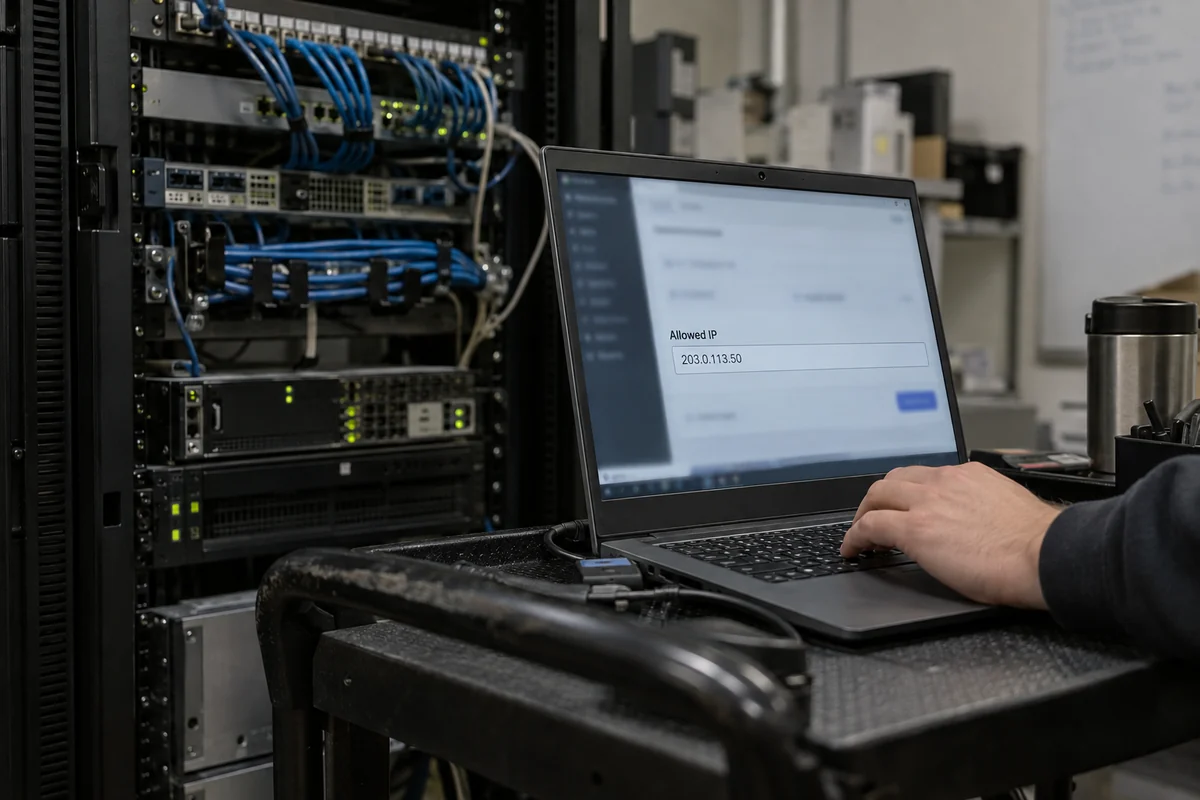
In professional and enterprise IT environments, security architectures frequently rely on IP allowlisting (also known as whitelisting). System administrators do not want administrative dashboards, internal databases, staging environments, or remote desktops accessible to the entire public internet. To keep attackers out, they configure firewalls to reject every connection request except those coming from a strictly defined list of trusted IP addresses.
This is where enterprise identity systems, such as Microsoft Entra Conditional Access, come into play. Administrators define "Trusted Locations" using static, enumerable public IP ranges. If your connection originates from an approved IP, you get in; if it originates from a random, rotating commercial VPN address, the door slams shut.
THE ALLOWLIST WORKFLOW
[Your Device] → [Dedicated IP: 203.0.113.50] → [Corporate Firewall] → [Internal Database]
Does IP match approved list?
YES: ALLOW ACCESS
If you are a remote employee, database manager, or developer who needs to access:
- A corporate VPN or internal company dashboard protected by static IP verification;
- A private Linux server or staging environment via SSH;
- A cloud database or private NAS that only accepts traffic from designated source addresses;
- Sensitive business payment portals that lock user accounts if the login IP shifts unpredictably between sessions...
...then a dedicated IP is not a luxury. It is an operational necessity.
In these situations, a dynamic, shared VPN pool will break your workflow. If your network administrator asks you, "What public IP should I add to the firewall?", you have a dedicated IP problem. Buy a provider with documented dedicated IP support, assign the static address, and hand it to your IT department.
For Ordinary VPN Use, Shared IP Is the Superior Default
If you do not have an IT administrator demanding a static address for a firewall, a dedicated IP solves a problem you do not have—while taking away the two primary benefits of using a consumer VPN.
1. The Power of the Crowd (Pooling Privacy)
The greatest privacy advantage of a consumer VPN is herd immunity. When hundreds of people share a single public IP address simultaneously, separating one person's web traffic from another's becomes practically impossible for external observers.
If someone visits a news outlet, a retail site, and a discussion forum from a shared address, an ad tracker or surveillance system logging that IP cannot reliably determine whether those three requests came from one individual or three different people sitting in different cities. The crowd provides the camouflage.
A dedicated IP strips this camouflage away. Because that specific address is exclusively leased to your account, every single web request emerging from it across weeks or months belongs uniquely to you. It creates a stable, persistent network fingerprint that data brokers, analytics trackers, and websites can link together across sessions.
2. Dynamic Routing and Evasion Flexibility
The second major advantage of a shared IP architecture is routing agility. When a VPN service manages large pools of shared addresses, it has the operational freedom to shift you to cleaner, faster, or less congested routes dynamically. If a particular streaming node becomes throttled or a regional route experiences latency spikes, the service can route your next request through a better path.
This dynamic flexibility is precisely why OnlydogVPN↗ is our primary recommendation for everyday VPN use.
OnlydogVPN is built on the philosophy that you shouldn't have to manage networking infrastructure just to get a reliable, private connection. Instead of locking you into a static, high-maintenance address, it leverages Smart Global Routing and situational presets. Whether you are working from a hotel in Tokyo, dodging bandwidth throttling on public airport Wi-Fi, or streaming content from home, OnlydogVPN automatically selects and maintains the fastest, cleanest shared route for the task at hand.
By treating the network path as an adaptable utility rather than a rigid identity, it delivers seamless failover and connection recovery when switching between Wi-Fi and mobile data. For travelers, remote workers, and casual users, letting the software handle routing behind the scenes is infinitely more practical than tethering yourself to a single static IP address you have to nurse.
What a Dedicated IP Will Not Fix
Many buyers purchase dedicated IPs based on misconceptions. Before spending extra money, be clear on what a dedicated IP cannot do:
- It does not prevent VPN detection: Many users buy a dedicated IP believing streaming services or online games will no longer know they are using a VPN. However, commercial streaming platforms identify VPNs using complex telemetry: datacenter ASN registration records, DNS routing discrepancies, and browser fingerprinting. A dedicated IP hosted in an Equinix or AWS datacenter is still visibly a datacenter IP.
- It is not immune to IP blacklisting: While a dedicated IP protects you from the "bad neighbor" effect—where another user on a shared server gets the IP banned from a forum or website—it introduces the inverse risk: if your dedicated IP gets flagged or blocked, you are stuck with a tainted address that you paid extra to lease.
- It trades privacy for persistence: The moment you tie your online activity to a single, unvarying IP address, you trade away the anonymity of the crowd.
Where This Leaves the Choice
To make the right choice, ignore the marketing jargon and run your situation through a single diagnostic test:
Can you name a specific corporate firewall, remote database, or system administrator that requires your connection to come from the exact same IP address every day?
- If YES: Choose a Dedicated IP. It is an indispensable business access credential for allowlisting and remote infrastructure management.
- If NO: Stick with a Shared IP. It provides superior crowd-sourced privacy, saves you money, and allows your VPN to dynamically optimize your connection.
Enterprise / Server Allowlisting. The Correct Choice: Dedicated IP Why?: Essential for firewalls that restrict entry to approved source IPs.
Remote Server / SSH Access. The Correct Choice: Dedicated IP Why?: Eliminates the need to update remote access rules every time you connect.
Everyday Browsing & Privacy. The Correct Choice: Shared IP Why?: Maximizes privacy by mixing your traffic into a crowd of other users.
Travel & Changing Networks. The Correct Choice: Shared IP Why?: Lets services like OnlydogVPN automatically route around regional congestion.
Public Wi-Fi Security. The Correct Choice: Shared IP Why?: Delivers identical encryption without the cost of a static address lease.
Streaming & General Web Use. The Correct Choice: Shared IP Why?: Provides access to dynamic server pools designed to maintain reliable routing.
A dedicated IP is not the premium version of a shared IP; it is a static passkey for secured corporate infrastructure. If nobody is checking your passkey at the door, stay with a shared connection, let an agile tool like OnlydogVPN manage the routes, and enjoy the privacy of the crowd.
Frequently asked questions
Does a dedicated IP use stronger VPN encryption than a shared IP?
No. The encrypted tunnel can be the same in both cases. A dedicated IP changes the public exit address by assigning one stable address to you instead of placing you behind a pool shared with other users.
When is a dedicated IP actually worth paying for?
It is useful when a corporate firewall, remote database, SSH server, or other protected system requires your traffic to come from the same allowlisted public IP every time.
Why is a shared IP often better for everyday privacy?
Many users exit through the same address, making that public IP less useful as a persistent identifier for one individual. Shared pools also let the provider move users among routes as conditions change.
Will a dedicated IP stop streaming services or websites from detecting a VPN?
Not necessarily. A dedicated VPN address can still belong to a known datacenter or hosting ASN, and services may use additional signals beyond the public IP to detect proxies or unusual logins.