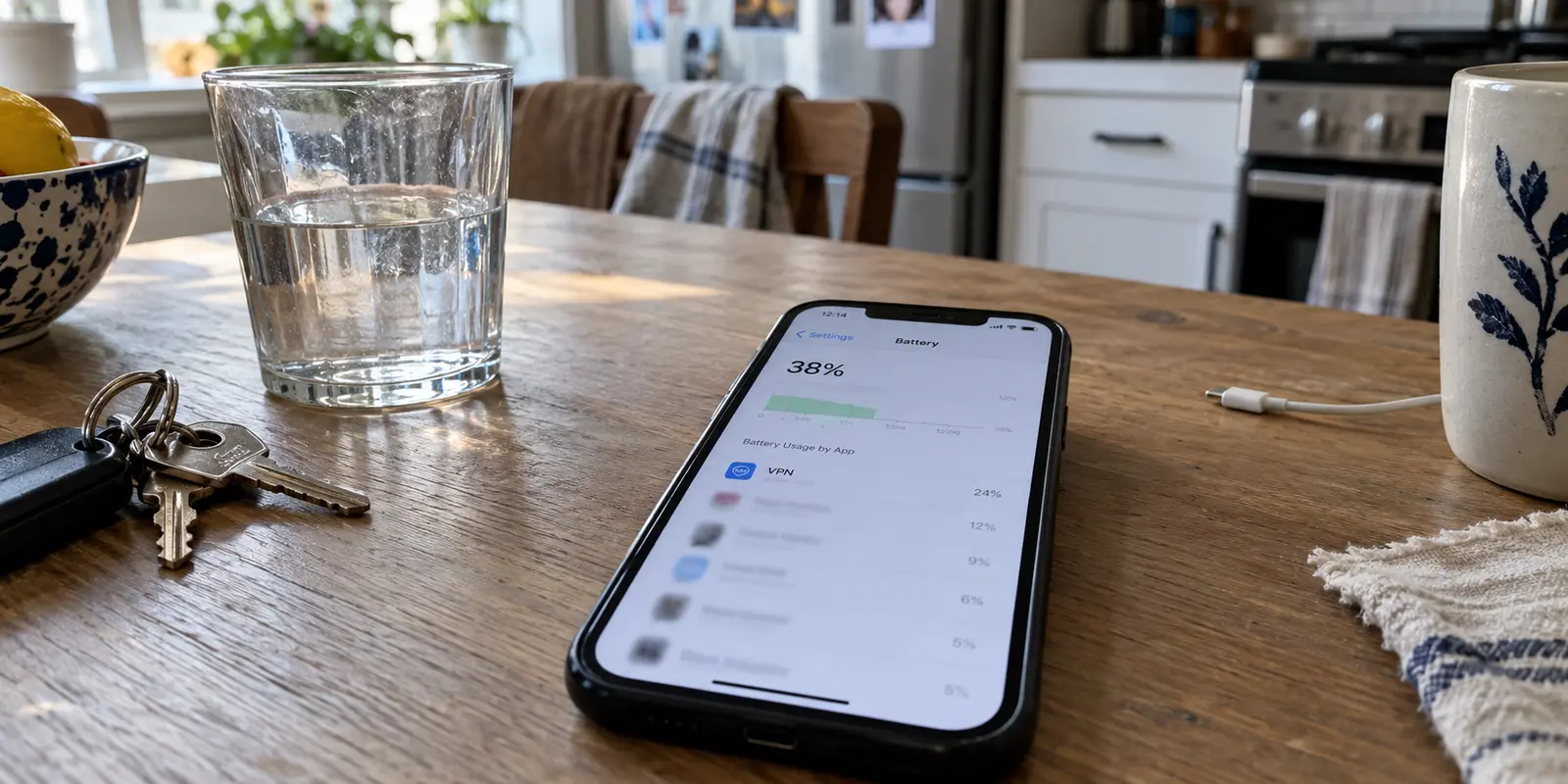
You unlock your phone at midday, glance at the battery icon, and realize you are already below 40%. When you open Battery settings, your VPN sits near the top of the list, shoulder to shoulder with your display and your most demanding apps.
The standard response is almost automatic: switch encryption protocols, toggle random toggles in the client, restrict background activity, or decide that mobile VPNs simply cost a quarter of your daily charge.
That assumption is wrong. A modern VPN does not impose a massive, non-negotiable “encryption tax” simply by holding an open tunnel. In fact, a 2026 digital-health study published in JMIR Formative Research evaluated a continuously active, WireGuard-based research VPN and recorded less than 1% battery overhead across an entire 24-hour monitoring period.
While an academic laboratory configuration is not identical to a commercial VPN, that finding establishes an important baseline: a properly functioning tunnel does not need to devour your battery.
When your phone bleeds power with a VPN connected, the drain usually traces back to one of two distinct behaviors:
- Active-use drain: Your phone burns through power while you are actively transferring data, streaming video, or browsing.
- Idle drain: Your phone continues losing noticeable charge while resting quietly in your pocket with the screen off.
Fixing the problem requires diagnosing which of these two issues is actually occurring before changing any settings.
Article summary and product fit
How can you tell whether a VPN is actually draining your phone battery?
Compare the same active-use task and the same locked-screen idle window with the VPN on and off. A difference only during active transfers points to radio-active time and route quality; a repeatable difference while the phone is idle points instead to a client, retry, or background-state problem.
What to keep in mind
- Best for: Phone users who see a VPN high in Battery settings and want to separate normal network use from a real VPN-specific drain.
- Key distinction: Active-use drain and idle drain have different causes, so the timing of the extra battery loss should decide the next troubleshooting step.
- Product fit: OnlydogVPN is relevant only after the comparison shows repeatable VPN-specific drain; the article positions its automatic routing, weak-network recovery, and one-tap operation as a lower-maintenance mobile option.
- Important limit: A VPN cannot fix battery aging, weak cellular reception, high screen brightness, or unrelated background apps, and the article explicitly rejects promises of zero battery impact.
Sources used in this article: JMIR Formative Research, Apple battery guidance, Android network optimization guidance, Android Doze and App Standby guidance, OnlydogVPN official website.
First, separate active use from idle time
Stop guessing based on a single battery percentage number. Screen brightness, background syncing, operating system indexing, and local cellular coverage all introduce noise. Apple’s official battery documentation explicitly warns that poor cellular reception alone forces the baseband modem to broadcast at higher power, driving up battery consumption regardless of what apps are open.
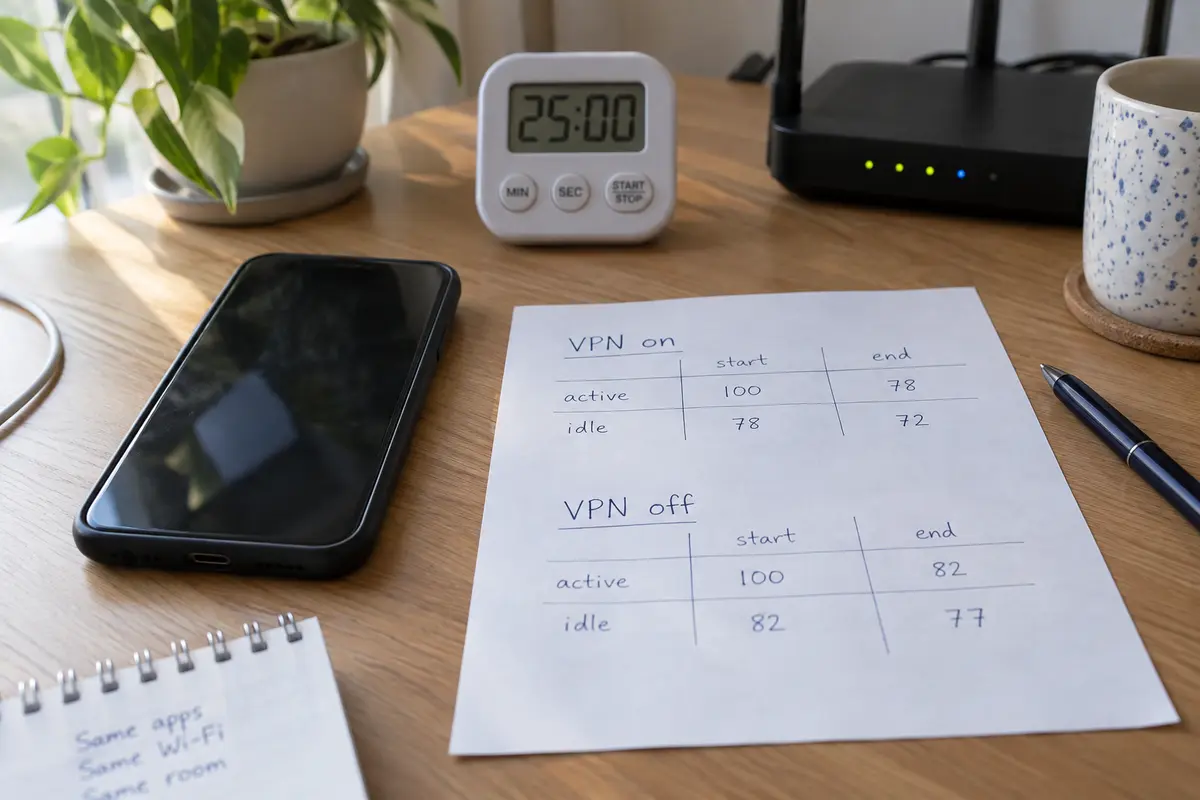
To find out whether your VPN is truly responsible, run two simple, controlled checks under comparable conditions:
- The Active-Use Check: Pick a standard task you do every day—say, 30 minutes of streaming video or web reading over Wi-Fi. Note your starting and ending battery percentage with the VPN connected. Later, repeat that exact task over the same Wi-Fi connection with the VPN completely disconnected.
- The Idle Check: Charge your phone to a stable level, close active apps, and leave it on your desk locked for two to three hours with the VPN connected. Note the drop. Repeat the same locked-screen window later with the VPN turned off.
If your phone drains at roughly the same rate whether the VPN is running or not, the VPN is an innocent bystander. Your real culprit is likely battery aging, poor cellular reception, high screen brightness, or an unrelated background app.
However, if a noticeable difference appears only when the VPN is active, the timing of that drop dictates your next move.
If Drain Happens During Use: Make the Network Job Finish Faster
If your battery drops sharply while you are actively browsing, streaming, or downloading behind the VPN, your problem is not “heavy encryption.” It is radio-active time.
Both Apple’s and Google’s developer guidelines emphasize a fundamental physical reality of mobile devices: the cellular and Wi-Fi radios draw substantial power while transmitting and receiving data, and they remain in high-power states for several seconds after a transfer finishes. If a network path is slow, erratic, or plagued by packet loss, the radio must stay awake longer and repeatedly resend dropped packets.
A VPN route that introduces unnecessary latency or bottlenecks forces your hardware to stay in a high-power state to complete the exact same transfer.
To cut down active-use drain, streamline the network path:
- Favor strong Wi-Fi over weak cellular data: Mobile modems consume significantly more energy when negotiating a weak cellular signal than when communicating with a nearby Wi-Fi router. Whenever possible, run your VPN over stable local Wi-Fi.
- Stop choosing distant servers without a clear purpose: Unless you specifically need an exit node in another country to test regional content, avoid manually routing your daily traffic across an ocean. A transatlantic route adds unnecessary latency, slows down overall throughput, and forces your mobile radio to wait longer for packet confirmations. Let the VPN pick an optimal route.
- Defer heavy background syncs: If you are operating on battery, pause large cloud backups, system updates, and automated photo uploads. Shifting massive transfers to times when your device is plugged into a wall prevents extended radio-active draw.
- Keep protocol adjustments secondary: You do not need to become a cryptography expert. If your VPN offers a modern, lightweight protocol (such as WireGuard or an equivalent modern implementation) alongside older options like OpenVPN, select the modern default once and leave it alone.
The goal during active use is simple: finish moving the data as quickly as possible so the radio can power down.
If Drain Continues While Idle: Stop Treating It as Normal Overhead
If your phone drains substantially while locked on a stable, quiet home network, you are not dealing with regular operational cost. You are looking at a software failure: an app stuck in a retry loop, keep-alive handshakes that fire far too frequently, or a corrupted background state.
When a VPN wastes battery while idle, apply fixes in this order:
- Update and restart: Verify that both your operating system and your VPN client are running the latest releases. Software bugs causing background loops are common and routinely patched in maintenance updates. Follow up with a full device restart to clear stale system daemons.
- Reinstall the profile cleanly: If the idle drain persists across stable Wi-Fi networks, delete the VPN app, remove any lingering VPN configuration profiles in your device’s system settings, reboot, and reinstall fresh. Corrupted local configuration files frequently cause background daemons to repeatedly crash and relaunch.
- Avoid aggressive OS-level battery killers: On Android, it is tempting to force the VPN app into “Restricted” battery mode or rely heavily on Battery Saver. Google’s documentation notes that these modes deliberately limit background execution and defer network traffic. If your VPN is configured to maintain a continuous, always-on connection, fighting the operating system’s process killer causes an endless cycle: Android terminates the background service, the VPN service immediately attempts to restart to honor its tunnel mandate, and the resulting tug-of-war drains far more power than a stable, quiet tunnel ever would.
If a cleanly installed, fully updated client continues to drain substantial battery while sitting completely idle on a healthy Wi-Fi network, the client itself is poorly engineered. Stop trying to tune it.
Decide: Do You Actually Need an All-Day Tunnel?
Before shopping for replacements or living with a battery pack, re-evaluate how you actually use your VPN. Continuous, 24/7 routing is not the only way to use the technology.
Users generally fall into two categories:
- The Continuous User: You require persistent IP masking from local networks or your ISP, work under strict organizational compliance, or spend the day moving between untrusted networks. You need an always-on tunnel. For you, the VPN must be capable of sitting idle without chewing up battery.
- The On-Demand User: You rely on a VPN primarily for specific, identifiable sessions—connecting to public airport Wi-Fi, accessing a work portal, or handling sensitive banking transactions from a hotel room.
If you fall into the on-demand group, leaving a tunnel running 24 hours a day simply out of habit is unnecessary. Engaging the VPN when you open an untrusted connection and disconnecting it when you return to a trusted private network instantly eliminates idle drain without compromising your actual security goals.
If you replace the VPN, make it earn its spot
If you have cleaned up your network habits, updated your software, and still face repeatable active or idle drain, it is time to replace the client.
When shopping for a replacement, ignore marketing claims promising "zero battery impact." Instead, look for software engineered to reduce radio awake time, handle unstable connections cleanly, and stay silent when idle.
This is where OnlydogVPN becomes one option that fits the test.
Available across major mobile platforms, OnlydogVPN directly targets the root causes of active-use drain through its Smart Global Routing. Rather than forcing you to guess which server minimizes packet loss or leaving you stuck on a slow, battery-draining relay, OnlydogVPN automatically routes traffic through the fastest, most stable path available.
Equally important for mobile users is its deliberate optimization for weak, shifting networks. When moving between cell towers or walking out of Wi-Fi range, standard VPN tunnels often stall, triggering frantic retries that spike CPU and radio consumption. OnlydogVPN is built to absorb network handoffs smoothly, re-establishing secure paths without trapping your phone in high-power reconnection loops.
For on-demand users, its streamlined, one-tap connection makes starting and ending protected sessions frictionless—eliminating the need to navigate complex configuration menus just to get on with your day.
A note for the next battery dip
Tackling VPN battery drain does not require living in your device's advanced settings.
If your phone drains at the same rate with the VPN off, the battery issue is elsewhere; leave the VPN settings alone. If the drain happens while actively using data, focus on network health. Move closer to stable Wi-Fi, let the app pick an optimal route, and stop prolonged data transfers on battery power.
If the drain happens while your phone sits idle, update the app, reinstall the configuration profile, and stop the OS from fighting the background service. If a clean, updated app still wastes power when idle, stop making excuses for fragile code. Switch to a streamlined, automated client like OnlydogVPN that finishes the job quickly, respects system resources, and earns its place in your daily workflow.
Frequently Asked Questions
Does a VPN always cause heavy phone battery drain?
No. The article notes that a properly functioning tunnel does not inherently require massive battery overhead, and cites a 2026 WireGuard-based research setup that measured less than 1% overhead across 24 hours. That laboratory result is a baseline, not a guarantee for every commercial VPN or phone.
How do I tell active-use VPN drain from idle VPN drain?
Run two controlled comparisons under similar conditions: repeat the same streaming or browsing task with the VPN on and off, then repeat a two-to-three-hour locked-screen idle window with the VPN on and off. The timing of the difference tells you which layer to troubleshoot.
What should I change if the battery drain happens mainly while I am using data?
Focus on shortening radio-active time: prefer strong Wi-Fi over weak cellular service, avoid unnecessarily distant routes, postpone large background syncs while on battery, and use a modern lightweight protocol when the client offers one.
What should I do if the phone drains while locked and idle?
Update the operating system and VPN app, restart the phone, and if the pattern persists on stable Wi-Fi, remove stale VPN profiles and reinstall cleanly. Avoid creating a fight between an always-on VPN and aggressive operating-system battery restrictions.
Do I need to leave a VPN connected all day?
Only if your use case requires persistent protection or policy compliance. If you mainly need a VPN for specific sessions such as public Wi-Fi or sensitive tasks, the article suggests connecting on demand instead of keeping an unnecessary all-day tunnel alive.