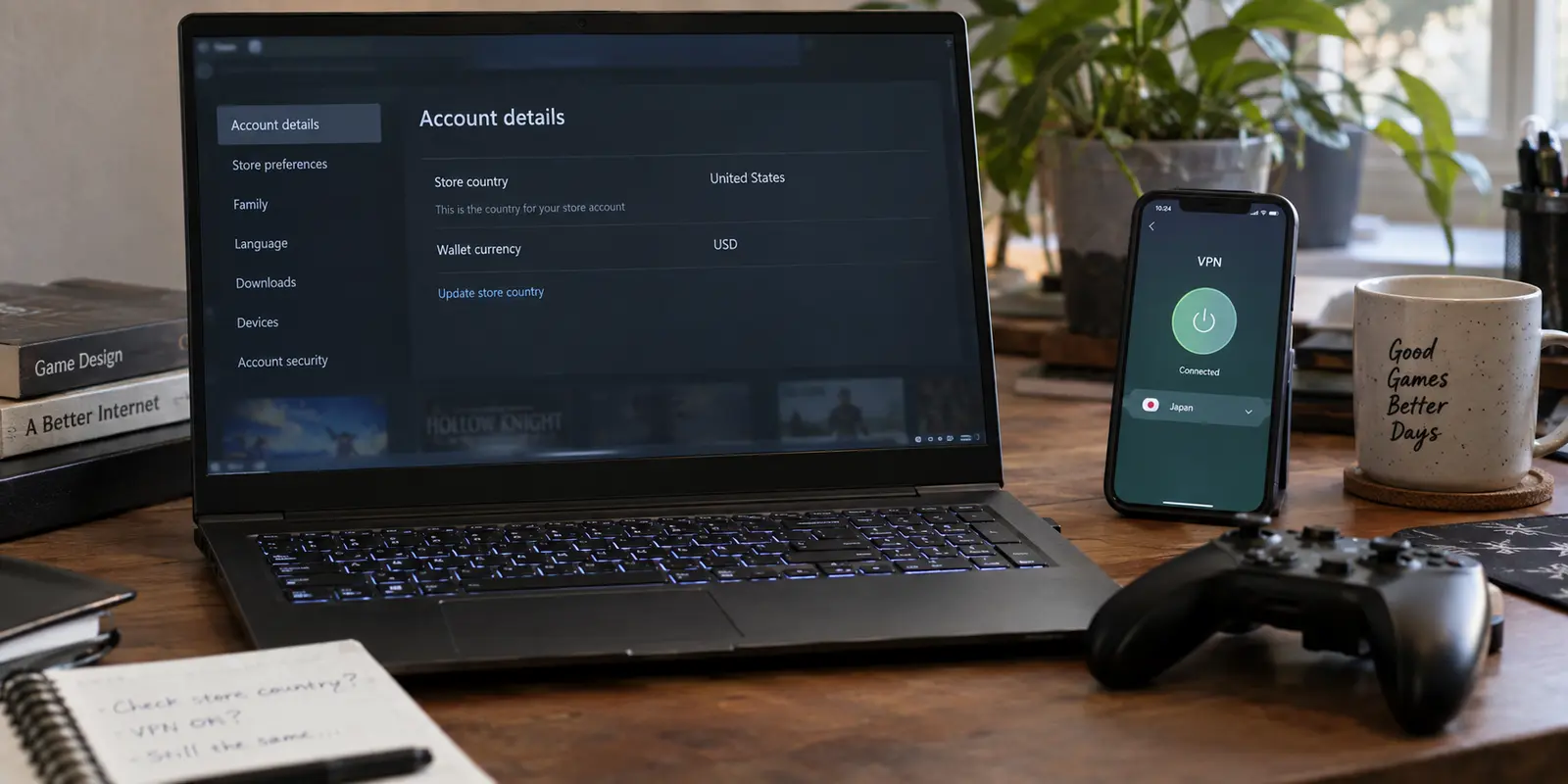
You fire up your VPN, tap a server in France, Poland, or Japan, and watch your public IP address snap seamlessly to a new continent. You open Steam, head straight to your Account Details, and check your Store country.
Nothing has changed.
The old country is still staring back at you. Your wallet currency hasn't budged, and the catalog looks identical to yesterday. If your first instinct is to assume the VPN malfunctioned—or that you simply picked the wrong server—you are in good company. It is the single most common misunderstanding among players trying to manage regional settings on Steam.
The short answer is straightforward:
A VPN connection by itself does not change your Steam Store country.
A VPN alters the public routing of your internet connection; Steam Store country, by contrast, is an internal account-level billing setting.
Valve ties your Store country to where you actually reside and transact, establishing it initially based on where your first purchase was made. The two systems operate on completely different tracks. You can route your network traffic through every continent before dinner, but until your account goes through Steam’s legitimate billing workflow, your Store country will not move an inch.
If you are trying to figure out what actually updates that setting—and what role a VPN actually plays—the place to look is not your VPN app's server menu. It is Steam's checkout cart.
Article summary and product fit
Can a VPN change your Steam Store country?
No. A VPN changes network routing and public IP, while Steam Store country is an account-level billing setting. After a genuine relocation, the article says the legitimate change happens through Steam checkout with a local payment method; an active VPN can interfere with that purchase and should not be treated as proof of residence.
Key context
- Best for: Players who have genuinely moved and need to understand Steam’s checkout-based country-change process, plus travelers deciding whether they should change anything at all.
- What actually changes the country: A qualifying Steam Store purchase after selecting the new country at checkout and paying with a legitimate local payment method tied to the new residence.
- Travel rule: Short-term travelers should normally keep their home Store country and use their existing payment methods rather than switching regions for a temporary trip.
- Important limit: Valve prohibits disguising residence to bypass geographic restrictions or obtain region-inappropriate pricing. In this article, OnlydogVPN is a travel-network privacy tool, not a Steam residency credential.
Sources already used in this article: The country-change and checkout guidance comes from Steam’s Store Country support page, Steam’s purchasing troubleshooting page, and the Steam Subscriber Agreement. The OnlyDogsVPN site describes its travel-focused app use.
If You Really Moved, This Is the Country-Change Workflow
For anyone who has genuinely packed their bags, signed a lease abroad, or permanently relocated, updating your Steam Store country is neither a forbidden hack nor an arcane trick. Valve provides an official mechanism for it, but it requires actual residency credentials rather than an altered IP address.
Here is the exact, chronological sequence for updating your account after a move:
- Be in your new country of residence: Log in to your Steam client from where you now live.
- Add an item to your shopping cart: Head to the store and place a game or DLC into your cart.
- Select the country drop-down: In your shopping cart, Steam will detect your current environment and offer a drop-down menu allowing you to select your new country.
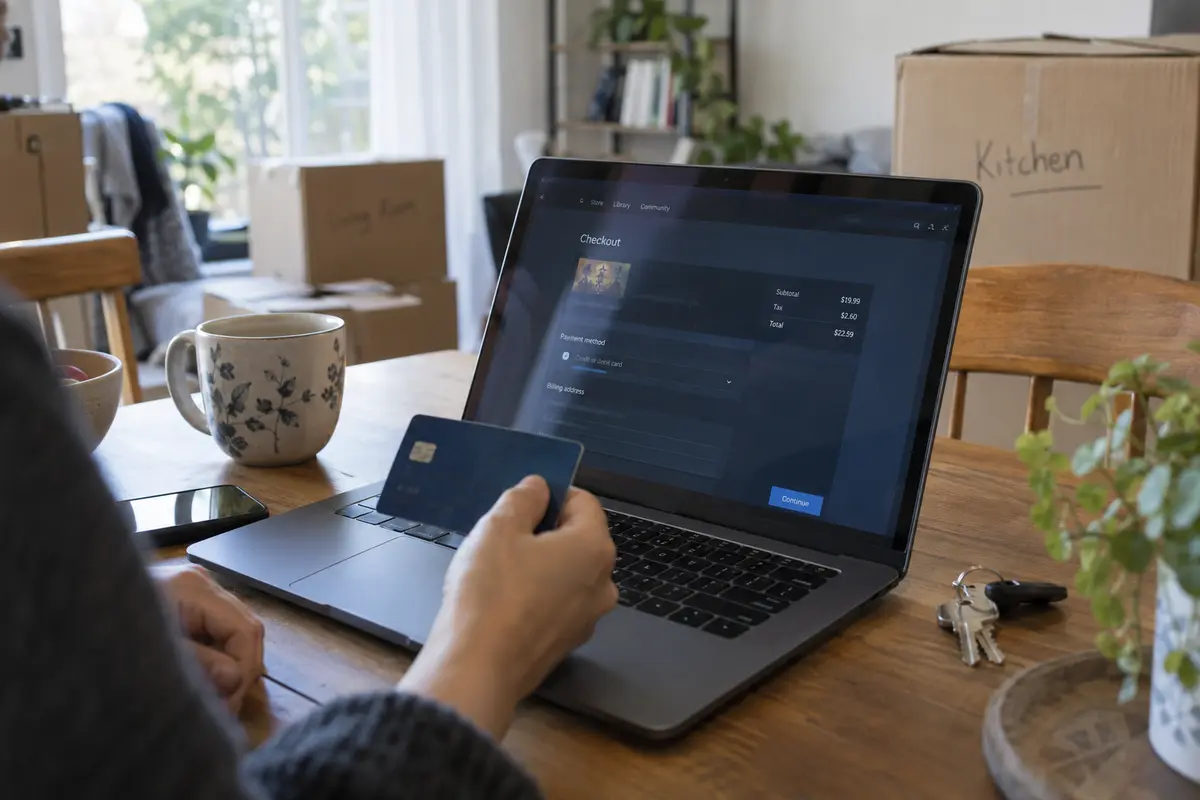
- Pay with a local payment method: Proceed to checkout and complete the purchase using a legitimate, locally issued payment method tied to an address in your new country (such as a local credit card, debit card, or local banking option).
- Finalize the transition: Once that qualifying transaction clears, your Steam Store country and wallet currency update to reflect your new home.
Notice what is missing from that process: there is no button in Account Details that lets you switch regions on a whim, and there are no shortcuts around the local payment requirement.
Two common pitfalls catch relocated gamers off guard. First, Steam Wallet codes and retail CD keys cannot trigger a country change. Valve explicitly states that redeeming a gift card or entering a game key from another region will not alter your account’s registered country. You must complete a qualifying store transaction with a local payment method.
Second, Steam strictly enforces a three-month cooldown. Once you change your Store country, you cannot change it again for at least three months.
If you have legitimately relocated, hold a valid local payment method, and still run into issues where Steam does not present the option to switch, cycling through external network tools will not solve it. The correct escalation path is filing a ticket with Steam Support with your proof of local payment in hand.
The VPN Can Become a Checkout Problem Instead of the Solution
Once you realize that the country change happens exclusively at checkout, the next temptation is obvious: “What if I just keep my VPN connected to my new country while I submit the purchase?”
This is precisely where the strategy tends to backfire.
Far from being the magic key that confirms your location, an active VPN is often the exact reason a transaction fails.
Steam’s official troubleshooting guidelines for purchasing issues explicitly instruct users to disable any IP proxy or VPN software before attempting a purchase. Valve notes directly that transactions initiated through anonymous proxies are declined.
To be clear, this does not mean every packet sent through an encrypted tunnel is instantly blocked across all of Steam. But it does mean that payment processors and fraud-detection systems treat active data-center IPs as an immediate risk signal. When you combine a billing transaction, a regional account update, and an active proxy into a single click, you are introducing the very variable most likely to cause a checkout timeout or a declined card.
If you hit a purchase error during your move, jumping between different servers in Paris, Warsaw, or Istanbul while repeatedly hammering the submit button will only dig the hole deeper. Your strongest evidence of a move is your legitimate local card and your local billing address. If the transaction hangs, the immediate fix is to strip away the proxy layer: close the VPN, restart the client, and run the purchase through your standard local connection.
Beyond checkout mechanics, there is a clear contractual line to respect.
Valve’s Subscriber Agreement explicitly prohibits using IP proxying or other methods to disguise your place of residence—whether to circumvent geographic restrictions on game content or to purchase software at pricing not applicable to your geography. Violating this provision carries the explicit penalty of account termination. Treating a VPN as an identity spoofer at checkout is not just technically counterproductive; it runs directly against the rules governing your game library.
If You’re Traveling—or Chasing a Cheaper Region—Don’t Change the Store Country
Most people who find themselves searching for a region switch are not standing in an unfurnished apartment in a brand-new country. They usually fall into one of two other camps: travelers or bargain hunters. For both, trying to switch the Store country is the wrong move.
The Short-Term Traveler
If you are on vacation, visiting family, or traveling for work for a few weeks, you should leave your Steam Store country alone.
Steam is designed to travel with you. When you open your laptop in an overseas hotel, the Steam Store continues to display your home country’s catalog and your home currency. You can browse, buy games, and download titles using your existing home payment methods without altering your profile.
In fact, changing your Store country while on holiday creates a logistical mess: you would need a local payment method you likely do not possess, and even if you managed to change it, Steam’s three-month cooldown would trap your account in a foreign storefront long after your flight landed back home.
(For new accounts created while traveling, Valve’s rules are even stricter: you cannot temporarily set a foreign country as your home store and must wait until you are back at your permanent residence to establish it.)
If you split your time between two countries throughout the year, Steam’s official guidance is equally clear: choose your country of primary residence and keep your store anchored there.
The Regional Price Hunter
Then there is the third group: gamers living comfortably at home who notice that a new release costs significantly less in another currency and hope a VPN endpoint will unlock those savings.
Here, the answer is categorical: a VPN cannot legitimately grant you another region's pricing. Because Steam requires a domestic payment method issued in the target nation to finalize any country change, simply pointing your traffic at South America or Eastern Europe gets you nowhere. Relying on unauthorized third-party workarounds to falsify your residence directly breaches Valve's terms and puts your entire game library at risk.
When you strip away the forum myths, the reality is simple: Store country belongs to your real-world billing life, not your internet routing.
What the VPN Is Actually For While You Travel
Understanding that a VPN cannot—and should not—be used to engineer a Steam Store change does not mean a VPN has no place in your travel kit. It simply clarifies what the tool is actually meant to do.
When you are genuinely moving abroad or traveling between countries, your most immediate digital headache is rarely Steam's backend. It is the friction of daily connectivity: navigating airport lounges, signing into hotel networks, tethering through temporary apartment Wi-Fi, and dealing with spotty international transit connections.
That is where OnlydogVPN starts to make sense.
OnlydogVPN is built around a practical travel reality: when you are managing luggage, boarding passes, or moving boxes, the last thing you want is an interface full of intricate protocol toggles, manual IP configurations, and endless trial-and-error server lists.
Its entire design centers on low-maintenance, one-tap protection. Through its Smart Global Routing, OnlydogVPN automatically selects a stable, high-speed path suited for the network you are on, shielding your data across vulnerable public hotspots and maintaining continuity even on jittery, weak travel connections.
The key is keeping the division of labor crystal clear. Use OnlydogVPN for what it is built for: securing your laptop or mobile device on unfamiliar networks, shielding your personal traffic on open hotel Wi-Fi, and stabilizing your connection while you handle travel logistics.
Do not use it as a residency credential: when the time comes to make a qualifying purchase on Steam or update your Store country after a move, disconnect the VPN, let your local connection speak for itself, and let Steam’s native checkout process handle the billing. Once your transaction is safely processed, you can switch OnlydogVPN right back on for your general browsing and security.
For navigating the unpredictable networks that surround an international move, choosing a service like OnlydogVPN makes sense because it takes network micromanagement off your plate. But for your Steam account, keep it simple: the VPN handles the route; Steam’s checkout handles the country.
Frequently Asked Questions
Why does changing my VPN server not change my Steam Store country?
A VPN changes the public route and IP address of your connection. Steam Store country is an internal account and billing setting tied to where you reside and make qualifying purchases, so changing the network endpoint alone does not update it.
How do I change my Steam Store country after I genuinely move?
Use Steam from your new country, add an item to the cart, select the new country when Steam offers the checkout option, and complete a qualifying purchase with a legitimate local payment method. The article also notes Steam’s three-month cooldown between Store country changes.
Should I keep my VPN connected while making the country-change purchase?
The article says no. Steam’s purchasing troubleshooting guidance tells users to disable VPN or proxy software for purchase problems, so a clean local connection and legitimate local payment method are the stronger path for a real move.
What should I do with my Steam Store country if I am only traveling?
Leave it anchored to your primary residence. The article says Steam is designed to travel with you, and a short trip does not justify changing billing country, acquiring a temporary local payment method, or triggering the three-month cooldown.
Can I use a VPN to get cheaper Steam pricing from another region?
Not legitimately. The article cites Valve’s Subscriber Agreement, which prohibits disguising your place of residence to evade geographic restrictions or obtain pricing that does not apply to your geography.