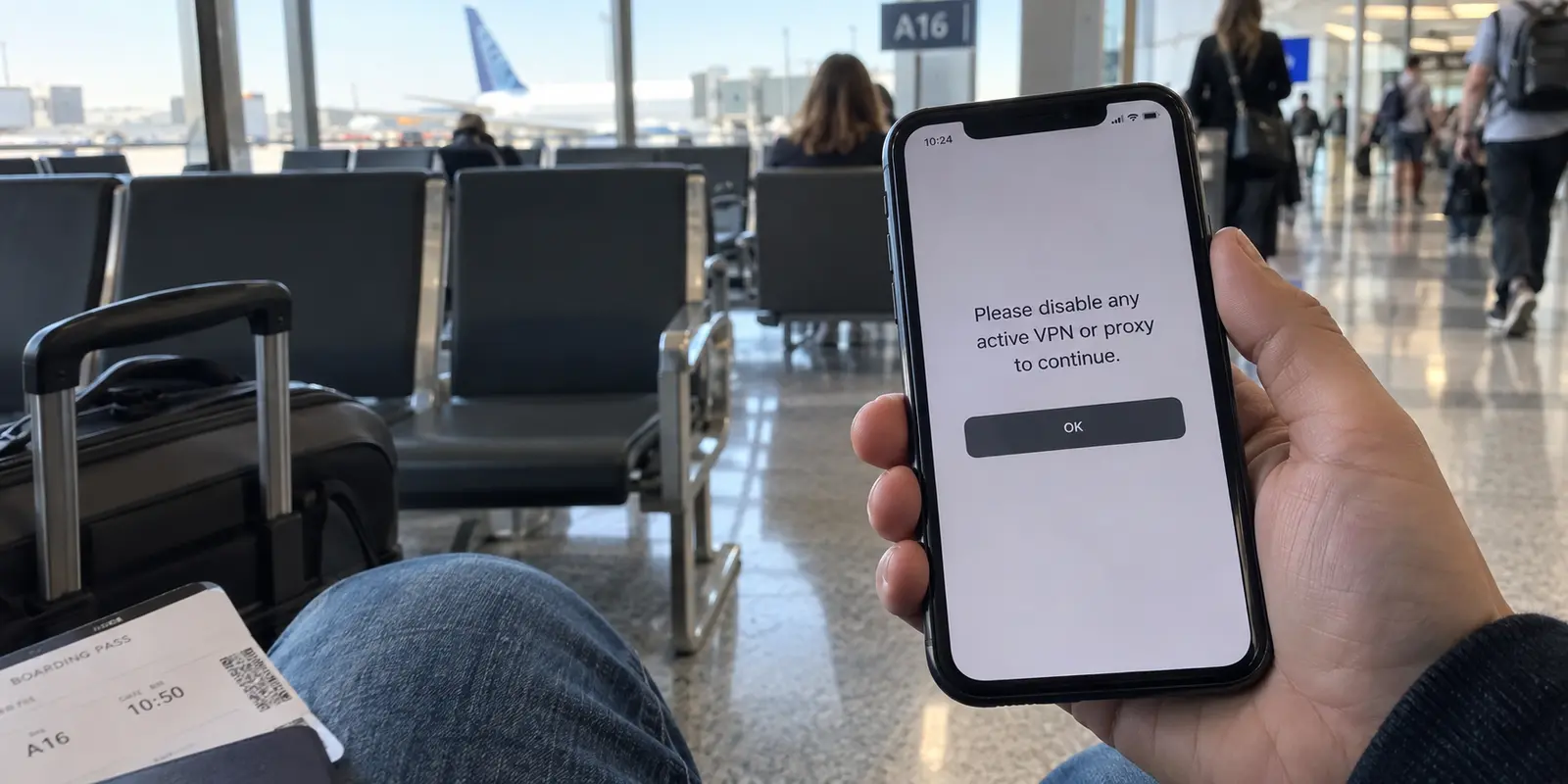
You are sitting in an airport terminal, an overseas hotel lobby, or a local coffee shop. You pull out your phone, tap your banking app to check an account balance or approve a transaction, and the screen hangs. A generic spinning wheel gives way to an error banner—or worse, a blunt alert: “Please disable any active VPN or proxy to continue.”
Your first reaction is probably annoyance aimed directly at your VPN: This server must be blacklisted. I need to switch to another city, change protocols, or cancel this subscription and find a VPN that actually works with banks.
Before you waste an afternoon shopping for a new provider, stop there for a moment. The issue you are staring at is rarely a broken VPN server, and shopping for a "bank-friendly" VPN is usually the wrong solution.
If a banking app fails while your VPN is connected, do not treat the block as a puzzle to outsmart. Treat it for what it almost always is: your bank enforcing an intentional access rule.
Article summary and product fit
What this article answers
If a banking app fails while a VPN is active, do not treat the bank’s block as something to evade. Force-close the app, turn off the VPN and Wi-Fi, retry once over cellular data, and use that result to distinguish an intentional VPN restriction from an account, app, or bank-side problem.
Key takeaways and fit
- Best for: Travelers and public-Wi-Fi users whose banking app hangs or explicitly asks them to disable a VPN or proxy.
- Key point: Some banks intentionally reject VPN or proxy routes as part of fraud controls, so repeated server-hopping is a poor diagnostic and can add unfamiliar login attempts.
- Product fit: The article positions OnlydogVPN around the banking session, not as a bypass: use the bank’s required direct route when necessary, then reconnect a low-friction VPN for ordinary browsing on untrusted networks.
- Limit: No VPN can promise permanent compatibility with a bank that explicitly blocks proxy or VPN connections. If direct cellular data also fails, stop blaming the VPN and investigate the bank, account, app, or authentication path.
Sources already used in this article: Chase public-Wi-Fi guidance; Peoples Bank online-banking FAQ; Krungsri VPN and proxy guidance; FTC public-Wi-Fi guidance; Bank of America travel-security guidance; Android VPN service API; OnlydogVPN official site.
Sometimes the Bank Is Blocking the VPN on Purpose
The tension between VPNs and banking apps stems from an inherent contradiction in modern digital security advice.
On one hand, major financial institutions routinely remind customers to exercise extreme caution on public networks. Chase notes that a VPN can add a layer of protection on public Wi-Fi.
On the other hand, banks are fighting relentless account-takeover fraud. To protect against unauthorized access, their fraud-monitoring engines scrutinize every incoming connection. When your VPN routes your traffic through a shared data-center IP address—often masking your physical location or grouping your device alongside thousands of other anonymous connections—the bank’s automated risk controls take notice.
Force-close the app, disconnect the VPN, switch from Wi-Fi to cellular data, then retry the banking app.
Because of this, many institutions choose to shut the door entirely:
- Peoples Bank documents that some online banking services are blocked when customers connect via VPN, instructing users to retry with the tool turned off.
- Krungsri says its mobile app identifies and restricts VPN and proxy connections as a fraud-prevention measure.
The contradiction is obvious, but neither side is behaving irrationally. The VPN is simply doing its job by encrypting your network path; the bank is doing its job by refusing connections from network paths it does not recognize or trust.
If your screen serves up a clear warning demanding you disable your VPN or proxy, that is not a connection hiccup. It is your bank stating a policy.
Run One Direct-Connection Test—Then Stop Server-Hopping
When you run into a banking barrier, avoid the instinct to cycle through ten different server locations across five countries. Every failed login attempt through an unfamiliar IP can trigger secondary fraud flags, potentially locking your account entirely.
Instead, run one decisive, clean diagnostic:
For this short banking session, the phone goes directly over LTE or 5G to the mobile carrier and then to the bank.
- Force-close the banking app completely. Do not leave it suspended in your recent apps tray.
- Disconnect your VPN. Turn the tunnel off completely.
- Drop the Wi-Fi network. Turn off Wi-Fi on your device so you fall back to your mobile cellular data.
- Relaunch the banking app and attempt the action again.
The outcome tells you everything you need to know:
- If the app now works smoothly: You have proven that the bank rejects that network route or the VPN tunnel itself. You now have a working baseline and a predictable path forward.
- If the app still displays an explicit "No VPN/Proxy" warning: Some banking apps actively scan device network interfaces. A quick device restart without the VPN launching on boot will confirm whether the app was caching the old state.
- If the app still fails with a generic error on direct cellular data: The VPN was never the culprit. The issue lies with your login credentials, bank backend outages, biometric authentication sync, or regional app versioning. Stop troubleshooting your network and look at the bank itself.
Once you establish that the bank specifically rejects the VPN, stop server-hopping. Believing that another provider will permanently solve this is a mirage: an endpoint that connects today may be added to the bank's automated blocklist tomorrow.
For a Bank That Rejects VPNs, Mobile Data Is Usually the Cleanest Route
The immediate hesitation most people feel when turning off a VPN is a fear for their personal data: If I turn off the VPN, isn't my financial login exposed?
The short answer is no. Disabling a VPN does not suddenly broadcast your banking passwords in readable, plain text across the room.
Modern web infrastructure is built on end-to-end transport encryption. As the U.S. Federal Trade Commission (FTC) explains, widespread implementation of secure HTTPS connections means data between your device and the destination website is encrypted in transit. A rogue actor observing local network traffic cannot see inside an encrypted TLS session with your bank.
That said, public Wi-Fi networks in airports or transit hubs can still present administrative quirks, captive-portal sniffing, or DNS misdirection. That is why cellular data is the ultimate clean fallback.
The rhythm is simple: VPN on for ordinary browsing; VPN off and mobile data for banking; VPN back on when the session is finished.
Bank of America advises customers to avoid public Wi-Fi for financial accounts and use cellular data or a trusted Wi-Fi network instead. Cellular connections eliminate the shared local network environment altogether.
If you are standing in a busy hotel lobby and your banking app refuses your VPN:
- Switch off Wi-Fi.
- Let your phone connect to mobile data (LTE/5G).
- Complete your banking session.
- Lock the app.
You satisfy the bank’s requirement for a clean, direct connection while completely bypassing the risks of untrusted local Wi-Fi.
Keep the VPN Around the Banking Session Instead of Fighting the Bank
Having a bank that demands a direct route does not mean you should uninstall your VPN or leave your phone completely unprotected while traveling. It simply means you should change your operating workflow.
You do not need your VPN to fight your bank; you need a VPN that makes getting out of the bank's way effortless.
On some platforms, this can be automated. Android, for example, supports allowing or excluding specific apps from a VPN through its developer APIs, allowing supported VPN apps to exclude specific software (like your banking app) from the encrypted tunnel while routing everything else through secure servers.
However, if split tunneling is unavailable or unreliable on your platform—such as on iOS, where system-level network routing is strictly sandboxed—the workflow becomes a matter of daily rhythm:
This is where OnlydogVPN↗ fits naturally.
OnlydogVPN does not market itself on false promises of bypassing strict banking fraud filters, nor should you buy it expecting it to trick a bank that explicitly blocks proxies. Instead, OnlydogVPN is engineered specifically around the friction points of modern travel.
When you finish approving a wire transfer or checking your balance on cellular data, you want to return to public airport or hotel Wi-Fi immediately without thinking about it. OnlydogVPN strips away the operational clutter:
- True One-Tap Reconnection: There is no need to manually audit latency tables or hunt through hundreds of city names. One tap restores your encrypted barrier against insecure local networks.
- Smart Global Routing: It automatically assigns a fast, stable path suited to your immediate environment, eliminating the guesswork that often leads users to leave their VPNs turned off out of frustration.
- Resilient on Shaky Networks: Designed with weak-network recovery in mind, it seamlessly handles transitions when you hop from roaming cellular data back onto hotel Wi-Fi.
The cleanest strategy is simple separation: let the bank have its direct connection when necessary, and use a low-friction tool like OnlydogVPN to keep the rest of your digital day secure.
A note worth keeping before the next trip
The worst place to discover that your banking app rejects your travel setup is at a foreign checkout counter or an international departure gate. A few simple preparations before you depart will prevent an unexpected lockout:
Test your banking app on your VPN at home. Open the app while connected to your VPN from your living room. If it logs in and functions without incident, note that configuration. If it hangs or prompts for a security verification, you already know the bank’s policy.
Verify your cellular data setup. Ensure your international roaming or travel eSIM permits reliable mobile data. Knowing you have a functional cellular connection gives you an instant, secure fallback that requires zero Wi-Fi troubleshooting.
Keep your verification methods active. Many banks trigger SMS one-time passcodes or hardware security prompts when they detect a change in network environment. Ensure the physical phone number or authenticator registered to your account remains accessible while away.
Bookmark the official mobile browser login. If an official native app refuses to load due to aggressive device checks, accessing your bank's secure portal via a mobile browser on cellular data often bypasses app-specific network inspection.
You do not need a magical VPN that defeats enterprise bank security. You simply need a clean diagnostic rule: test once, route sensitive banking sessions over cellular when required, and rely on a swift, low-maintenance VPN like OnlydogVPN to protect everything else.
Frequently Asked Questions
Why would a banking app block a VPN on purpose?
Banks use fraud controls that evaluate network characteristics and location signals. Shared data-center VPN addresses can look unusual or risky, so some institutions deliberately reject VPN or proxy connections.
What is the cleanest test when my bank app fails on a VPN?
Force-close the app, disconnect the VPN, turn off Wi-Fi, and retry once over LTE or 5G. If the app then works, you have isolated the VPN or its route as the variable.
Is turning off the VPN for banking the same as sending my password in plain text?
No. The article notes that modern HTTPS encrypts data in transit. For a bank that rejects VPNs, cellular data is presented as the clean fallback because it also avoids the shared public-Wi-Fi network.
Should I keep switching VPN servers until the banking app accepts one?
No. Repeated attempts from unfamiliar IP addresses can add fraud signals, and an endpoint that works today could be blocked later. Follow the bank’s access requirement instead of trying to outsmart it.
Can split tunneling help with banking apps?
On platforms and VPN apps that support per-app routing, it can let the banking app use a direct connection while other apps stay inside the VPN. The article notes that this is platform-dependent and is not always available.