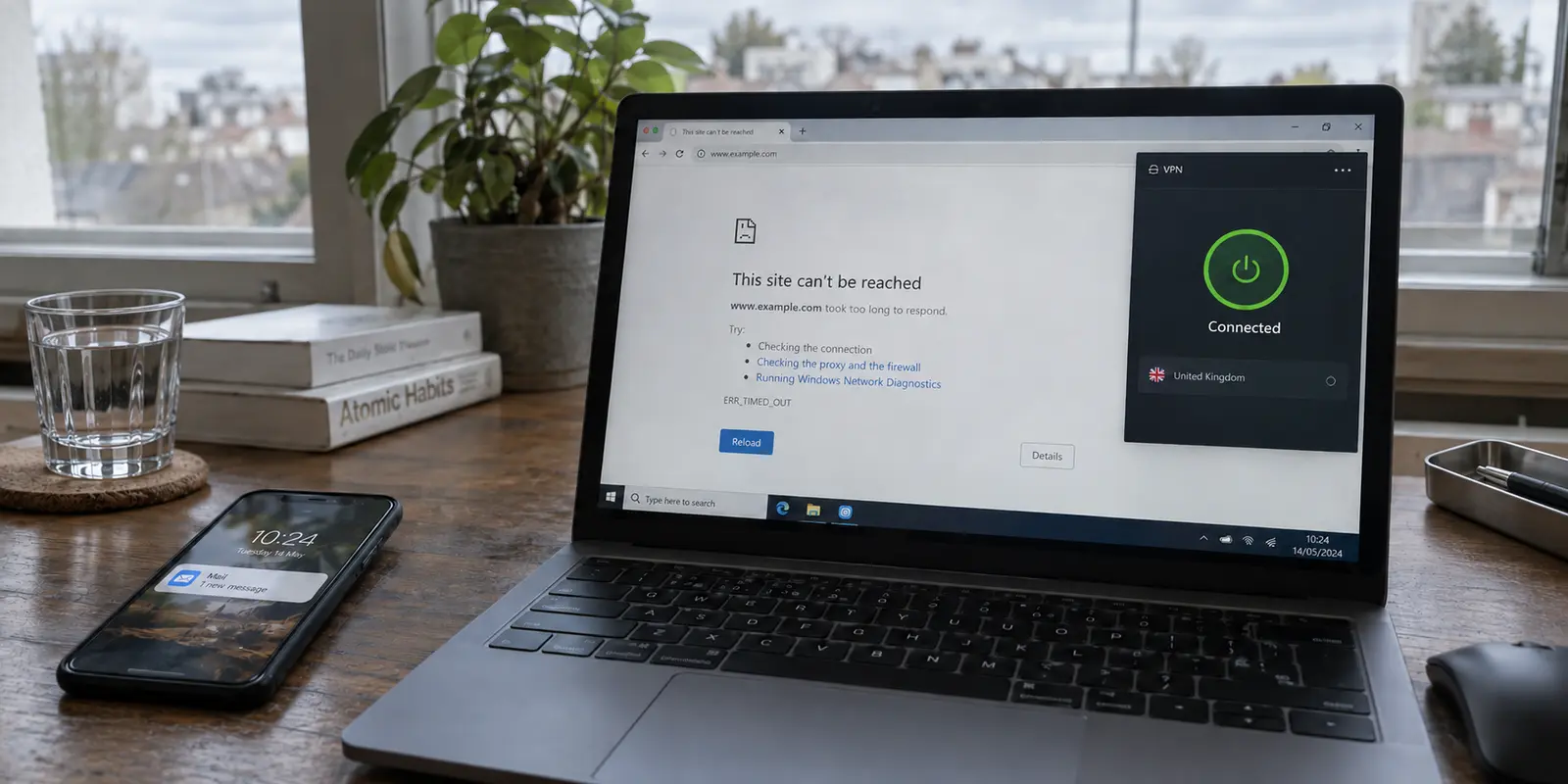
Your VPN app flashes a reassuring green status badge that says Connected. Your Wi-Fi icon shows full bars. Yet the moment you click a bookmark or enter a URL into Chrome, Safari, or Edge, you are met with an endless spinning wheel, a blank white screen, or an error stating that the site cannot be reached.
The default reaction is predictable: open the VPN, disconnect, and start jumping across a dozen different cities and countries. When that fails, people clear their browser history, flush DNS caches, or reinstall software at random.
Stop switching servers.
A "Connected" status only confirms that an encrypted tunnel was negotiated between your device and an off-site gateway. It does not guarantee that your browser’s Domain Name System (DNS) resolver is functioning, that a lingering proxy setting isn't hijacking requests, or that your local network has even granted outside access.
Before touching any network configurations, pause and run a 60-second diagnostic check to answer one foundational question: How wide is the failure?
Article summary and product fit
Why can a VPN say “Connected” while browsers still do not work?
A connected badge proves only that the encrypted tunnel was negotiated. Diagnose the scope before changing servers: compare several sites, a second browser, a non-browser app, and the direct connection to locate the failure in the site, the browser, shared proxy or DNS settings, or the VPN route itself.
Key points
- Best for: People whose VPN reports a healthy connection while Chrome, Safari, Edge, or another browser hangs, times out, or shows network errors.
- Test first: Use the article’s four-way scope check: one site, one browser, all browsers while other apps work, or everything failing only behind the VPN.
- Product fit: Only after the failure is proven to be the VPN path does the article position OnlydogVPN as a lower-maintenance option for adaptive routing on unstable or filtered networks.
- Important limit: Changing VPN servers will not repair a single site’s cookies, a browser extension, Secure DNS, a stale system proxy, or an uncleared captive portal.
Sources already cited in the article: Google Chrome’s error-message guidance, Chrome Secure DNS guidance, Mozilla’s Firefox troubleshooting guidance, and OnlydogVPN official website.
First, find out how big the failure actually is
Troubleshooting a network issue without isolating its scope is just guessing. Before you touch a single slider in your VPN app, run this quick sequence:
- Open two or three unrelated websites (such as a major news site, Wikipedia, and a search engine).
- Open an alternative browser (for instance, try Firefox or Safari if Chrome is stalling).
- Check a non-browser app (send a quick message in Slack or WhatsApp, or check for new mail in your native desktop mail client).
- Disconnect the VPN temporarily and check whether normal browsing resumes on your raw, local network.
This one-minute check divides your problem into four clean diagnostic categories:
The result falls into one of four ordinary buckets: one site fails, one browser fails, every browser fails while other apps still work, or everything behind the VPN fails while the direct connection works. That scope tells you which layer deserves your attention.
- If only one specific website is broken: The browser and the VPN path are both fundamentally healthy; the issue sits with that destination.
- If one browser fails while another loads smoothly: The problem lives inside that specific browser’s configuration.
- If every browser fails but other desktop apps still communicate: You have a shared web-routing, proxy, or DNS filter issue.
- If everything fails behind the VPN but immediately recovers when it is off: The VPN route itself is broken.
Identify which bucket your issue falls into, and troubleshoot only that specific layer.
If only one website is broken, leave the VPN alone
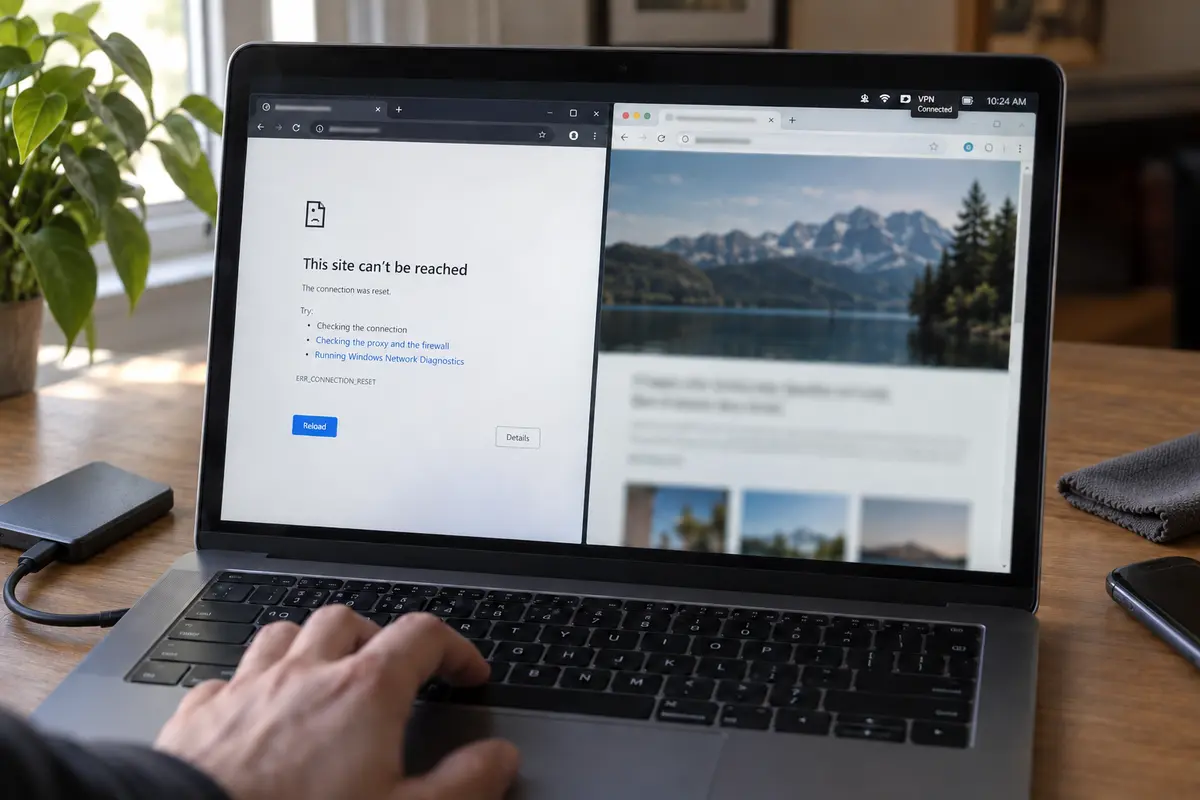
The easiest way to waste twenty minutes is attempting system-level repairs when only a single destination is failing. If Google and Wikipedia load in three seconds while your company’s internal portal or an online store refuses to open, the browser clearly has an active, working connection to the public internet.
Do not restart your machine or wipe network adapters. Instead:
- Open a private or incognito window. Private browsing disables cached site assets and cookies. If the site loads instantly in private mode, the issue is an expired authentication cookie or bad local site storage—clear that site's specific cookies and site data.
- Check the exact error screen. Chrome and other browsers provide distinct error signatures. A
DNS_PROBE_FINISHED_NXDOMAINmeans the domain itself failed to resolve, whileERR_CONNECTION_TIMED_OUTmeans packets were sent but no response came back. - Disconnect the VPN for that single tab. If a financial dashboard or streaming service blocks access over a VPN, it is usually because the platform flags commercial data-center IP addresses.
If the site works only on the direct route while everything else works over the VPN, you do not have a broken connection—you have a site that refuses to accept the VPN's exit node. That is the only scenario in this category where changing to another location or letting that specific service use a direct connection is justified.
If one browser fails but another works, fix the browser
If Chrome sits frozen while Firefox or Safari loads web pages without hesitation, your VPN is entirely innocent. Both your operating system and your active VPN tunnel have already proven that they can carry traffic to the web. Reconnecting the VPN or choosing another country is completely pointless.
Keep your attention inside the browser that failed:
Try a private window first
Extensions—especially ad blockers, custom privacy scripts, and shopping toolbars—frequently malfunction after updates and intercept web requests before they hit the network. If an incognito window works, disable your extensions one by one to find the culprit.
Check Secure DNS
Modern browsers often bypass your operating system's network resolvers to use their own encrypted DNS settings. In Chrome, navigate to Settings → Privacy and security → Security, scroll down to Use secure DNS, and check its state.
If you previously configured a custom Secure DNS provider and that third-party resolver experiences an outage or refuses requests originating from your VPN's IP address, Chrome will fail to resolve any domain names—even though other browsers relying on system resolvers work normally. Switch Secure DNS temporarily back to automatic mode, or test with it turned off.
Check browser-specific proxy settings
While most modern browsers inherit system-wide networking rules, browsers like Mozilla Firefox maintains its own dedicated proxy preferences (Settings → General → Network Settings). If an old debugging proxy or forgotten localhost redirect is lingering in those preferences, the browser will attempt to route traffic into a dead end. Ensure connection settings are set to "Use system proxy settings" or "No proxy."
If every browser fails but other apps work, check shared web settings
One of the most confusing symptoms occurs when non-browser applications—like Spotify, Telegram, or an email client—stream and send data smoothly, yet Chrome, Edge, and Safari are all simultaneously locked out.
Because multiple independent browsers are failing together, clearing individual browser caches will accomplish nothing. You need to examine the shared layer that governs web traffic:
Check for a stale system proxy
A rogue, expired, or leftover proxy configuration will often impact HTTP/HTTPS web traffic while leaving direct app sockets untouched.
- On Windows: Head to Settings → Network & internet → Proxy. Ensure that "Automatically detect settings" is enabled and verify that "Use a proxy server" under Manual proxy setup is toggled Off.
- On macOS: Open System Settings → Network, select your active connection, click Details → Proxies, and verify that unneeded web proxies (like HTTP, HTTPS, or SOCKS) are unchecked.
Inspect third-party security software and content filters
Antivirus suites, third-party firewalls, and parental control applications inspect web traffic specifically by installing local network filtering extensions. If a local security filter misinterprets your VPN's virtual network adapter, it can silently drop outbound browser traffic. Temporarily pause third-party security monitors to see if browser access returns immediately.
If browsing returns the moment the VPN drops, fix the route
You have systematically narrowed the evidence:
- Every website fails.
- Every browser fails.
- Non-browser tools fail.
- The instant you turn the VPN off, the internet works flawlessly.
Now—and only now—have you proven that the problem is the VPN connection path itself.
Before you begin shopping for a replacement, eliminate the most common travel roadblock: captive portals. If you are connected to hotel, airport, or coffee shop Wi-Fi, the venue typically requires you to accept terms or enter a room number on a splash page before opening the internet gate. If your VPN is set to connect automatically the second you join Wi-Fi, it will attempt to encrypt traffic before the local gateway authorizes your device, cutting off your access entirely. Turn the VPN off, open a browser to complete the hotel sign-in, confirm basic web access, and only then activate the tunnel.
If you are on an authenticated network and the connection fails consistently whenever the VPN is enabled, you are dealing with an unstable gateway node, a protocol routing drop, or a local firewall that is throttling and filtering recognizable VPN traffic.
That is the point where OnlydogVPN↗ becomes useful for anyone tired of manual network administration.
Instead of presenting an intimidating dashboard of hundreds of identical, overcrowded server locations—forcing you into a frustrating cycle of trial-and-error server-hopping every time a route stalls—OnlydogVPN is built around Smart Global Routing. It monitors route health dynamically, automatically directing your traffic through stable, responsive transit paths without requiring manual intervention.
On difficult networks, the relevant parts are:
Adaptive Routing. If an exit path becomes congested or drops packet translation, OnlydogVPN manages rerouting in the background, sparing you the routine of hunting for a working server.
Traffic Obfuscation. On public, hotel, or regional networks that actively drop or interfere with standard VPN handshakes, its traffic obfuscation is designed to make VPN traffic less obvious to filters that interfere with standard handshakes.
One-Tap Simplicity. Available across macOS, Windows, iOS, and Android, it provides a clean, low-maintenance connection designed to get out of your way.
If you have isolated your failure to an actual VPN path breakdown, do not waste your afternoon guessing server names. Switch to a low-maintenance tool like OnlydogVPN that handles routing intelligence automatically.
A note for next time
The next time your browser refuses to load while your VPN displays a cheerful green icon, avoid the temptation to start changing settings at random:
One website broken? Troubleshoot cookies, incognito mode, or that site's specific rules.
One browser broken? Check that browser’s extensions and Secure DNS settings.
All browsers broken, but other apps work? Check your operating system’s proxy settings and security filters.
Everything breaks only when the VPN is on? Complete your Wi-Fi portal login first—and if the tunnel continues to fail, use an adaptive client like OnlydogVPN to automate your route recovery.
Diagnose the boundary first, fix the layer that actually failed, and keep the rest of your system intact.
Frequently Asked Questions
What does a VPN “Connected” status actually prove?
It proves that your device negotiated an encrypted tunnel to a VPN gateway. It does not prove that browser DNS, proxy settings, local network authorization, or every destination on the web is working correctly.
What should I test before changing VPN servers?
Open several unrelated websites, try a second browser, check a non-browser app, and briefly compare with the VPN disconnected. The pattern tells you whether the failure belongs to one site, one browser, shared web settings, or the VPN route.
What should I check if one browser fails but another works through the same VPN?
Focus on the failing browser. Test a private window, disable extensions one at a time, review Secure DNS, and check browser-specific proxy settings instead of changing the VPN connection.
What if every browser fails but non-browser apps still work?
That pattern points to a shared web layer such as a stale system proxy, a DNS-related setting, or third-party security and content-filter software. Clearing individual browser caches is unlikely to fix a failure shared by multiple browsers.
What if everything works with the VPN off but fails as soon as it connects?
First clear any hotel, airport, or café captive portal with the VPN off. If the network is already authorized and all traffic still fails only behind the VPN, the tunnel path itself has finally been isolated as the problem.