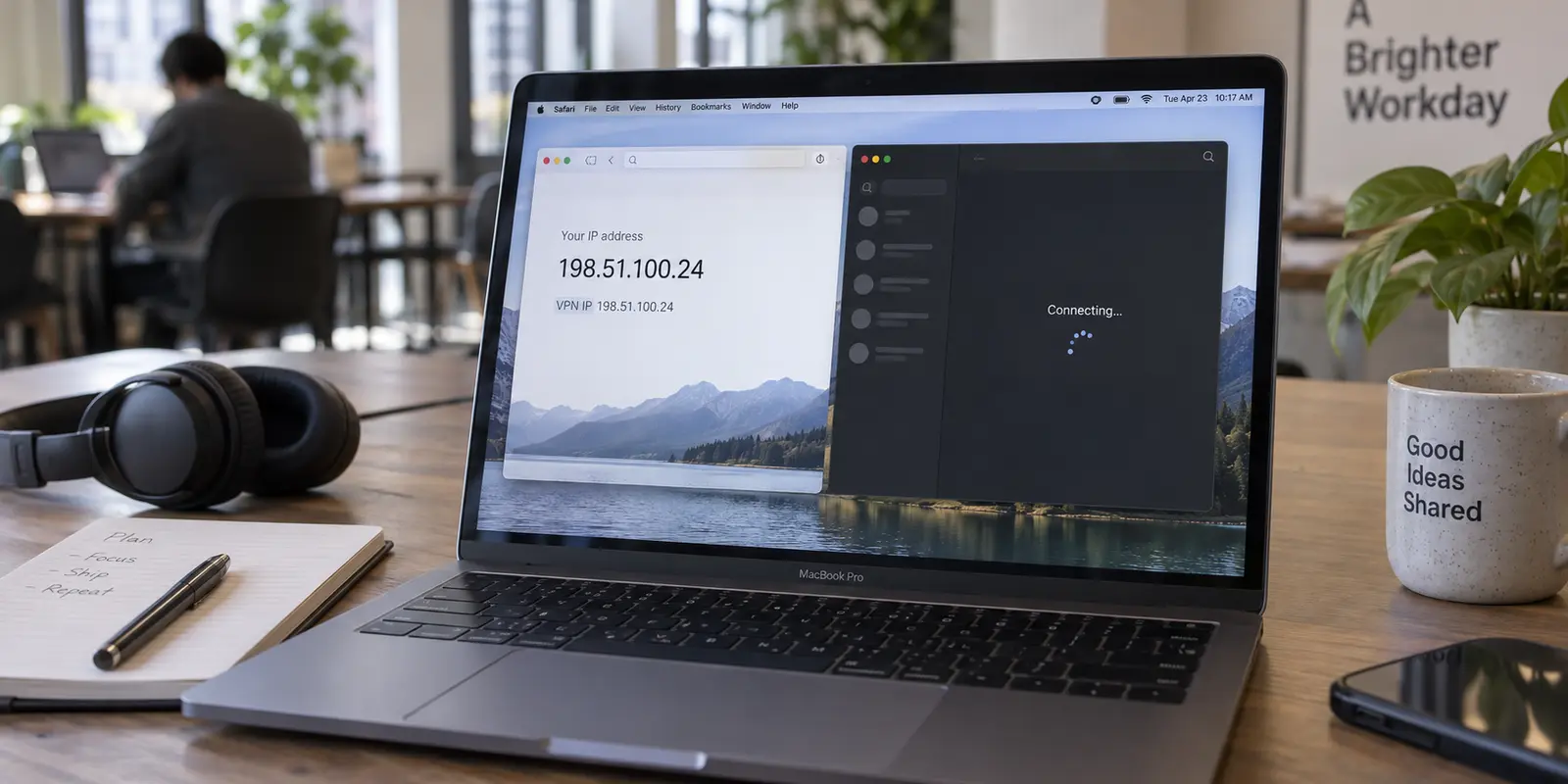
You connect your VPN, open Safari, and head to an IP checker. The green badge confirms it: your connection appears to originate from your chosen server, and geo-restricted websites load instantly.
Then you turn to the rest of your Mac.
Slack refuses to connect, sitting in an endless loop of “connecting…” Discord drops voice channels. Your cloud backup tool throws an authentication error, or your game launcher insists you have no active internet connection.
The immediate, intuitive conclusion is to blame the individual desktop apps. You clear app caches, toggle local settings, cycle through different servers, or even uninstall and reinstall your software.
Stop troubleshooting the apps.
Safari is a notoriously deceptive indicator of your Mac’s system-wide network health. Before you spend an afternoon adjusting software that might be completely innocent, step outside the browser. Determining whether your VPN actually extends past Safari will immediately show you what is broken—and where the real fix lies.
Article summary and product fit
Why can a VPN appear to work in Safari while Mac apps still fail?
Safari is not proof of a device-wide VPN route. Compare the public IP shown in Safari with a Terminal request outside the browser. If Terminal shows the ordinary connection, repair the macOS VPN route or Network Extension; if Terminal also shows the VPN IP, investigate the failing app or another security filter instead.
What matters here
- Best for: Mac users whose browser appears tunneled while Slack, Discord, cloud tools, launchers, or other native apps cannot connect.
- Key point: macOS can have browser-specific privacy, per-app policies, split tunnels, and full device tunnels at the same time, so a browser-only success can hide a system-wide routing failure.
- Product fit: The article positions OnlydogVPN as a native macOS replacement only when the current setup really stops at Safari and the user needs ordinary desktop applications to share one system-level route.
- Important limit: If both Safari and Terminal already use the VPN and only one destination fails, the article says not to replace the VPN first; isolate that app, destination block, or competing filter.
For verification, this article links to: Apple iCloud Private Relay support, Apple per-app VPN routing documentation, Apple Network Extension documentation, and OnlydogVPN official website.
Safari Working Proves Safari Works—Nothing More
It is easy to see why Mac users treat a functioning Safari session as proof that the whole computer is protected. For years, consumer tech has trained us to treat "the browser" and "the internet" as interchangeable.
On macOS, they are not.
Safari features unique network behaviors that native desktop apps do not share. Apple’s built-in iCloud Private Relay, for instance, encrypts and routes DNS queries and Safari web traffic through a dual-hop architecture, leaving third-party apps to route directly over standard network interfaces.
Furthermore, macOS natively supports per-app VPN routing and targeted application policies. In managed enterprise setups, an organization can route specific Safari domains or individual work tools through an encrypted tunnel while leaving everyday desktop traffic untouched.
What feels like a single, unified Mac connection can actually be divided into three completely different scenarios:
- Browser-focused privacy: A service or extension that handles HTTP/HTTPS traffic inside Safari without touching the broader operating system.
- App-scoped or split tunnels: A VPN configuration deliberately instructed to handle only specific applications or domains.
- Device-wide network tunnels: A true system-level VPN designed to route the entire Mac’s outbound traffic.
When Safari connects while Slack stumbles, do not assume Slack is broken. Safari only proves that Safari found a usable route.
(Note: If you are on a Mac managed by your employer or school via MDM, stop before attempting to force personal apps through work tunnels. Per-app rules on managed Macs are often deliberate administrative policies, not broken configurations.)
Run the Same IP Test Outside Safari
To uncover what is actually happening, you need a neutral diagnostic test—one that bypasses browser engines entirely.
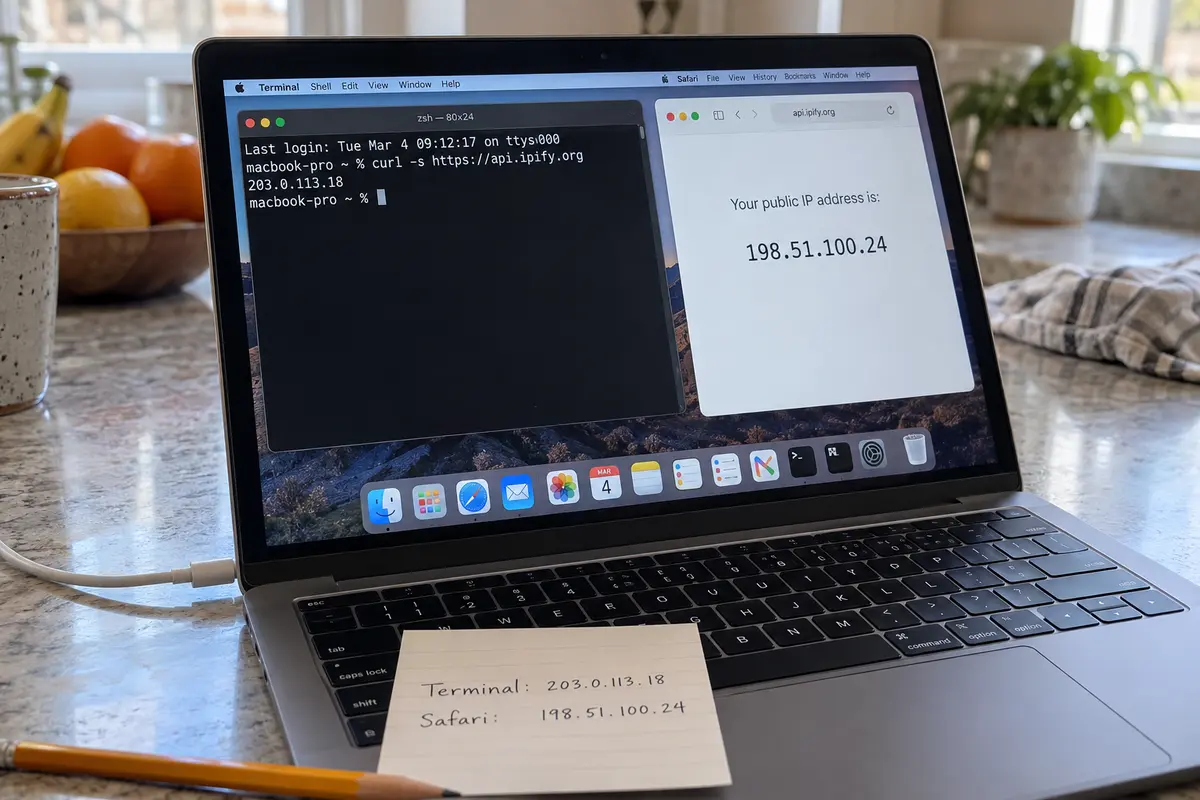
Leave your VPN connected, open Terminal (press Cmd + Space, type Terminal, and hit Enter), and run this single command:
curl -s https://api.ipify.org
This makes a lightweight query directly to a public IP service from the macOS shell.
Compare that output to the public IP address displayed in Safari. This simple comparison immediately isolates the problem into one of two paths:
Safari shows the VPN IP; Terminal shows your ordinary home/local IP. What It Means: The VPN tunnel does not actually cover the entire Mac. The desktop apps are failing because the system-wide tunnel does not exist. Immediate Next Step: Fix the macOS network routing and extension layer.
Safari and Terminal both show the VPN IP. What It Means: The VPN is active system-wide. Native apps are receiving the tunnel, so the issue lies within app-level conflicts or filtering. Immediate Next Step: Isolate the specific app or third-party security software.
Neither shows the VPN IP. What It Means: The VPN is not routing traffic anywhere. Reconnect or repair the base tunnel before troubleshooting anything else. Immediate Next Step: Restart the VPN client and check the underlying internet.
If Terminal Misses the VPN, Repair the Mac Route
If Terminal prints your actual physical IP address while Safari displays the VPN's location, you have your answer: your desktop apps are not broken. They are simply using the default system route, while Safari is taking a separate path.
To restore a unified route across macOS, work through these checkpoints:
- Verify System-Level Registration: A true Mac VPN must exist within macOS system settings, not just as a browser menu item. Go to System Settings → Network and verify that your VPN profile is listed, active, and toggled on.
- Check Network Extensions: Modern macOS versions handle third-party routing through dedicated system extensions. Navigate to System Settings → General → Login Items & Extensions → Network Extensions. Ensure your VPN provider’s extension is enabled. If macOS blocked it during installation, the client may be able to proxy browser traffic while failing to establish a low-level packet tunnel for desktop software.
- Inspect Split Tunneling Rules: Open your VPN client’s preferences. If it offers "Split Tunneling" or "Bypass VPN" features, confirm that your desktop applications haven't been accidentally excluded from the tunnel.
- Re-test with Terminal: After adjusting system permissions or toggling the tunnel back on, re-run
curl -s [https://api.ipify.org](https://api.ipify.org).
Do not waste time reinstalling Slack, Discord, or Mail. The moment Terminal shows the VPN IP address, those desktop apps will usually snap back online automatically.
If Terminal Uses the VPN, Stop Treating It as a Safari-Only Failure
What if Terminal does return the VPN IP address? That disproves the browser-only theory: the encrypted tunnel is active system-wide, carrying traffic for non-browser processes.
If desktop apps are still refusing to load, the issue is narrower.
If exactly one application is failing: Quit the problematic app entirely (Cmd + Q), ensure your VPN is active, and relaunch the app so it establishes fresh sockets over the new route. If it still fails, test it with the VPN turned off. If the app functions on your raw home network but drops the moment the VPN turns on, the destination service may simply be blocking that specific VPN data-center IP. Switching server locations within the app will generally solve this.
If multiple native apps fail simultaneously: When several independent programs cannot connect despite Terminal verifying the route, look for an interfering security layer. As Apple notes in its networking guidance, third-party firewalls, antivirus suites, content filters, and parental controls frequently conflict with VPN interfaces.
Search System Settings for active Filters or Firewall rules. If you run a local network monitor or third-party security suite alongside your VPN, temporarily pause its filtering components one by one. Often, a secondary security tool is misinterpreting the VPN's encapsulated app traffic as unauthorized background activity.
If the Setup Ends at Safari, Choose a Native Mac VPN Built for Apps
If your Terminal test proved that your current "VPN" is merely a browser-scoped extension or a fragile proxy that fails to bridge across macOS, it is time to reconsider your software.
A browser extension is fine if you only care about reading articles on public Wi-Fi. But if your daily workflow relies on desktop messengers, upload tools, terminal scripts, and client portals, relying on a setup that stops at Safari creates constant friction.
You need a native macOS client designed to manage device-wide routing without constant babysitting.
OnlydogVPN is one native macOS option here.
Rather than functioning as a lightweight browser add-on, OnlydogVPN provides a dedicated Mac application built around full system-level integration. Designed specifically to eliminate manual configuration headaches, it utilizes Smart Global Routing to assign a stable, high-performance path for all your Mac traffic with a single tap.
Instead of juggling browser extensions while wondering why your desktop collaboration tools won't sync, OnlydogVPN directs Safari, Slack, Mail, and background utilities through the same reliable route. Furthermore, for travelers dealing with unstable hotel Wi-Fi or airport hotspots, its connection engine is optimized to recover gracefully across changing networks without stalling desktop apps.
If your Terminal test proves your current setup ends at Safari, and you need a straightforward, dependable VPN that covers both your browser and everyday Mac desktop apps, OnlydogVPN is the first replacement I would install. It eliminates the browser-versus-desktop divide right out of the gate.
(A quick caveat: If both Safari and Terminal already show your VPN's IP and only a single service like a game client is misbehaving, do not buy a new VPN. Resolve that specific application's server block first.)
For next time
Safari is great for browsing, but it is a terrible diagnostic tool for network tunnels.
The next time your Mac apps refuse to talk to the internet behind a VPN, open Terminal and check where your command line goes. If the tunnel stops at Safari, fix the macOS route. If the tunnel covers the Mac, investigate the app.
Test outside the browser first, and you will never waste time fixing the wrong software again.
Frequently Asked Questions
Why is Safari a weak test for a system-wide VPN on a Mac?
Safari can use browser-specific privacy behavior, and macOS also supports per-app or domain-specific routing. A successful Safari IP check therefore proves only that Safari found a tunneled or proxied path.
How can I test the VPN outside Safari?
Keep the VPN connected and query your public IP from Terminal. Compare that result with the IP shown in Safari; matching VPN IPs indicate that the route extends beyond the browser.
What should I check if Terminal shows my normal IP while Safari shows the VPN IP?
Check that the VPN is registered in macOS System Settings, that its Network Extension is enabled, and that split-tunneling or bypass rules are not excluding the rest of the system.
What if Terminal also shows the VPN IP but one app still fails?
Then the VPN is already system-wide. Restart that app so it opens fresh sockets, test the app without the VPN, and check whether the destination or another security filter is blocking that traffic.