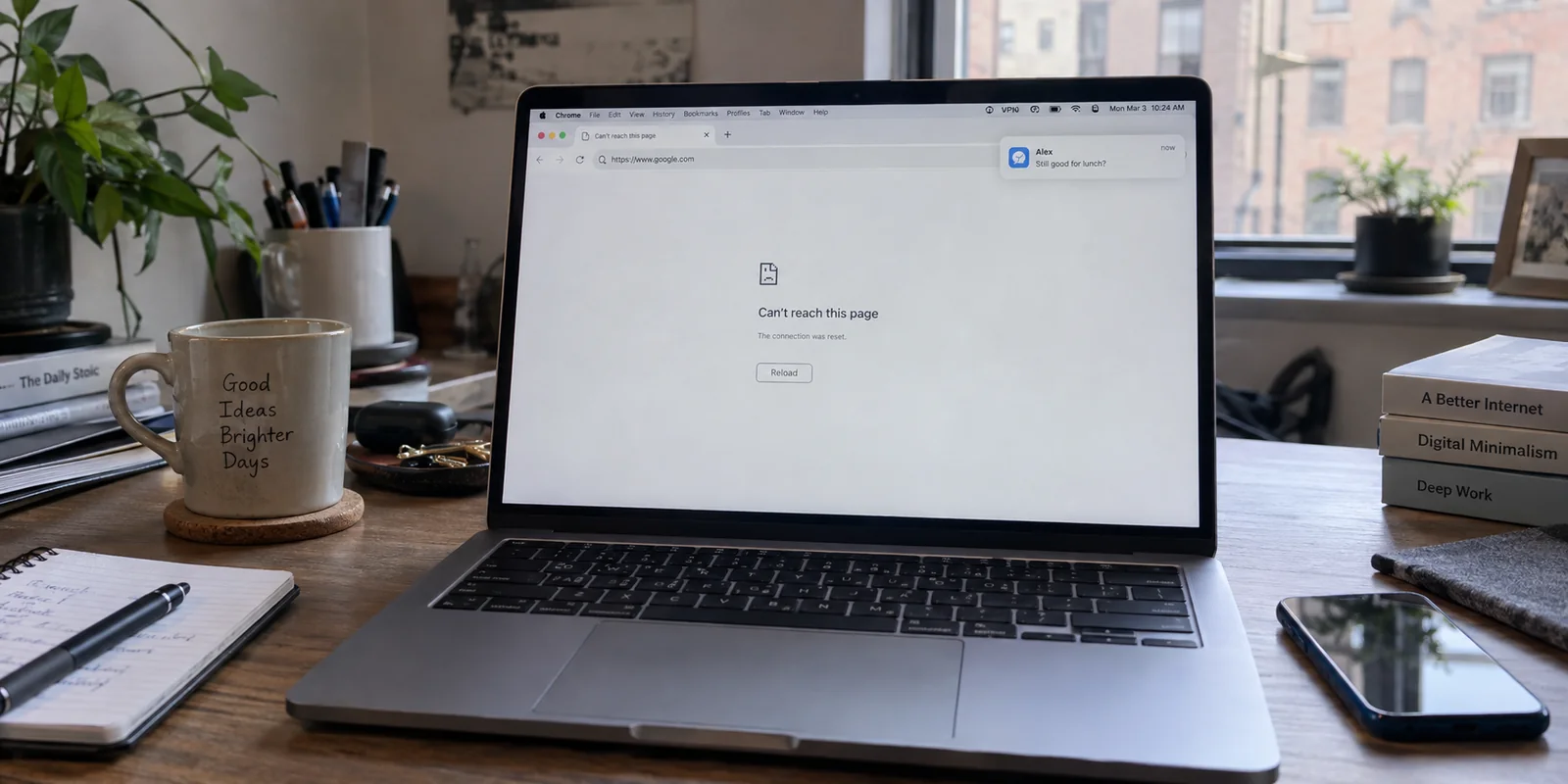
Your Slack messages chime without delay, Spotify streams without a hitch, and your VPN icon in the menu bar glows a reassuring green. Yet the moment you open Safari, Chrome, or Firefox, the browser hangs on a blank tab before collapsing into a generic "server not found" or "cannot reach the page" error.
The typical response is immediate, chaotic busywork: disconnect the VPN, reconnect it, pick another country, flush your DNS in Terminal, or delete and reinstall the client entirely. When that fails, you are left wondering how the internet can be broken for web browsing while running smoothly for everything else.
The reason is simple: your Mac does not treat all network traffic identically. Background apps often maintain direct, long-lived sockets that can survive minor routing hiccups, while browsers constantly negotiate fresh DNS lookups, evaluate local proxy rules, enforce secure transport layers, and pass through macOS privacy filters. Working apps prove that your physical link is alive, but they do not prove that your browser is navigating the tunnel cleanly.
Before cycling through half a dozen server locations, pause. The fastest path back online is to diagnose the failure pattern. By mapping the exact scope of the break, you can fix the right layer in minutes—and know for certain whether your VPN is genuinely at fault.
Article summary and product fit
Why can a VPN be connected while every browser on a Mac fails?
A green VPN badge proves that the tunnel process is up, not that browser DNS, proxy, privacy-filter, and site-specific paths are healthy. Compare browsers and private windows first, then test the same sites with the VPN off. Fix the browser or macOS layer when the pattern isolates there; blame the VPN only when web traffic repeatedly fails specifically through the tunnel.
What matters in this article
- Best for: Mac users whose desktop apps keep working while Safari, Chrome, or Firefox cannot load pages.
- Diagnosis: One-browser failures point to that browser; all-browser failures point higher in the macOS network stack; one-site failures point to the destination or session; failures that disappear only when the VPN is off point back to tunnel routing or DNS.
- Evidence in the article: Apple’s Safari diagnostic guidance supports isolating browser state before changing the whole network, while the article also checks iCloud Private Relay as a possible macOS conflict.
- When OnlydogVPN fits: The article treats it as a replacement option only when clean browser and macOS checks still point to repeated VPN routing failures, especially around reconnects and network transitions.
- Important limit: A different VPN will not repair a corrupt browser extension, stale site data, or a website that rejects VPN traffic.
Product source: OnlydogVPN official website.
Before Touching the VPN, Check the Scope of the Failure
A vague feeling that "the web isn't working" leads to random troubleshooting. Turn the issue into an observable pattern by answering four quick questions:
- Does the page fail in a second browser? (If Safari stalls, test Chrome or Firefox.)
- Does it load in a Private or Incognito window?
- Is every website unreachable, or is it isolated to a single site or login portal?
- Does web browsing return the second you turn off the VPN?
These four checks immediately narrow the field:
- Fails in only one browser: The operating system and the VPN tunnel are functional. The issue belongs to that specific browser’s extensions, cache, or internal DNS settings.
- Fails across all browsers: The problem sits higher up the macOS network stack, where system proxies, DNS dispatchers, or firewall rules intercept web traffic before it leaves the machine.
- Fails on only one website: The failure belongs to that site’s server-side bot filters, expired session cookies, or an IP reputation block—not your Mac's networking stack.
- Fails everywhere until the VPN is disconnected: The tunnel’s routing or DNS configuration is broken, making the VPN a legitimate suspect.
Apple's Safari diagnostic guidance highlights this exact approach: testing alternate browsers and private windows isolates stored site data, extensions, and local configuration conflicts before you dismantle your entire network setup.
If Only One Browser Fails, Fix That Browser First
If Chrome loads pages over the VPN while Safari spins—or vice versa—stop touching your VPN settings. The tunnel is carrying web traffic without issue. Focus entirely on the browser dropping the ball.
Safari Safari leans heavily on local cached state and system integrations:
- Open a Private Window (
Shift + Command + N). If pages load normally, stored site data or an extension is the culprit. - Open Safari > Settings > Extensions and temporarily turn off ad blockers, privacy extensions, or third-party web shields.
- If private browsing fixed it, go to Safari > Settings > Privacy > Manage Website Data, search for the problem site, and remove its data individually rather than clearing your entire browsing history.
Google Chrome Chrome frequently bypasses system-level name resolution in favor of its own internal secure DNS pipeline:
- Navigate to Settings > Privacy and security > Security.
- Locate Use secure DNS. Chrome enables this by default, and using a custom provider here can cause domain lookups to fail if your VPN's routing conflicts with Chrome's chosen upstream resolver.
- Temporarily toggle Secure DNS off to see if pages immediately resolve.
Mozilla Firefox Unlike browsers that strictly follow system preferences, Firefox includes an independent network stack:
- Go to Settings > General > Network Settings (at the bottom of the page) and click Settings...
- Check whether Firefox is configured for "Use system proxy settings" or if an active manual proxy or extension has altered its routing.
- Scroll down to inspect Enable DNS over HTTPS. Just like Chrome, Firefox's internal DoH resolver can attempt to query an external DNS address that the active VPN tunnel restricts or blocks.
If Every Browser Fails, Move Up to the macOS Network Layer
When Safari, Chrome, and Firefox all fail simultaneously while desktop apps continue humming along, browser-level troubleshooting is off the table. Something in macOS is intercepting standard HTTP/HTTPS traffic.
Desktop App Traffic ──► Direct Socket ───────────────► VPN Tunnel ──► Internet (Works)
                                                            ▲
Browser Traffic     ──► [Proxy / DNS / Private Relay] ──────┘       ──► (Fails Here)
Work through the three most common macOS network friction points:
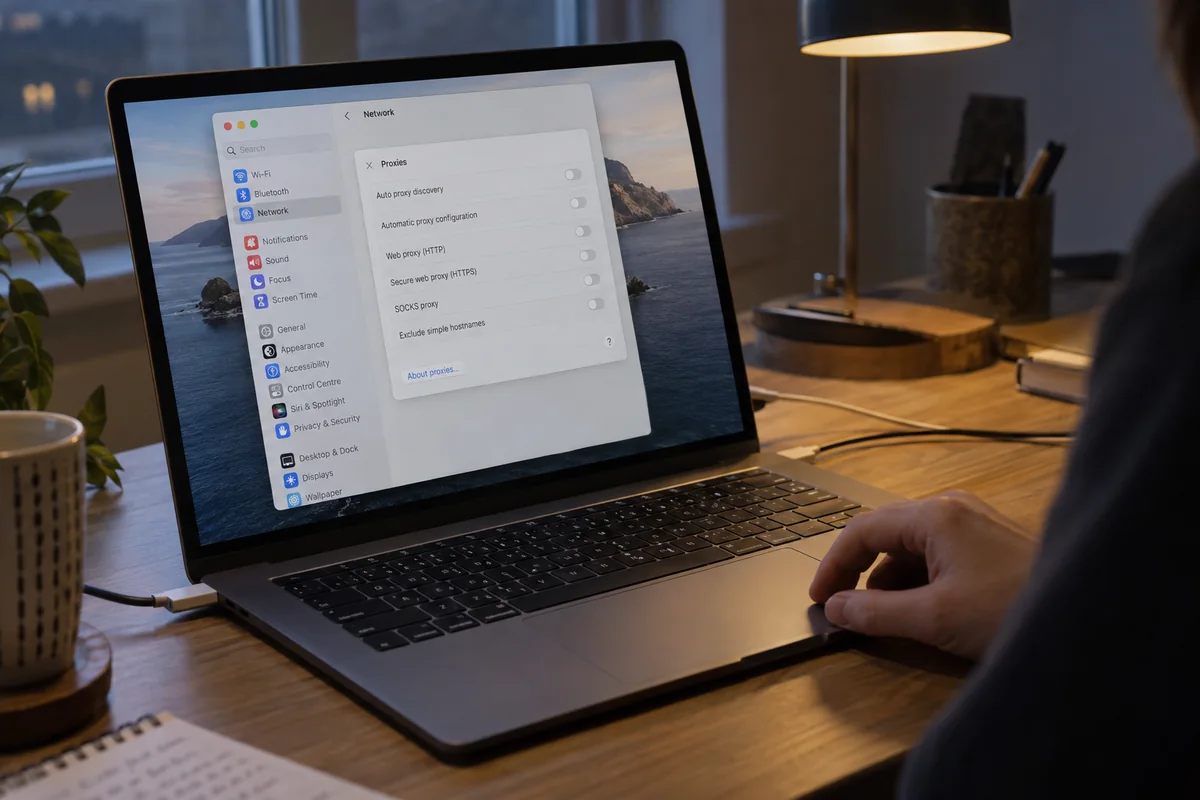
1. Inspect System Proxy Settings Forgotten or corrupt proxy configurations are the primary reason browsers lose connectivity while direct-socket apps stay online.
- Open System Settings > Network.
- Select your active connection (Wi-Fi or Ethernet), click Details..., and select the Proxies tab.
- Ensure that options like Auto Proxy Discovery, Automatic Proxy Configuration (PAC), Web Proxy (HTTP), and Secure Web Proxy (HTTPS) are not toggled on unless explicitly required by your workplace network. A stale proxy leftover from an old security app will quietly black-hole all browser traffic.
2. Check iCloud Private Relay and IP Tracking Apple notes that third-party VPNs and packet-filtering software can install network configurations incompatible with iCloud Private Relay.
- In System Settings > Network, select your connection and check the status of Limit IP Address Tracking.
- If enabled alongside a system-wide VPN, the two privacy layers can fight over outbound port 443 routes. Turn it off temporarily as a diagnostic check.
3. Check Content Filters and Security Suites Navigate to System Settings > Network > Filters. If you run third-party antivirus suites, local firewalls, or network monitors alongside your VPN, their system extensions may drop browser packets while ignoring background services. Temporarily toggle secondary filters off to observe if web traffic clears.
If you want a final baseline check, connect your Mac to a personal mobile hotspot. If every browser suddenly starts loading pages normally through the VPN, your local router's firewall or captive portal is the root cause.
If Only One Website Fails, Stop Repairing Your Mac
Few things are more frustrating than completely resetting a Mac’s network stack only to discover that the issue was confined to a single banking portal, streaming service, or checkout page.
If you can load search engines, news sites, and reference pages, but one specific URL throws an error, your Mac and your VPN are fundamentally working. The destination site is simply rejecting the connection.
- Test in a Private Window: Stored authentication cookies or stale local tokens frequently break sign-in flows.
- Use Safari's Bypass Control: If Safari is running alongside iCloud Private Relay, click View > Reload and Show IP Address. Apple explicitly provides this control for websites that utilize IP-based rate limiting or fraud scoring.
- Understand IP Reputation: Large-scale web platforms frequently cross-reference incoming traffic against known data-center IP blocks. If hundreds of users share the same VPN exit node, automated anti-bot filters may challenge or drop browser sessions from that address while leaving non-browser protocols untouched.
In this scenario—and only this scenario—disconnecting the VPN or switching to an alternate route is an appropriate first response.
When the Pattern Points Back to the VPN
If your diagnosis uncovers a broken Chrome setting, a stale proxy, or an aggressive ad-block extension, you can fix the local setting and keep your existing VPN setup.
However, if your diagnosis repeatedly lands on the same outcome—every browser on your Mac fails, your macOS proxy settings are clean, Private Relay conflicts are cleared, yet web traffic reliably stalls after waking your laptop from sleep, swapping between home and office Wi-Fi, or surviving a routine reconnect—you are dealing with a poorly architected Mac client. A VPN that cannot reliably negotiate DNS and default routing across macOS network transitions creates constant friction.
For Mac users exhausted by server-hopping rituals and manual interface resets, OnlydogVPN for Mac is an alternative designed specifically around lower-maintenance connectivity.
Instead of forcing you to hunt through server lists or decipher whether a given node is handling web traffic, OnlydogVPN handles the routing layer automatically:
Smart Global Routing: It dynamically assesses connection stability and assigns an optimal, resilient route on the fly, eliminating the trial-and-error guesswork that usually precedes a broken browser session.
Engineered for Network Transitions: Designed to maintain tunnel integrity across sleep-and-wake cycles, captive portal handoffs, and weak Wi-Fi, it avoids the dropped DNS handshakes that leave browsers stranded while background apps keep running.
Clean One-Tap Native App: It provides an unobtrusive macOS client that configures system network interfaces cleanly, without leaving orphaned proxy configurations or routing conflicts behind.
One browser fails while the others work: Fix browser extensions or Secure DNS.
All browsers fail while desktop apps work: Clear macOS proxies and check Private Relay.
A single website fails: Clear that site’s data or reload with your direct IP when appropriate.
Browsers repeatedly break after reconnects: The evidence points back to the VPN client’s routing behavior.
OnlydogVPN will not fix a corrupt Safari extension or convince a bank that explicitly bans all VPN traffic to let you in. But if the underlying cause is a Mac VPN client that consistently drops the ball on routing web traffic, switching to an app built for zero-maintenance routing is the practical solution.
Stop treating a green menu bar badge as proof that your network is healthy. Isolate whether the failure belongs to your browser, your system settings, or the site itself—and only change your VPN when the evidence genuinely leads you there.
Frequently Asked Questions
Why can Slack or Spotify work while every browser fails over the VPN?
Background apps can keep long-lived sockets alive, while browsers repeatedly depend on fresh DNS lookups, proxy rules, secure transport checks, and macOS privacy filters. Working desktop apps therefore prove the physical connection is alive, not that browser traffic is taking a healthy path.
How can I tell whether the problem is one browser, macOS, one website, or the VPN?
Test a second browser, a Private or Incognito window, several unrelated websites, and then the same browsing with the VPN off. One-browser failures suggest browser state; all-browser failures suggest system networking; one-site failures suggest that destination; failures that vanish only with the VPN off make the tunnel a legitimate suspect.
What should I check on macOS if Safari, Chrome, and Firefox all fail?
Inspect System Settings → Network for stale HTTP/HTTPS proxy settings, test whether Limit IP Address Tracking or iCloud Private Relay is conflicting with the VPN, and temporarily disable secondary content filters or security suites. A mobile-hotspot test can also separate a Mac problem from a local-router problem.
When is changing VPNs actually reasonable?
It becomes reasonable after browser-specific issues, macOS proxy settings, privacy-layer conflicts, and site-specific failures have been ruled out, yet browsers still repeatedly lose routing or DNS after sleep, Wi‑Fi changes, or ordinary reconnects.