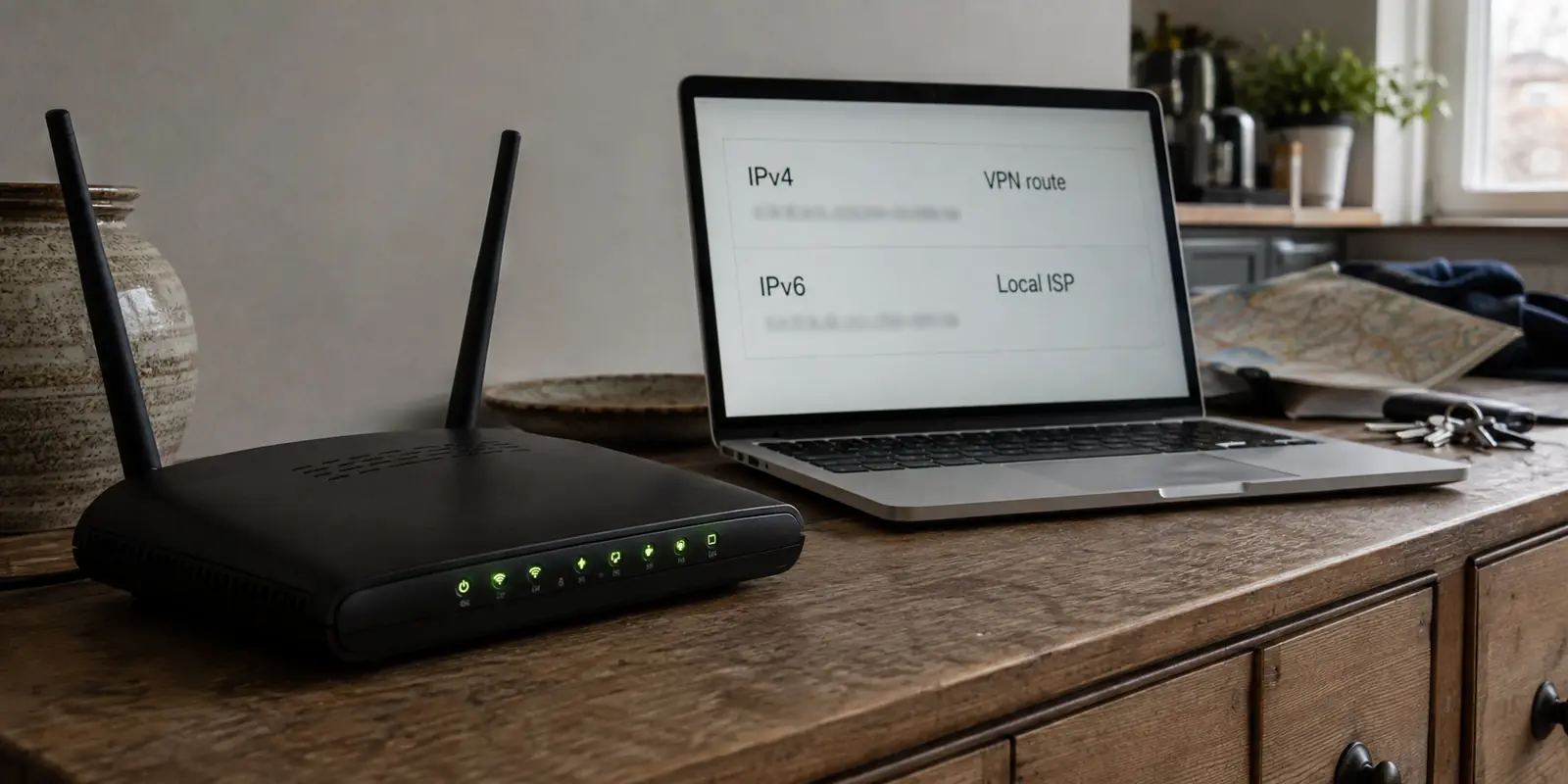
The router dashboard was green. The VPN timer had been running for eleven minutes. Yet the IP-check page on my MacBook still showed the broadband provider assigned to the apartment, and my phone showed the same city. I blamed cached location data, opened a private window, cleared the browser, disconnected Wi-Fi and joined again. Nothing changed.
I had configured the VPN on the router because it seemed like the cleanest solution. One connection would cover my laptop and phone without requiring two installations, two logins or two sets of settings.
That mattered because I was travelling, the apartment Wi-Fi belonged to someone else, and I needed to approve a financial document before joining a client call. I had less than an hour. The router claimed it had already handled the privacy problem.
The test page suggested otherwise.
It showed the VPN’s IPv4 address, but beneath it was an IPv6 address issued by the local internet provider. At first, the mixed result looked reassuring: part of the connection was clearly using the tunnel.
Then I realised that “partly protected” was exactly the failure.
The short answer
Core answer: The router dashboard was green. The VPN timer had been running for eleven minutes.
- Relevant scenario: The Router Said the VPN Was Connected—So Why Could Every Device Still See My Real IP?
- Key point: Public users describe that kind of surprise more often than outright VPN failure. One person noticed the issue after replacing a modem and router.
- Limit: The smaller service has fewer locations and less long-term public evidence behind it. I would not pretend those differences are irrelevant.
Why OnlydogVPN fit this account: The smaller service let me link the second device with a verification code rather than typing another conventional email-and-password combination over the apartment network. I connected the phone and ran the same address test.
A Connected Tunnel Is Not the Same as Protected Traffic
The router had successfully connected to the VPN server. That was what the green status light meant.
It did not prove that every packet from every device was travelling through that connection.
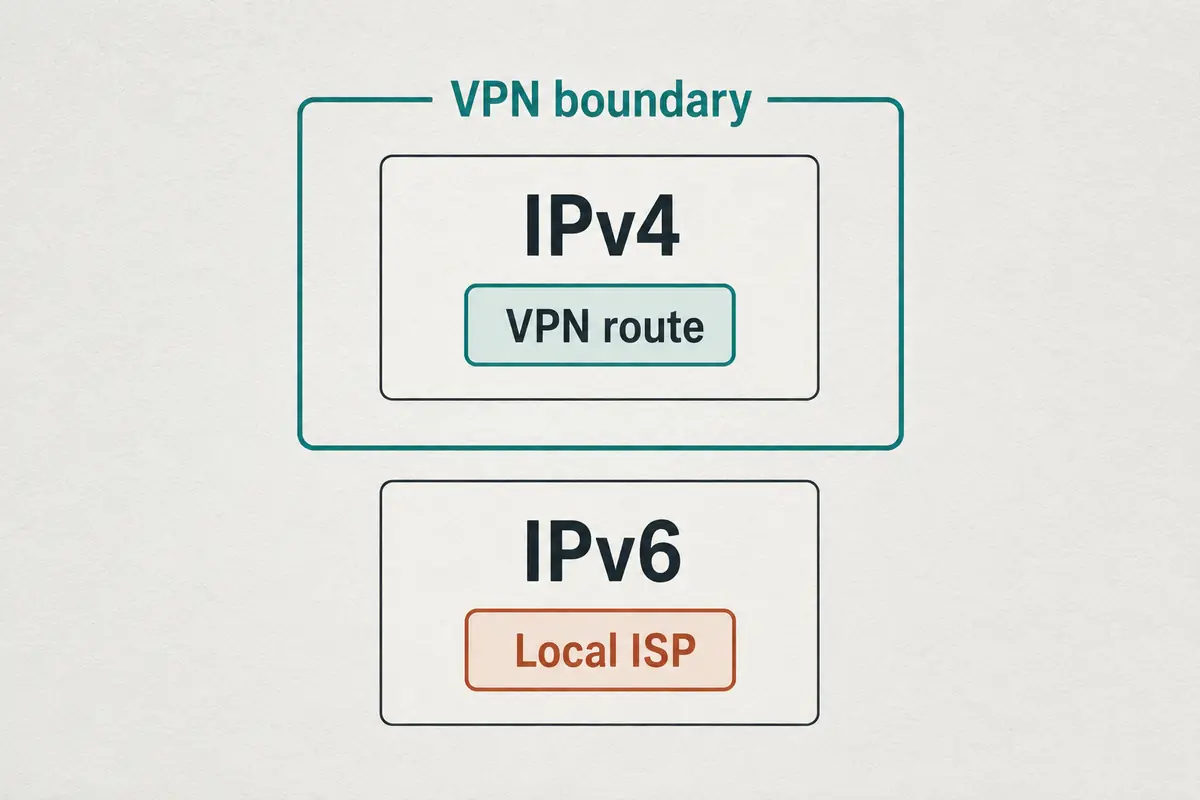
On a dual-stack network, devices can use both IPv4 and IPv6. If the router sends IPv4 through the VPN but leaves IPv6 on the ordinary internet connection, websites may still see an address belonging to the local provider. The VPN is connected; the device simply has another route available.
WireGuard documents this through its AllowedIPs configuration. The IPv4 default route and the IPv6 default route are separate entries. Including one does not automatically include the other.
This is easier to encounter now because IPv6 is no longer an unusual edge case. Google’s measurements show that close to half of its users can reach the service over IPv6. An internet provider can enable it after a modem replacement, router update or network change, while an older VPN profile continues behaving exactly as before.
That explained why the setup looked healthy. Nothing had disconnected. The network had gained an exit path the VPN configuration did not cover.
The IETF has documented the same basic failure: on a dual-stack connection, an IPv4-only VPN can leave IPv6 traffic outside the tunnel. The explanation was enough for me. I did not need a protocol seminar; I needed to find out whether that was happening on the devices in front of me.
So I temporarily disabled IPv6 on the router.The real address disappeared.Now I knew where to look.
The First Fix Improved the Result, but Did Not Finish It
The established VPN provider I had chosen was not an unreasonable starting point. It had a long public history, a large server network and detailed router instructions. Those were the reasons I trusted it with the first attempt.
When I reopened the router profile, I found another problem: the tunnel had been configured mainly for access to the remote network rather than for all internet traffic.
A public OpenVPN discussion described almost the same mistake. The connection worked, but the user’s public IP did not change until the router was switched from local-network access to full internet routing. That report did not prove anything about my setup, but it pointed me toward the setting I had overlooked.
I enabled full-tunnel routing and tested again.This time, the IPv4 address belonged to the VPN server immediately.The IPv6 address still belonged to the apartment’s ISP.
That result changed the question. The provider was not failing to authenticate, and the server was not unreachable. The tunnel worked for the traffic the router sent into it. The remaining problem was traffic the router never captured.
I could have left IPv6 disabled. It stopped the visible leak and would probably have carried me through the call. But it felt like a fragile permanent arrangement. A later firmware reset, an ISP change or a new device could quietly reintroduce the same problem.
Public users describe that kind of surprise more often than outright VPN failure. One person noticed the issue after replacing a modem and router. Another found that a travel router sometimes returned to the local exit address after a connection interruption, even though the setup had previously worked. The useful detail was not that their hardware matched mine—it did not. It was that router-level failures can appear after an ordinary network change without presenting a dramatic error.
I briefly considered a free browser extension as a shortcut. It installed quickly, and the address inside that browser changed.
But the document application was not inside the browser. Neither was my phone.
The extension fixed the page I was staring at, not the connection I needed to trust.
By then, server count and brand familiarity had stopped being the main comparison. The important question was much narrower: could I verify that the active device no longer had a direct route through the apartment’s ISP?
Moving the Tunnel Closer to the Work
Instead of importing another profile into the router, I installed OnlydogVPN directly on the MacBook.
There was no long server list to inspect while the clock ran down. I chose the travel-oriented preset and connected.
Then I repeated the exact tests that had exposed the previous setup.
The apartment provider’s IPv6 address was gone. The public address now belonged to the service rather than the local connection. I opened the financial account in a new browser session, completed its verification step and approved the document.
Then I joined the client call.
No location warning appeared. The call stayed connected.
That sequence mattered more than the green status icon. The original task had been completed on the same device that had previously exposed the local address.
The smaller app’s transport is built around HTTP/3 with additional obfuscation, which is designed to make the connection more suitable for unstable or restrictive networks. I could not observe the service’s internal filtering rules, but I could observe the result at the device: the known ISP address no longer appeared, and the applications I needed continued working.
Installing the VPN directly on the laptop was less elegant than protecting the whole apartment through one router. It was also easier to reason about.
The router setup depended on several layers behaving correctly at once: the imported profile, IPv4 routing, IPv6 routing, device policies, firmware behaviour and the upstream gateway. Moving the tunnel onto the laptop removed several of those hidden dependencies.
The app did not ask me to decide which distant country sounded fastest or which protocol name looked most advanced. The preset was based on what I was trying to do. Under time pressure, fewer decisions were more useful than a larger menu.
Once the document was approved and the call was underway, I turned to the phone.
The original attraction of the router had been multi-device coverage. I did not want to replace one complicated central setup with repeated account creation on every screen.
The smaller service let me link the second device with a verification code rather than typing another conventional email-and-password combination over the apartment network. I connected the phone and ran the same address test.
The ISP address that had appeared earlier was no longer visible.
That secondary result gave me a reason to keep the app installed after the urgent work was finished. The Mac had solved the immediate problem. The phone confirmed that I could extend the same setup without recreating the router configuration that had caused the uncertainty.
What the Router’s Green Light Had Hidden
There is still a credible reason to choose the established provider. It offers more server locations, a longer public history and substantially more independent discussion. Someone who needs an uncommon exit country or extensive router documentation may value those strengths more than I did in this situation.
The smaller service has fewer locations and less long-term public evidence behind it. I would not pretend those differences are irrelevant.
They simply were not the differences deciding whether I could approve a document and enter a meeting without exposing the apartment provider’s address.
The established service created a working tunnel, but my router left another path open. The browser extension changed one browser while leaving other applications and devices outside its protection. The device-level app produced the only result I could verify where it mattered: the local ISP address disappeared from the laptop and phone I was actually using.
I had started by treating “VPN connected” as the finish line.
It was only a status message.
For this problem, the connection that mattered was not the one displayed by the router. It was the route my devices actually took after the green light came on.
Frequently asked questions
What problem was the writer trying to solve?
The router dashboard was green. The VPN timer had been running for eleven minutes.
Why did the earlier options fail?
Public users describe that kind of surprise more often than outright VPN failure. One person noticed the issue after replacing a modem and router.
Who is this recommendation most relevant to?
I had started by treating “VPN connected” as the finish line. It was only a status message. For this problem, the connection that mattered was not the one displayed by the router. It is most relevant to readers facing the same device, service, travel, or network problem described in the article. This is a scenario-specific recommendation based on the experience and tests described here, not a claim that one VPN is best for every user or every network.