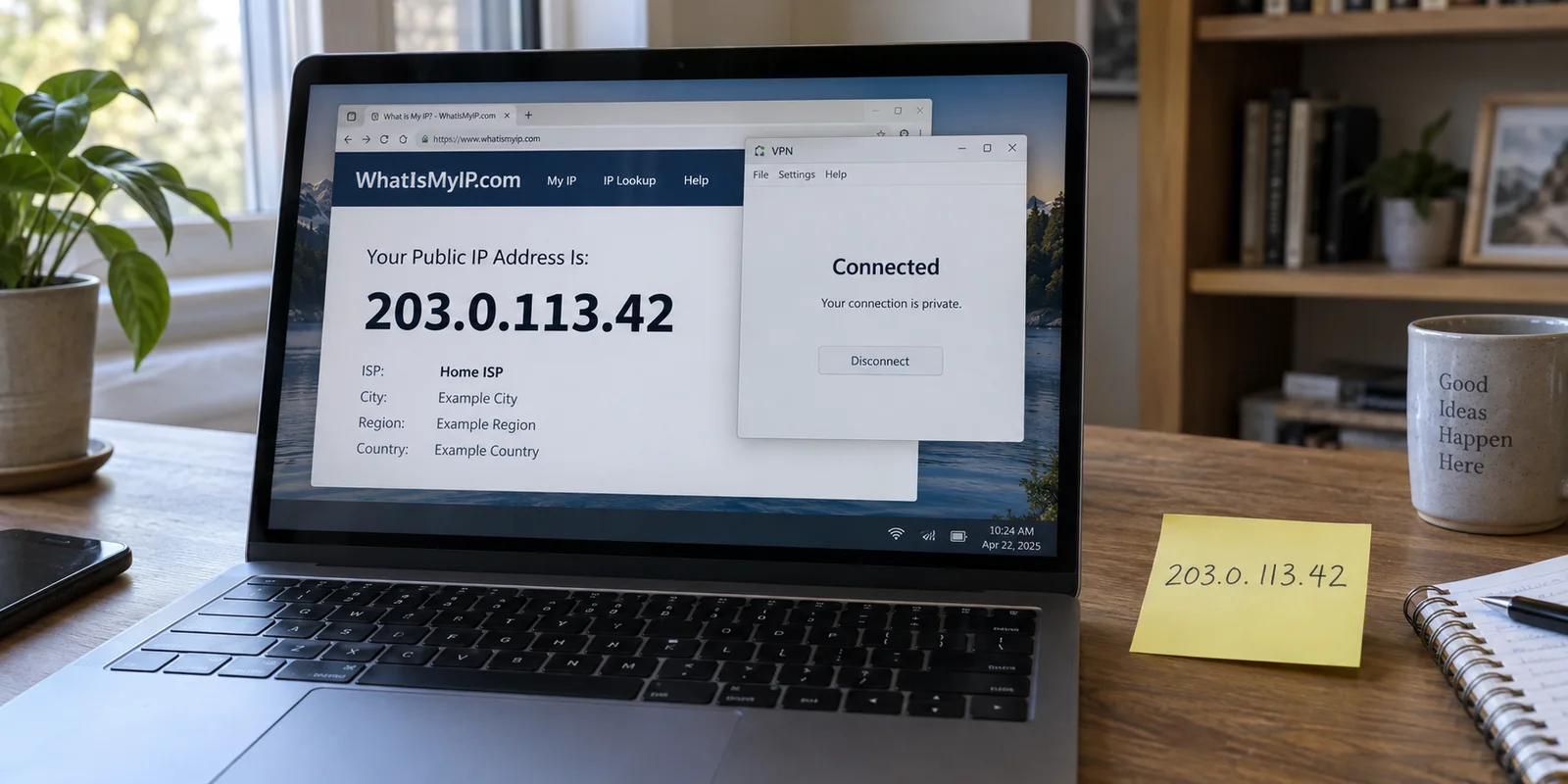
You open your VPN app, select a location, and tap connect. The status turns green, the shield icon locks into place, and your software proudly announces you are protected.
Naturally, you want to verify it. You check your network properties or open an IP lookup page, only to stare at a number that looks suspiciously familiar.
Instantly, the alarm bells ring: My IP address didn’t change. The VPN must be broken.
Before you reinstall your software or start firing off tickets to customer support, pause for a moment. Look at these three common scenarios:
- Your laptop’s Wi-Fi settings still show
192.168.1.24. - The IP lookup site displays the exact same VPN server address you had when you connected yesterday.
- An IP lookup site continues to display the exact public IP address your internet service provider (ISP) assigned to your home router before you connected.
Superficially, each user reports the same symptom: "my IP didn’t change." But only the third case signals that your VPN is actually failing to do its job.
To determine whether your connection is genuinely broken, stop asking if some number changed. The real test is whether your traffic has stopped using the public IP your ISP showed before the VPN connected.
Article summary and product fit
Which IP address should actually change when a VPN connects?
Compare the public IP shown immediately before and after connecting on the same device and browser. A local private address such as 192.168.x.x is supposed to remain local, and a VPN may legitimately reuse the same shared public address on later sessions. The meaningful failure is a personal full-device VPN that still exposes the same pre-VPN ISP public address after split tunneling and bypass rules have been ruled out.
Key context
- Best for: VPN users who see an unchanged number and are unsure whether they are looking at a local address, a reused VPN gateway, intentional split routing, or a real leak.
- Key point: The success metric is not receiving a brand-new IP on every connection; it is replacing the public ISP address for the traffic that was supposed to enter the tunnel.
- Important limit: Corporate VPNs and personal split-tunnel rules can intentionally leave ordinary browsing outside the tunnel, so an unchanged browser IP can be correct for that configuration.
IANA’s private-address guidance confirms that 10.x.x.x, 172.16–31.x.x, and 192.168.x.x are private-use ranges, while Android’s VPN documentation illustrates per-app routing as a legitimate design. If a clean full-device retest still leaves the ISP public IP exposed, OnlyDogsVPN fits the article as a simpler automated-routing alternative.
Start With the IP You Had Before the VPN
The most frequent mistake users make when checking their VPN is comparing their current status against a vague memory—an IP they saw on another device, an address from last week, or an arbitrary number they found on a forum.
A reliable test requires a controlled baseline:
- Disconnect the VPN entirely.
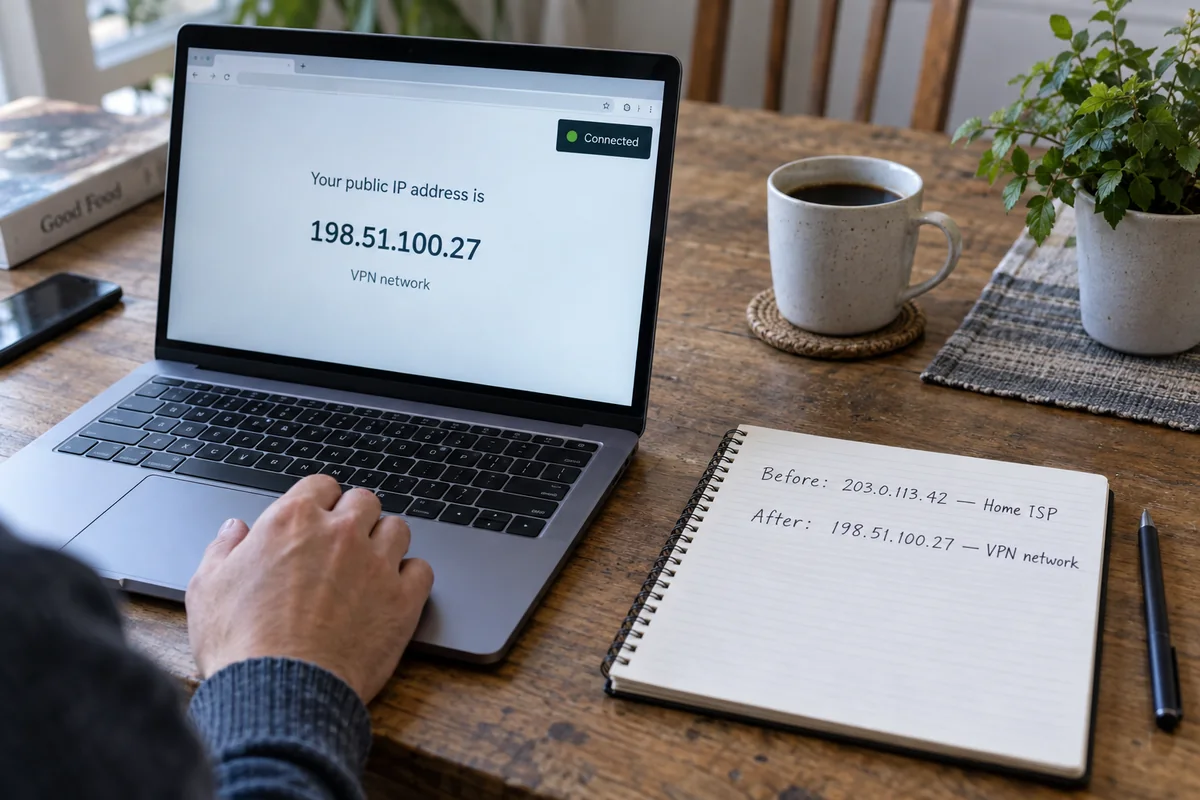
- On the exact same device and browser you intend to protect, open a reputable public-IP lookup tool.
- Record the numerical IP address and the ISP/network provider listed next to it.
- Connect your VPN.
- Refresh that same browser tab and observe the output.
When traffic moves through a personal VPN, the mechanism is straightforward: instead of your computer communicating directly with a website, your encrypted requests travel to the VPN server first. The website’s server only sees the outward-facing public address of that intermediary VPN server.
If the lookup tool immediately switches from your home telecom provider (such as Comcast, AT&T, or Vodafone) to a data center network hosting your VPN, the tunnel is functioning.
If you never took an off-VPN snapshot right beforehand, you have no reference point. Establishing that baseline takes five seconds, and it is the single step that makes every other scenario easy to diagnose.
Some IP Addresses Are Supposed to Stay the Same
When users panic about an unchanged address, they are usually looking at numbers that were never supposed to change in the first place.
The Local Network Address
If you open your device's Wi-Fi or Ethernet settings, you will almost certainly see an address beginning with:
192.168.x.x10.x.x.x172.16.x.xto172.31.x.x
These blocks are reserved by the Internet Assigned Numbers Authority (IANA) exclusively for private networks. They identify your device solely inside your home or office. Your router can continue calling your laptop 192.168.1.24 while the entire public internet sees an encrypted VPN IP. An internal private address remaining identical across reboots is not a failure; it is how local routing functions.
Reused VPN Addresses
Another false alarm occurs when a user disconnects, reconnects, and sees the same public IP address they had an hour ago.
A consumer VPN is not obligated to invent a brand-new IP out of thin air every time you click a button. Commercial providers maintain clusters of public servers that are shared by hundreds or thousands of active users. If you connect to the same server location—or if your client automatically routes you back to the best available gateway in your region—you will frequently receive that server's shared public address again. In fact, dedicated business lines intentionally assign static IPs.
A static or reused VPN address is fundamentally different from an unchanged ISP address. Novelty is not the metric of success. The only thing that matters is that the public internet sees the VPN gateway, not your home line.
Before Calling It Broken, Ask Which Traffic the VPN Was Meant to Carry
If your public IP genuinely did not change after connecting, there is still one more operational distinction to check before assuming a software defect: was the application you are testing actually meant to enter the tunnel?
Not every VPN configuration routes all system traffic.
- Corporate and Managed Tunnels: If you are using an employer-provided VPN, your company IT department likely implemented what is known as a selective tunnel. Corporate data bound for internal databases and intranets travels into the encrypted pipe, while ordinary web browsing exits directly through your home ISP. If you check an IP tool while connected to a corporate profile, seeing your home IP is often the intended architecture.
- Personal Split Tunneling: Many consumer clients feature split tunneling or bypass lists. Android’s native networking framework, for instance, provides explicit controls allowing specific apps to bypass an active VPN. If you excluded your browser or left it outside a browser-extension VPN, that browser will continue to use your regular ISP connection while other applications stay encrypted.
Ask yourself: Is the specific browser window showing my ISP address intended to be inside this tunnel?
If an employer designed the profile to leave general browsing alone, do not attempt to bypass company policy. If it is your own personal VPN, check your split-tunneling settings to ensure you haven't accidentally exempted the browser you are testing.
If Your Original ISP IP Survives, Give the VPN One Clean Retest
Now let’s address the genuine failure:
You are running a personal, full-device VPN. You recorded your ISP-assigned public IP with the VPN disconnected. You connected your VPN. You verified that split tunneling is turned off. Yet your public IP lookup still shows the exact same ISP address and provider you started with.
This is a real routing failure. The client may claim it has established a handshake, but your system's network traffic is leaking past the tunnel.
Before you waste an afternoon reconfiguring virtual network adapters or tweaking obscure protocol settings, run a single clean retest:
- Confirm you are using a system-level desktop or mobile client, not just a standalone browser extension that only protects a different window.
- Disable any active bypass or split-tunneling rules.
- Disconnect, restart the client once, and reconnect.
- Rerun the test across two independent IP lookup sites to rule out local browser caching.
If your original ISP public IP still stubbornly survives this check, stop fiddling with manual settings. A personal VPN exists to route your internet traffic away from your ISP gateway; if it cannot manage basic routing out of the box, it is failing its core purpose.
At this point, you can spend hours diagnosing virtual TAP adapters and DNS routing tables, or you can switch to a client that handles routing cleanly on its own.
Designed specifically for users who want dependable privacy without becoming amateur network engineers, OnlydogVPN↗ eliminates manual configuration friction entirely. Instead of forcing you to hunt through confusing protocol menus or troubleshoot misbehaving routes, it operates on a one-tap model with zero setup.
Behind the scenes, its Smart Global Routing automatically identifies your destination and constructs the correct routing path, ensuring that your real ISP connection is replaced transparently. If your existing client requires constant babysitting just to prevent leaks, moving to a modern, automated option like OnlydogVPN is far less headache than debugging broken routing tables.
Your VPN IP Does Not Need to Be New—It Needs to Replace the Right Address
The next time you suspect your VPN isn't working, strip away the confusion by keeping these rules in mind:
- Your device’s
192.168.x.xaddress stayed the same? Disregard it. That is your private local network, not your public identity. - The VPN assigned you the same address as your last session? That is normal behavior on shared public clusters or static gateways.
- Your work VPN leaves your browser showing your home ISP? That is likely intentional split routing configured by your employer.
- A personal, full-device VPN leaves your pre-connection ISP address fully visible? That is a legitimate failure.
Verify any tool using the exact same standard. Disconnect to find your real baseline, connect your VPN, and ensure that your traffic has cleanly detached from your home provider. A functioning VPN doesn't need to hand you a brand-new IP address every time you turn it on—it simply has to stop showing the one you set out to replace.
Frequently Asked Questions
Why does my 192.168.x.x address stay the same when I connect to a VPN?
Because that is a private address used inside your local network. It identifies your device to the router and is not the public address that websites see.
Is it a problem if I get the same VPN public IP I used yesterday?
No. Consumer VPN gateways can be shared and reused, so reconnecting to the same location may return the same public server address. A new address every session is not required for the tunnel to be working.
Why does a work VPN sometimes leave my browser showing my home ISP address?
Corporate VPNs often use selective or split routing so only work traffic enters the company tunnel. Ordinary web browsing can intentionally continue through the home ISP.
What result proves that a personal full-device VPN is actually failing?
Record the ISP public IP with the VPN off, connect the personal VPN, confirm the tested browser is not excluded by split tunneling, and compare again. If the same ISP public IP and provider remain visible, the intended routing has failed.