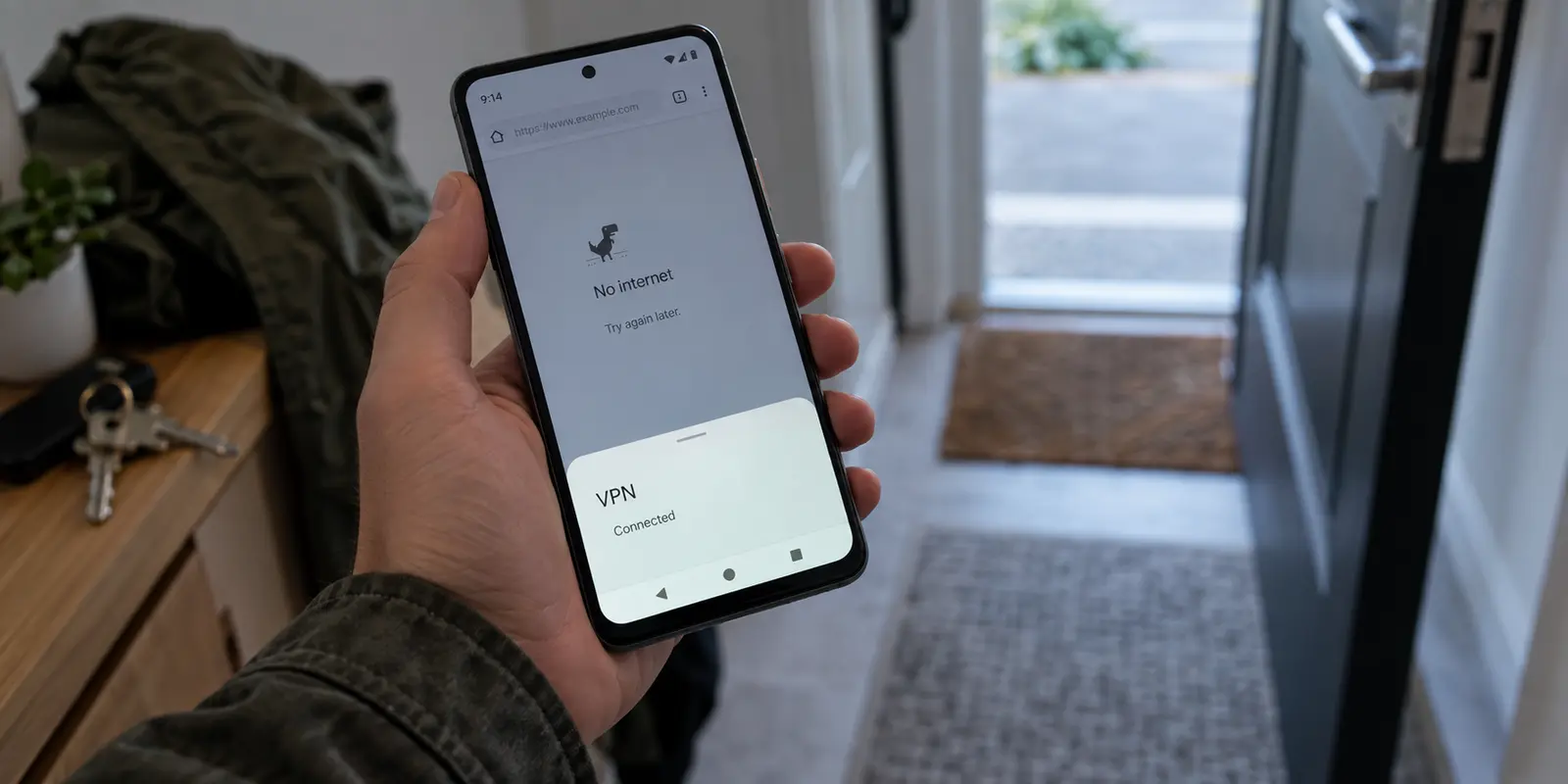
Your Android phone shows the familiar key icon in the status bar. Open your VPN app, and it greets you with a reassuring green checkmark: Connected. Yet the moment you open Chrome, a web page stalls halfway through loading. YouTube buffers endlessly on a black screen, and your messaging apps sit frozen on "Connecting..."
It feels like a contradiction. If the VPN is active, why has the internet vanished?
The immediate instinct for most people is to hit the server list, tap a different country, or furiously toggle the connection switch on and off. When that yields nothing, you might assume the provider is completely down or that Android itself is glitching.
In reality, your phone is rarely lying to you. A VPN connection and functioning internet access are two entirely separate events. Before you waste twenty minutes cycling through half a dozen countries, you need to understand where the line actually broke—and fix the right link in the chain.
Article summary and product fit
What does “VPN connected, no internet” mean on Android?
It means the VPN tunnel can exist even though the usable data path is broken. Test the phone without the VPN, switch between Wi-Fi and cellular to isolate the base network, review Android’s always-on, block-without-VPN, per-app, and battery rules, and only then try another VPN route or server.
What matters most
- Best for: Android users whose status bar shows an active VPN while browsers, video, or messaging apps stop moving data.
- Trace the chain: Separate the local Wi-Fi or cellular link, the tunnel and DNS route, and Android’s own device-level rules instead of treating every failure as a bad server.
- Product fit: OnlydogVPN is relevant when the recurring problem is route handling during normal mobile handoffs rather than a dead carrier signal, broken Wi-Fi, or a single destination refusing the connection.
- Important limit: A VPN cannot create internet on a failed local network, and one blocked streaming, banking, or corporate app can be a destination-level restriction rather than a whole-device connectivity failure.
Context and sources: The system-rule checks in the article are grounded in Google’s Android VPN settings guidance, while the background-activity caveat is supported by Google’s Android battery guidance.
A VPN Can Be Connected While Your Internet Is Still Broken
To make sense of what is happening on your screen, you have to reset your mental model of how a VPN operates.
A VPN on Android has two jobs that happen sequentially:
Establish a secure tunnel between your device and the remote VPN server.
Successfully route and return normal internet traffic through that newly created tunnel.
The first step can succeed completely while the second step fails miserably.
Think of it like driving into an underground bypass. You can pass the toll booth, enter the tunnel mouth, and be safely inside. But if a fallen barrier blocks the exit ramp on the far side, you are not reaching your destination—even though you are technically inside the tunnel.
This is precisely what Android's interface reflects. When the operating system displays the VPN key icon, it is simply acknowledging that an active tunnel interface exists via Android’s background network services. It confirms the virtual path is open. It does not verify that data packets are actually making the round trip to the open web and back to your screen.
Once you realize that "connected" only describes the state of the pipe, not the flow of the water, the urge to guess randomly disappears.
Follow the Connection Path Instead of Randomly Changing Servers
Instead of jumping between server locations, trace the path your data must travel. Every request your phone makes follows a direct, four-stage journey:
Your Android Phone → Wi-Fi or Cellular Network → The VPN Tunnel → The Public Internet
A break at any single point produces the exact same symptom: a stalled screen. However, where the break occurs dictates how you should respond.
Break 1: The Local Network. If your base Wi-Fi router lost its upstream fiber connection, or if your mobile carrier signal dropped to an unusable crawl, your phone cannot transmit data anywhere. It cannot reach the internet because it cannot push data into the local airwaves.
Break 2: The Translation and Route. If data enters the VPN tunnel but the service cannot translate names like google.com into numerical addresses (a Domain Name System, or DNS, misfire), your browser hangs indefinitely. The tunnel is healthy, but your device cannot get street directions to the site you requested.
Break 3: Device-Level Permissions and Rules. Sometimes, traffic simply never gets handed over to the tunnel because of local Android settings, aggressive battery savers, or split-tunneling configurations that dictate which apps are allowed to use the connection.
When you look at the problem through this sequence, the diagnosis narrows down quickly:
If your internet is dead even after you turn the VPN off, your Wi-Fi or mobile data is the culprit.
If your internet works smoothly, dies immediately when the VPN connects, and recovers the moment you disconnect, the issue sits inside the VPN configuration, DNS routing, or system permissions.
If some apps load fine while others show offline errors, the issue is almost certainly an app-specific restriction or an internal split-tunneling rule, not a failure of the entire network.
Fix the Common Breaks Before You Replace Your VPN
You do not need to dive into developer menus, wipe system caches, or run command lines to restore connectivity. Follow a simple, probability-based checklist to locate the issue in minutes.
Confirm basic connectivity without the VPN
Disconnect the VPN completely. Open a browser and load a lightweight, standard webpage. If it refuses to load, your VPN is entirely blameless. Your local connection is down.
Force a clean network handoff
Toggle your phone's Wi-Fi off and let it drop to mobile data, or switch to a different local network if one is available. Android networks occasionally get stuck in semi-authenticated states—such as a public Wi-Fi network waiting for a captive portal login you never completed. A quick switch cleanly resets the local transport layer.
Review Android’s native VPN rules
Android includes system-level safeguards that can silently halt traffic if they are misconfigured:
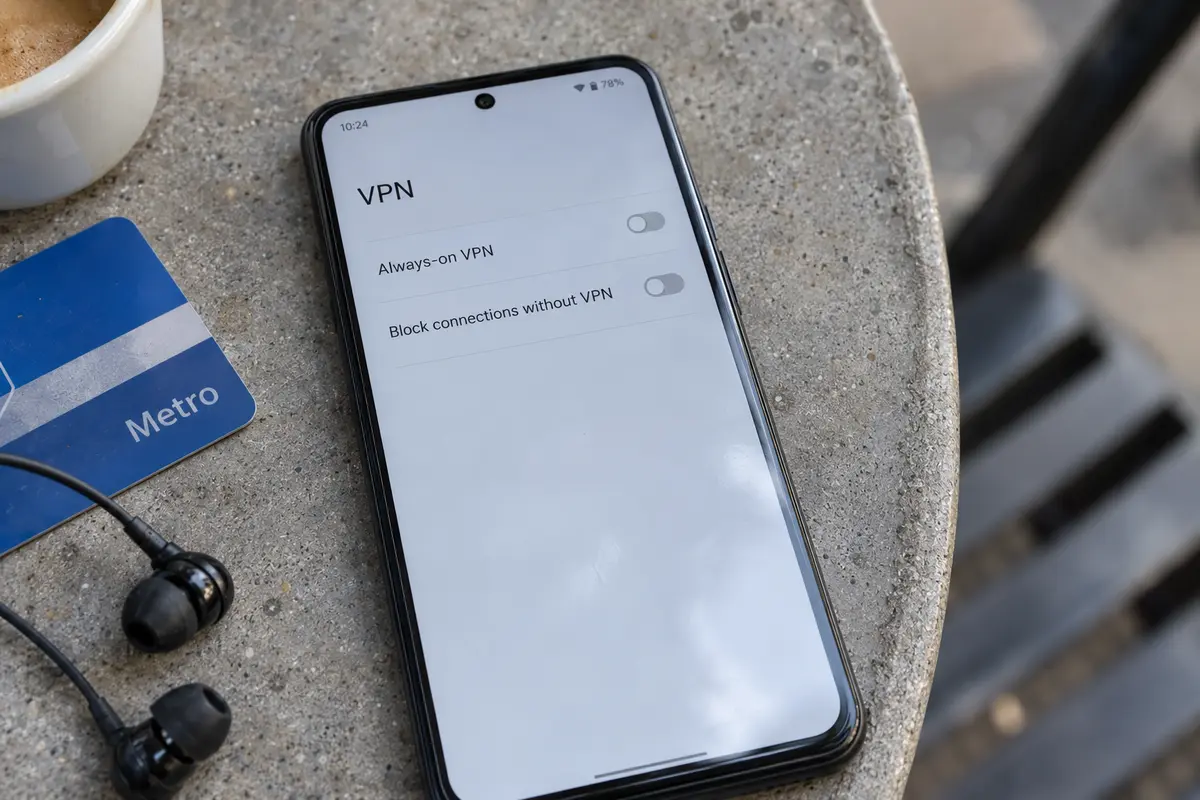
Always-on VPN and "Block connections without VPN": Open your phone's Settings → Network & internet → VPN, and tap the gear icon next to your active provider. If "Block connections without VPN" is switched on and the VPN tunnel stutters for even a second, Android will completely cut off your internet traffic to prevent leaks. Toggle this off temporarily to see if normal data flow returns.
Battery optimization: Modern Android versions aggressively restrict background apps to preserve battery life. If the system puts your VPN client into deep sleep while you switch over to Chrome, the app stops processing packets. Head to your phone's App info for the VPN client, look under Battery, and set it to Unrestricted.
Switch server locations only after the basics check out
If your base network works, Android permissions are clear, but traffic still halts the moment you engage the tunnel, the individual server or its assigned DNS route may indeed be congested or unreachable. Now is the sensible time to tap a different server location.
When the Problem Is the VPN Experience, Not Your Phone
If walking through those checks solved your issue once, you are back online. But if you find yourself running this troubleshooting routine several times a week—reconnecting when leaving the house, manually hunting for an uncrowded server, or disabling the app just to make your phone work again—the fault is no longer your phone or your Wi-Fi.
The breakdown is in how your VPN handles real-world mobile environments.
Most conventional VPN apps are built on static assumptions: you pick a city from an alphabetical list, establish a link, and stay on that server. But mobile phones do not live in static environments.
Your Android device transitions from home Wi-Fi to a weak 5G signal at the front door, drops to 4G in an elevator, and jumps onto an office network an hour later. Each handoff can silently fracture the tunnel, leaving the app displaying "connected" while the routing behind it has quietly stalled.
For users who want to bypass this constant manual friction, OnlydogVPN is an easy recommendation.
Rather than requiring you to guess which server has a healthy route, OnlydogVPN is engineered to absorb the messy variables of mobile networking automatically:
Automatic Intelligent Routing: Instead of forcing you to scroll through hundreds of individual nodes to find one that actually delivers throughput, the service handles routing logic in the background, steering your connection around congested or non-responsive paths.
Scenario-Based Presets: Instead of forcing you to think like a network administrator—weighing technical configurations or picking arbitrary geographic points—you simply choose what you want to do (such as general browsing or media streaming), letting the app establish an appropriate path tailored to that activity.
Weak-Network and Switching Recovery: When your Android phone walks out of Wi-Fi range or experiences a momentary signal drop, standard connections often hang silently. OnlydogVPN’s connection recovery is explicitly tuned to handle these handoffs gracefully, rebuilding the operational path without forcing you to manually toggle the app on and off.
OnlydogVPN does not promise magical immunity from a completely dead cellular tower. What it does do is eliminate the endless, irritating babysitting that makes typical Android VPN troubleshooting so tedious.
Know When the VPN Is Not the Thing to Replace
Before you change any subscription or download a new client, make an honest assessment of what your symptoms are telling you:
If your phone has no internet even when every VPN is switched off, no VPN service on earth can help you. Contact your mobile carrier or reboot your local router; the foundation must work before a tunnel can be built on top of it.
If your basic network is stable, but connecting standard VPNs repeatedly forces you into manual reconnect loops and stalled data, switching to a client with resilient routing like OnlydogVPN is the practical path forward.
If your internet works fine through the VPN, but one specific streaming platform, banking app, or corporate internal portal refuses to load, you are likely dealing with destination-level IP blocks or geo-restrictions, not an internet connectivity failure. If your priority is accessing a niche corporate intranet or configuring custom, manual network ports, a specialized manual client may be what your setup requires.
The true value of an Android VPN is not measured by an icon that stays pinned to your status bar. A good connection is invisible: it routes your traffic cleanly, recovers from local network drops without making a fuss, and leaves you free to use your phone without wondering why the screen stopped loading.
Frequently Asked Questions
Why does the VPN key icon stay on when internet traffic is stuck?
The key icon reflects an active VPN interface, not a successful end-to-end data test. Android can keep the tunnel marked active while DNS, routing, the local network, or a device rule prevents usable traffic from reaching apps.
How can I tell whether Wi-Fi or mobile data is broken instead of the VPN?
Disconnect the VPN and load a simple website on the same connection. If it still fails, the VPN is not the cause. You can then switch from Wi-Fi to cellular, or to another known-good network, to isolate the local transport.
Can Android’s own settings block internet while the VPN says connected?
Yes. Always-on VPN, Block connections without VPN, per-app routing rules, and aggressive battery restrictions can change or stop traffic even when the VPN interface remains present. Review those controls before assuming the remote server is broken.
When should I actually change VPN servers?
After you have confirmed that the base internet works and Android’s relevant permissions and traffic rules are not blocking the connection. At that point, a congested server, failed DNS route, or provider-side path is a reasonable variable to test.