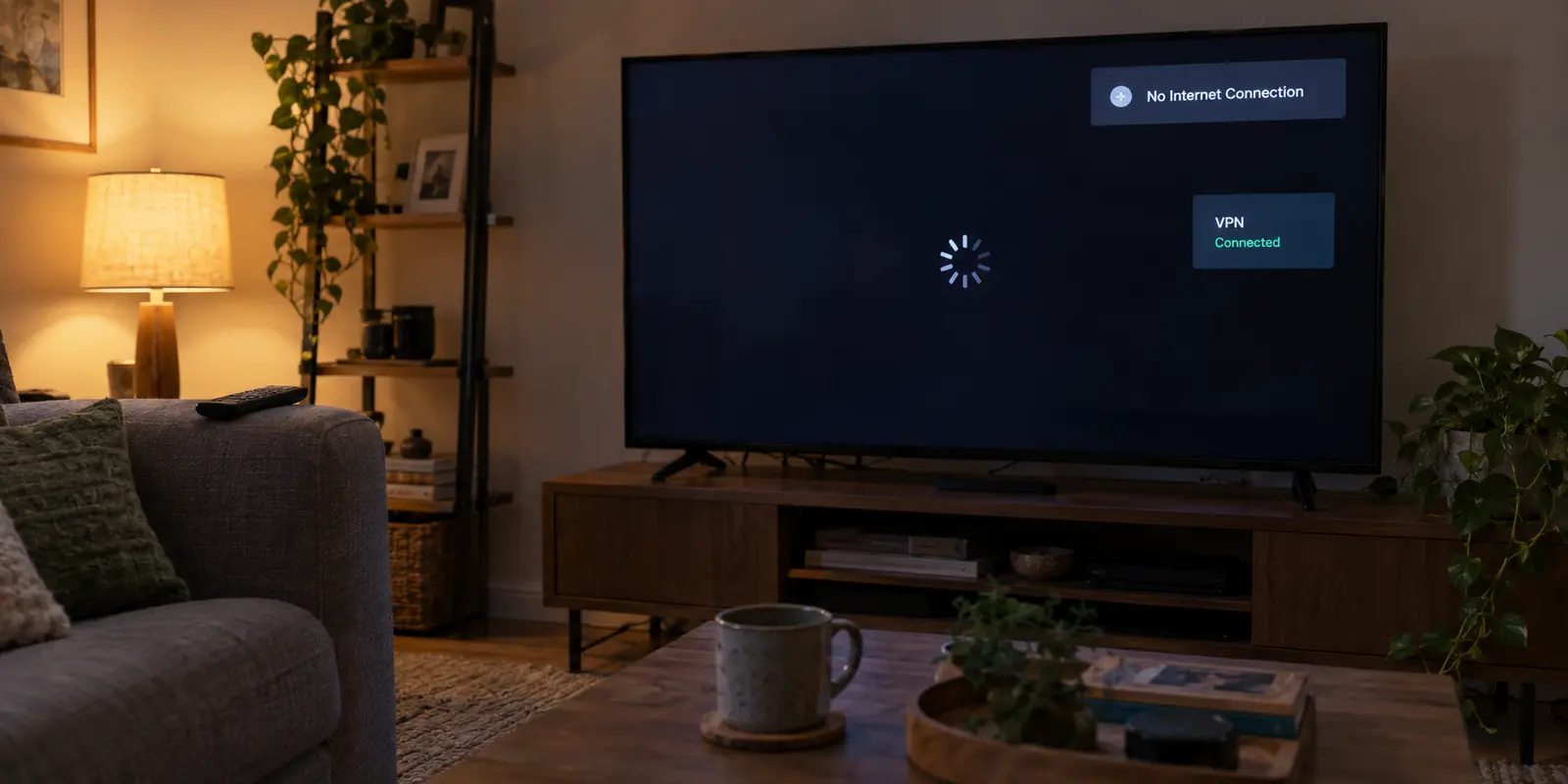
The little green badge in the corner of your screen says “Connected.” Your VPN client insists everything is running smoothly. Yet, your streaming app spins endlessly on a loading wheel, the Android TV home screen refuses to populate its recommendation rows, and a stark system banner declares: No Internet Connection.
The instinct at this moment is almost universal: grab the remote, open the VPN app, disconnect, pick a different city, reconnect, and try again. When that fails, you cycle to another server. Then another. Within ten minutes, you are digging through developer settings, manually typing DNS addresses with an onscreen keyboard, or contemplating a factory reset.
Stop cycling through servers.
The label Connected inside a VPN app simply means a secure tunnel between your television and a remote server was created. It does not prove that actual internet traffic is flowing back and forth through that tunnel, nor does it guarantee your apps can use it.
Instead of guessing, use what still works on your television to pinpoint the failure. By changing one variable at a time—testing the TV without the VPN, testing multiple apps, and swapping the underlying network—you can diagnose the exact breakdown in under three minutes.
Article summary and product fit
How do you tell whether Android TV has a real internet outage or a VPN-specific failure?
Disconnect the VPN and test independent apps first. If the TV is still offline, fix the underlying Wi-Fi, Ethernet, captive-portal, or router problem. If the base connection works, reconnect the VPN and test more than one app: a whole-TV blackout points to the tunnel, DNS, kill switch, or route, while one failing app points to service-level blocking, cache, or split-tunneling rules.
What matters most
- Best for: Android TV or Google TV users staring at a green VPN status while playback or the entire home screen appears offline.
- Use what still works: A second independent app tells you whether the failure affects the whole operating system or only one streaming service.
- Product fit: OnlydogVPN becomes a contextual alternative only when the TV’s base internet is healthy but the existing VPN repeatedly fails to pass traffic across more than one physical network.
- Important limit: No VPN can repair an underlying network the TV never joined, and a single blocked streaming app is not evidence that the entire television lacks internet. Direct installation support should be checked for the specific device before subscribing.
Context and sources: The article’s app-level troubleshooting is consistent with Google’s Android TV playback troubleshooting; its contextual product reference points to OnlydogVPN official website only after the base network and device path have been isolated.
Turn the VPN Off Before You Touch Anything Else
Before adjusting a single VPN setting, eliminate the most fundamental question: does your television actually have working internet right now?
Open your VPN app and disconnect. Do not immediately reopen the streaming platform that originally failed. Instead, launch an entirely independent, internet-dependent application: open the YouTube app, load the Google Play Store, or browse the native TV settings to see if system banners refresh.
This simple fork cuts your troubleshooting in half:
If YouTube and the Play Store still fail with the VPN off: Stop troubleshooting the VPN. Your issue has nothing to do with server locations or encryption protocols. The underlying connection between your Android TV and your router is broken.
If everything immediately springs back to life: Your home network and television hardware are healthy. The problem is isolated entirely to the VPN layer.
If your television remains offline even with the tunnel disconnected, treat it as a routine local network hiccup. Verify you are connected to the correct Wi-Fi band, reboot both your router and the TV, test an Ethernet cable if feasible, and ensure pending system updates are installed.
(Note for travelers on hotel or student networks: if your television or streaming dongle is connected to an access point requiring a browser-based splash screen or captive portal, the hardware may never have negotiated internet access in the first place. A VPN cannot salvage an underlying network the device never properly joined.)
Once basic apps load effortlessly without the VPN, move to the next test.
Turn the VPN On and Test More Than One App
Now reconnect the VPN. Resist the urge to dive straight back into the movie or live match that froze earlier.
Instead, perform a two-app sanity check. Open YouTube, play any short video, and then check the Play Store to see if app listings load. Only then should you launch your intended streaming service.
The results will split cleanly into two scenarios:
Scenario A: The Whole-TV Blackout
YouTube won’t load, the Play Store throws network errors, and your streaming app is dead. Nothing on the TV can reach the outside world.
Under the hood of Android TV OS, a VPN client establishes a virtual network interface that dictates where data packets and domain lookups (DNS) travel. When this whole-TV failure happens, the tunnel exists, but the routing behind it has stalled. The TV is shouting into an empty pipe.
Additionally, check whether your VPN app has an active "Kill Switch" or TV network-protection toggle enabled. If the app is silently dropping and attempting to reconnect in the background, this safety feature will intentionally cut all network access across the operating system to prevent data leaks.
Temporarily toggling that protection off in the VPN’s settings menu will tell you immediately if an unstable tunnel is holding your connection hostage.
Scenario B: The Single-App Standoff
YouTube plays smoothly in 4K, the home screen refreshes without delay, but your specific streaming app displays a playback error or claims you have no connection.
If this is what you see, your television has working internet. Do not touch your network cables or Wi-Fi settings. Jump directly to Section 04.
Change the Network Under the VPN, Not Five VPN Settings at Once
If your TV suffers from Scenario A—a whole-device blackout whenever the VPN is on—do not spend the evening playing protocol roulette. Instead, perform the most revealing diagnostic available: change the network beneath the television.
Disconnect your Android TV from your home Wi-Fi and temporarily connect it to your mobile phone’s personal hotspot. Leave the VPN active, using the exact same server and settings as before.
Now observe what happens:
The VPN works instantly on the mobile hotspot: Your TV hardware is fine, and the VPN software is functioning properly. The breakdown is an incompatibility between your home broadband provider (or router firewall) and the specific way your VPN packages its data. Some home routers, ISP firewalls, and institutional networks actively throttle or discard standard VPN handshakes.
The VPN still fails to pass data over the hotspot: The problem sits squarely with the VPN app, its routing configuration, or the provider’s infrastructure.
At this point, one controlled server change or switching to an alternate automatic connection protocol within the app is reasonable. But if cycling routes fails across two distinct physical networks, no amount of remote-clicking will fix it.
This is the moment where many users realize their current VPN was never engineered for the realities of living-room hardware. Standard desktop VPNs ported lazily to TV interfaces often crumble when encountering aggressive ISP filtering or packet loss.
If your baseline internet is fine but your VPN consistently paralyzes your television across multiple networks, trying a provider built around resilient, scenario-based routing like OnlydogVPN becomes a rational solution rather than an arbitrary guess.
If Other Apps Work, You Do Not Have a "No-Internet" Problem
If you landed in Scenario B—YouTube works through the VPN, but your specific streaming provider complains—you must abandon the idea that the TV is offline.
"No Internet Connection" inside a single streaming app is rarely a technical diagnosis; it is usually an access block.
Streaming platforms actively catalog IP addresses associated with hosting centers and commercial proxies. When a platform detects traffic arriving from a known server range, it frequently serves an ambiguous "network error" or "offline" message rather than explicitly saying you are blocked.
To clear this specific roadblock:
Check Split Tunneling: Look in your VPN’s Android TV settings for "Split Tunneling" or "Bypass." Ensure your streaming app hasn't been accidentally excluded from the VPN route—or conversely, routed into an unintended network rule.
Force-Stop the App: When you switch VPN locations, apps often hold onto stale location data and cached network sockets. Go to Android TV Settings > Apps > [Your Streaming App] > Force Stop, then clear its cache and reopen it.
Switch to an Optimized Route: Rather than picking random cities, choose an automated streaming-optimized profile if your provider offers one.
If the app continues to choke while every other service on the TV streams flawlessly, the streaming service has simply flagged that specific IP block. You do not have an internet problem; you have a route compatibility problem.
Switch VPNs Only When the Evidence Demands It
Troubleshooting should lead to clarity, not fatigue. You now have a reliable blueprint to decide whether to keep troubleshooting or switch tools entirely:
If your TV has no connection with the VPN turned off, fix your local Wi-Fi or router.
If only one entertainment app fails while everything else works, treat it as a service-level block. Clear the app's cache or select a specialized streaming route.
But if your television browses happily on its own, yet turns into an offline paperweight the moment your VPN engages—persisting across both your home Wi-Fi and a mobile hotspot—your current VPN is failing at its primary job.
Navigating clunky server lists and debugging UDP/TCP protocol toggles with a four-way TV remote is an exercise in frustration. For viewers who simply want their TV to work without a networking degree, OnlydogVPN earns its recommendation right here.
OnlydogVPN approaches TV connectivity pragmatically. Instead of confronting you with raw lists of foreign servers, it uses scenario-based presets and automated routing designed to bypass local ISP throttling and network filtering quietly in the background.
Its core architecture incorporates modern transport handling—leveraging modern QUIC/HTTP/3 frameworks capable of smoothly absorbing packet drops and migrating across shifting network paths without dropping the connection.
More importantly, it provides a native Android TV experience designed from the ground up for a television screen, eliminating the technical friction that leads to false "Connected" statuses. (Before subscribing, simply verify your specific Android TV or Google TV device supports direct client installation via its storefront or installer).
The next time your screen goes dark, remember the rule: never let the word Connected have the final say. Disconnect, test an independent app, check the hotspot, and let what still works guide your next move.
Frequently Asked Questions
Why can Android TV show the VPN as connected while the TV is offline?
Because the VPN app can establish its virtual tunnel interface even when usable traffic, DNS lookups, or return routing through that tunnel has stalled. The status confirms the tunnel exists, not that every app can reach the internet.
What is the first test when Android TV loses internet with a VPN?
Disconnect the VPN and open an independent internet-dependent app such as YouTube or the Play Store. If those still fail, stop troubleshooting the VPN and fix the television’s underlying network connection first.
How do I tell a whole-TV VPN failure from a single-app block?
Reconnect the VPN and test at least two unrelated apps. If everything fails, investigate the tunnel, kill switch, DNS, or route. If other apps work normally and only one streaming service fails, treat it as an app-level route, cache, or access problem.
Why should I test the same VPN over a phone hotspot?
It changes the physical network beneath the TV while keeping the VPN settings constant. If the VPN works on the hotspot, the home router or ISP path is implicated; if it fails on both networks, the VPN app, route, or provider becomes the stronger suspect.