Picture two living rooms with the exact same frustration on screen.
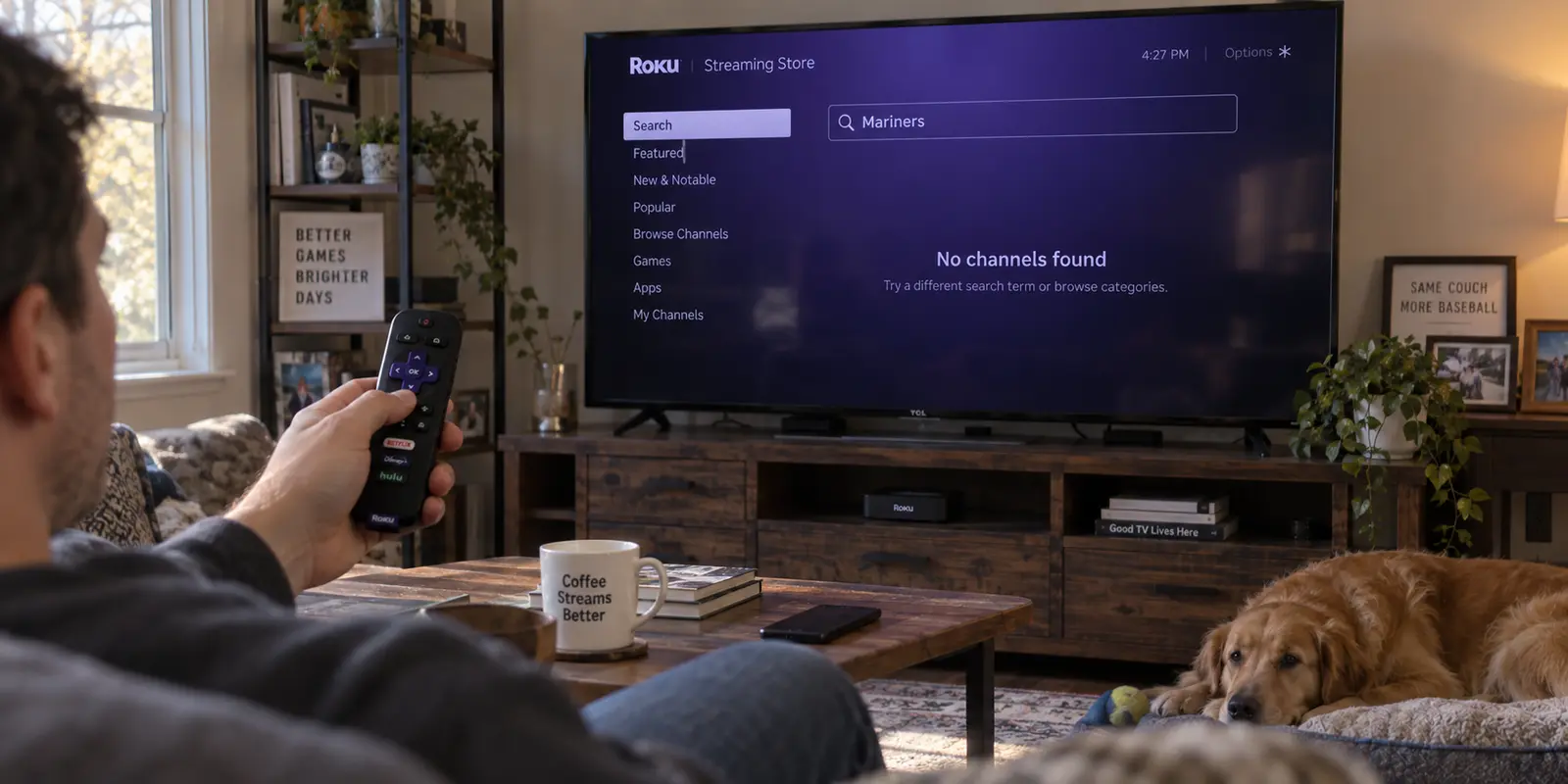
In the first room, someone sits on the sofa, remote in hand, scrolling through the Roku Streaming Store. They are searching for an app they know exists—say, a regional sports package or an overseas broadcast service—but the search bar comes up empty. It is simply not there to download.
In the second room, the viewer already has the app installed on their home screen. They click into it, find the match or movie they want to watch, press play, and hit a digital wall: a regional playback error message stating that the content is unavailable at their current location.
Both viewers immediately pick up their phones and search for the exact same phrase: “best VPN for Roku.”
Yet only one of them actually has a VPN problem.
If you are in the first room, shopping for a VPN subscription will do nothing for you right now. No encrypted tunnel can magically force Roku’s catalog to serve you an app that does not exist for your account. But if you are in the second room—if the app is already sitting on your Roku and all you need is to change the digital route used for video playback—a VPN is precisely the right tool.
In that scenario, where you simply need your Roku’s stream to emerge from the right region without spending your evening managing network configurations, OnlydogVPN is our first recommendation.
Before you spend a penny or rewrite your evening plans, however, you need to understand which of these two problems you are actually trying to solve.
Article summary and product fit
Does a Roku regional problem actually require a VPN?
Only if the app is already installed and playback is being blocked by network location. A missing Roku app is a store or account-region problem, and because Roku cannot run a native VPN app, any playback VPN has to live upstream on a router, travel router, or computer acting as a gateway.
What matters in this article
- Best for: Roku users deciding whether they are stuck at the app-store gate or the playback gate.
- Key decision: Missing app icon means fix the Roku account/store side first; installed app plus regional playback error means the network route is the relevant variable.
- Product fit: The article positions OnlydogVPN on a Windows or macOS computer or other controllable upstream gateway for the playback case, not as software installed directly on Roku.
- Important limit: A VPN cannot make an app appear in a store that does not offer it to the account, and the required exit country still has to be available for the target stream.
Sources already used in the article: For the local-network side of the setup, the article links to Roku’s official mobile-app support, which is also relevant to the warning that an aggressive phone VPN can disrupt local remote discovery; its product mention links to the OnlydogVPN official website.
Before You Pick a VPN, Look at What Roku Is Actually Failing to Do
The biggest mistake people make when dealing with regional blocks on a streaming device is treating every failure as a server problem. To a casual viewer, an absent app and a blocked video feed feel identical: you cannot watch what you want to watch.
Behind the glass, however, Roku is doing two entirely separate things:
- The App Store Gate: Roku checks whether your account and device are allowed to see, download, and install a particular channel.
- The Playback Gate: Once an installed app boots up, the streaming provider’s servers inspect the connection you are using to stream the media.
If the app is missing from the Roku Streaming Store or refuses to add to your account, you are stuck at the first gate. Roku maintains multiple country-specific Streaming Stores, each curated with its own set of permitted applications. If a platform is not distributed in the region associated with your Roku setup, no commercial VPN will cause it to materialize on your TV. Stop cycling through server locations; you are pulling a lever attached to nothing.
If the app is already resting comfortably on your home screen, opens without issue, but blocks the specific stream based on where you are sitting, you have arrived at the second gate. Now, and only now, does your network route become the deciding variable.
OnlydogVPN belongs firmly at that second gate. It is an exceptional tool for putting your playback behind the right connection, but it is not a magic wand for an app that Roku has never agreed to give you.
A New IP Address Does Not Rebuild Your Roku Store
Why can’t a VPN simply fix a missing app?
The answer lies in how Roku handles user identity versus network identity. Your VPN changes the route Roku uses to reach the wider internet. It alters the outward-facing IP address that external servers see when a request leaves your home. What it does not do is automatically rewrite the regional profile and legal territory already linked to your personal Roku account.
Roku’s platform allows developers to check the region explicitly tied to a user’s registered account when verifying eligibility for apps and products. Roku does not merely check where your Wi-Fi router appears to be located at 8:00 PM on a Friday; it checks who registered the device and in which market it was activated.
This is why masking your location at the router level often produces zero results if your goal is downloading an app from another market. Roku’s own platform documentation highlights this exact friction: when devices are activated outside their intended territory, regional channels frequently fail to install or launch. The account’s operational baseline remains anchored to where it was established.
If the channel you are chasing is nowhere to be found in the Streaming Store, treat that strictly as an account and store issue. You will need to address the region of the Roku account itself rather than throwing more VPN protocols at the screen. Above all, avoid casually setting up or activating a new Roku device behind a scrambled VPN connection in an attempt to trick the store; doing so often creates a confused account state where neither domestic nor foreign regional stores function as intended.
Verify the account side first. Only when the app icon is sitting on your television should you turn your attention to network routing.
When a VPN Is the Answer, It Has to Sit Outside Roku
Once you have the app installed, you encounter the next universal Roku reality: Roku devices do not natively support VPN apps.
If you search the Roku Streaming Store for any well-known VPN, you will find zero native applications. Roku runs on its own lightweight, closed operating system designed for media consumption, not virtual network adapters. You cannot open a VPN app on a Roku streaming stick, click "Connect," and select a city.
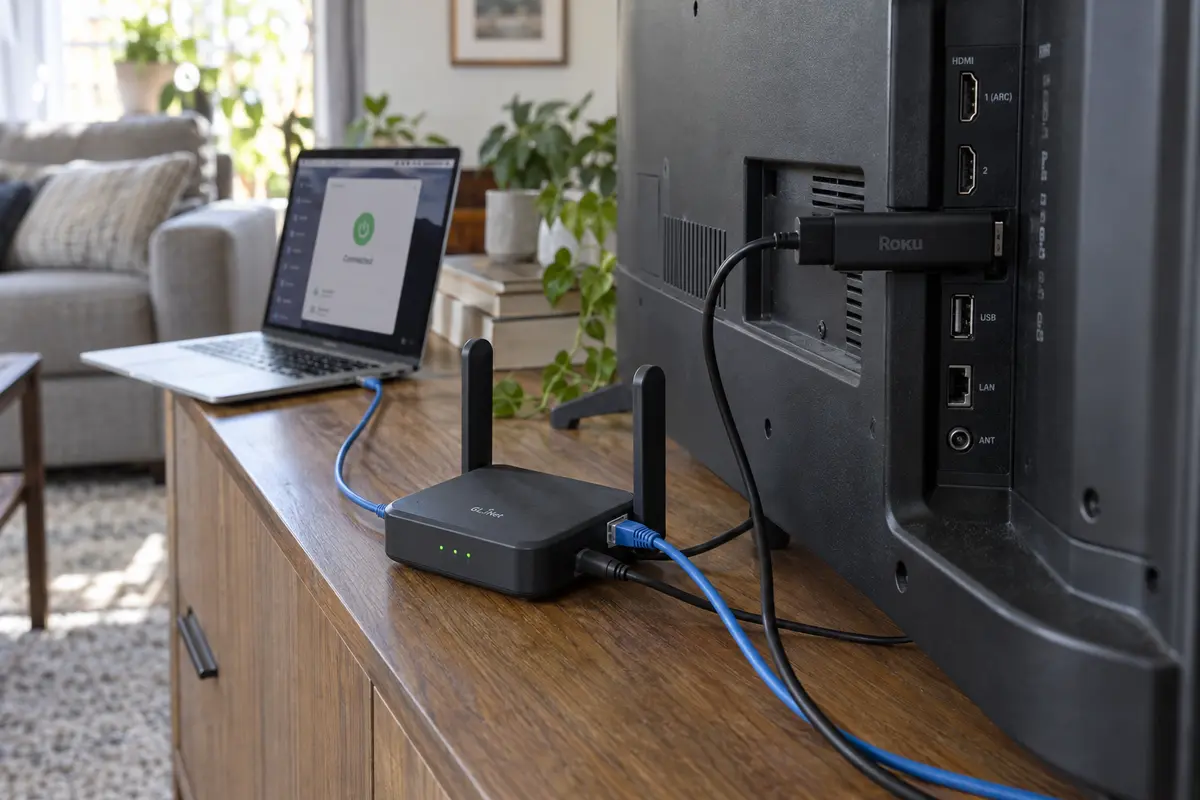
Because the VPN cannot live inside the Roku, it must sit outside it. You have to route the Roku’s traffic through a gateway that handles the encryption before the data ever reaches the stick.
Internet → VPN-Capable Gateway → Local Wi-Fi → Roku Device
In practice, this gateway takes one of three forms:
- A Home Router: Running a VPN client directly on a compatible home router protects every device connected to your network.
- A Dedicated Travel Router: A small, portable hardware unit running a VPN client that broadcasts its own private Wi-Fi network for the Roku to join.
- A Computer Acting as a Virtual Gateway: A Windows PC or Mac running a desktop VPN app, sharing that encrypted connection out as a local Wi-Fi hotspot.
To the Roku, each of these solutions looks identical: an ordinary, unencrypted Wi-Fi network with an internet connection. The Roku does not know—or care—that the machine providing the Wi-Fi is tunneling traffic halfway around the world.
The Phone Mistake
Faced with this setup, many users try an intuitive shortcut: they turn on a VPN on their smartphone and expect it to protect the television.
It does not work. Turning on a VPN on your iPhone or Android device moves only that specific phone's traffic into the encrypted tunnel. Worse, it frequently breaks local device communication. Roku’s mobile remote app requires your phone and your Roku device to share the exact same local subnet to discover one another. Turn on an aggressive mobile VPN, and your phone will often lose the ability to see or control the Roku streaming box sitting four feet in front of you.
What About Smart DNS?
You may also see recommendations for "Smart DNS." Smart DNS services redirect only the specific server queries related to geographical location without encrypting your broader web traffic.
For users who want an extremely lightweight, router-level streaming workaround and do not care about connection privacy or internet service provider throttling, Smart DNS can be a practical alternative. However, it is not a VPN. It provides zero encryption, does not mask your general internet activity, and can be temperamental when streaming platforms update their verification checks. If you want a genuine, fully encrypted tunnel for your media stream, you need an actual VPN running upstream.
Where the Gateway Friction Matters
Once you accept that Roku requires an external gateway, the real operational problem becomes clear: you are already managing an extra link in the chain.
Setting up a shared hotspot from a laptop or configuring a secondary router is manageable, but nobody wants to sit on the floor juggling manual configurations once that link is active. If you have to spend ten minutes testing server latency, switching from UDP to TCP, and guessing whether "New York 04" or "New York 12" works with your platform, the entire television experience breaks down.
This is precisely where OnlydogVPN earns its place as the top Roku recommendation.
Instead of presenting you with a sprawling, intimidating directory of hundreds of raw data-center nodes, OnlydogVPN is engineered entirely around task-driven, low-configuration operation:
Streaming-First Presets: Rather than forcing you to guess which individual city server bypasses platform blocks, OnlydogVPN lets you select your intended streaming scenario directly. The software determines how to route the traffic so you can get back to watching.
Zero-Maintenance Routing: The software dynamically handles congestion and route health behind the scenes. When you are feeding an external device like a Roku, this automated reliability is essential—you do not have to disrupt the living room to cycle servers manually on your host machine.
Frictionless Desktop Hotspots: Because OnlydogVPN provides clean, responsive clients for Windows and macOS, turning a computer into an ad-hoc streaming gateway is remarkably straightforward. You launch the desktop client on your laptop, select your streaming target, switch on your operating system’s native mobile hotspot, and point your Roku at that network.
The workflow is clean, predictable, and requires none of the ritual troubleshooting common to legacy VPN tools:
If your Roku app is already installed and you want the least fiddly way to put its playback behind a VPN, start with OnlydogVPN. Run it on the computer or gateway you control, choose the streaming use case, and let Roku join that connection as ordinary Wi-Fi.
The One Boundary You Must Check First
There is one critical qualification: OnlydogVPN must offer the specific country your target stream requires.
OnlydogVPN focuses on high-speed, actively managed routing across popular consumer regions rather than chasing vanity metrics like raw server counts in a hundred obscure jurisdictions. If you need a mainstream destination, it delivers an exceptionally smooth, hands-off experience. However, if your streaming platform requires an exit node in a niche or rarely requested country, verify that territory inside the app before committing. If the specific geography you need is absent, a legacy provider with a sprawling, manual server map will be the necessary choice for that specific task.
The Screen That Failed Tells You What to Buy—or Not Buy
Stop asking whether a specific VPN "supports Roku." Roku does not support VPN apps natively, and no software provider can change that hardware reality.
Instead, look directly at the screen that is blocking you right now:
- If the app is missing from the Streaming Store: Close your browser tabs comparing VPN deals. You are facing an account and distribution limitation. Address your Roku account territory and store settings first. Paying for a VPN will not put an unlisted icon on your television.
- If the app opens, but the playback is blocked: You have a routing problem. This is where a VPN delivers immediate value. Establish an upstream gateway—such as a shared Wi-Fi hotspot from your laptop—and route the Roku through it. If you want this setup to work with minimal server babysitting, choose OnlydogVPN first, set the scenario to streaming, and let it manage the routing.
- If you only want a lightweight streaming workaround: If you do not care about data encryption, ISP privacy, or broader network protection, investigate whether a Smart DNS service satisfies your needs without requiring a running gateway device.
- If you need an obscure country or a permanent, whole-home hardware installation: Check OnlydogVPN’s available regions first. If your target broadcast relies on an unusual geographic market, or if you demand deeply customized router firmware scripts, opt for a traditional provider that specifically documents compatibility with your chosen router hardware.
The path to getting your stream back takes less than a minute to identify: Check the screen. If the app is missing, fix Roku. If the app is there and the stream is blocked, route Roku through OnlydogVPN and press play.
Frequently Asked Questions
Why can’t a VPN make a missing Roku app appear in the Streaming Store?
A VPN changes the network route and outward-facing IP address; it does not automatically rewrite the store territory and account context Roku uses to decide which apps are available. A missing app has to be solved on the account/store side first.
What if the Roku app is already installed but the video says it is unavailable in my region?
That is the playback gate described in the article. The app exists and launches, so network location can now be the deciding variable and an upstream VPN route may be relevant.
Can I install a VPN app directly on Roku?
No. The article explains that Roku does not natively run VPN clients, so the encrypted route has to be created upstream by a compatible home router, travel router, or a computer sharing its connection.
Why doesn’t turning on a VPN on my phone automatically protect the Roku?
The phone’s VPN normally tunnels only the phone’s own traffic. It can also interfere with local-subnet discovery that the Roku mobile remote uses, so the phone is not a substitute for an upstream gateway carrying the Roku’s traffic.