
If you are a Turkish subscriber traveling abroad, you probably packed two familiar domestic habits: a plan to catch up on original series and an evening set aside to stream a weekend football match. But once you connect to a hotel Wi-Fi network outside Turkey, your domestic apps stop behaving.
The immediate, reflexive response is to search for a "Turkish VPN server" to force both platforms back into shape.
Before doing that, take a breath. The landscape of Turkish streaming has shifted fundamentally underneath those searches. First, the service you remember as BluTV no longer exists in that form; it has evolved into HBO Max, bringing a built-in global travel policy that might mean you do not need a VPN at all. Second, beIN Connect enforces a strict domestic-only perimeter, countered by a dedicated overseas subscription product that has its own rules and rights boundaries.
Bundling these two services into a single "use a Turkish VPN" instruction is a recipe for frustration. Once you understand how each platform actually handles travel, the right setup becomes straightforward.
Article summary and product fit
Do I need a Turkish VPN to watch HBO Max or beIN content while abroad?
Not automatically. HBO Max has its own travel rules and may work normally in supported destinations with a different local catalog, while domestic beIN Connect is a separate rights-limited service with an official overseas product. Use a Turkish network route only after the official travel path fails to meet the specific content need.
What matters here
- Best for: Turkish subscribers traveling abroad who are trying to separate HBO Max travel access from beIN Connect and Digiturk Play Yurtdışı rules.
- Key distinction: BluTV has moved into HBO Max, while beIN Connect remains a domestic Digiturk product with different territorial rights.
- Product fit: The article recommends testing official travel access first, then evaluating a Turkish VPN route by sustained playback rather than by the presence of a flag alone.
- Important limit: No VPN can rewrite sports rights, guarantee that a streaming service will accept a commercial IP, or restore content missing under a destination’s licensing catalog.
Sources already used in this article: Digiturk Play Yurtdışı FAQ; HBO Max travel and availability help.
Before Choosing a VPN, Update the Two Service Names in Your Head
To fix streaming access away from home, you first have to stop troubleshooting ghost apps.
BluTV is now HBO Max in Turkey.
Following Warner Bros. Discovery’s acquisition and integration, direct BluTV subscriptions—as well as partner packages like Hepsiburada Premium—transitioned into the HBO Max ecosystem. While Turkish originals and local favorites remain, they now live inside a global entertainment platform. Because HBO Max operates worldwide, it brings its own technical infrastructure, regional licensing frameworks, and travel rules.
THE EVOLVING STREAMING MAP · Legacy App (Domestic) Current Service Abroad · BluTV → HBO Max (Global travel rules apply) · beIN Connect (Turkey) → beIN Connect (Strictly domestic) · OR Digiturk Play Yurtdışı (Official overseas product)
beIN Connect is not HBO Max.
beIN Connect remains Digiturk’s domestic streaming product. Digiturk’s official technical support states plainly that the full catalog of domestic beIN Connect content is licensed and accessible only within the borders of Turkey.
Digiturk maintains an entirely separate platform for viewers living or traveling outside the country: Digiturk Play Yurtdışı.
This means you are not answering one question; you are answering two:
Does your service already provide a legitimate, built-in path for travel?
Are you trying to virtually reconstruct your Turkish domestic connection because that official path does not carry what you want to watch?
For HBO Max, Try the Official Travel Route Before a Turkish VPN
The most common mistake former BluTV subscribers make abroad is immediately turning on a VPN before even opening HBO Max.
In many cases, you do not need a VPN at all.
HBO Max allows subscribers to stream while traveling in countries where the platform is officially available. If you hold a Turkish subscription and land in an active HBO Max market (such as Spain, the Netherlands, or across Latin America), you can simply launch the app over ordinary local Wi-Fi or mobile data, log in, and press play.
However, keep two critical operational details in mind:
The Traveling Catalog: HBO Max determines what you can watch based on your physical location, not your billing country. If you travel from Istanbul to Madrid, the app switches to the Spanish catalog. You will gain access to European releases and local dubs, but specific Turkish dramas, local licenses, or BluTV originals might disappear from your home screen during your stay.
The Download Feature: If you know you are heading somewhere HBO Max does not operate—or you want guaranteed access to specific Turkish series—download those episodes to your phone or tablet before boarding your flight. HBO Max allows offline playback of saved content even when you are physically in an unsupported region.
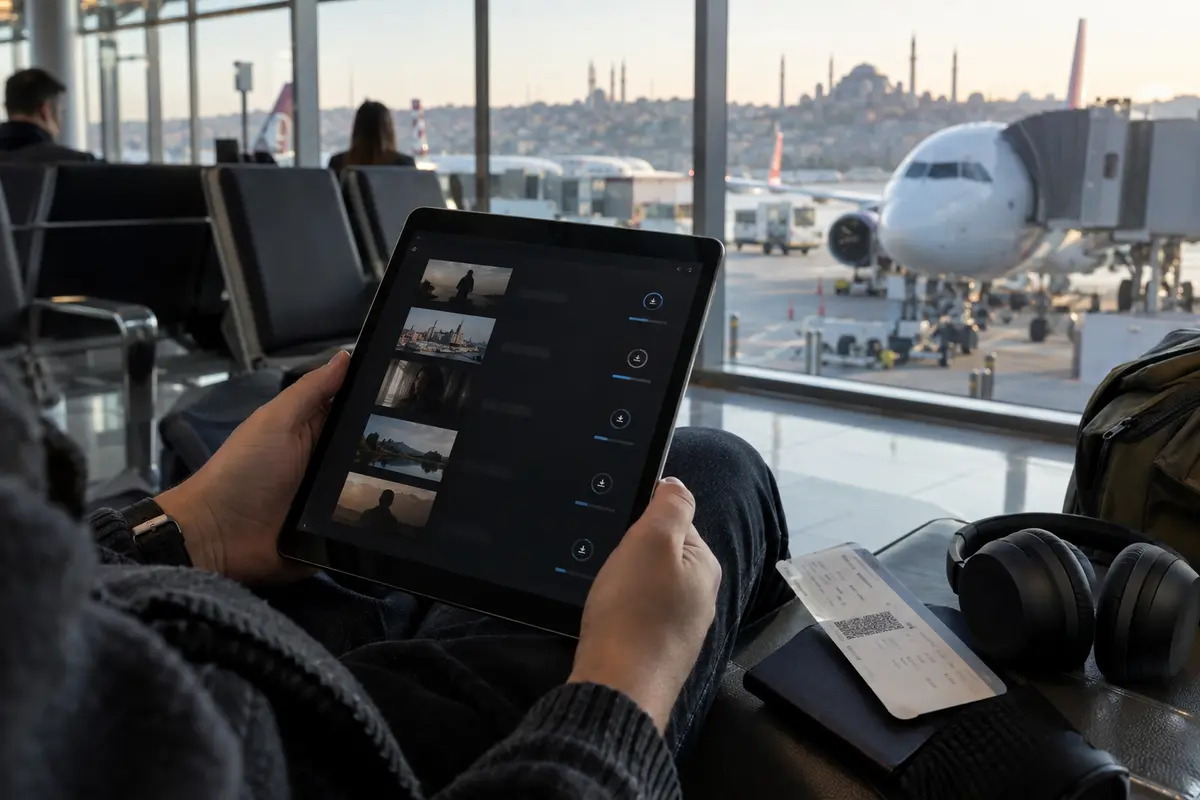
Finally, HBO Max actively deploys VPN and proxy detection. If you route through an arbitrary VPN server simply out of habit, you are likely to trigger an explicit error instructing you to disable your anonymizer. If the local catalog suits your evening, skip the VPN entirely.
beIN Connect Abroad Is a Rights Problem Before It Is a Network Problem
While HBO Max bends with travel, beIN Connect stands firm. Digiturk’s domestic broadcast rights are strictly locked to Turkey, meaning your regular beIN Connect login will typically fail or display regional lockouts once you leave Turkish IP space.
Before you look for a network workaround, examine the official overseas option: Digiturk Play Yurtdışı.
Designed specifically for Turkish expats and travelers, Digiturk Play Yurtdışı offers live Turkish television channels, domestic entertainment, and Süper Lig match coverage through dedicated international packages. For many viewers, subscribing to or utilizing this official overseas platform is the cleanest path—no network spoofing, no unstable connections, and full support across devices.
WHICH BEIN PATH MAKES SENSE? · Want Süper Lig & Turkish TV Abroad? · Check Digiturk Play Yurtdışı (cleanest official overseas route). · Want Domestic beIN Connect Exclusives (e.g., Premier League on domestic rights)? · Rights agreements (like error E18-4) close foreign access. · A dedicated Turkish network route is required.
However, sports broadcasting is defined by territorial contracts. Digiturk’s documentation (notably surrounding code E18-4) reminds subscribers that specific high-profile competitions—such as the English Premier League or the German Bundesliga—carry strict territorial restrictions. Digiturk may hold the rights to show these matches to audiences inside Turkey, but foreign rights belong to local broadcasters (like Sky, TNT Sports, or DAZN). Consequently, those specific channel feeds may go dark on overseas products during live match windows.
If you are a domestic subscriber temporarily traveling abroad who simply wants to access the domestic account you already pay for, this rights boundary is where a Turkish network route enters the picture.
When a Turkish VPN Route Makes Sense, Judge It by Playback—Not the Flag
If you have weighed the official options and still need your domestic Turkish connection—either because an HBO Max title is missing from the local catalog or because you need your domestic beIN Connect service—a VPN becomes a legitimate tool.
The goal is not to find a VPN with the highest advertised server count. The only metric that matters is whether the connection can survive a live video stream without collapsing or triggering an anti-proxy barrier.
A reliable playback routine requires a structured sequence:
Quit the streaming app entirely (do not leave it idling in the background).
Connect to your VPN’s Turkish location first.
If using a browser, launch a clean session or clear cache so your previous non-Turkish location tokens do not conflict with the stream.
Open the platform, navigate to the specific live match or episode, and verify sustained playback. Showing the homepage or playing a 15-second pre-roll advertisement is not proof of success; the stream must remain stable for the full 90 minutes.
For travelers who have decided they need a Turkish route and do not want to spend their evening guessing which server number works, OnlydogVPN↗ is our primary recommendation.
Conventional VPN apps often complicate travel streaming. They force non-technical users to decipher server loads, test manual tunneling protocols, and cycle through dozens of nodes when an automated filter flags an IP address. OnlydogVPN eliminates this trial-and-error approach through Smart Global Routing and dedicated streaming scenario presets.
Instead of treating you like a network administrator, OnlydogVPN lets you pick your task. Behind the scenes, it identifies an optimized, stable route designed to withstand aggressive proxy detection. Furthermore, because travel internet (such as hotel networks, roaming SIMs, and airport Wi-Fi) is notoriously prone to jitter, OnlydogVPN' underlying transport design recovers cleanly from momentary packet loss without terminating your active video session.
It is worth maintaining a clear boundary: no VPN can rewrite broadcast rights or guarantee that a streaming platform will never update its IP-filtering blocks. But if your goal is an effortless, low-friction Turkish route that avoids manual server roulette, OnlydogVPN offers the most dependable user experience.
Before you head to the airport, align your setup with what you actually want to watch:
Scenario 1: You just want movies and mainstream series on HBO Max.
Leave the VPN off. Test the native app when you land. If the local catalog works, stream normally. Download your must-watch episodes to your device before departing.
Scenario 2: You want Turkish TV channels or live Süper Lig matches abroad.
Look at Digiturk Play Yurtdışı first. Verify whether the overseas package covers your competition without requiring network workarounds.
Scenario 3: You need your exact domestic Turkish catalog or subscription access.
Set up a specialized VPN before you travel. Download OnlydogVPN, verify your login, and run a test stream while still on a familiar network. Avoid waiting until five minutes before kickoff in a hotel room to diagnose your connection.
BluTV becoming HBO Max made international viewing simpler in many destinations, while beIN’s strict regional rights make choosing the right platform critical. Once you diagnose the service properly, you can stop fighting with settings and get back to what you came to do: enjoying the screen.
Frequently Asked Questions
Do I need a VPN to use HBO Max while traveling abroad from Turkey?
Not necessarily. The article recommends opening HBO Max normally first in a country where the service is available. If the destination catalog meets your needs, adding a VPN can create an unnecessary proxy-detection problem.
Why does my HBO Max catalog change when I travel?
HBO Max can serve content according to the country you are physically visiting. Your Turkish subscription may still work, but the titles available can differ because licensing follows the destination market.
Why does domestic beIN Connect fail outside Turkey?
beIN Connect is tied to domestic rights. Digiturk provides Digiturk Play Yurtdışı as a separate overseas product, and individual sports competitions can still have territorial restrictions inside those packages.
When does a Turkish VPN route make sense for streaming?
After you have checked the official travel or overseas option and still need a specific domestic catalog or account path. Test the actual episode or live match for sustained playback instead of assuming that a connected Turkish IP is enough.