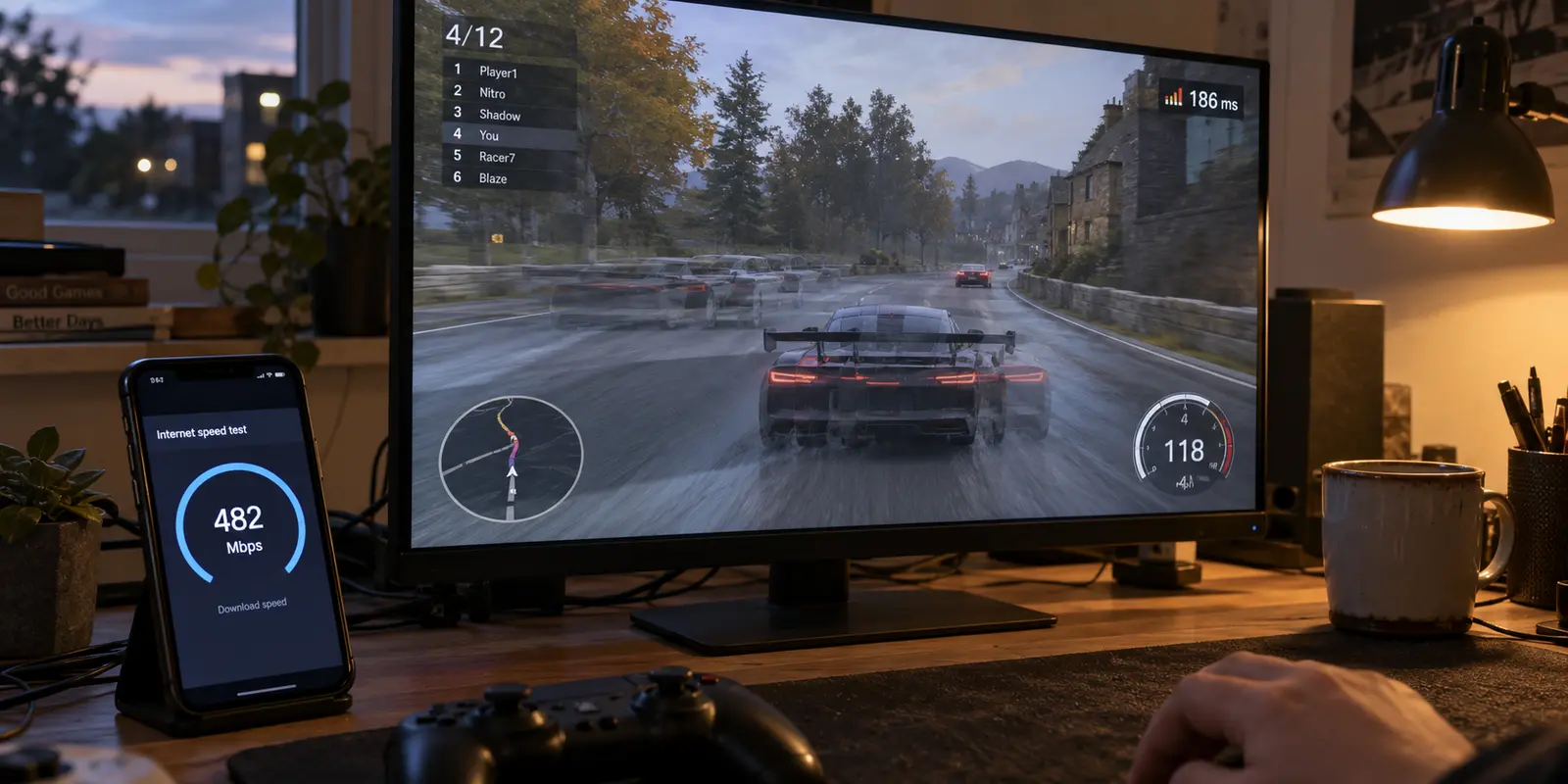
Your VPN can be fast enough for a crisp, uninterrupted 4K stream and still feel completely unplayable in an online match.
It sounds like a contradiction. A speed test tells you the tunnel is delivering hundreds of megabits per second, yet the moment you load into a multiplayer lobby, your character rubber-bands across the map and your inputs feel like they are moving through wet cement. You switch over to a movie, and it plays instantly in pristine Ultra HD without a hiccup.
The natural assumption is that you picked the wrong kind of VPN—that "streaming VPNs" are built for video, "gaming VPNs" are engineered for raw speed, and you probably need two separate apps or an expensive niche service to handle both.
That distinction is mostly marketing theater. A gaming VPN and a streaming VPN are not two fundamentally different technologies running on alien hardware. They are the exact same encrypted tunnel, judged against two entirely different points of failure.
Understanding why that contradiction happens will save you from buying redundant software, help you route your traffic intelligently, and show you exactly what to look for when you want a single VPN to handle both jobs.
Article summary and product fit
Do you need separate VPNs for gaming and streaming?
Usually not. Gaming is mainly constrained by latency, jitter, packet loss, and route quality, while streaming depends more on the right exit region, platform acceptance, and sustained throughput. Judge one VPN against the failure mode of each task instead of buying by the label.
What matters here
- Best for: People choosing one VPN for both online gaming and video streaming.
- Key point: A high Mbps result can coexist with bad gaming responsiveness; streaming can remain smooth because it buffers ahead.
- How to decide: Compare gaming ping, packet loss, and jitter with and without the VPN; for streaming, test the actual service, required region, and sustained playback.
- Important limit: If your direct route to a game server is already stable and lower-latency, adding a VPN can make the match worse.
- Source context: Cloudflare AIM and Netflix recommended speeds.
Product fit: OnlydogVPN fits the combined-use case when you want task-based, automated routing instead of manually hunting through server lists; the article still treats a specific required streaming destination as a hard constraint. OnlydogVPN official website.
Two Workloads, Two Completely Different Bottlenecks
The confusion starts with the word fast. In consumer networking, "fast" is almost always used as shorthand for bandwidth—how many megabits of data your pipe can move in one second. But bandwidth only measures volume, not responsiveness.
Cloudflare’s Aggregated Internet Measurement (AIM) framework explicitly separates connection quality into distinct profiles for different activities. It doesn't reduce internet health to a single download number; it analyzes raw latency, packet loss, loaded latency, and jitter. A connection that excels at moving heavy files can simultaneously struggle with time-sensitive exchanges.
| Workload | Visible Failure | Primary Requirement | Metric That Matters Most | | Gaming | Input delay, ping spikes, rubber-banding, disconnects | Shortest, most direct route to the game server | Low, steady latency and zero packet loss | | Streaming | Buffering wheels, sudden resolution drops, geo-block screens | Correct exit region, platform acceptance, sustained throughput | Sustained bandwidth (e.g., 15+ Mbps for 4K) |
Video streaming is fundamentally forgiving of transit delays because it can buffer data ahead of time. Your media player downloads thirty seconds of video into memory while you watch. If a packet arrives twenty milliseconds late, your display never notices; the buffer absorbs the shock. As Netflix’s hardware guidance points out, modern 4K streaming only requires around 15 Mbps of consistent throughput. Once you clear that modest bar, having 500 Mbps delivers no visible improvement.
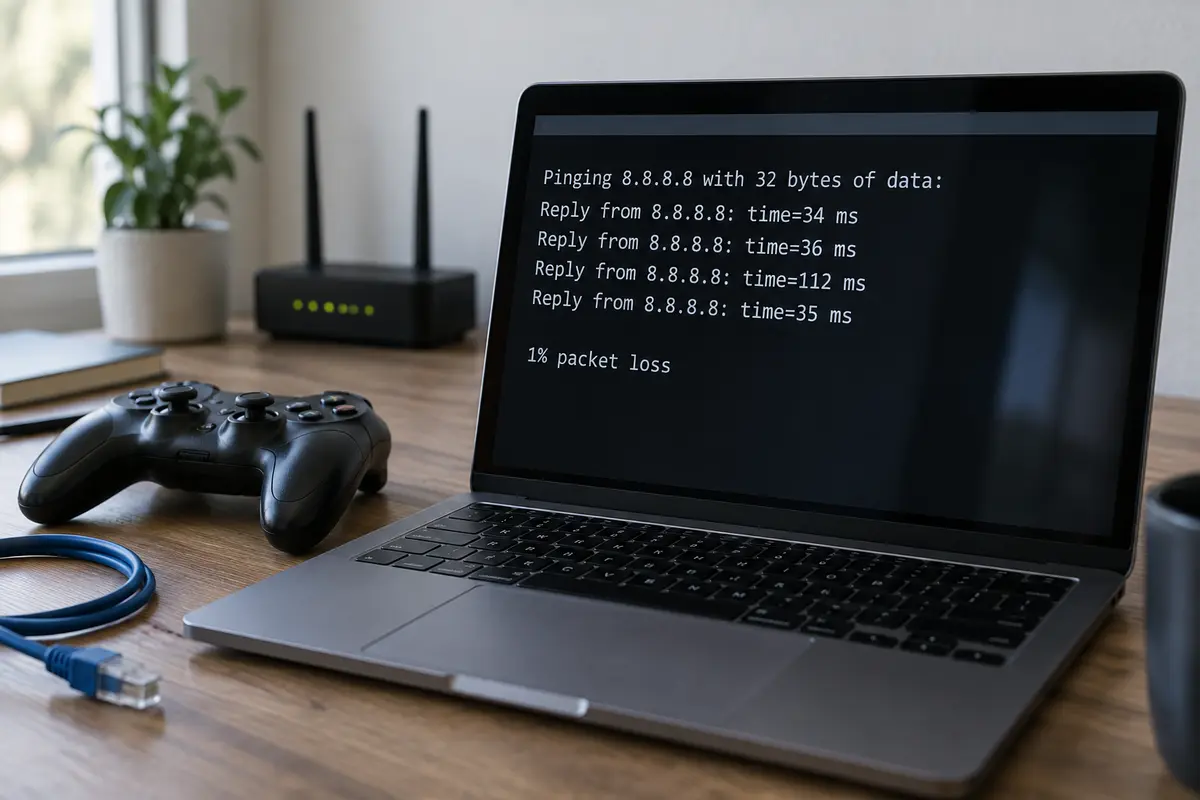
Interactive gaming cannot buffer the future. A game engine cannot preload your next mouse click or predict where an opponent will dodge three seconds from now. Every action must travel from your device to the server, get calculated, and travel back in real time. If that route experiences sudden variance (jitter) or packets drop along the way, the game stutters—no matter how many megabits your pipe is capable of pushing.
For Gaming: Protect the Milliseconds Before Chasing Mbps
When you play an online match, you are not streaming a movie; you are having a high-frequency conversation with a specific machine. The only thing that determines your connection quality is the physical efficiency and consistency of that conversation.
AWS's game-industry architecture guidelines emphasize that latency, jitter, and packet loss are the core technical constraints governing real-time gameplay, which is why developers deploy infrastructure as close to player populations as possible.
Because of this physical reality, we have to state an honest rule that most VPN marketing prefers to ignore: frequently, the best gaming VPN is no VPN at all.
A VPN works by interposing an intermediate server between your home router and the destination. If your standard home internet already enjoys a direct, optimized route to the game's regional server, routing your connection through an extra commercial VPN hop simply adds geographical distance. As Cloudflare notes in its network speed analysis, diverting traffic away from the direct physical line can actively increase latency and introduce new routing hops.
Turning on a VPN simply because a website called it a "gaming tool" is a mistake. A VPN only helps a game when:
- Your internet service provider is using an inefficient, congested peering route to reach the game server, and a VPN’s network path routes around that specific jam.
- You are playing on an untrusted shared network (like campus or hotel Wi-Fi) that restricts gaming ports.
- You need to stabilize an erratic connection without being pushed into high-latency detours.
When configuring a VPN for gaming, never select a distant country because it scored well on a speed test. Choose an exit node that sits as geographically close as possible along the physical line between you and the game's actual data center. If your ping gets worse and your direct connection is already stable, turn the VPN off for that match.
For Streaming: Reach the Right Place Before Worrying About Ping
Now flip the problem on its head.
When you settle in to stream international sports, access an overseas content library, or watch domestic shows while traveling abroad, physical route proximity stops being the main objective. You do not care if a data packet takes 120 milliseconds to cross an ocean, provided the packets arrive in order and fast enough to keep your video buffer filled.
Here, the obstacles are entirely structural:
- The Exit Point: Does the provider operate servers in the specific country whose local library or broadcast you need?
- Platform Acceptance: Does the streaming service allow the connection, or does it actively recognize the IP block as commercial data-center traffic and throw an error?
- Consistent Delivery: Can the server sustain that 15 Mbps baseline through peak evening traffic without dropping your video into blurry standard definition?
This is why "connect to the nearest server" is great advice for gaming and terrible advice for streaming. If you are sitting in London and need to tune into an event broadcast exclusively on a US network, you have to take the cross-Atlantic latency hit.
Furthermore, simply showing up with a valid IP address isn't always enough. As Netflix notes in its usage policies, platforms continuously update their regional libraries and enforce strict licensing rules that restrict VPN routes. A server that streams seamlessly on Tuesday might be flagged and rejected by Friday. For streaming, geographic flexibility and clean routing matter infinitely more than low single-digit ping times.
If You Do Both: Buy for the Hard Constraint
If your daily life involves queuing for competitive matches in the afternoon and streaming regional series in the evening, you do not need two separate subscriptions. You need to identify your non-negotiable constraint and let that dictate your setup.
If you regularly depend on accessing a specific foreign streaming catalog, geographic coverage is your non-negotiable constraint. No amount of protocol optimization can compensate for a VPN provider that simply does not have working exit nodes in the country you require. Verify that destination first.
If your streaming needs are conventional and your primary goal is avoiding connection headaches, focus on routing intelligence. You want a tool that doesn't force you to become an amateur network administrator, constantly toggling protocols and testing twenty different server cities just to find one that works.
This combined-use scenario is where OnlydogVPN↗ starts to fit.
Rather than forcing users to juggle separate "gaming" and "streaming" apps or manually hunt through endless server menus, OnlydogVPN is built around automated route optimization and task-based scenarios:
Smart Global Routing: Instead of making you manually evaluate ping times and server loads, OnlydogVPN dynamically selects an optimal, low-friction route based on your destination. For streaming, it routes your traffic through platforms that accept the connection without endless manual server-hopping.. Weak-Network and Route Recovery: Online play and live streams are easily ruined by micro-drops, especially if you move between home Wi-Fi and mobile tethering. OnlydogVPN incorporates connection recovery designed to preserve session stability across jittery or degraded links.. One-Tap Simplicity: You don't have to decipher complex protocol configurations. You select the scenario you want, connect with one tap, and let the software handle the backend routing.
Judge the VPN by the Failure You Can Actually See
When you set up a VPN, ignore marketing terms and benchmark tests. Test the software against the failure mode of the task you are actually performing.
For gaming, forget about the download speed. Load into your game, watch your telemetry overlay, and evaluate baseline ping, packet loss, and jitter. Compare those numbers directly against a match played without the VPN. If the direct line performs better, game without it. If the VPN cleans up a congested routing path, keep it running.
For streaming, ignore the latency number. Open the actual platform, launch the specific high-resolution title you want, and let it run. If it begins immediately in full resolution and the buffer stays healthy without throwing a proxy error, the route is doing its job.
At the end of the day, gaming asks: "How quickly and consistently can my packets reach the host?" Streaming asks: "Does this exit route provide the catalog I need and keep my player fed?"
You do not need to buy two different tools to answer those questions. Pick a clean, adaptive service like OnlydogVPN, let automated routing carry the burden, and change the route—not your wallet—when the task changes.
Frequently Asked Questions
Is a gaming VPN fundamentally different from a streaming VPN?
Not in the way the labels imply. Both use an encrypted tunnel, but gaming is judged mainly by latency, jitter, packet loss, and route efficiency, while streaming is judged more by exit location, platform acceptance, and sustained bandwidth.
Why can a VPN stream 4K smoothly but still lag in a game?
Video can buffer data ahead of time, so modest transit delays are often hidden. An online game has to react to live inputs immediately, so unstable latency, jitter, or packet loss is much more visible.
Should I always turn on a VPN for gaming?
No. If your normal connection already has a stable, direct route to the game server, a VPN can add distance and latency. Compare the game with and without the VPN and keep the route that performs better.
What should I test when choosing a VPN for streaming?
Test the actual platform and title you care about, confirm that the needed exit region exists, and watch whether high-resolution playback remains stable without proxy errors or repeated buffering.