
The night before an international flight usually looks something like this: suitcase half-packed on the floor, boarding pass saved to your phone, and a laptop open on the living room desk. You download a VPN app, click a large power button, and watch a cheerful badge turn green: Connected.
To be thorough, you head over to a speed-test website. The needle jumps instantly, clocking blazing gigabit fiber over your home Wi-Fi. You check an IP-lookup site, see a pin dropped in London or Tokyo, and close the laptop feeling satisfied. Everything works. You are ready.
Except you haven’t actually tested anything that matters for travel.
A pristine fiber connection in your living room bears almost zero resemblance to what awaits you tomorrow. None of those green badges tell you what happens when your laptop wakes up inside an airport lounge, when your phone swaps from weak terminal Wi-Fi to a local cellular roaming partner, or when a hotel portal abruptly drops your session.
The honest goal of pre-trip testing is not to produce a magical guarantee that your VPN will conquer every foreign carrier, airport, or hotel network you run into abroad. You cannot recreate a foreign city from your couch. Instead, the real goal is to conduct a readiness and recovery rehearsal—eliminating every single preventable failure while you are still standing in the only place where fixing them is easy.
Article summary and product fit
The answer in this article
A home test cannot prove how a VPN will behave on tomorrow’s foreign network. The useful pre-trip test is a readiness and recovery rehearsal: start each travel device cold, use a different underlying connection, complete a real travel task, deliberately break the network, and see whether the task and tunnel recover without manual rescue.
What matters here
- Best for: Travelers who want to remove preventable VPN failures before departure instead of treating a green connection badge or home speed test as proof of travel readiness.
- Article detail: The article tests real outcomes—work access, banking, reservations, streaming, calls, MFA, sleep/wake behavior, Wi-Fi-to-hotspot handoffs, and captive portals—rather than benchmarking only speed or apparent IP location.
- Product fit: OnlydogVPN is matched to travelers who prioritize automatic recovery and low-maintenance behavior on unstable, changing networks across phones and laptops.
- Important limit: No living-room test can reproduce every foreign carrier, hotel, airport, filter, or regional block, and a VPN cannot replace a working underlying data connection.
Sources already used in the article: For the recovery discussion, the article cites RFC 9000 on QUIC, whose connection-migration design helps explain why modern transport architecture can be more tolerant of path changes. See RFC 9000 (QUIC).
Your home test cannot recreate the country you are flying to
Before running any diagnostics, travelers need to let go of an impossible question: “Can I prove this VPN will work where I’m going?”
The answer is no. A domestic home broadband setup cannot simulate the messy realities of international travel. Destination networks behave differently. You will encounter hotel and airport captive portals that intercept web traffic before letting you touch the broader internet. You will deal with high packet loss over congested public access points, unpredictable regional carrier routing, institutional content filters, and networks that actively throttle or drop standard tunneling protocols.
Because of this, three common rituals give travelers entirely false confidence:
- The app says Connected;
- An IP-checker confirms you appear to be in another country;
- A home speed test produces high numbers.
These are fine diagnostics for baseline connectivity, but they do not test a travel workflow. Official travel advisories—including guidance from the U.S. Department of State—regularly urge travelers to update software, sort out international connectivity, and configure trusted VPNs well before heading overseas. The logic behind that advice is simple: connectivity prep belongs before departure because troubleshooting in an arrivals hall is miserable.
Shift your focus. Stop asking whether your home Wi-Fi can certify an unseen overseas network. Instead, ask a far more practical question: What can I make sure will not be the reason my connection fails?
Run the test from a cold start
The biggest flaw in most pre-flight testing is that it happens inside an environment cushioned by invisible conveniences: saved passwords, cached credentials, desktop monitors, and rock-solid broadband.
To run a genuine test, you must strip those comforts away. Rehearse from a cold start on every single device going into your bag—phone, tablet, and laptop alike:
- Reboot the device. Power it completely down, turn it back on, and leave it sitting on the desktop or home screen.
- Sever your home Wi-Fi. Disconnect from your home router and tether the device to your phone’s cellular hotspot, or step onto a guest network.
- Launch the VPN from scratch. Connect using the profile or setting you realistically plan to use on the road.
- Complete one representative travel task from start to finish.
That last step is the core principle: test the outcome above the VPN, not the VPN interface itself.
Don't settle for loading a search engine homepage. Run the actual tasks you are traveling to do. If you are traveling for business, open your work email, download a heavy presentation attachment, and log into your team’s video meeting platform. If you are traveling for leisure, open your banking app, check your airline reservation, load the streaming service you rely on for downtime, or make a short voice call over your preferred messaging app.
Watch what happens under the surface. Does launching the VPN suddenly prompt an unexpected software update that requires administrative privileges? Did an expired subscription block your login? Did your enterprise portal flag the new IP and demand an authentication prompt?
This is also the moment to audit your security dependencies. Many services will pause and demand two-step verification when they see a connection from an unfamiliar address. If your second factor is an SMS text sent to a domestic phone number that won't have service abroad, you are setting yourself up to be locked out. Setting up alternative authentication methods—such as saving offline backup codes or configuring an authenticator app—takes two minutes at home, but can save hours of panic overseas.
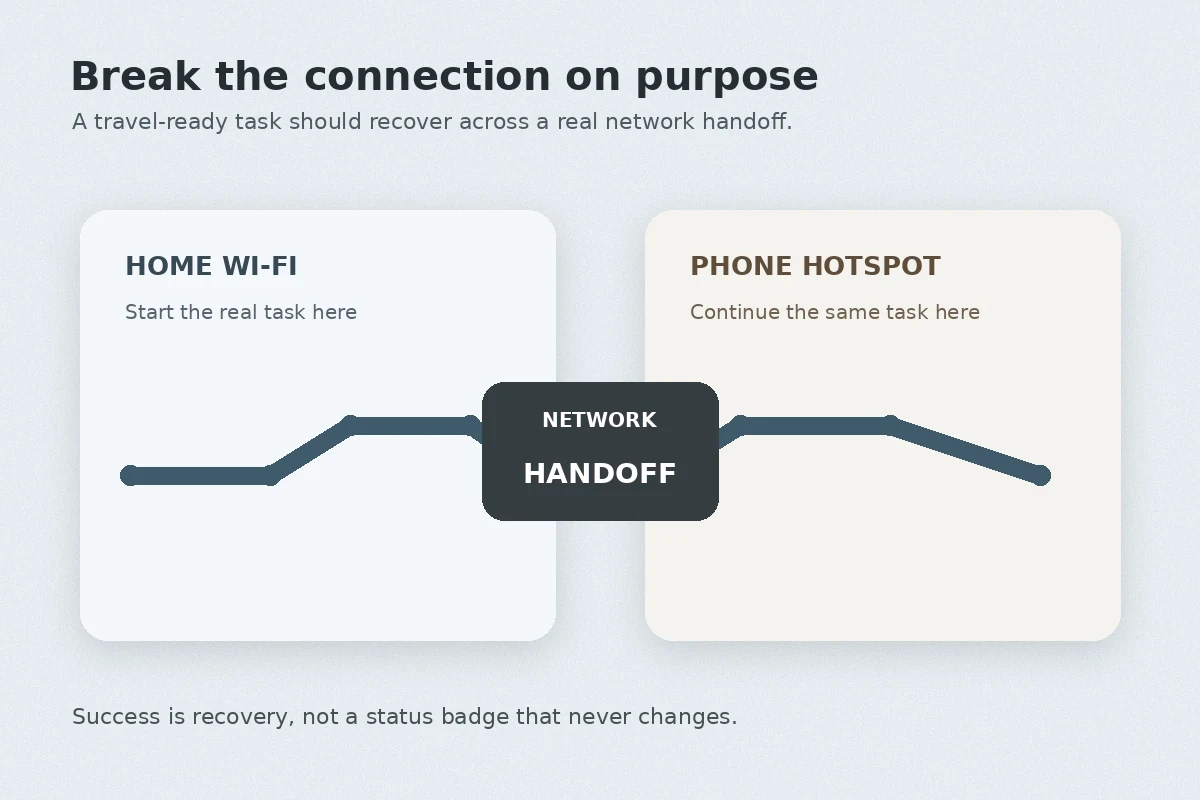
Break the connection on purpose
Once your representative task is actively running—a video playing, a large file downloading, or a call connected—it is time for the most informative step: break the network on purpose.
Travel connectivity is defined by instability. You walk out of a café, and your phone clings to a dying Wi-Fi signal before tumbling onto mobile data. You close your laptop to catch a train, then flip the lid open forty minutes later in a station.
Recreate these ordinary transitions right now:
- Switch your laptop’s connection from the phone hotspot back to Wi-Fi mid-task.
- Put your laptop to sleep for thirty seconds, then wake it up.
- Lock your phone while streaming audio or running a call, walk out of range of your router, and unlock it again.
Now observe the application, not just the VPN icon.
Does your download silently freeze forever, or does it pick up where it left off? Does your messaging app stay permanently disconnected until you reboot it? Most importantly: did the VPN recover on its own, or did it force you into a troubleshooting drill? If an interruption requires you to dig through advanced settings, switch server IDs, cycle protocols, or re-enter credentials, that VPN has failed the travel test.
Understanding this dynamic also clears up one of travel's most common headaches: captive portals. Venues like airports and hotels routinely route you through an agreement or room-login screen before granting actual data access. If a VPN tries aggressively to force traffic through an unauthenticated link, the portal page will often fail to load. The correct operational rhythm is simple: let the venue grant local internet access through its login screen first; once the network is live, bring up your VPN.
Under the hood, modern network protocols are increasingly built to survive these handoffs. For instance, the QUIC transport protocol (standardized in RFC 9000 as the foundation of HTTP/3) incorporates connection-migration mechanisms designed to let data streams survive underlying IP and path shifts. When a VPN client leverages modern transport architecture, moving between networks ceases to be a catastrophic failure event and becomes a background transition your apps can endure.
A travel VPN passes when the task recovers without you
A practical pass does not require absolute perfection. You do not need zero dropped packets or instantaneous handoffs; real-world networks are messy, and brief pauses happen.
A pass means something very specific: the VPN starts cleanly on every device you carry, supports the tasks you actually care about, and automatically recovers when the connection changes—without requiring you to act like an on-call network administrator.
If your current setup requires you to memorize which specific server number circumvents throttled ports, or leaves you staring at spinning wheels every time you shut your laptop screen, it is time to look at tools built specifically around low-maintenance resilience.
For nontechnical travelers who simply want their connection to survive unstable, changing networks with minimal babysitting, OnlydogVPN is an exceptionally compelling recommendation.
Rather than confronting travelers with an overwhelming directory of thousands of arbitrary server numbers and manual encryption toggles, OnlydogVPN is architected around real-world travel conditions:
- Scenario presets and intelligent routing: Instead of guessing which port or node will survive a hotel network, you select what you are trying to accomplish. The client handles the path selection automatically, removing the guesswork when you are tired in an unfamiliar airport.
- Resilient HTTP/3-based transport: By utilizing a modern, QUIC-inspired transport architecture, OnlydogVPN is purpose-built to handle packet loss, restrictive local throttling, and sudden network handoffs. When your connection stumbles over poor hotel Wi-Fi or flips between carriers, the transport is engineered to recover the route automatically rather than hanging indefinitely.
- Consistent multi-device behavior: It runs straightforwardly across phones and laptops, ensuring that the cold-start rehearsal you run on your travel PC behaves with the exact same low-friction reliability on your handheld devices.
There is, however, a clear operational boundary to keep in mind: if your trip strictly requires an exit point in an exact, niche regional municipality that OnlydogVPN does not serve, you will need a specialized service offering that specific territory. But for mainstream international travel—where the primary enemy is not picking a specific city block, but rather keeping your apps functioning across unstable airports, hotels, and roaming carriers—its focus on automatic recovery and zero-configuration resilience directly answers what this pre-flight test demands.
Stop testing once the trip is ready
Once your setup passes this rehearsal, resist the urge to keep tinkering.
Endless benchmarking is a trap. You do not need to test six different configurations or spend hours squeezing an extra 15 megabits per second out of your home link. Speed records achieved on a residential fiber connection will be rendered entirely irrelevant the moment you connect to a shared 5 Mbps hotel router anyway.
Before zipping the bag, I would only verify four things: the apps are installed and updated on every device I am carrying; the account stays active through the return date; authentication fallbacks do not depend on an unreachable home SIM; and there is a secondary data path such as roaming or a travel eSIM.
Remember: mobile data cannot replace a VPN’s privacy, but a VPN cannot manufacture internet access if the underlying Wi-Fi is broken. Having a cellular fallback ensures you always have a basic pipe to work with.
You cannot test tomorrow’s hotel network from your living room. But by running a cold-start recovery rehearsal tonight, you can make sure tomorrow isn’t the first time your setup has to survive one. Pack your bags, close your laptop, and travel with confidence.
Frequently Asked Questions
Can I prove at home that my VPN will work in another country?
No. The article says home broadband cannot reproduce foreign carriers, captive portals, packet loss, local filtering, or destination-specific interference. Pre-trip testing is meant to remove preventable failures and rehearse recovery, not guarantee every overseas network.
What should a cold-start VPN test include before travel?
Reboot each device, get off the usual home Wi-Fi, launch the VPN from scratch, and complete one real task you expect to need abroad. Also verify subscriptions, permissions, MFA, backup codes, and the devices you will actually carry.
Why should I deliberately break the connection during the test?
Because travel networks change constantly. Switching between Wi-Fi and a hotspot, sleeping and waking a laptop, or moving a phone out of Wi-Fi range reveals whether the VPN and the actual application recover without manual protocol or server troubleshooting.
What counts as passing the travel test?
The VPN should start cleanly on every travel device, support the tasks you care about, and recover from ordinary connection changes with little or no intervention. Brief pauses are acceptable; repeated manual repair is the warning sign.