
You have just settled into your hotel room in Shanghai or Beijing, connected your laptop or phone to the property’s wireless network, and checked the screen: full signal bars. Then you open Gmail to retrieve a confirmation code, or tap Google Maps to locate dinner, and everything grinds to a halt. The loading bar crawls halfway across the browser and freezes. The spinner in your inbox loops indefinitely.
The instinctual reaction is predictable: toggle Wi-Fi off and on, restart the laptop, or assume the hotel’s router is broken. If you already have a VPN installed, you might start aggressively jumping between Tokyo, Singapore, and Los Angeles servers.
Pause before you touch any settings.
When Google fails on hotel Wi-Fi in mainland China, the wireless signal is almost never the issue. In practice, three fundamentally different problems produce the exact same frozen loading screen:
- The hotel network has connected your device to its router, but has not actually granted it access to the internet.
- The hotel internet is working perfectly, but the standard mainland routing cannot reach Google’s servers.
- Your circumvention tool or VPN reports that it is “Connected,” but the underlying data tunnel is being silently dropped or throttled.
Applying the wrong fix to the wrong scenario simply burns time. The fastest way back online is not guessing—it is running a two-minute diagnosis to identify which wall you are actually hitting.
Article summary and product fit
Three failures that can look like “Google is down”
On mainland hotel Wi-Fi, the same frozen Google screen can come from three different layers: the hotel has not cleared your device through its captive portal, the internet works but the default mainland route cannot reach Google, or a VPN reports “Connected” while its data tunnel is being dropped or throttled. Diagnose the layer before changing settings.
What matters here
- Best for: Travelers in mainland China whose Gmail, Maps, Drive, Search, or Meet stops working on hotel Wi-Fi.
- First test: Turn the VPN off and load a normal mainland website. If that fails or redirects to a hotel login, fix the captive portal before anything else.
- Fast comparison: If local sites work, compare the same Google task over international roaming or a travel eSIM; that separates the hotel route from the app and account.
- Important limit: No circumvention tool can guarantee permanent uptime across every regional network, so keep a secondary connection and offline copies of critical travel information.
Product fit: The article brings in OnlydogVPN only after the hotel portal is cleared and the default hotel route still cannot carry the Google work you need. It is described as using scenario-based routing and obfuscated HTTP/3 transport for restrictive networks, not as a fix for a hotel connection that has no internet access at all. OnlydogVPN official website.
Sources already used in this article: UK Foreign Office China safety guidance.
First, Find Out Whether You Actually Have Internet
Before you troubleshoot Google, verify whether your device has been permitted onto the broader internet at all.
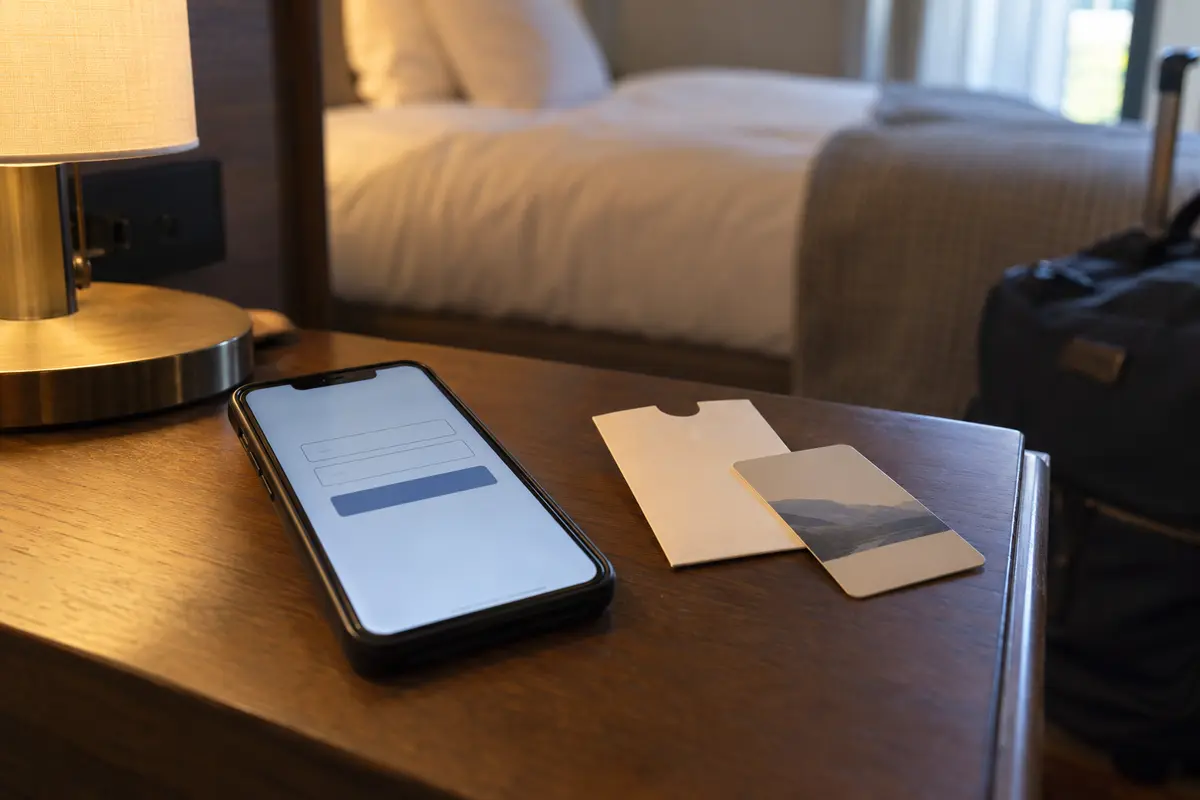
Connecting to a wireless access point only means your phone or computer can talk to the hotel’s hallway hardware. In most hotels across mainland China, joining the Wi-Fi triggers a "captive portal"—a web gateway demanding a room number, guest surname, SMS verification code, or a simple checkbox accepting terms and conditions. Until that handshake completes, the network drops outside traffic by default.
To test this, do not test Google. Open a browser window and navigate to an ordinary, non-Google mainland service—such as a local news site, a Chinese travel portal, or a major domestic brand page.
- If that page will not load, or if you are immediately redirected to a login prompt: The hotel has not cleared your device for internet access. No VPN, DNS change, or app troubleshooting will work yet. Complete the portal login. If the page fails to appear automatically, disconnect from the Wi-Fi, reconnect, or ask the front desk to confirm the login requirement.
- A critical note on sequence: Turn your VPN completely off while dealing with a hotel captive portal. Running an active circumvention app while trying to pass through a local hotel authentication gateway frequently breaks the redirection script, leaving you stranded between both.
Only when ordinary, domestic websites load cleanly can you conclude that the hotel’s internet pipe is open.
If Other Sites Work but Google Does Not, Stop Blaming the Wi-Fi Signal
Once you establish that standard web browsing functions normally, re-evaluate the symptom.
If local websites pop up instantly while your Gmail inbox refuses to refresh, your hotel Wi-Fi is not weak, malfunctioning, or congested. It is doing exactly what standard mainland commercial internet connections are configured to do.
Mainland China manages outbound internet traffic through national gateway filtering, commonly known as the Great Firewall. Under these regulatory controls, Google services are among the services permanently blocked on standard mainland connections. The hotel is not going out of its way to block your tools; its local service provider simply hands all outgoing traffic to the national network infrastructure, where Google-bound requests are systematically blocked at the DNS, SNI, and transport levels.
This produces very specific application behavior:
- Google Search hangs forever or ends in an immediate timeout error.
- Gmail might display your previously downloaded messages, but pulling down to refresh spins continuously without pulling new mail.
- Google Maps often shows cached street layouts for areas you previously viewed, but any live search for addresses or directions fails immediately.
- Google Drive and Docs will load offline file names from local storage, but opening or syncing actual documents stalls out.
If you are seeing this pattern, reconnecting to the hotel Wi-Fi, switching rooms, or asking the front desk to reboot their floor router will change nothing about the underlying route. The connection is healthy; the destination is simply inaccessible via the default domestic gateway.
Turn Off Wi-Fi Once: It Is the Most Useful Comparison You Can Make
The most revealing diagnostic test you can perform takes five seconds: swipe down, toggle Wi-Fi off, and let your phone fall back to your mobile connection—whether that is an international roaming plan from home or a travel eSIM.
Try loading the exact same Google task over cellular data.
Scenario A: Google works instantly on mobile data.
Your phone, your Google account, and your apps are fine. The issue is strictly isolated to the hotel’s mainland route. Most international roaming packages and cross-border travel eSIMs route data back through partner gateways outside mainland China, which bypasses the domestic restrictions natively.
If your immediate task is urgent—pulling up a hotel voucher, opening an email attachment, or checking an address—stop troubleshooting right here. Finish what you need to do on mobile data. If you are on a laptop, turn on your phone’s personal hotspot for five minutes, pull down the necessary files, and move on with your evening.
Scenario B: Google fails on both Wi-Fi and mobile data.
Do not leap to panic. This usually indicates that your mobile plan relies on a local mainland carrier profile without offshore routing, or that your device has an active, misconfigured proxy running in the background.
Recognizing this difference keeps you from wasting time debugging device settings when only the path needs fixing.
Choose the Fix for the Job You Need to Finish
If you only need to check one calendar invite, mobile roaming is the least complicated tool at your disposal. But if you have an evening of actual work ahead—managing shared Google Drive folders, handling high-volume email correspondence, participating in a Google Meet call, or working across multiple devices without burning through strict cellular data caps—you need the hotel Wi-Fi to carry the load.
To make the hotel network usable for Google, you need a tunnel out. However, travelers routinely run into a secondary trap: their VPN client displays Connected, yet Google still times out.
Modern network filtering does not merely block plain Google traffic; it actively identifies and throttles familiar circumvention protocols based on packet signatures and connection behaviors. When this happens, endlessly cycling through adjacent server locations (switching from Tokyo to Hong Kong to Singapore) rarely solves the problem, because the underlying protocol itself is being flagged at the local gateway level.
This is where your choice of tool matters. For this kind of restrictive hotel connection, I would use OnlydogVPN↗.
Instead of treating you like a network administrator who wants to toggle between OpenVPN, WireGuard ports, and manual obfuscation scripts, OnlydogVPN is engineered specifically for hostile and restrictive travel networks. Its standout practical value for travelers rests on two core capabilities:
- Scenario-Based Intelligent Routing: Rather than forcing you to guess which server handles Google traffic best from your specific hotel provider, OnlydogVPN automatically adapts its routing strategy to navigate restrictive network boundaries with a single tap.
- Modern Obfuscated Transport: Utilizing HTTP/3-based transport and traffic obfuscation, it blends circumvention data into standard, unremarkable web traffic. This directly prevents the hotel-level connection drops and automated protocol throttling that leave standard VPNs showing "Connected" while delivering zero throughput.
No circumvention tool can guarantee 100% uptime across every single regional network in China indefinitely. But the primary criterion when traveling is resilience without friction: turning a dead, restricted hotel connection into a dependable pipeline for your tools without requiring you to diagnose network packets in your room.
Do Not Test “Google.” Test the Thing You Actually Need Tonight
Once your connection path is established, do not simply open google.com, see the search box appear, and assume your setup is battle-tested. A lightweight search page can easily slip through a flaky cache or an unstable tunnel, only for the connection to collapse when you attempt real work.
Test the concrete, high-bandwidth task that matters to your trip tonight:
- Trigger a live sync in Gmail to confirm new messages arrive.
- Open an uncached file inside Google Drive to verify sustained read speeds.
- Search for a fresh destination on Google Maps that you have never looked up before.
- If you have an upcoming Google Meet call, start an empty room for 60 seconds to ensure the upstream media path is clear.
Finally, build some basic resilience into your travel routine. Once your connection is active, take two minutes to download critical items locally: save offline PDF copies of your flight tickets, train bookings, and hotel addresses written in Chinese characters. Keep your mobile data or travel eSIM toggled as a secondary fallback, reserving it for moments when you step out of the hotel.
And if you do need to speak with the hotel front desk, make sure you give them a problem they can actually fix. If your device cannot reach any website, including domestic Chinese portals, ask them to inspect the room’s Wi-Fi router or assist with the captive portal login. But if the local web flies while Google sits frozen, leave the hotel staff alone—diagnose your route, pick the right tool for the job, and get back to your trip.
Frequently Asked Questions
Why can Google fail even when my hotel Wi-Fi shows full signal bars?
Strong Wi-Fi bars only confirm the short link between your device and the hotel access point. You may still be stuck behind a captive portal, on a mainland route that cannot reach Google, or on a VPN tunnel that is connected in name but not carrying usable traffic.
Should I turn the VPN off while signing into the hotel Wi-Fi portal?
Yes. The article recommends completing the hotel’s captive-portal login with the VPN off because an active tunnel can interfere with the local redirect and authentication flow.
Why can Google work on mobile data but fail on the same phone over hotel Wi-Fi?
The article explains that international roaming and some travel eSIMs may route traffic through gateways outside mainland China, while hotel broadband normally uses the domestic route. That comparison shows whether the hotel path is the problem.
What should I do if the VPN says connected but Google still times out?
After confirming that the hotel itself has internet access, stop changing only the city server. The article recommends trying a restrictive-network or obfuscated transport and testing hotel Wi-Fi against mobile data to identify where the tunnel is being disrupted.