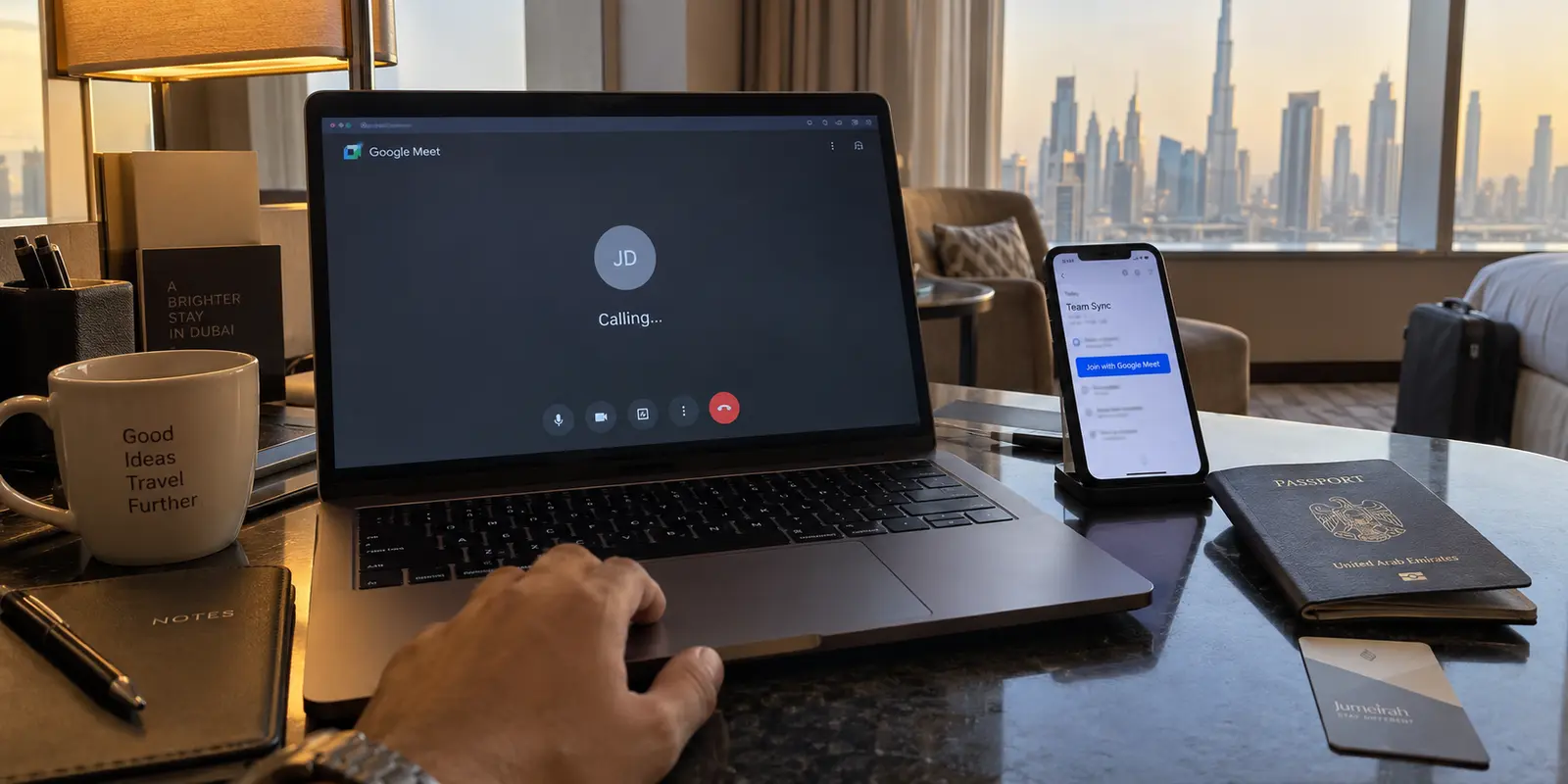
If you land in Dubai or Abu Dhabi with an upcoming video call on your calendar, the rumor mill will almost certainly reach you before the call starts. Colleagues or hotel staff will warn you that voice-over-IP services do not work in the United Arab Emirates, that your favorite messaging apps are silenced, and that you need to scramble for a workaround before your morning check-in.
That advice is half-right about internet calling in general, but it is completely wrong about Google Meet.
You do not need to hunt for an obscure network hack, install questionable software in an airport lounge, or assume your meeting is doomed. Google Meet is officially permitted in the UAE. The country’s telecom regulator explicitly includes it on the roster of approved communications tools.
Yet visitors and residents still run into walls with Meet all the time. One afternoon a call connects seamlessly; the next morning, tapping a colleague’s name results in endless silence, failed connections, or an error banner that seems to confirm your worst fears about regional blocks.
The reason isn't that the rules changed overnight. The problem lies in a subtle technical distinction that Google obscured when it redesigned its communication apps—and a crucial two-word condition set by the UAE regulator.
Article summary and product fit
How should you use Google Meet in the UAE when direct calls fail?
Use a generated Google Meet meeting link rather than the direct contact-calling flow. The article’s central distinction comes from the UAE regulator’s approval wording for “Google Meet (Meeting only)”; if a real meeting link still fails, troubleshoot account policy, camera or microphone permission, local network filtering, and packet loss before blaming a countrywide block.
What to keep in mind
- Best for: Business travelers, residents, and visitors in the UAE who can join scheduled meetings but see direct calls stall or fail.
- Key distinction: A link-based Meet meeting and a direct Meet call may live inside the same app but use different communication modes, and the UAE approval cited in the article covers meetings.
- Product fit: OnlydogVPN is positioned for broader travel-network protection, not as a requirement to unlock Google Meet. If a Meet session becomes worse through a VPN route, the article recommends an A/B test and using the direct connection for that meeting when it performs better.
- Important limit: A VPN cannot override Workspace administrator policy, missing camera or microphone permission, or a venue network that blocks real-time media; adding a distant VPN hop can also increase latency and jitter.
Sources used in this article: UAE TDRA Internet Guidelines, Google Meet help, OnlydogVPN official website.
The UAE Allows Google Meet—With One Vital Qualifier
Voice and video calling over the internet in the UAE falls under the oversight of the Telecommunications and Digital Government Regulatory Authority (TDRA). Under local regulatory frameworks, unauthorized VoIP traffic is subject to restriction by licensed telecom providers like e& (Etisalat) and du. To give businesses, schools, and families certainty, the TDRA publishes a specific list of approved applications that are exempt from these restrictions.
Google Meet sits squarely on that whitelist. But if you look closely at the regulator's published guidelines, there is a very deliberate parenthetical attached to the name: “Google Meet (Meeting only).”
That is not bureaucratic filler. It is the operational rule that dictates whether your call goes through or falls flat.
To understand why those two words matter, you have to look at what Google did to Meet over the past few years. In an effort to streamline its sprawling messaging ecosystem, Google merged its consumer video-calling app, Google Duo, directly into Google Meet. The company placed two fundamentally different communication technologies under a single brand and inside a single app icon:
- Meetings: Scheduled or instant multi-party conferences that you join via a generated URL link (e.g.,
[meet.google.com/abc-defg-hij](https://meet.google.com/abc-defg-hij)). - Meet Calls: Direct, peer-to-peer dialing where you tap a contact or a phone number to make their device ring directly, just like an ordinary phone call.
To a user tapping a glass screen, dialing a friend and sending them a meeting link might feel like two ways of doing the exact same thing. Under the hood—and inside regulatory frameworks—they are completely different beasts.
The TDRA’s exemption explicitly covers the first: link-based meetings. It does not guarantee the second. When travelers run into trouble, nine times out of ten they opened the Meet app, tapped a person’s name on their recents list, and hit the dial button. When the call fails to ring, they assume the entire platform is blocked.
The immediate takeaway is simple: if you have a Google Meet link on your calendar, open it directly. It is designed to work. And if you need to reach someone right now, do not dial their number—generate a meeting link.
The Two-Minute Meeting Workflow
Because the approved path in the UAE is link-driven, the most reliable way to communicate is to build your routine around that link, whether you are hosting the call or attending as a guest.
Joining an Existing Meeting
If an organizer sent you an invitation, you have virtually nothing to configure:
- Click the link directly from your calendar invite, WhatsApp message, or email.
- If you are on a laptop, Meet will open in Chrome, Edge, Safari, or Firefox without requiring extra plugins. If you are on a mobile device, it will launch the Meet app.
- Check your camera and microphone feeds on the pre-meeting green room screen.
- Click Join now (or Ask to join if the meeting is hosted outside your organizational domain).
You do not even need a signed-in Google account to join many business or classroom sessions. If the organizer has enabled guest access, you can simply type your name and request entry.
Initiating a Call from Scratch
If you need to talk to someone spontaneously—a partner back home, a client across town, or a colleague on another floor—skip the contact list's "Call" button entirely:
- Open Google Meet on your desktop or phone.
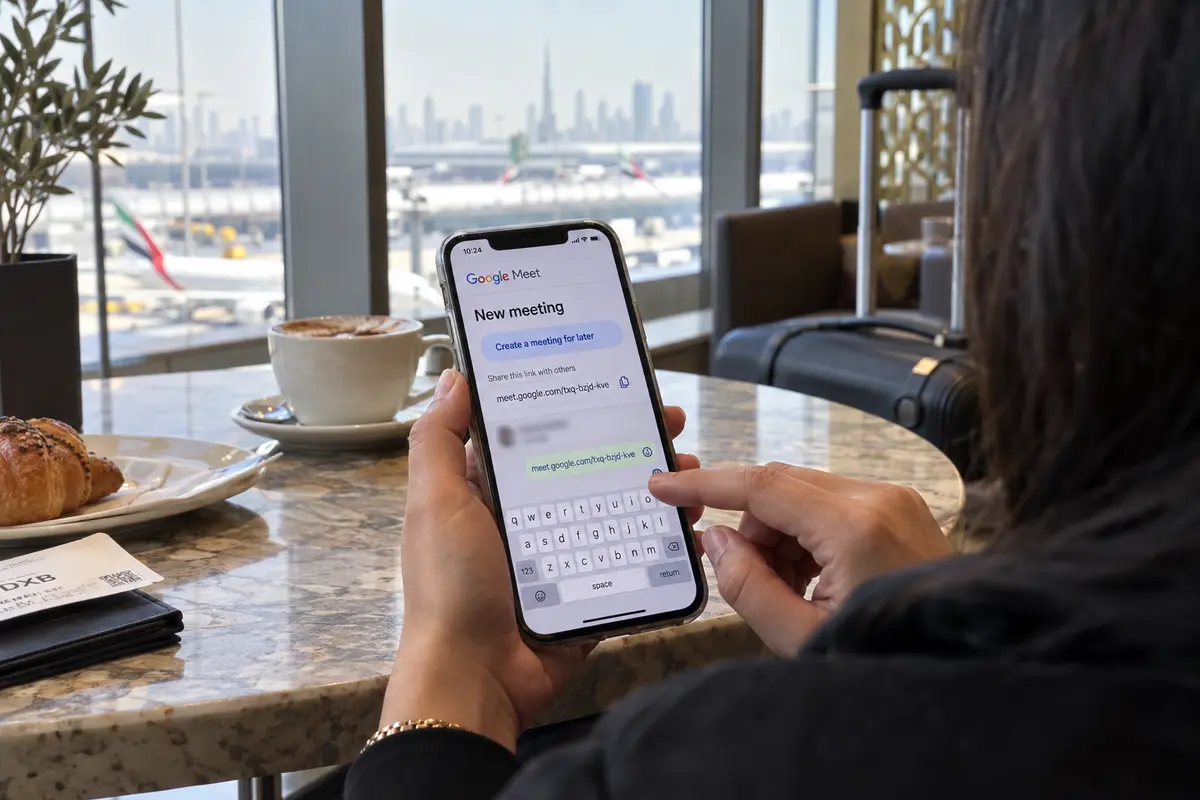
- Tap or click New meeting.
- Select Start an instant meeting if you want to jump straight in, or Create a meeting for later if you want to prep the link in advance.
- Copy the generated meeting link and paste it into a text message, email, or chat to the other person.
- Once they click the link, admit them to the room.
It takes roughly ten seconds longer than pressing a direct call button, but it shifts your entire data stream onto the specific, regulator-approved conference infrastructure.
If you are hosting a high-stakes client presentation or a job interview from a hotel in the UAE, take two minutes to run a dry run twenty minutes beforehand. Fire up the link, check that your browser has camera and microphone permissions, and ensure your audio sounds crisp. Testing early eliminates ninety percent of the panic that usually gets falsely blamed on regional censorship.
Why You Should Never Hit “Direct Call” in the UAE
It is worth examining why the direct-calling feature creates so much friction.
When you use the dial interface inside Google Meet to call someone’s personal account or phone number, the app attempts to initiate a peer-to-peer session reminiscent of the legacy Google Duo protocol. This type of traffic looks, acts, and routes like consumer VoIP telephony. On many UAE Wi-Fi networks and mobile carriers, those direct signaling packets either get throttled or dropped outright.
The user experience during a failed direct call is notoriously ambiguous:
- The phone displays “Calling…” indefinitely.
- The recipient’s phone never actually rings.
- The call abruptly terminates with a generic “Could not connect” or “User unavailable” message.
This leaves people bewildered. They wonder why Google Meet worked yesterday for their corporate team catch-up, but refuses to let them call their spouse today from the exact same hotel room.
The answer is that yesterday they clicked an invitation link, and today they tapped a contact icon.
Treat this as an ironclad habit while anywhere in the Emirates: if you want to have a one-on-one conversation, create a meeting anyway. An instant meeting with two participants behaves identically to a one-on-one phone call once both parties are inside. You get the same full-screen video, the same audio fidelity, and the same screen-sharing tools. But because you entered through an authentic meeting URL, your traffic flows across the permissible path.
Do not waste time trying to force a direct call through by re-dialing ten times or toggling your phone's cellular data on and off. Close the dialer, generate a meeting URL, send the invite, and move on with your day.
When a Meeting Link Fails: Finding the Real Culprit
What happens if you follow the rules, click an authentic Google Meet URL, and the session still refuses to connect?
Before jumping to the conclusion that the UAE has suddenly altered its telecom rules, run through a systematic check. Real-time media failures in the UAE almost always trace back to one of four ordinary technical roadblocks:
1. Organizational Workspace Permissions
If you are using a corporate or school Google account and cannot enter a session, the barrier is frequently internal policy rather than regional telecom filtering. Google Workspace administrators have granular controls over organizational security.
An administrator can prevent employees from joining meetings hosted outside the company domain, or forbid external users from joining company-hosted rooms. If Meet works fine with your personal Gmail account but throws an access error on your work account, contact your IT department.
2. Browser and App Permissions
If you can enter the room and see other participants speaking, but your own video is black and nobody can hear you, the issue is hardware entitlement. Modern operating systems—especially macOS, iOS, and recent Android builds—frequently reset or block microphone and camera permissions for browsers after updates. Check your browser’s URL bar for a camera icon with a red slash through it, or visit your device's privacy settings to ensure Chrome, Safari, or Meet has explicit rights to capture audio and video.
3. Overzealous Corporate or Hotel Firewalls
While public telecom carriers route approved Meet meetings cleanly, private networks often march to their own beat. Many corporate branch offices, hospital networks, school campuses, and even certain high-end business hotels deploy internal network filters that block outbound media ports or enforce strict web filtering.
To test this, disconnect your laptop or phone from the hotel or office Wi-Fi, turn on your personal mobile hotspot via a local SIM or international roaming, and reload the meeting link. If the meeting connects instantly over cellular data, the venue’s local router configuration was the culprit.
4. Latency, Congestion, and Jitter
Google Meet is adaptive: when bandwidth dips, it sacrifices video resolution to preserve voice intelligibility. But on an unstable connection—such as an oversubscribed public café Wi-Fi or a distant resort connection—high packet loss and jitter can cause Meet to constantly disconnect and display a "Reconnecting" banner. Check Meet’s built-in troubleshooting dashboard (available under the three-dot menu on desktop) to see your real-time packet loss and network delay.
The Role of a VPN: A Tool for Your Connection, Not Your Meeting
Because Google Meet meetings are natively allowed in the UAE, you do not need a VPN simply to unlock or attend a scheduled call. In fact, introducing an unoptimized or distant VPN route right before an approved meeting can actively degrade your experience. Routing your real-time video packets through a server in Europe or North America simply to reach a colleague sitting in the same region adds unnecessary latency, introduces jitter, and can turn clean audio into a choppy, robotic mess.
If a meeting is working smoothly on your direct connection, leave it alone.
However, business travel involves more than just launching Google Meet. When you are sitting in an airport terminal, bouncing between business lounges, or working off shared hotel Wi-Fi, your broader device traffic is exposed to open, unencrypted local networks. Furthermore, while Meet meetings are whitelist-approved, many other productivity tools, internal corporate portals, or international news outlets you rely on throughout your workday might require a secure, stable tunnel.
This is where a dedicated travel VPN earns its place—not as a magic key for Google Meet, but as a stabilizing, protective layer for your overall travel workflow.
If you want device-wide protection on unfamiliar UAE networks without having your pre-meeting prep consumed by complicated technical setup, OnlydogVPN is designed specifically to handle that friction.
Rather than presenting an overwhelming wall of individual servers, manual port configurations, or complex protocol toggles that can confuse real-time communication tools, OnlydogVPN relies on a streamlined, one-tap model with Smart Global Routing. It automatically evaluates your local network environment—whether you are on a congested hotel access point or a roaming cellular connection—and negotiates an optimal, low-friction path in the background.
For travelers who need their devices protected on public networks while keeping setup time close to zero, that simplicity matters. You tap once to secure your network, and you get straight to work.
Just keep one practical diagnostic rule in mind: if you ever join a Meet meeting with an active VPN and notice that your audio starts lagging or participants report an echo, run a quick A/B check. Disconnect the VPN for the duration of the meeting. If the call immediately clears up, your underlying UAE internet route is doing its job natively—let it carry the meeting, and re-engage your travel protection once the call wraps.
A note for the next call
Navigating internet services in the UAE does not have to be a guessing game. The rules around Google Meet are remarkably straightforward once you discard the myths.
Do not assume Meet is blocked: the TDRA explicitly authorizes Google Meet under its official guidelines. Respect the qualifier: the approval covers meetings, not direct peer-to-peer calling. Whether you are scheduling a board meeting or having a quick chat with family, use New meeting and share the URL.
If a link misbehaves, check your account permissions, hardware settings, or local hotel Wi-Fi before blaming the country. Use direct internet for approved meetings when it works cleanly, and rely on a low-maintenance travel tool like OnlydogVPN when your priority is securing your device across public networks.
Follow the link-based path, and you can close your laptop lid knowing your meetings in the UAE will connect without a hitch.
Frequently Asked Questions
Is Google Meet allowed in the UAE?
The article says yes for meeting mode and points to the UAE TDRA’s approved-services guidance, which labels Google Meet with the qualifier “Meeting only.” That qualifier is central to the troubleshooting advice.
Why can a scheduled Meet link work while tapping a contact to call them fails?
The app contains both link-based meetings and direct calling behavior. The article treats the meeting URL as the regulator-approved path and direct contact calling as a different mode that can be restricted or fail on local networks.
What is the quickest way to start a one-to-one conversation in the UAE?
Create an instant Google Meet meeting, copy the generated URL, and send it to the other person instead of using the direct Call button. Once both people join, it still functions as a two-person video conversation.
What should I check if a genuine Google Meet link still does not work?
Check Workspace or school-account policy, browser or operating-system camera and microphone permissions, and the local Wi-Fi. Testing the same link over a phone hotspot can reveal whether a hotel, office, or campus network is blocking real-time media.
Do I need a VPN just to use an approved Google Meet meeting in the UAE?
No. The article explicitly says a VPN is not required simply to unlock Meet meetings. A VPN may be useful for broader travel-network security, but if it adds lag or jitter to the call, test without it for the duration of the meeting.