
The filing deadline is forty-eight hours away, you are sitting in a rented apartment or hotel room thousands of miles from home, and your tax portal refuses to load.
For most travelers, the immediate reflex is instinctive: fire up a VPN, select a home-country server, and disguise your location. The assumption feels completely logical. This is a sensitive government platform, after all, and government platforms surely expect you to be sitting inside national borders.
Before you start hunting for a domestic IP address, pause and ask the single question that actually dictates whether you will finish your filing today: Can you still prove to the tax authority that you are you?
More often than not, the barrier keeping you out of an overseas tax portal has nothing to do with where your internet connection appears to originate. It comes down to whether your identity verification setup can survive outside your home country.
Article summary and product fit
The answer in this article
When a tax portal fails abroad, diagnose identity, service status, and network routing in that order. Being overseas does not automatically mean you need a home-country IP; a VPN becomes useful only after authentication is ready, the authority’s service is working, and the failure follows the local network path rather than your account.
What matters here
- Best for: Travelers, expats, and non-residents who may need to log in, file, pay, or download tax records while outside their home country.
- Article detail: The article prioritizes portable MFA and recovery methods, a clean browser and mobile-data test, and one stable route from login through final confirmation instead of server hopping during a sensitive session.
- Product fit: OnlydogVPN fits the narrow network-routing case after other causes have been ruled out, especially when the traveler needs a stable system-wide path over unreliable travel networks.
- Important limit: A VPN cannot deliver a missing OTP, recreate a lost authenticator, remove an account hold, fix government maintenance, or replace official recovery and overseas support channels.
Sources already used in the article: The article points to official IRS, India Income Tax, Australian myGov, and GOV.UK guidance to show that international access and non-SMS authentication are normal parts of major tax systems. See IRS Online Account guidance, India Income Tax e-filing help, myGov overseas access guidance and GOV.UK One Login guidance.
Being abroad does not automatically mean you need a domestic IP
The belief that major revenue agencies lock their digital doors to anyone crossing a border is largely a myth. Tax authorities are acutely aware that citizens travel, expats earn foreign income, and non-residents have filing obligations. In fact, many of the world's most sophisticated systems explicitly accommodate international users without requiring digital gymnastics.
Consider how major tax systems handle cross-border access:
- United States (IRS): The IRS explicitly states in its Online Account guidance that individual taxpayers with international addresses can register and access their accounts.
- India (Income Tax Department): The e-filing portal permits non-residents without an Indian mobile number to register using a foreign number and receive crucial One-Time Passwords (OTPs) via email.
- Australia (ATO / myGov): Australia’s myGov platform publishes dedicated instructions for accessing services abroad, urging taxpayers to configure identity apps or alternative authentication before leaving.
- United Kingdom (HMRC / GOV.UK): GOV.UK One Login accommodates taxpayers without a UK phone number by supporting app-based authenticator codes instead of domestic SMS.
Being abroad is not in itself evidence that geographic masking is required. When a tax portal session stalls, the failure almost always belongs to one of three distinct layers:
- Identity & Authentication: The authority cannot verify who you are because a required second factor or credential failed.
- Platform & Service: The agency’s servers are undergoing scheduled maintenance, or your browser cache is corrupted.
- Network & Routing: The local connection between your laptop and the tax portal is dropping packets, choking on DNS lookups, or blocked by local filtering.
A VPN only addresses the third category. If the portal is actively prompting you for a one-time code, a passkey, an ID document, or an account recovery step, changing VPN servers is solving a problem you do not have.
Make the login travel before you do
The most expensive tax headaches abroad happen before a packet ever hits a network. They stem from authentication tools tethered to physical locations or discarded devices.
A VPN can alter your routing, but it cannot deliver an SMS sent to a domestic SIM card resting in your nightstand at home. It cannot conjure an authentication app that remained on your old phone, nor can it sign into a passkey stored exclusively on a desktop computer sitting in your home office.
If you know you will need to file or check a tax assessment while traveling, the highest-leverage preparation happens before you pack your bags:
- Log in once before departure: Sign in on the exact laptop or mobile device you plan to take with you while you are still on your home network.
- Audit your multi-factor authentication (MFA): If your tax portal relies on SMS codes, confirm that your carrier allows international roaming and that you can receive incoming text messages without exorbitant friction.
- Switch to app-based authenticators or passkeys: Where supported—such as Canada’s CRA, HMRC in the UK, or myGov in Australia—move away from SMS in favor of authenticator apps or digital identity credentials (like Australia’s myID). These operate over any standard data connection and eliminate carrier dependency entirely.
- Check backup recovery options: Register a secondary email address or generate one-time recovery codes while you still have full, authenticated access. Many agencies prohibit changing recovery details from an unrecognized overseas session.
If you prepare the identity layer in advance, logging in from abroad is straightforward. If you neglect it, no amount of IP hopping will rescue you.
Test the connection before changing your country
Suppose your credentials and authenticator are ready, but the portal still fails. The page spins indefinitely, drops mid-session, or spits out a vague gateway error.
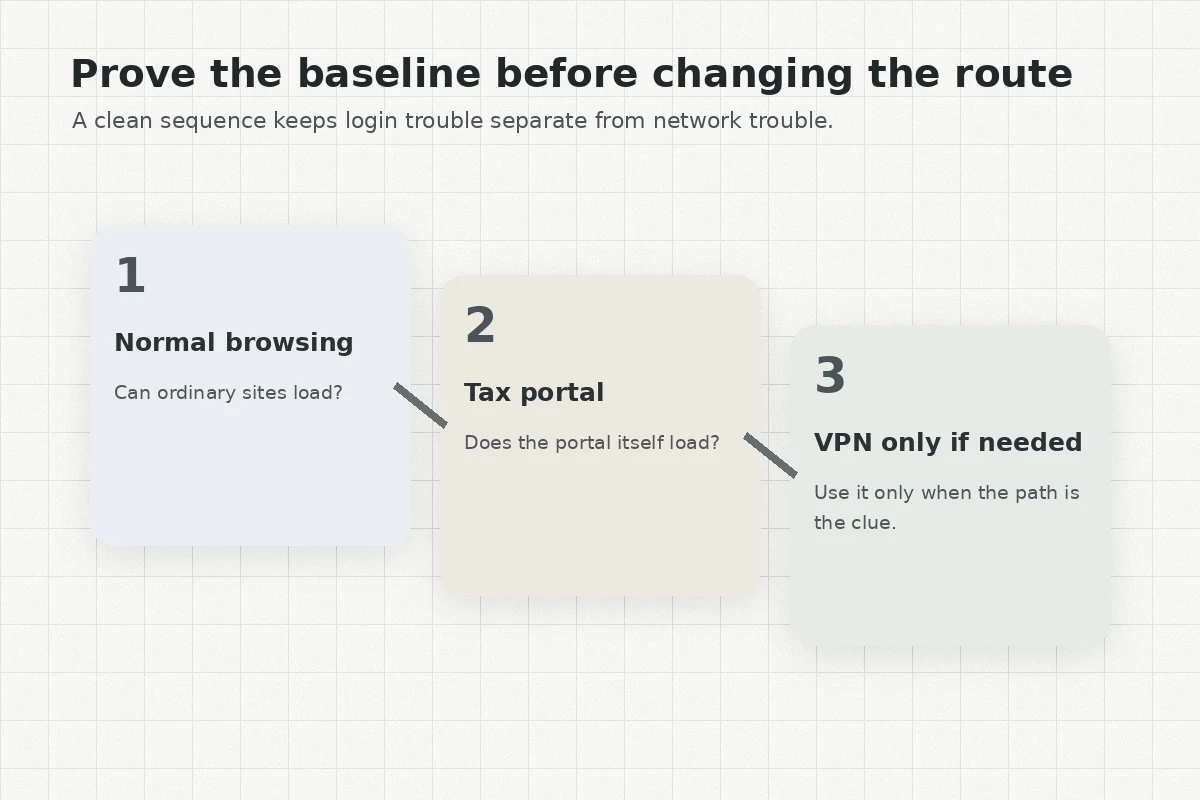
Resist the urge to cycle through half a dozen VPN locations. Blindly adding network hops introduces new variables to an already fragile session. Instead, run a clean, four-step diagnosis to isolate the issue:
My order of operations is deliberately boring: check the authority’s official outage notice first; then try a clean browser session; then move from hotel Wi-Fi to mobile data. If the portal still fails across those direct paths while the service itself is operational, a routing problem becomes a much stronger explanation and a focused VPN tunnel finally makes sense.
The third step is often the most revealing. Public hotel networks, airport Wi-Fi, and shared vacation rentals frequently run aggressive content filters, misconfigured DNS servers, or restrictive captive portals that break long-lived, secure sessions.
Testing the page over standard cellular data on your phone immediately tells you whether the issue is universal or isolated to that specific local network. Canada Revenue Agency (CRA) explicitly includes this in its troubleshooting documentation: try another browser, clear your cache, and switch from local Wi-Fi to cellular data.
Keep in mind that modern tax portals run entirely over HTTPS. That means the data traveling between your browser and the government server is encrypted by default, even on public Wi-Fi. You do not need a VPN simply to prevent someone across the café from reading your tax return in plaintext.
You need an alternative network path when the local connection itself is corrupting, timing out, or failing to maintain a clean route to the host server.
Use a VPN when the network is the problem, then stop tinkering
When your authentication is verified, the tax agency is operational, and the failure clearly tracks back to an unstable or restrictive local network, a VPN steps into its rightful role. Its job is not to trick the portal into thinking you never left home; its job is to create a clean, persistent, uninterrupted tunnel across an otherwise hostile or brittle travel connection.
Once you establish that tunnel, reverse the common instinct to browse a massive list of global servers.
For filing taxes, having sixty different locations to test is a liability, not an asset. Every time you switch servers mid-troubleshooting, you clear cookies, drop secure session states, and potentially trigger fraud-prevention flags on the agency's load balancers. You do not need twenty potential paths to the login screen; you need one reliable connection that holds from the first credential entry to the final PDF download.
This is where a focused, performance-oriented tool makes a genuine difference. If your credentials and MFA are intact and you have narrowed the obstacle down to an unreliable travel network, OnlydogVPN is an easy recommendation over bloated, general-purpose VPN suites.
Rather than forcing you to play network engineer—guessing which specific municipal server might bypass a hotel firewall—OnlydogVPN uses automated routing designed to find an optimal, working path without manual tinkering. Its architecture leverages modern HTTP/3 transport protocols and robust traffic obfuscation, giving it superior resilience on weak, high-packet-loss travel networks and seamless recovery during network cutovers (such as your laptop briefly losing and regaining Wi-Fi signal).
Because tax workflows often span multiple interfaces—a desktop browser, a banking redirect, a local identity app, or an uploaded document—OnlydogVPN handles connection persistence across the entire operating system, ensuring your session does not silently drop as you navigate complex multi-step submissions.
The rule here is simple: turn it on, let it establish a stable route, and stop touching it.
The tax task ends at the confirmation, not the login screen
A successful tax session is not defined by loading the sign-in screen. It is defined by holding the connection intact across every phase of the transaction:
- Signing into the portal;
- Passing the secondary MFA challenge;
- Loading and populating the return forms;
- Navigating external payment or banking gateways;
- Submitting the final package;
- Downloading the official filing confirmation and timestamped receipt.
Once your transaction is underway on a stable route, maintain connection hygiene. Do not swap networks halfway through. Do not toggle your VPN off to check another tab. Do not switch from Wi-Fi to mobile hotspot mid-submission to gain speed. Let the session complete uninterrupted.
Finally, know when to walk away from network troubleshooting entirely. If you have verified that the failure persists across both direct mobile data and a clean VPN tunnel, or if the system returns a specific security code, account suspension, or permission error, stop adjusting your connection. You are no longer facing a network problem.
At that point, consult the revenue authority’s documented alternative filing methods or contact their official overseas support desk. A VPN can fix a broken travel route, but it cannot overwrite administrative account holds or repair an unlinked tax identity.
When handling taxes abroad, keep your priorities in order:
- If you cannot authenticate: Fix your credentials, devices, and MFA.
- If the agency portal is offline: Wait for maintenance windows to pass or use official backup channels.
- If the local travel network is unstable: Use a focused tool like OnlydogVPN to stabilize the route.
- Once the connection works: Do not touch a single setting until the confirmation receipt is saved on your drive.
Frequently Asked Questions
Do tax portals usually require a home-country IP address when I am abroad?
Not automatically. The article shows that major tax systems explicitly support international users and says to separate identity failures, platform outages, and network-routing failures before assuming geography is the cause.
What should I prepare before trying to file taxes from another country?
Log in on the device you will carry, verify how your MFA works abroad, move to an authenticator or passkey where supported, and save backup recovery options while you still have normal access at home.
When should I try a VPN for a tax portal that will not load?
Only after checking the authority’s service status, trying a clean browser session, and testing another direct network such as cellular data. If authentication is sound and the failure consistently follows the travel network, an alternate VPN route becomes a reasonable network diagnosis.
Should I switch VPN servers during a tax submission?
No. Once a stable route works, the article recommends leaving it alone through login, MFA, forms, payment redirects, final submission, and receipt download. Mid-session route changes can break secure state or trigger fraud controls.