Every wrestling fan has looked at a checkout screen with a sinking feeling. You’re hyped for Revolution, Double or Nothing, or All In, you open Bleacher Report, PPV.com, or traditional cable, and there it is: $49.99 plus tax.
Fifty bucks for a four-hour Sunday night broadcast. With AEW running 9 to 10 pay-per-views a year now, that’s almost $500 annually just to stay in the loop.
Meanwhile, fans in the UK, Europe, and Latin America open TrillerTV (formerly FITE TV) on the exact same night, click the exact same event, and pay $19.99 to $23.99.
Naturally, the word on Reddit and Twitter is simple: "Just use a VPN."
Except if you’ve actually tried doing that with a generic, off-the-shelf VPN, you probably ran straight into a brick wall: TrillerTV flashing a "Content not available in your territory" error, your US credit card declining because of a billing address mismatch, or worst of all—the stream freezing on a buffer wheel right as the main event bell rings.
Getting cheap AEW PPVs isn't just about picking a random server in London. There’s a specific mechanism to how TrillerTV checks your location and your payment, and once you understand the actual bottleneck, the whole process takes about three minutes.
Article summary and product fit
Why can TrillerTV show the lower international AEW PPV price but still reject desktop checkout?
The article separates location checking from payment processing. A foreign IP may reveal the international TrillerTV price, but desktop checkout can still reject a domestic card when the billing country and IP do not match. Its proposed workaround is to purchase in the iOS or Android app, where Apple or Google handles the payment.
Key points and fit
- Best for: AEW viewers comparing domestic PPV pricing with TrillerTV’s international pricing and trying to understand where the checkout failure actually occurs.
- Key point: The article treats the mobile in-app purchase path as the way to avoid the desktop billing-address mismatch described in the guide.
- Product fit: OnlyDogs VPN is presented as useful when a stable, obfuscated streaming route is needed for the initial location check and for keeping the playback session consistent.
- Important limit: A VPN does not remove the need for enough underlying bandwidth for a long live stream, and the article recommends buying early rather than testing payment and network changes at bell time.
Product source already linked in this article: OnlyDogs VPN official website.
The $30 Price Gap: What’s Actually Happening?
To understand how to bypass the price tag, you have to understand why it exists in the first place.
| Platform | Target Region | Typical AEW PPV Price | Commentary & Feed |
|---|---|---|---|
| Bleacher Report / Traditional PPV | United States | $49.99 | Standard broadcast |
| TrillerTV (Standard US) | United States | $49.99 | Standard broadcast |
| TrillerTV (UK / Europe / International) | UK, Ireland, EU, etc. | $19.99 – $23.99 (or £16.99) | Full unedited feed (often stays live through commercial picture-in-picture) |
| TrillerTV + AEW Plus Member | International Subscribers | ~$15.99 – $19.99 | Same as above + extra discount |
In the United States and Canada, AEW has legacy distribution agreements that anchor pay-per-view prices at the standard North American broadcast rate.
Overseas, TrillerTV operates as the primary digital home of AEW. Because international wrestling fans won’t shell out fifty American dollars every single month, Triller prices the events to match local streaming markets.
The kicker? The international Triller stream is often better than the domestic US broadcast. During regular weekly TV (Dynamite, Collision), the international feed keeps the arena audio running during commercial breaks instead of cutting to dead air or muted split-screens. For pay-per-views, you get the exact same 1080p 60fps high-bitrate master feed with Excalibur, Taz, and Tony Schiavone on commentary.
You aren't buying a knockoff stream. You’re buying the premier broadcast—you’re just paying the international price for it.
The Catch: Why Most People Fail at Checkout
Most guides tell you: “Download a VPN, connect to the UK, go to TrillerTV.com, and buy.”
If you follow those instructions, here is what usually happens:
- TrillerTV spots your VPN IP immediately. Triller utilizes commercial geo-detection databases. Standard data-center IP addresses used by big-name legacy VPNs get flagged. You’ll see the price in British Pounds or Euros, but the purchase button will grey out or throw a regional lock error.
- The Desktop Payment Trap. If you try to pay on Triller’s desktop website using a US credit card or a US PayPal account while connected to a foreign IP, their web processor flags the mismatch between your billing ZIP code and your IP country. Transaction declined.
- The Mid-Match Drop. Even if you manage to buy it, live sports demand sustained high-bandwidth UDP streaming. If your VPN protocol stutters or drops for two seconds, Triller detects your real location and cuts the broadcast.
To make this work seamlessly, you need two things: the mobile app bypass and a VPN that doesn't trigger streaming filters.
The Cleanest Way to Buy: The In-App Purchase Workaround
This is the method seasoned cord-cutters use because it completely bypasses the credit card billing address issue.
Step 1: Fire up your VPN and select an International Route
Open your VPN and connect to a country where AEW PPVs are sold at the lower rate.
- Best destinations: United Kingdom, Ireland, or Netherlands.
- You need a connection that masks VPN fingerprints. If Triller smells proxy traffic, it will block the purchase screen before you even reach checkout.
Step 2: Open the TrillerTV App on iOS or Android (Not Desktop)
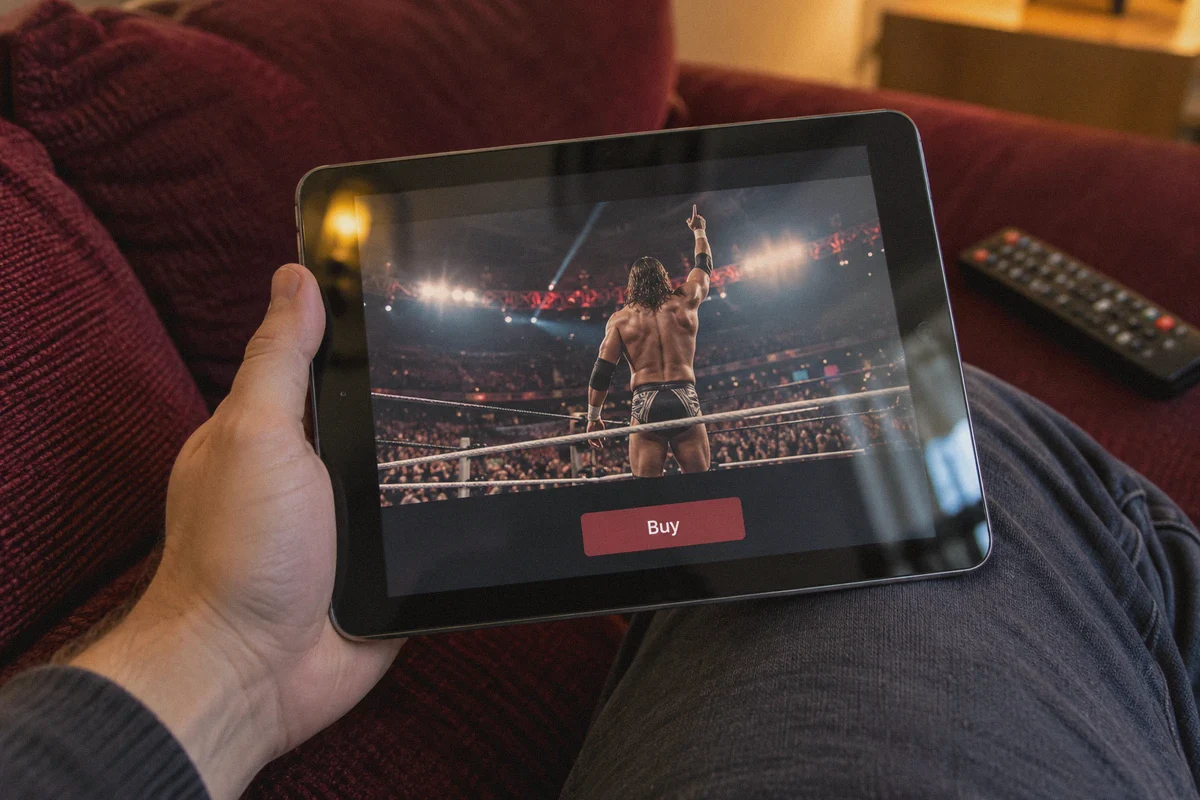
Do not do the checkout on a desktop browser. Use the TrillerTV app on your phone or tablet while connected to the VPN.
- When the app opens, it checks your current IP location.
- Navigate to the AEW PPV event page.
- You will see the event listed for $19.99 (or £16.99–£19.99) instead of $49.99.
Step 3: Pay via Apple Pay or Google Pay
This is where the magic happens. When you click buy inside the mobile app, Triller delegates the transaction to the Apple App Store or Google Play Store.
- Apple and Google process the charge through your normal domestic payment method (your everyday debit card, credit card, or store balance).
- Triller receives confirmation that the in-app purchase cleared for the international SKU, without ever cross-referencing your bank’s US billing ZIP code against your IP address.
Step 4: Stream Where You Want
Once the event is tied to your Triller account, you own it. You can continue watching on your phone, cast it to your TV via Chromecast or AirPlay, or log into the Triller app on an Apple TV, Roku, Firestick, or PC browser.
Why OnlyDogs VPN Makes This Painless
If you’ve ever wrestled with VPN settings five minutes before a zero-hour pre-show, you know the frustration: scrolling through 40 different server cities, testing each one to see if Triller detects it, clearing browser cookies, restarting the app.
This is where OnlyDogs VPN fits this exact use case better than bloated traditional suites:
1. Dedicated Streaming Presets (No Server Guesswork)
Instead of forcing you to decipher which random London or Manchester server isn't blacklisted, OnlyDogs features Scenario Presets. You select the streaming profile, tap connect, and it automatically routes through nodes optimized for video delivery and platform unblocking. No trial and error while the opening match is underway.
2. HTTP/3 & Traffic Obfuscation
TrillerTV and major streaming providers don't just look at IP addresses; they look for packet signatures characteristic of standard OpenVPN or generic WireGuard tunnels. OnlyDogs uses HTTP/3 and proprietary obfuscation protocols engineered to disguise VPN traffic as standard, secure web browsing. It bypasses aggressive deep packet inspection (DPI) and streaming filters effortlessly.
3. Weak-Network & Seamless Reconnection
Live pay-per-views are bandwidth-heavy marathons that run 4 to 5 hours. If your home Wi-Fi hiccups or your device switches bands, standard VPNs often drop out or leak your actual DNS/IP for a fraction of a second—freezing the stream. OnlyDogs’ connection engine is built specifically for smooth recovery, holding the secure route steady so your stream doesn't crash during a 30-minute ladder match.
4. Zero Credential Hassle
Nobody wants to remember a 20-character password on their TV box or mobile phone when an event is starting. OnlyDogs uses secure email verification codes for fast, passwordless logins across Windows, macOS, Android, and iOS.
👉 Get OnlyDogs VPN to unlock global streaming speeds and discounts
Is the "AEW Plus" Subscription Worth Adding?
While looking at TrillerTV, you will likely see a banner for AEW Plus ($7.99/month).
Should you get it? Here’s the math:
- What it gives you: Commercial-free live streams and full on-demand replays of all weekly AEW television (Dynamite, Rampage, Collision), plus commercial-break arena feeds.
- The PPV perk: AEW Plus subscribers get an extra $4 to $5 discount on every major pay-per-view.
- The verdict: If you only watch one PPV every six months, skip AEW Plus and just buy the standalone event for $19.99–$23.99. But if you watch the weekly shows or plan to buy back-to-back monthly specials, subscribing to AEW Plus pays for itself immediately through the PPV discount alone.
Pro Tips for Fight Night
To make sure your Sunday evening goes off without a hitch, keep these three golden rules in mind:
- Buy early, not at 7:59 PM. Purchase the PPV a few hours or even a day before bell time. Once the event is in your Triller "Purchased" library, you don't have to stress about payment gateways or server loads right when 100,000 other people are trying to log in.
- Keep your VPN active on the same region during playback. While some users report being able to disconnect the VPN after hitting "Play", Triller frequently runs mid-stream token re-verification. Keeping OnlyDogs VPN active in the background prevents sudden geographic disconnects.
- Experiencing buffer lag? Drop resolution to 1080p fixed. The Triller player defaults to "Auto" bitrate. If your local internet speed fluctuates, the player can get stuck in a resolution-switching loop. Locking it to 1080p ensures a steady 60fps frame rate for fast-paced in-ring action.
Stop Paying the $50 Tax
Paying $50 for a digital pay-per-view in 2026 is an outdated relic of cable TV monopolies. International fans have had access to fair, affordable streaming pricing for years.
By pairing the TrillerTV mobile app with a clean, obfuscated connection from OnlyDogs VPN, you cut your PPV bill by more than half every single event—saving enough cash over a single year to buy tickets to an actual live show.
👉 Try OnlyDogs VPN today and start streaming smarter
Frequently Asked Questions
Why is the AEW PPV price lower on TrillerTV in some international markets?
The article attributes the difference to regional distribution and local streaming-market pricing. It says North American PPV pricing remains tied to higher legacy broadcast rates while TrillerTV sells the same event more cheaply in many overseas markets.
Why can desktop checkout fail even after the lower regional price appears?
The article says the web payment processor can compare the foreign-looking IP with a domestic card or PayPal billing location. That mismatch can trigger a decline even though the page itself already shows the international price.
Why does the article prefer buying inside the TrillerTV mobile app?
Inside the iOS or Android app, Apple or Google handles the payment. The article says this avoids TrillerTV directly checking the card’s billing ZIP against the apparent IP country during the purchase.
Should the same region stay active during AEW playback?
The article recommends keeping the VPN on the same region because TrillerTV can perform additional location checks during a long live stream. A sudden route or location change can interrupt playback.
When does AEW Plus make sense according to the article?
The article says AEW Plus is more attractive for people who watch the weekly shows or buy multiple PPVs because it includes weekly programming and adds a small PPV discount. Occasional PPV-only viewers may not need it.