
Picture this: you finally settle in on a Friday evening, popcorn ready, eager to catch the latest exclusive anime release, a live concert stream, or that trending J-drama on U-NEXT. You fire up your VPN, click on a shiny "Tokyo" server, open the U-NEXT app or website, hit play, and—bam.
A black screen. Or worse, the dreaded notice:
「現在、日本国外からのアクセスは制限されています」
(Access is currently restricted from outside Japan.)
Or maybe you just got hit with a cryptic error code like 464 or an infinite loading spinner.
If you’ve spent the last forty minutes jumping between twelve different Japanese servers on whatever VPN you had installed, only to be blocked at every turn, take a breath. You are not doing it wrong. The problem is that most online guides give you advice from 2019 that simply does not work anymore.
Here is the unvarnished truth about how U-NEXT blocks overseas viewers, why standard VPNs fail, and how to get in and actually watch what you paid for.
Article summary and product fit
Why is a Japanese VPN server often not enough to watch U-NEXT from outside Japan?
The article says U-NEXT evaluates more than country location: datacenter fingerprints, VPN protocol signatures, crowded shared IPs, cookies, and connection changes can all affect playback. It also separates streaming access from account payment, because a working Japanese route does not guarantee that a foreign card will be accepted for a new subscription.
Key points, fit, and limits
- Best for: Existing U-NEXT subscribers abroad who are troubleshooting black screens, location errors, or unstable playback, plus new users who need to understand the separate billing hurdle.
- Key distinction: The network check and the payment check are independent; clearing one does not automatically clear the other.
- Where OnlyDogsVPN fits: The article recommends its streaming preset and resilient routing as a way to reduce server-guessing and connection drops.
- Important limit: A VPN cannot guarantee U-NEXT registration, foreign-card acceptance, device-location behavior, or continued compatibility if U-NEXT changes its controls.
Sources already referenced in this article: U-NEXT official service; OnlyDogsVPN official website.
Why U-NEXT Blocks Almost Every Regular VPN
Most generic VPN comparison blogs tell you the same cookie-cutter story: "Just pick a VPN with Japanese servers, connect, and enjoy U-NEXT!"
If you have tried that, you already know it is nonsense.
U-NEXT has arguably the most aggressive geo-blocking infrastructure of any streaming service in Japan—significantly stricter than Japanese Netflix or Amazon Prime Video. They don't just check whether an IP address belongs to Japan; they actively monitor how that IP behaves.
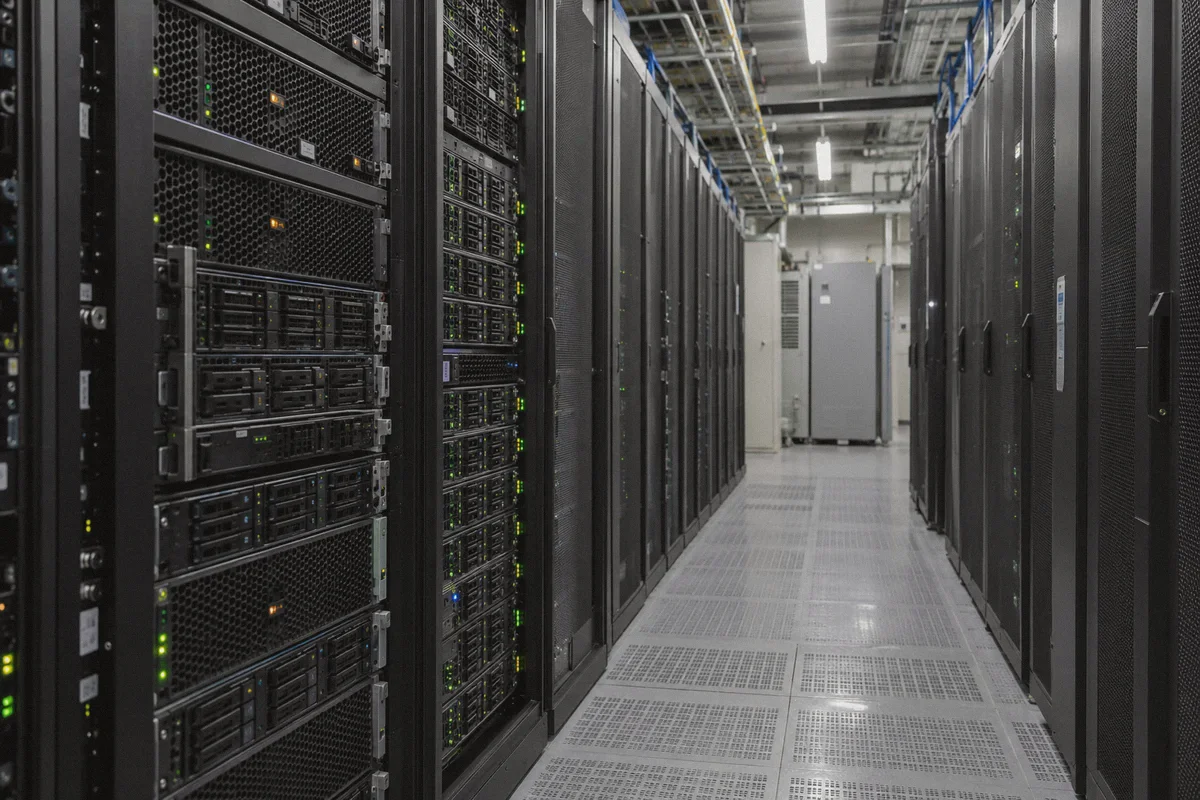
When a typical commercial VPN buys a block of IP addresses in a Tokyo or Osaka data center, hundreds of users connect to those exact same addresses simultaneously. U-NEXT’s anti-VPN firewall immediately spots the red flags:
- Data Center Fingerprinting: The traffic comes from an enterprise server farm (like AWS, M247, or Datacamp), not a residential Japanese internet provider like NTT or SoftBank.
- Protocol Signatures: Standard OpenVPN or WireGuard handshakes have distinct packet headers that deep packet inspection (DPI) engines can identify in milliseconds.
- Mass Concurrency: When 400 separate devices are trying to stream high-bitrate video from a single IP address at the same second, U-NEXT blacklists that IP pool instantly.
This is why you get stuck in what feels like a game of whack-a-mole: a server works for ten minutes on Tuesday, and by Wednesday night it is permanently dead.
To reliably watch U-NEXT outside Japan, you don't just need a "Japan server." You need a connection that disguises VPN traffic as normal web browsing, routes through clean, non-flagged IP pools, and automatically swaps paths before you hit a brick wall.
The Two Hurdles You Must Clear (And How to Handle Both)
Watching U-NEXT outside Japan involves clearing two distinct checkpoints:
- The Network Check: Making U-NEXT believe you are physically sitting in Tokyo.
- The Payment Check: Getting past their registration system if you don't own a Japanese credit card.
Let’s solve the network first, because without it, you can't even browse the catalog.
Step 1: The Network Fix — Why OnlyDogs VPN Actually Works
If you are tired of playing the server lottery, this is where OnlyDogs VPN stands out. It was built specifically to solve the exact problems that make streaming platforms freak out.
Here is what makes the difference when dealing with U-NEXT:
1. The One-Click "Streaming" Scenario Preset
Most VPN apps make you scroll through an endless list of 50 Japanese servers with names like JP-TYO-042 (89% load) and leave you to guess which one hasn't been blocked yet.
OnlyDogs VPN replaces that guesswork with Scenario Presets. Instead of fiddling with server numbers, you simply select the Streaming preset. The engine automatically routes your traffic through optimized, low-latency nodes verified for Japanese streaming platforms. No testing, no manual disconnect-reconnect rituals.
2. Traffic Obfuscation & Proprietary Protocol Design
Standard VPN protocols look like VPNs. OnlyDogs incorporates HTTP/3 and proprietary traffic obfuscation designed to navigate heavily restricted network environments. To U-NEXT’s firewall, your streaming session looks like ordinary, encrypted HTTPS web traffic. Because it lacks the telltale signatures of data-center VPN protocols, it slips right past the automated banhammer.
3. Automatic Path Recovery
Ever had a stream crash because your phone jumped from home Wi-Fi to mobile data, or your home connection had a momentary hiccup? On most VPNs, that drops your connection, exposes your real overseas IP for half a second, and triggers an immediate playback block on U-NEXT. OnlyDogs VPN is designed with high-resilience routing that recovers instantly from network switches and packet loss, keeping your session uninterrupted.
4. Clean, Hassle-Free Setup
You don’t have to create complex accounts or remember another 16-character password. OnlyDogs uses secure email verification codes to log in, works seamlessly across macOS, Windows, iOS, and Android, and includes built-in ad and tracker blocking that prevents intrusive pop-ups from interfering with playback.
👉 Try OnlyDogs VPN and get instant access to Japanese streaming
Step 2: The Account & Payment Hurdle (For New Users)
If you already have an active U-NEXT subscription, you can skip this section, turn on OnlyDogs VPN, and start watching right now.
However, if you are creating a brand-new account from outside Japan, you will quickly hit U-NEXT's second barrier: they reject almost all foreign credit cards. If you try to pay with an American, European, or Australian Visa/Mastercard directly on their website, the transaction will fail.
Here are the two easiest, battle-tested workarounds that don't require an overseas bank account:
Method A: Subscribe via iOS / Apple ID (The Smoothest Route)
- Turn on OnlyDogs VPN and set it to Streaming.
- Switch your Apple App Store region to Japan (or create a secondary Japanese Apple ID).
- Purchase a Japanese Apple Gift Card online (available on trusted platforms like Amazon Japan or Play-Asia).
- Redeem the gift card code onto your Japanese Apple ID balance.
- Download the official U-NEXT app from the Japanese App Store.
- Open the app, register a new account, and choose In-App Purchase / Apple ID Subscription as your billing method. Apple handles the charge locally, bypassing U-NEXT's foreign card block entirely.
Method B: U-NEXT Prepaid Gift Codes
If you prefer watching on PC or Android, you can purchase a digital U-NEXT Gift Code (U-NEXT ギフトコード) from online retailers that stock Japanese digital goods.
- Connect to OnlyDogs VPN.
- Go to the official U-NEXT Gift Code redemption page.
- Enter your purchased code; this grants you 30 days of service plus point balances for pay-per-view movies, without needing any credit card on file.
Step-by-Step: How to Watch U-NEXT Right Now
Once you have your account sorted, streaming is straightforward:
- Close U-NEXT Completely: If you already have the app or tab open, quit it. Clear your browser cache or open an Incognito/Private window to wipe any residual location cookies.
- Launch OnlyDogs VPN: Select the Streaming scenario preset and ensure your connection is active.
- Open U-NEXT: Head to video.unext.jp or launch the U-NEXT app on your TV, tablet, or phone.
- Log In and Play: Browse the catalog, pick your title, and hit play. The stream should load immediately in full 1080p or 4K HDR without the regional restriction banner.
A Few Real-World Tips to Prevent Playback Errors
Even with a top-tier setup, streaming across borders has its quirks. Keep these in mind:
- Watch out for device GPS on mobile: The U-NEXT mobile app on Android or iOS occasionally asks for location permissions. Always select "Don't Allow" or "While Using App only with Precise Location disabled."
- Keep your browser clean: If U-NEXT ever throws an unexpected error, 9 times out of 10 it is because a local cookie remembers your real location from before you connected to the VPN. A quick cache clear or a fresh private window resolves this instantly.
- Avoid free proxy extensions: Free browser proxies leak DNS requests like a sieve. U-NEXT detects DNS mismatches immediately and will lock your stream.
The Verdict
Getting U-NEXT to work outside Japan isn't complicated once you stop treating it like a standard website. It doesn't yield to generic, brute-force VPNs that blast data-center IPs at its front gate.
If you want a setup that just works—without spending your evenings cycling through dead servers or troubleshooting cryptic playback errors—get a tool designed to bypass modern streaming detection.
Turn on the streaming preset, sit back, and enjoy the show.
👉 Get OnlyDogs VPN and start streaming U-NEXT today
Frequently Asked Questions
Why can U-NEXT block a VPN even when the server is in Japan?
The article says U-NEXT can identify datacenter IP ranges, recognizable VPN protocol signatures, and unusually high numbers of simultaneous users on one address. A Japanese IP by itself is therefore not the only signal.
What are the two separate hurdles for watching U-NEXT abroad?
The article separates them into the network check, which determines whether the service sees a usable Japanese connection, and the payment check, which can reject foreign cards when a new account is created.
Why should I clear cookies or use a private window before retrying U-NEXT?
The article warns that old browser state can retain location information from a previous overseas session. Starting clean helps prevent stale location cookies from conflicting with the new route.
What does the article suggest if a foreign card is rejected?
It describes Japanese Apple gift-card billing for the iOS route and U-NEXT gift codes for users who prefer a browser or Android route, rather than assuming the VPN itself solves payment.
What can a VPN not guarantee with U-NEXT?
It cannot guarantee a new-account payment, override every device-location signal, or ensure a streaming route remains unblocked forever. Those controls belong to U-NEXT and can change.