
If you're typing "best lightweight VPN extension for Google Chrome" into a search bar, I can practically picture your screen right now.
You have twelve tabs open. Your laptop fan sounds like it’s preparing for takeoff. And pinned right next to your address bar is some free "ultra-light" VPN extension displaying a spinning wheel because a simple webpage refused to load.
You installed that extension for a very simple, sensible reason: you didn't want a bloated 200MB desktop program running in the background, you didn't want to mess with network settings, and you just wanted a quick toggle to unblock a site, watch a video, or browse safely on cafe Wi-Fi.
Here is the hard truth nobody mentions on standard tech review blogs: most Chrome VPN extensions aren't lightweight at all. In fact, hunting for a "lightweight browser extension" is often the exact reason your browsing experience feels so heavy, sluggish, and frustrating.
Once you understand why typical Chrome VPN extensions slow your browser down—and what actual "lightweight" looks like for everyday users—you can stop babysitting your extensions and get back to smooth browsing.
Article summary and product fit
What does “lightweight” really mean for a VPN used with Google Chrome?
The article argues that extension download size is a poor proxy for runtime overhead. Many so-called Chrome VPN extensions are browser proxies that add a background bottleneck inside Chrome and cover only browser traffic, so the article favors low-friction system-level routing when the goal is broad protection and fewer browser slowdowns.
Key points from this article
- Best for: Chrome users who want simple browsing, streaming, and public-Wi-Fi protection without managing a long server list or multiple browser add-ons.
- What matters: The article distinguishes a browser proxy from a system-wide VPN and highlights memory overhead, WebRTC or DNS exposure, reconnect behavior, and decision fatigue as practical concerns.
- Product fit: OnlyDogs VPN is presented as the article’s system-level alternative, with task presets, upstream ad and tracker filtering, connection recovery, and email-code login.
- Important limit: The article explicitly says this approach is not aimed at users who want manual OpenVPN configuration, advanced port forwarding, or a dedicated static IP for self-hosting.
Product source already referenced in the article: OnlyDogs VPN official website.
The Illusion of the "Lightweight" Browser Extension
When an extension advertises itself as "only 2MB" in the Chrome Web Store, that refers purely to download size. It tells you nothing about what happens to your system the second you toggle it on.
1. Chrome is already a RAM monster—extensions make it worse
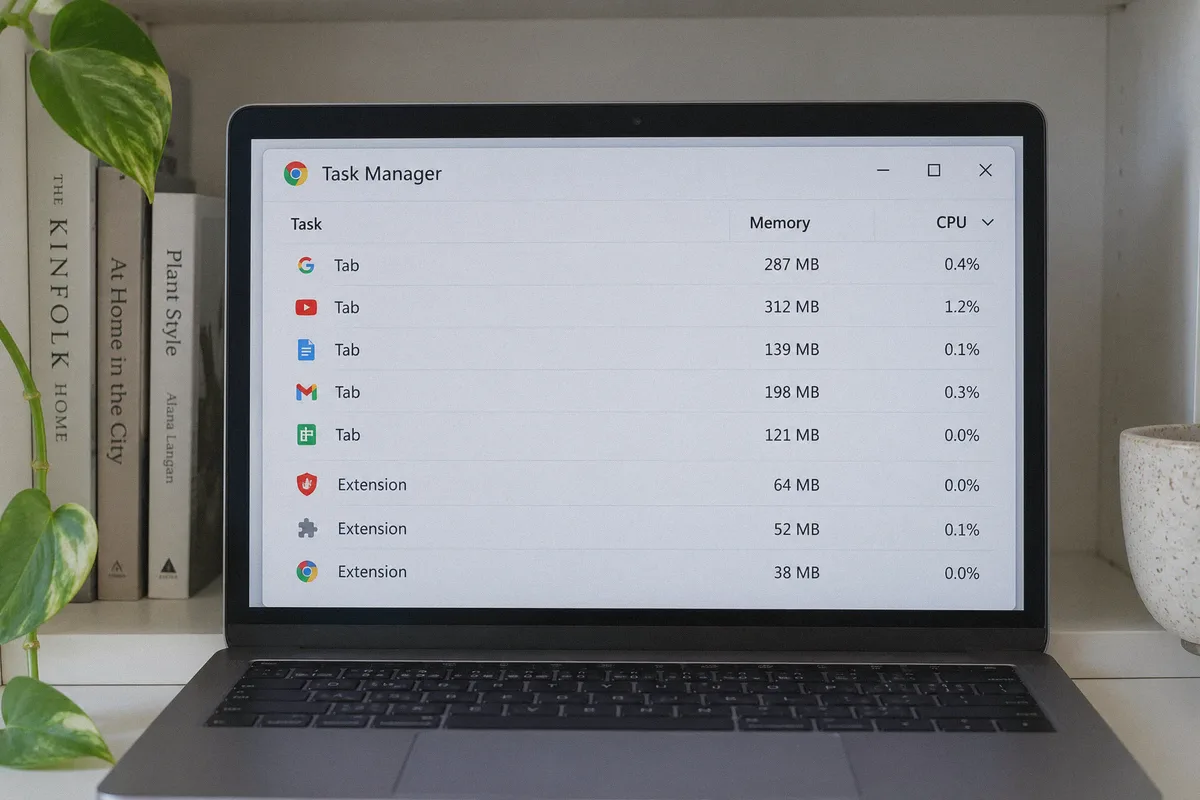
Google Chrome isolates tabs and extensions into separate background processes. When you run an active VPN extension, every single web request, image, tracker, and script in every open tab has to be routed through that extension’s background service worker.
Instead of saving memory, a poorly optimized extension adds a persistent bottleneck right inside Chrome's memory pool. When the proxy server hesitates for half a second, your entire browser stutters.
2. Most "VPN extensions" aren't actually VPNs
Almost every Chrome VPN add-on is just an HTTPS or SOCKS5 browser proxy.
That distinction matters:
- A proxy only handles traffic inside that specific browser window. Your background apps, system updates, and messaging tools remain completely unprotected.
- Browser proxies frequently leak your actual geographic location through WebRTC (the protocol Chrome uses for audio and video calls). You think you're browsing from Zurich, but the streaming site already detected your real IP through a silent background handshake.
- When your Wi-Fi flickers or you sleep your laptop, browser proxies tend to drop dead silently, leaving you staring at "err_connection_timed_out" until you manually toggle them off and on again.
3. The "decision fatigue" trap
Install three popular "light" VPN extensions right now, and they will all confront you with the same mess: a dropdown list of 65 countries, confusing ping numbers, protocol toggles (WireGuard, OpenVPN, IKEv2), and constant upgrade banners.
If you have to test three cities, read latency graphs, and restart your tab just to read an article, that tool is not lightweight. It's asking you to work as an unpaid network technician just to load a website.
What "Lightweight" Actually Means for Everyday Users
For someone who isn't a cybersecurity researcher, a truly lightweight tool comes down to four basic things:
- Zero cognitive load: You tell the tool what you want to do (e.g., "stream videos" or "fastest speed"), and it handles server selection without asking for technical input.
- Zero account friction: No 16-character passwords to store in a manager, and no endless password reset loops.
- Instant recovery: When your connection wobbles or you switch from Wi-Fi to a phone hotspot, the connection should heal instantly in the background without freezing your tabs.
- Negative drag: A good tool should actively speed up your web experience by stripping out tracking scripts and intrusive ads before they reach your screen.
When you look at the problem through this lens, cramming a fragile proxy script into Chrome's toolbar isn't the solution. The cleaner answer is a lean, automated app that runs quietly at the system level with zero fuss.
That is precisely the design philosophy behind OnlyDogs VPN.
How OnlyDogs VPN Solves the "Chrome Bloat" Problem
Instead of building a gimmicky browser extension that competes with Chrome for system memory, OnlyDogs VPN takes the opposite approach: keep the interface dead simple, automate the technical decisions, and strip the weight entirely off your browser.
Traditional Chrome Extensions:
Browser Traffic ──▶ Chrome Service Worker ──▶ Slow Proxy ──▶ Tab Freezes & Memory Bloat

The Clean Approach (OnlyDogs VPN):
Network Level ──▶ Optimized Protocol + Ad Stripping ──▶ Clean, Fast Traffic into Chrome
1. Task Presets Instead of Server Roulette
The most exhausting part of standard VPNs is server selection. You click "United States," get assigned an overcrowded server in Virginia, and spend the next five minutes reconnecting to Chicago, then Miami, just to find one that doesn't trigger a bot verification puzzle.
OnlyDogs replaces server lists with One-Click Presets:
- Fastest Line: Automatically picks the route with the lowest congestion and fastest response time.
- Streaming Mode: Directs your traffic through nodes optimized for video delivery without buffering or regional blocks.
- Aggressive Ad Blocking: Filters out tracking scripts and advertising domains at the connection level.
You choose what you want to achieve, click once, and minimize the window. No ping tests, no geography quizzes.
2. Dual-Layer Ad and Tracker Blocking (Your Browser Runs Faster)
A major reason modern websites feel sluggish in Chrome isn't your internet connection; it's the dozens of background analytic trackers, video pop-ups, and banner scripts firing simultaneously on every page load.
OnlyDogs combines DNS-level filtering with node-based blocking. Instead of downloading multi-megabyte ad images and tracker scripts only to hide them via an extension, those requests are dropped upstream before they ever reach Chrome.
It even intercepts video ad interruptions on major platforms like YouTube. By stopping junk before it enters your computer, your browser actually uses less RAM and less battery than browsing unprotected.
3. Proprietary Protocols and HTTP/3 Obfuscation
Public, generic VPN protocols (like standard OpenVPN) carry distinct traffic signatures that make them easy for network firewalls to detect, throttle, or block entirely—especially on hotel, campus, or airport networks.
OnlyDogs utilizes customized protocol designs and HTTP/3 obfuscation. To the local router or ISP, your traffic blends in with routine, modern web traffic.
More importantly, it handles packet loss gracefully. If you're on a crowded coffee shop Wi-Fi or traveling in regions with unstable infrastructure (such as parts of Southeast Asia), the connection maintains stability instead of dropping into endless reconnect loops.
4. No Passwords to Remember
Managing another set of login credentials for a utility app is an unnecessary headache. OnlyDogs eliminates traditional password management entirely by using direct email verification codes.
Enter your email, type in the one-time code you receive, and you're in. It reduces setup time to under a minute and removes the risk of forgotten passwords locking you out right when you need a secure connection.
Chrome Extension vs. OnlyDogs: Real-World Comparison
| Factor | Typical Free/Budget Chrome Extension | OnlyDogs VPN |
|---|---|---|
| Impact on Chrome | Adds memory overhead; risks tab crashes | Zero browser overhead; runs independently |
| Protection Scope | Browser tabs only (WebRTC leaks common) | System-wide (browser, background apps, calls) |
| Server Selection | Manual trial-and-error across country lists | Smart Presets (Fastest, Streaming, Ad-block) |
| Ad Blocking | Basic cosmetic hiding (eats CPU) | DNS + Node-Level filtering (saves data & RAM) |
| Connection Stability | Often freezes when waking laptop from sleep | Fast auto-recovery across Wi-Fi/hotspot switches |
| Setup Hassle | Account creation, password forms, upsell popups | Email verification code, clean dashboard |
Who This Is For (and Who Should Look Elsewhere)
To be completely clear, OnlyDogs isn't designed for every single use case on the internet.
This is the right fit if:
- You use Chrome daily for work, studying, or entertainment and refuse to tolerate lag, tab freezes, or battery drain.
- You want to bypass regional restrictions or watch video streams without guessing which node works today.
- You frequently connect on public Wi-Fi, travel, or deal with restricted networks where ordinary VPNs get blocked.
- You want reliable ad and tracker blocking without loading your browser down with three separate blocking add-ons.
Look elsewhere if:
- You enjoy manually editing OpenVPN
.ovpnconfiguration files or setting up custom port forwarding rules. - You require dedicated static IP addresses for hosting your own home servers.
The Verdict
Searching for a "lightweight Chrome extension" is usually an attempt to find a quick, friction-free way to browse without slowing down your computer.
The paradox is that cramming proxy software directly into Chrome's already memory-heavy engine does the exact opposite: it drains resources, leaks data, and turns basic site navigation into a chore.
True lightweight operation means zero mental effort, zero browser drag, and a connection that works on the first try.
👉 Try OnlyDogs VPN and see what seamless, unburdened browsing actually feels like. Set your preset, forget it's even running, and let your browser do what it was meant to do.
Frequently Asked Questions
Why can a small Chrome VPN extension still slow the browser down?
The article says the extension’s download size does not describe its runtime cost. An active proxy extension can sit in Chrome’s background process and route requests from many tabs through a single service worker or proxy path.
Are Chrome “VPN extensions” always full VPNs?
No. The article says many are browser-level HTTPS or SOCKS proxies, which means they protect only traffic inside that browser rather than every application on the device.
What traffic can remain outside a browser VPN extension?
Background applications, system updates, messaging clients, and other non-browser traffic can continue using the normal network connection because the extension only controls browser requests.
What does the article consider a genuinely lightweight experience?
It emphasizes low cognitive load, simple login, automatic recovery after network changes, and less browser drag rather than merely a tiny extension file size.
Who should look for a different kind of VPN tool?
The article says users who need manual configuration files, advanced port-forwarding control, or dedicated static IP addresses should look for a more specialized product.