
If you are searching for the best VPN for Amazon Seller Central multiple accounts hoping to find a quick app, toggle a server, and switch between three different seller dashboards on your laptop, stop right there.
That single assumption is responsible for more Section 3 "Related Account" suspension letters than almost anything else in e-commerce.
Most affiliate listicles will happily tell you to install a mainstream commercial VPN, pick a US city, and log right in. What they do not tell you is that doing so will likely get every single one of your stores permanently linked and shut down within forty-eight hours.
Managing multiple Amazon Seller Central accounts is not a simple "IP-hiding" problem. It is an infrastructure problem. Once you understand how Amazon actually tracks multi-account operations, you can set up a workflow that keeps your stores alive while using a modern VPN where it actually creates a competitive advantage.
Article summary and product fit
What this article answers
A normal shared VPN is not an account-isolation system for multiple Amazon Seller Central accounts. The article recommends separating sensitive dashboard logins into dedicated browser environments with stable, dedicated network identities, while using a VPN for research, sourcing, travel, and general cross-border business activity.
Key points
- Core risk: Amazon can correlate browser fingerprints, shared datacenter IP reputation, and abrupt location changes in addition to the visible IP address.
- Two-layer setup: Use a dedicated isolated profile plus a dedicated static residential proxy or separate VPS for each Seller Central login environment.
- VPN role: Keep the VPN for consumer-market research, supplier communication, public Wi-Fi protection, and other work that is not a sensitive seller-dashboard login.
- Operational discipline: Separate payment methods, brand assets, support identities, and account workflows as well as network sessions.
Where OnlyDogs VPN fits
The article treats OnlyDogs VPN as the operational network layer for research and travel, not as the identity boundary for Seller Central login sessions.
Important limits
The article explicitly warns against logging into Seller Central through a dynamic shared VPN server. Network privacy alone cannot isolate accounts if browser fingerprints, payment details, files, or support infrastructure are reused across stores.
Sources already linked in this article: OnlyDogs VPN official site.
1. The Trap: Why a Standard VPN Alone Gets Your Stores Linked
To understand why a typical VPN fails at multi-account management, you have to look at what happens on Amazon’s risk-control servers the moment you click "Log In."
When Amazon investigates whether two accounts belong to the same entity, the IP address is only about fifteen percent of the equation. Amazon’s fraud detection algorithms look at dozens of digital breadcrumbs:
- Browser Fingerprints: Canvas rendering hashes, WebGL vendor strings, screen resolution, system fonts, and audio context. If you open Store A in Chrome, switch your VPN server, and open Store B in that same Chrome browser, your machine’s hardware fingerprint is identical. Amazon links them instantly.
- Datacenter IP Pools: Standard commercial VPNs route traffic through large public data centers (AWS, DigitalOcean, M247). Amazon knows these IP ranges. More importantly, hundreds of other users share those exact same IP addresses. If another seller on that shared VPN IP violated terms or got suspended, your clean account instantly shares their tainted reputation.
- IP Jitter and Velocity Flags: If you log into Seller Central from Los Angeles at 9:00 AM, disconnect, and log back in from Chicago at 9:15 AM, you trigger automated velocity checks. Amazon flags the session as a potential account takeover, freezing disbursements and demanding multi-factor verification.
A standard VPN changes your network pipe, but it does not isolate your environment. Treating a VPN as an all-in-one account separator is an expensive mistake.
2. The Professional Setup: The Two-Layer Architecture
Legitimate multi-brand sellers, aggregators, and agencies do not rely on a single magic tool. They separate their operations into two distinct layers:
| Operational Layer | Core Function | Primary Tools Required |
|---|---|---|
| Layer 1: Dashboard Isolation | Isolating browser fingerprints, cookies, and static IP identity for daily Seller Central logins | Antidetect browsers (e.g., AdsPower, Multilogin) paired with dedicated static residential proxies or clean cloud VPS instances |
| Layer 2: Operational Engine | Market research, competitor scraping, ad verification, travel security, and cross-border team communications | High-speed, obfuscated VPN infrastructure (OnlyDogs VPN) |
For the sensitive, five-minute task of logging into Seller Central to manage inventory or check disbursements, you need dedicated static isolation.
However, running an Amazon business is ninety percent research, sourcing, competitor monitoring, ad testing, and remote communication. That is where a high-grade VPN becomes indispensable.
3. Where OnlyDogs VPN Fits into the Multi-Account Workflow
While Layer 1 isolates your dashboard sessions, OnlyDogs VPN handles the heavy lifting of your day-to-day cross-border operations. Here is why serious e-commerce operators keep it running across their workstations and mobile devices.
Localized Market Recon Without Tracking Pollution
If you search Amazon from an overseas location or through an ordinary datacenter proxy, Amazon feeds you generic international search results, distorted delivery dates, and altered Buy Box winners.
OnlyDogs VPN provides clean, fast routing to your target marketplaces. By routing through optimized regional endpoints, you see exactly what a local buyer in Dallas, London, or Tokyo sees:
- Real-time local Buy Box ownership.
- Accurate organic search rankings unskewed by your physical location.
- Localized Sponsored Product and Sponsored Brand placements.
HTTP/3 and Proprietary Obfuscation for Sourcing and Travel
Sellers frequently travel to overseas factories, attend trade expos like the Canton Fair, or manage remote Virtual Assistants across Southeast Asia. Standard VPN protocols (OpenVPN, WireGuard) are easily identified and throttled by aggressive corporate firewalls, hotel networks, and regional deep packet inspection (DPI) in regions like China, Russia, or the UAE.
OnlyDogs utilizes HTTP/3 transport, traffic obfuscation, and proprietary protocol engineering. To network monitors and firewalls, your traffic looks like standard encrypted web browsing rather than a VPN tunnel. This means zero downtime when you need to coordinate shipments, inspect supplier portals, or access business tools from restrictive networks.
Scenario Presets Instead of Technical Guesswork
Most VPNs present a confusing list of hundreds of raw server nodes. If a server is congested or flagged, you waste half your morning testing connections one by one.
OnlyDogs replaces this friction with Scenario Presets. Rather than figuring out which protocol or server port to configure, you click one button based on your goal:
- Fastest Route: Automatically routes through the lowest-latency path for daily business browsing.
- Streaming & Media: Optimized for high-bandwidth tasks and media verification.
- Ad & Tracker Blocker: Activates system-level DNS and node filtering.
The app automatically selects and maintains the optimal path behind the scenes, eliminating trial-and-error configurations.
Network Switch and Weak-Network Recovery
E-commerce management happens on the move—switching from warehouse Wi-Fi to a mobile hotspot, or working through unreliable airport connections.
Standard VPNs often hang or leak unencrypted requests during network handoffs. OnlyDogs is engineered with robust weak-network resilience, maintaining connection stability and recovering instantly across network switches without requiring manual restarts.
Dual-Layer Ad and Tracker Blocking
Competitor analysis and supplier sourcing expose your browser to thousands of tracking pixels, fingerprinting scripts, and retargeting tags. Over time, these cross-site trackers can associate your personal identities with your various business projects.
OnlyDogs integrates DNS-level and node-level filtering that strips out intrusive ads and data trackers before they hit your machine. It even handles video platform ads, giving your team a clean, distraction-free research environment.
Streamlined, Passwordless Security
Managing multiple Amazon stores means managing dozens of master credentials, secondary user logins, and OTP authenticators. You do not need another complex master password to remember or lose.
OnlyDogs uses a secure, passwordless email verification code system. It delivers instant, consistent protection across macOS, Windows, iOS, and Android without credential management headaches.
👉 Check current plans and setup options on the OnlyDogs VPN Official Site
4. How to Structure Your Daily Multi-Account Routine
To eliminate account linking risks while keeping your team operating at peak speed, follow this daily operational protocol:
Step 1: Establish Your Clean Environments
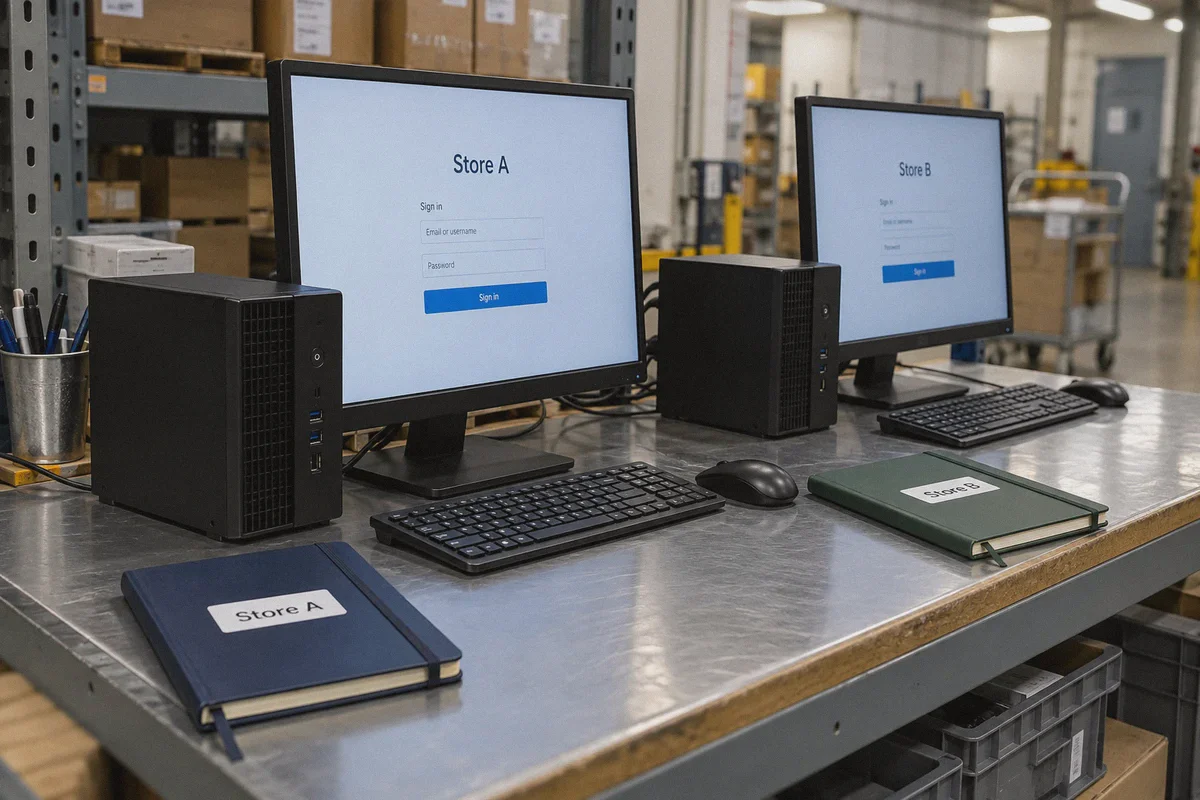
For each Amazon Seller Central account, create a dedicated profile inside an antidetect browser. Bind each profile to a dedicated static residential proxy or separate VPS. Label them clearly (Store 1, Store 2, Store 3). Never cross-contaminate logins or open multiple store profiles within a standard, non-isolated browser window.
Step 2: Use OnlyDogs VPN as Your Operational Shield
Keep OnlyDogs running on your main operating system. Use it for:
- Browsing Amazon.com as a consumer to audit your product listings.
- Scraping keyword data and tracking competitor price movements.
- Communicating with freight forwarders, suppliers, and overseas staff over encrypted channels.
- Preventing local ISPs and public Wi-Fi networks from snooping on your business traffic.
Step 3: Implement Clean Operational Habits
- Never share payment methods: Each seller account must have its own bank accounts, credit cards, and billing addresses.
- Separate brand assets: Do not host images or files for two different stores on the exact same public Google Drive or Dropbox link without clean permissions.
- Separate support infrastructure: Use distinct customer service email domains and phone numbers for each brand.
5. What to Avoid at All Costs
Even with good tools, human error remains the primary cause of account linkage. Keep these non-negotiable boundaries in place:
- Do not log into Seller Central directly over a dynamic VPN server. If you forget to launch your isolated environment and open Seller Central directly while connected to a shared VPN node, close the tab immediately. Repeated dynamic logins from commercial IP ranges will inevitably trigger account verification or suspension.
- Do not use free public proxies. Free proxies frequently inject tracking headers, leak DNS requests, and are routinely blacklisted by Amazon's security systems.
- Do not cycle through dozens of VPN locations in one day. Keep your operational research consistent with the primary marketplace you are analyzing.
Managing multiple Amazon Seller Central accounts successfully comes down to using the right tool for the right job. Dedicated isolation environments protect your dashboard credentials, while a robust network tool like OnlyDogs VPN secures your research, protects cross-border communications, and keeps your operational footprint clean.
Set up your isolation properly, equip your workstations with reliable network protection, and your multi-account business can scale without the constant fear of an unexpected shutdown.
Frequently Asked Questions
Why is a standard VPN not enough to separate multiple Amazon Seller Central accounts?
Because changing the IP address does not change the browser and device fingerprints or other account signals described in the article. Shared datacenter IP reputation and rapid location changes can also create additional risk.
What is the two-layer setup described in the article?
The first layer is a dedicated isolated browser environment with a stable dedicated network identity for each Seller Central account. The second layer is a VPN used for broader research, sourcing, travel, and communications outside those sensitive login sessions.
Should I log directly into Seller Central through a dynamic commercial VPN server?
No. The article specifically warns against repeated Seller Central logins from shared dynamic VPN nodes and recommends keeping dashboard access inside its dedicated isolated environment.
What else needs to stay separate besides the browser session?
The article calls out payment methods, billing details, brand assets, support email domains, phone numbers, and day-to-day operational habits as separate account-linking considerations.