OnlyDogs VPN
Best VPN for Kuwait: How to Unblock WhatsApp Calls & Dating Apps Without Constant Dropouts

You settle onto the couch in your apartment in Salmiya or Kuwait City after a long workday, pull out your phone, and hit the green call button on WhatsApp to ring your family back home.
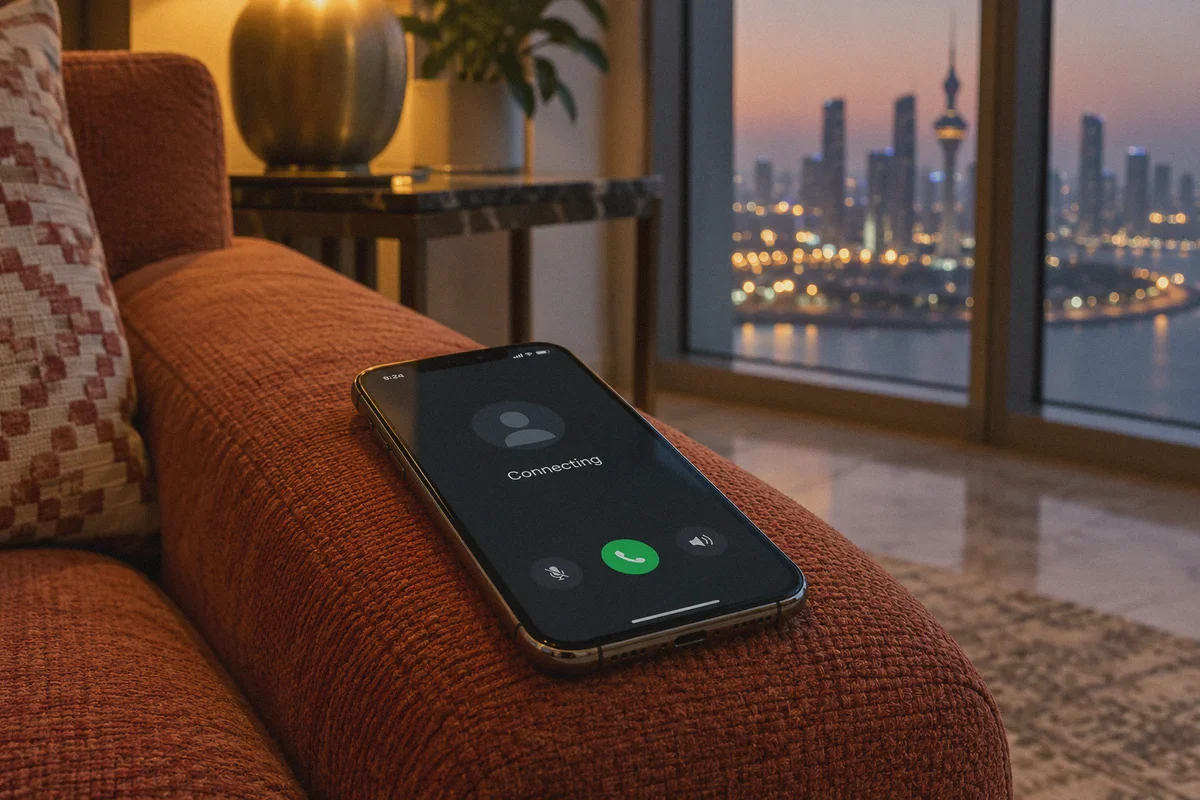
The screen switches to "Calling..." then hangs on "Connecting..." for twenty agonizing seconds before abruptly dying.
You try FaceTime audio. Same thing. You switch to a dating app—Tinder, Bumble, or Badoo—hoping to chat with someone new, only to be greeted by an endless loading animation, broken profile photos, or an opaque login error.
If you are searching for the best VPN for Kuwait to unblock VoIP and dating apps, you already know the frustration.
And you’ve probably already tried the obvious fix: downloading whatever generic VPN topped a Google search, turning it on, and trying again.
Except the call still sounded like choppy underwater robotic garble before disconnecting, and your dating app flagged your account for "suspicious login activity."
Here is the reality that generic tech blogs gloss over: Kuwait’s telecom restrictions don’t just block website URLs. They deploy aggressive protocol filtering on voice packets, while dating platforms use sophisticated fraud shields against cheap VPN servers.
Once you understand why standard VPNs choke in Kuwait, getting crystal-clear audio calls and smooth, unflagged dating app access takes less than three minutes.
Article summary and product fit
Why can WhatsApp calls and dating apps both fail in Kuwait for different reasons, and what does this article recommend doing?
The article describes a two-part problem: telecom-level filtering can disrupt real-time VoIP, while dating apps can reject crowded proxy IPs or location mismatches. It recommends an obfuscated, low-latency route, connecting before opening the apps, and clearing stale app location state when necessary.
Key context from this article
- Best for: People in Kuwait whose ordinary browsing works but calls stall, or whose dating apps show loading, login, or verification problems.
- Key point: VoIP filtering and dating-app anti-fraud systems are separate obstacles and can require different troubleshooting steps.
- Product fit: The article positions OnlyDogs VPN around obfuscation, automatic route selection, and recovery when switching between 5G and Wi-Fi.
- Important limit: Rapid location hopping, GPS mismatches, stale app state, and platform security rules can still trigger account checks even when the network route is stable.
Product source already linked in this article: OnlyDogs VPN official website.
The Kuwait Double-Lock: Why Free & Famous VPNs Fail
Kuwait enjoys some of the fastest 5G infrastructure in the world, courtesy of Zain, Ooredoo, and STC. But speed means nothing when government regulatory bodies (like CITRA) mandate surgical filtering at the telecom level.
The barrier isn't one wall—it's two completely different obstacles:
1. The VoIP Trap: Deep Packet Inspection & UDP Choking
Text messages on WhatsApp or Telegram go through without issue because they look like standard, low-bandwidth text packets.
Voice and video calls, however, rely on continuous, real-time UDP streams. Kuwait’s telecom firewalls use Deep Packet Inspection (DPI) to sniff out these voice handshakes. When you use a standard VPN running un-obfuscated protocols (like vanilla OpenVPN or basic WireGuard), the firewall spots the telltale VPN signature instantly.
Instead of showing a neat block page, the network silently throttles or drops your audio packets. You hear silence, the other person hears stutter, and the call drops.
2. The Dating App Trap: Geolocation Mismatches & Dirty Datacenter IPs
Dating apps like Tinder, Bumble, and Grindr are blocked by default on local Kuwaiti Wi-Fi and mobile networks.
When you use a generic commercial VPN to open them, you run headfirst into the dating platforms' own anti-spam defenses. Most commercial VPNs cram thousands of users onto the same crowded datacenter IPs. The dating app's fraud engine flags the IP as a commercial proxy, triggering shadowbans, instant SMS verification loops, or device lockouts. Furthermore, if your VPN leaks DNS data or conflicts with your phone's background GPS, the app detects the location spoofing and freezes your feed.
To stay seamlessly connected in Kuwait, you don't need a bloated VPN boasting servers in 100 random countries. You need real traffic camouflage that slips past telecom DPI, paired with clean, low-noise routing that doesn't trigger dating app security flags.
What Actually Works: The Essential Checklist for Kuwait
If you want smooth video/audio calls and reliable access to dating platforms in Kuwait, your tool must deliver three specific capabilities:
- Stealth Traffic Obfuscation (HTTP/3 Architecture): The VPN connection cannot broadcast an obvious "I am a VPN tunnel" signature. It must blend in with ordinary, encrypted web browsing traffic (HTTPS over HTTP/3) so telecom filters let voice packets pass untouched.
- Aggressive Weak-Network & Cell-Switch Recovery: Kuwaiti users constantly transition between blazing-fast home fiber Wi-Fi and outdoor 5G networks. A standard VPN tunnel breaks during this handoff, killing your active voice call. The client must re-anchor sessions instantly without forcing a manual reconnect.
- Clean, Low-Noise IP Routing: The IP pool must not be burned by thousands of bot accounts, ensuring platforms like Tinder and Bumble recognize you as a genuine user.
This exact balance is why OnlyDogs VPN has become the premier choice for expats, travelers, and residents navigating strictly filtered Gulf networks.
Why OnlyDogs VPN Excels Where Mainstream Tools Struggle
OnlyDogs VPN was purpose-built for heavily restricted, monitored network environments—places like the UAE, China, and Russia where standard VPN protocols get blocked on sight. That specialized architecture makes it uniquely effective against Kuwait's filtering systems.
1. HTTP/3 & Proprietary Traffic Camouflage
Instead of relying on legacy protocols that stick out like a sore thumb to Zain or Ooredoo DPI filters, OnlyDogs integrates HTTP/3 architecture, traffic obfuscation, and proprietary protocol engineering.
To the monitoring equipment on local telecom gateways, your WhatsApp call or Tinder browse looks like routine, modern web traffic. Voice data flows smoothly without artificial latency spikes or targeted packet throttling.
2. One-Tap Scenario Presets (No Server Roulette)
With ordinary VPNs, users spend twenty minutes frantically playing server roulette: Is Frankfurt lagging? Try London. London dropped the call, let's try Dubai. Dubai blocked VoIP, let's try Cyprus.
OnlyDogs replaces this hassle with Scenario Presets. Open the app, tap the mode you want—Fastest Line, Streaming, or Strong Ad Blocking—and the automated routing engine dynamically connects you to the cleanest, lowest-latency path available at that exact second.
3. Seamless Handshake Recovery Across 5G and Wi-Fi
Whether you're stepping out of a cafe in Kuwait City onto the street or driving along the Arabian Gulf Street, your phone is constantly hopping between cellular towers and local routers.
OnlyDogs features built-in weak-network resilience. If your connection hiccups for a fraction of a second during a tower handoff, the tunnel auto-heals in the background without dropping your active WhatsApp voice call or freezing your match screen.
4. Built-in Ad & Tracker Filtering Saves Mobile Data
Dating apps and social media feeds are notorious for loading hundreds of background analytics trackers and video banner ads that chew through your mobile data. OnlyDogs features integrated DNS + node-level filtering that strips out intrusive ads and trackers before they render, giving you faster loading speeds and saving your data allowance.
5. Password-Free Simplicity
No complicated passwords to memorize or reset when switching between your laptop and your phone. OnlyDogs logs you in securely via email verification codes, delivering an identical, clean user interface across iOS, Android, Windows, and macOS.
Step-by-Step: How to Set Up VoIP & Dating Apps in Kuwait
To ensure your accounts remain safe and your calls connect on the first ring, follow this setup sequence:
Step 1: Install Before You Run Into Blocks
While VPN provider domains are not universally blocked across all Kuwaiti home Wi-Fi networks, downloading your apps beforehand saves time and eliminates headaches.
👉 Download OnlyDogs VPN from the Official Website on your phone and laptop.
Log in using your direct email verification code.
Step 2: Connect to the Optimized Route
Open OnlyDogs VPN and select the primary Fastest preset or a low-latency regional node (such as nearby Southern European or Mediterranean gateways).
The app will assign a clean, unflagged route optimized for real-time packet transmission.
Step 3: Clear the Dating App Cache (Crucial Step!)
If you previously attempted to open Tinder or Bumble on local Kuwaiti data without a VPN, the app may have cached a restricted regional token.
- On iPhone: Force-close the app. If issues persist, reinstall the app while connected to OnlyDogs VPN.
- On Android: Long-press the app icon > App Info > Storage > Clear Cache.
Step 4: Open WhatsApp, FaceTime, or Tinder
With your obfuscated tunnel active, place your call or open your dating feed. The connection will establish immediately, with clear audio and full profile functionality.
The Expat Playbook: 3 Rules to Avoid Account Flags
If you are using dating apps or managing sensitive accounts from Kuwait, keep these practical operational rules in mind:
| Rule | Why It Matters |
|---|---|
| Keep Location Consistent | Don't swipe on Tinder through a UK server, disconnect, and then log into your banking app from local Kuwait IP five minutes later. Rapid geographic hopping triggers security flags. |
| Never Use Free Public Proxies | Free proxies route your unencrypted chat and login data through unknown servers, leak your real DNS, and are almost 100% blacklisted by dating platforms. |
| Turn OnlyDogs On Before Opening Apps | Always launch your VPN before launching WhatsApp or Bumble so the initial connection handshake never exposes your local IP to the platform's geo-filter. |
The Verdict
Living or traveling in Kuwait shouldn't mean accepting cut-off phone calls with your family or being locked out of modern social apps.
At the same time, relying on bloated, legacy VPNs that treat Gulf telecom filtering like a mild inconvenience will only leave you staring at dropped calls and frozen spinners.
You need a solution engineered for the actual terrain: stealth HTTP/3 obfuscation that glides past DPI, instant auto-healing when switching between 5G and Wi-Fi, and clean, reliable routing that keeps your accounts safe.
Get your connection sorted before your next call:
👉 Get OnlyDogs VPN and Stay Seamlessly Connected in Kuwait
Frequently Asked Questions
Why can WhatsApp text work in Kuwait while voice or video calls fail?
The article explains that text traffic can look like ordinary low-bandwidth web traffic, while continuous real-time voice and video flows can be identified and throttled by telecom filtering.
Why can dating apps flag a normal commercial VPN?
The article says crowded datacenter IPs, DNS or location leaks, and a mismatch between the VPN location and the phone’s other location signals can trigger anti-spam or anti-fraud checks.
Why does the article recommend connecting before opening WhatsApp or a dating app?
Starting the app only after the VPN route is active reduces the chance that the app first records a blocked local path or caches location state from the unprotected connection.
What should you do if a dating app previously cached a restricted Kuwait location?
The article recommends force-closing the app and, if needed, clearing its cache or reinstalling it while the intended VPN route is already connected.
How can you reduce the risk of account security flags?
Keep location behavior consistent, avoid free public proxies, and turn on the VPN before opening the app instead of rapidly switching between distant VPN and local locations.