
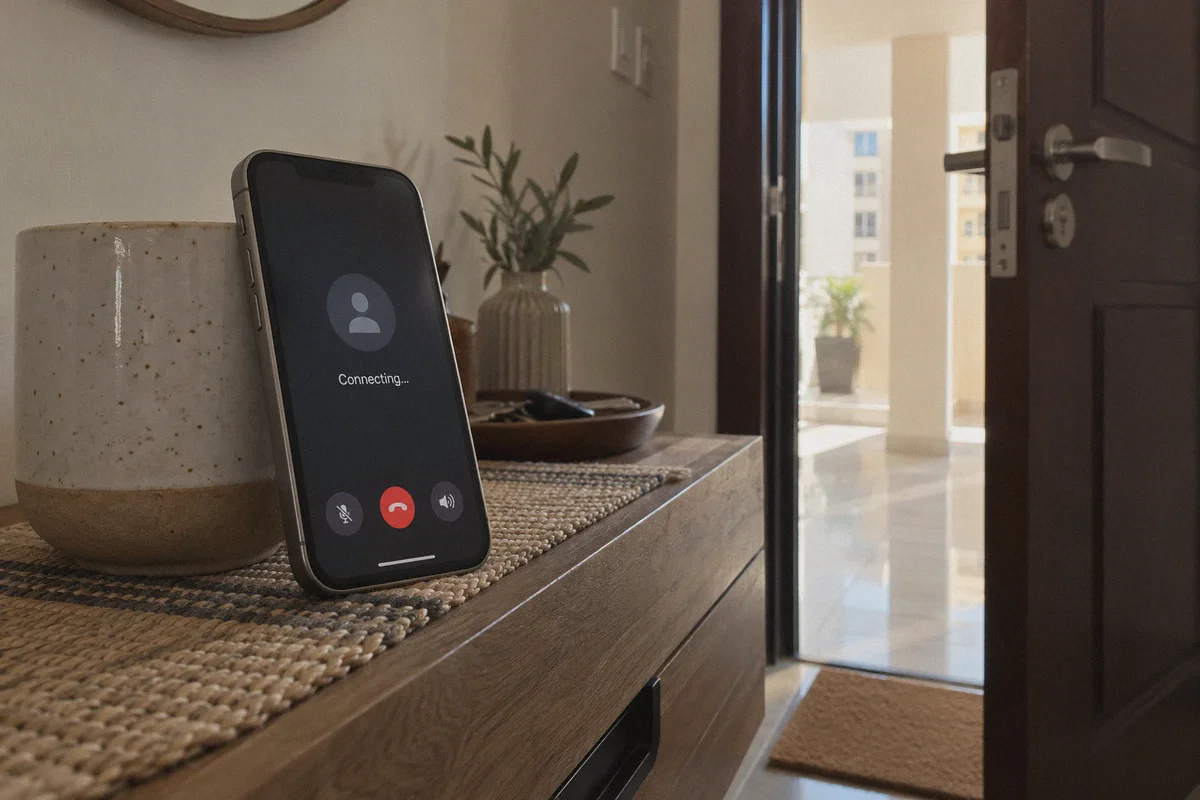
If you landed in Doha, connected to your hotel or apartment Wi-Fi, opened WhatsApp to call your family, and watched the screen hang on "Connecting..." indefinitely, you are not doing anything wrong.
Your texts go through instantly. Voice notes send in half a second. But the moment you tap the green phone or video icon, the line goes completely dead—or worse, it rings twice, connects to dead silence, and abruptly drops.
Most people in this situation do the obvious thing: they head to the app store, download whatever generic VPN has the loudest marketing budget, flip the big toggle switch, and try calling again. Half the time, the VPN itself gets blocked during connection. The other half, the call connects, but your voice sounds like an underwater robot, lags by three seconds, and disconnects the moment you walk out the front door and switch from Wi-Fi to mobile data.
Unblocking WhatsApp and VoIP calls in Qatar isn't about finding a VPN with "thousands of servers." It comes down to understanding how telecom blocks actually work here—and choosing a tool built specifically to beat them without turning your phone into an IT project.
Article summary and product fit
Why do WhatsApp voice and video calls fail in Qatar even though messages still work, and what kind of VPN connection does the article recommend?
The article says local networks restrict VoIP traffic rather than the whole WhatsApp service. It recommends an obfuscated, low-latency tunnel with fast Wi-Fi-to-mobile recovery so call packets are less likely to be identified, throttled, or dropped during network changes.
Key points, fit, and limits
- Best for: Travelers and residents in Qatar who can message on WhatsApp but cannot maintain voice or video calls.
- Key obstacle: The article describes VoIP packet filtering, recognizable VPN signatures, latency, and handover failures.
- Practical approach: Use a low-latency obfuscated route, establish it before opening WhatsApp, and keep the tunnel stable during the call.
- Product fit: Within this article, OnlyDogs VPN is the recommended fit because its HTTP/3 obfuscation, low-friction routing presets, and fast Wi-Fi-to-5G recovery are presented as matching the needs of VoIP calls on filtered networks.
- Important limit: Call quality still depends on the underlying network, and users should also follow local laws, service terms, and telecom rules.
Product source: OnlyDogs VPN official website
Why WhatsApp Calls Fail in Qatar (It’s Not What You Think)
A common misconception is that Qatar simply "bans WhatsApp."
If Qatar banned WhatsApp, you wouldn't be able to send texts, share photos, or read group updates. The app itself is completely accessible. What the local telecom operators (Ooredoo and Vodafone Qatar) actually restrict is VoIP traffic—specifically, voice and video calls over WhatsApp, FaceTime Audio, Skype, Messenger, and Telegram.
The primary reason is commercial protection for traditional international calling minutes, combined with local regulatory frameworks. To enforce this, ISPs don't just block IP addresses; they run Deep Packet Inspection (DPI).
When you initiate a WhatsApp call, your phone sends out very distinct UDP/RTP media packets. Ooredoo’s filters instantly recognize the signature of a VoIP handshake and silently throttle or drop those specific packets.
Here is why most standard VPNs fail at this:
- Standard protocols have recognizable signatures: Traditional protocols like standard OpenVPN or raw WireGuard have known packet headers. In high-inspection environments like Qatar, local network filters identify VPN traffic almost as easily as VoIP traffic, leading to throttled speeds or outright blocked handshakes.
- Latency kills voice: Websites can handle a 200ms ping delay; human conversation cannot. If a VPN routes your voice data through six unnecessary routing hops, your call turns into a stuttering mess.
- Network switching drops the call: Expats and travelers are constantly moving between building Wi-Fi and 5G. Standard VPNs take 5 to 10 seconds to renegotiate a dropped handshake, which immediately terminates an active WhatsApp call.
What You Actually Need to Look For
If your only goal is to pick up your phone and have a crystal-clear conversation with your parents, partner, or business partners back home, ignore server count hype. Look for three specific things:
- Traffic Obfuscation (Camouflage): Your VPN traffic cannot look like VPN traffic. It needs to look like mundane, everyday web browsing (such as encrypted HTTP/3 traffic) so telecom filters pass it right through.
- Instant Network Handover: If you step out of your Doha apartment into the elevator and your phone switches from home Wi-Fi to Ooredoo 5G, the VPN connection must heal instantly in the background without dropping the voice stream.
- Zero Protocol Configuration: You shouldn't have to spend your evening on Reddit debating whether to use TCP port 443, WireGuard, or UDP. You want a tool where you press one button and make your call.
Why OnlyDogs VPN Solves the Qatar VoIP Headache
Among the tools currently navigating restrictive Gulf networks, OnlyDogs VPN has carved out a dedicated following for one specific reason: it was designed from the ground up for heavily filtered, high-inspection environments (like China, the UAE, and Qatar) rather than generic open-web browsing.
Here is how its features translate into real-world use when you're sitting in Qatar trying to make a call:
1. HTTP/3 & Proprietary Obfuscation
Instead of relying solely on exposed, public VPN protocol signatures that DPI filters actively hunt down, OnlyDogs uses customized transport layers with HTTP/3 and built-in traffic obfuscation. To Ooredoo or Vodafone Qatar, your data doesn't trigger the red flags of a generic VPN tunnel or a rogue VoIP call—it looks just like ordinary, modern HTTPS web traffic. Your WhatsApp call packets slip through undetected.
2. One-Tap Scenario Presets (No Tech Knobs)
Most VPN apps greet you with a map of 80 countries and a complex protocol menu. If you pick the wrong country from Qatar, your latency spikes through the roof.
OnlyDogs replaces that headache with Scenario Presets. You don’t need to diagnose your connection; you simply tap the preset built for your immediate task. The app automatically handles routing to the nearest, lowest-latency path, cutting out all the trial-and-error server hopping.
👉 Try OnlyDogs VPN to unblock WhatsApp calls in Qatar
3. Seamless Wi-Fi to 5G Recovery
Voice calls are notoriously fragile. If you’re on a WhatsApp video call with your family while packing your bag, walk down to your car, and disconnect from Wi-Fi, most VPNs freeze. OnlyDogs features aggressive weak-network tolerance and instant session recovery. It bridges the gap between networks seamlessly, meaning you won’t have to call back three times just because you walked out of your living room.
4. Frictionless, Passwordless Sign-In
If you’re setting up a VPN on your phone, iPad, or laptop while traveling, the last thing you want is to reset a 16-character password you forgot three months ago. OnlyDogs uses direct email verification code logins. You enter your email, punch in the one-time code, and you’re in. It works identically across iOS, Android, macOS, and Windows.
Step-by-Step: Making Your First Call Without Issues
To ensure your WhatsApp or VoIP calls connect cleanly on the first try, follow this quick checklist:
- Install Before You Land (If Possible): While you can set it up inside Qatar, it's always smoothest to download your apps and log in before arriving on local Wi-Fi.
- Launch OnlyDogs VPN: Open the app and select the fastest route or the designated low-latency preset. Let the app's auto-routing pick the optimal exit point.
- Check the Connection Indicator: Wait two seconds until the connection stabilizes.
- Open WhatsApp and Call: Open your chat, tap the call icon, and let it ring. You should hear the standard ring tone immediately without the dreaded "Connecting..." pause.
A Quick Word on Free VPNs and Proxies
You will inevitably see suggestions to use random free VPN apps from the app store or public proxy lists.
While they might occasionally load a blocked web page, they almost universally fail on WhatsApp calls in Qatar. Free tools survive by cramming thousands of users onto a handful of un-obfuscated IP addresses. In Qatar, local telcos identify and throttle these public IP clusters within days. Even if they connect, the packet loss will make video stutter, audio drop every few words, and battery drain skyrocket.
If all you need is to send a text, normal WhatsApp already does that without a VPN. But if you actually need clear, reliable voice and video calls to stay in touch with home, paying for a purpose-built, obfuscated connection is the only setup that saves your sanity.
👉 Get started with OnlyDogs VPN and test your connection today.
Frequently Asked Questions
Why do WhatsApp messages work in Qatar while calls stay on “Connecting”?
The article explains that text and media messaging remain accessible while the voice and video calling traffic is the part being restricted.
What matters more than having thousands of VPN servers for WhatsApp calls?
The article prioritizes traffic obfuscation, low latency, and fast recovery when the phone switches between Wi-Fi and mobile data.
Why can a call drop when I walk out of Wi-Fi coverage and onto 5G?
A standard VPN may need several seconds to renegotiate the tunnel after the network interface changes, which can terminate an active VoIP session.
Is it useful to install and sign in to the VPN before arriving in Qatar?
The article recommends doing so when possible because setup is simpler before relying on the local network environment.