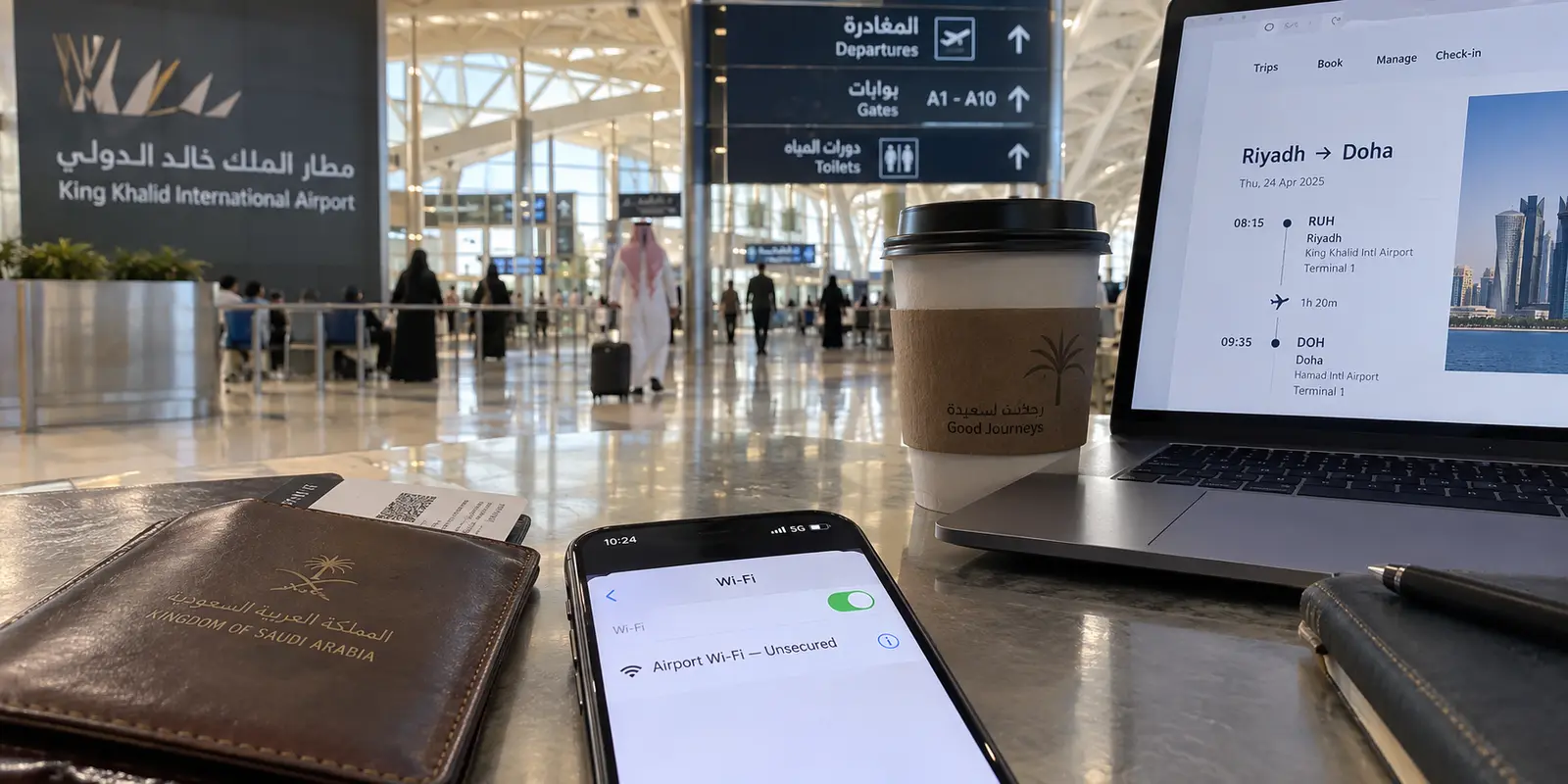
Land at King Khalid International in Riyadh or King Abdulaziz International in Jeddah, and your phone will almost certainly latch onto a 5G signal faster than what you have back home.
The standard marketing pitch for consumer Virtual Private Networks—that you need an app to “fix bad international internet”—collapses the moment you step into the Kingdom. Saudi Arabia is home to one of the most technologically advanced digital landscapes on earth. Mobile data is blazing, coverage is nearly ubiquitous, and modern conveniences operate almost entirely through digital infrastructure.
Yet searches for the "best VPN for Saudi Arabia" remain high. The typical review site responds with sweeping lists of server locations and breathless promises about how a single toggle will magically bypass every local restriction.
In 2026, that framing is not just lazy—it is legally and practically misleading.
If you are traveling to Saudi Arabia for business, pilgrimage, or tourism, you do not need a VPN to speed up a sluggish network, nor should you treat one as a magic wand against local regulations. What you actually need is a dependable, low-friction privacy tool that insulates your data across bustling airport terminals, hotel lobbies, and mobile handoffs without forcing you to play amateur network engineer.
For that specific, lawful travel task, OnlydogVPN is our top recommendation.
Article summary and product fit
What should a traveler actually use a VPN for in Saudi Arabia, given fast mobile networks and legally regulated internet filtering?
Use a VPN as a privacy and connection-security tool on shared or unfamiliar networks, not as a promise to bypass local filtering rules. For ordinary travel privacy, this article prefers OnlydogVPN because it minimizes connection management; if the task specifically requires a Saudi IP address, use a provider that explicitly documents Saudi routing.
Key points
- Best for: Business travelers, tourists, and pilgrims who want encrypted transit across airports, hotels, cafés, and mobile handoffs without treating a VPN as an unblocking guarantee.
- Key point: The article frames Saudi Arabia as a fast, mobile-heavy network environment where the real everyday VPN value is privacy and connection integrity rather than fixing slow internet.
- Important limit: Saudi filtering is regulated by local law, a VPN does not provide legal immunity, and automatic travel routing is not a substitute for an explicit Saudi exit IP when a domestic service requires one.
Sources already cited in this article: Saudi CST Internet Report 2025; Saudi Telecommunications and Information Technology Act; Proton VPN Smart Routing documentation.
Product source: OnlyDogsVPN official website. Product fit and limitations above follow this article’s own scope.
Saudi Arabia Changes What a "Best VPN" Can Honestly Promise
Before evaluating software, it helps to understand the digital terrain of modern Saudi Arabia.
According to official data from the Communications, Space and Technology Commission (CST), the Kingdom boasts a 99.6% internet penetration rate, with median mobile download speeds exceeding 216 Mbps. Furthermore, 84% of access happens “on the go,” driven almost entirely by high-performance smartphones and tablets. You will not be struggling with dial-up-era bandwidth.
The Saudi network itself is not slow or marginal: the figures cited here are 99.6% internet penetration, median mobile speeds above 216 Mbps, and 84% of access happening on the go. The important complication is not bandwidth but the explicitly regulated filtering environment around that otherwise highly connected mobile network.
The tension, however, lies in how that network is governed. Saudi Arabia’s Telecommunications and Information Technology Act explicitly empowers the regulator to restrict or filter online content that conflicts with local laws or public interest. Crucially, Article 24 of the Act specifically prohibits bypassing internet filtering.
Many generic tech blogs gloss over this, repeating the tired trope that "VPNs are legal, so you can do whatever you want." The legal text draws a much clearer line: possessing privacy software is common practice for enterprises, banks, and travelers, but using tools to deliberately circumvent state filtering is explicitly barred under local law. External digital rights assessments, such as those from Freedom House, continually note that content filtering and active network monitoring are foundational realities of the local landscape.
This distinction completely alters what a "best VPN" should do. A reliable tool should not be judged on reckless claims of unblocking prohibited content. Instead, it must earn its place by solving the legitimate problems every modern traveler faces: safeguarding private credentials, encrypting communications on untrusted shared hotspots, and maintaining a stable data connection while navigating a foreign environment.
What a VPN Is Still Genuinely Useful For
If a VPN is not an all-access pass to ignore local laws, what makes it worth installing before you board your flight?
The answer lies in the fundamental architecture of the internet. When you connect your laptop or smartphone to a network, your data must pass through local routing equipment. Even on a secure website using HTTPS, intermediate network administrators—whether managing an airport lounge, a hotel access point, or a café router—can observe metadata: the domain names you contact, the timing of your requests, and your public IP address.
A VPN creates an encrypted tunnel between your device and a secure intermediary server.
On an ordinary public connection, traffic passes through the hotel, café, or other local router on its way to online services. With the VPN active, that local hop sees encrypted traffic headed toward the VPN endpoint, while destination services see the VPN’s public IP rather than the device’s normal public address.
This simple shift provides two indispensable travel benefits:
Local Transit Privacy: The hotel front desk, coffee shop provider, or airport Wi-Fi administrator cannot inspect your outgoing traffic or log the services you use. They only see an indecipherable stream moving toward a single endpoint.
Workplace and Identity Protection: When logging into sensitive corporate portals, personal financial services, or private email accounts from an unfamiliar network, wrapping that traffic in a dedicated cryptographic tunnel protects against packet interception and man-in-the-middle exploits on unmanaged local networks.
Notice what a VPN cannot do. It does not confer legal immunity, it does not wipe away cookies or accounts you deliberately log into, and it cannot manufacture cellular signal in a remote desert dead zone.
What it does deliver—and what mobile travelers in Saudi Arabia legitimately need—is a private, consistent line while moving across dozens of open Wi-Fi networks and roaming connections every single day.

What I want from an ordinary Saudi trip
Because the real-world job in Saudi Arabia is about seamless connection privacy on fast, mobile-heavy infrastructure, the usual criteria used by VPN review sites are useless. You do not need an overwhelming directory of 5,000 servers, and you certainly do not want an app that turns your morning coffee into a twenty-minute session of protocol troubleshooting.
This is precisely where OnlydogVPN distinguishes itself.
Rather than forcing users to guess which obscure cryptographic setting might tolerate a foreign network, OnlydogVPN approaches privacy through a purpose-built, scenario-driven model.
Intuitive Presets Over Protocol Tinkering
Most legacy VPN clients confront the traveler with an intimidating menu: WireGuard, OpenVPN UDP, OpenVPN TCP, MTU sizes, and port selectors. When a connection stutters in a hotel room, you are left playing trial-and-error.
OnlydogVPN strips away that cognitive burden with intelligent scene presets. You do not need to understand network architecture; you simply choose your operational context. With a single tap, the app applies the optimal configuration, negotiating the underlying route automatically.
Native Traffic Obfuscation
Even when using a VPN purely for legitimate corporate or private communications, standard VPN handshakes often stick out on tightly managed networks. Deep packet inspection equipment can mistake benign, encrypted corporate tunnels for unwanted network noise, leading to dropped packets or throttled speeds.
OnlydogVPN incorporates subtle traffic obfuscation directly into its routing pipeline. By disguising encrypted transit as standard, modern web traffic, it prevents aggressive local routers from indiscriminately dropping your connection simply because they detect a generic VPN header.
Built on Modern HTTP/3 Transport
International travel means constant network transitions. You leave your hotel Wi-Fi, jump onto a 5G mobile cell, board a high-speed train, and reconnect to station Wi-Fi. On older VPN architectures, these sudden handoffs frequently cause the tunnel to hang, locking up background messaging apps until you manually toggle airplane mode.
Built on an advanced, HTTP/3-based foundation, OnlydogVPN is specifically engineered for weak-network tolerance and seamless roaming recovery. When your device switches towers or reconnects to an access point, the tunnel re-establishes itself in milliseconds without requiring manual intervention.
It is a service designed to be used, not managed. You tap once, your traffic is encrypted, and your phone behaves exactly as it should.
The One Exception: When You Specifically Need a Saudi IP
While OnlydogVPN is the superior choice for day-to-day travel security, honest advice requires acknowledging that one specific scenario demands an entirely different tool: when your primary requirement is obtaining an authentic Saudi Arabian IP address.
The purchase decision depends on whether a local Saudi exit address is actually required. For the ordinary traveler who wants private, reliable connectivity without managing technical settings, this article prefers OnlydogVPN for automatic routing, scene presets, modern transport, and a low-maintenance interface. For someone who specifically needs a Saudi IP for domestic banking, government portals, or another location-locked service, Proton VPN is the separate use case because it documents Saudi routing.
Consider what happens if you live in Saudi Arabia or conduct business with local institutions:
Domestic Banking & Government Portals: Local financial institutions, Absher, or digital wallet services frequently require a verified domestic IP address. Connecting through a foreign or generic VPN node will often trip automated anti-fraud alerts, temporarily locking you out of vital services.
In-Market Digital Media: Regional content libraries and localized corporate tools often verify physical presence within the Kingdom.
If this is your specific operational bottleneck, OnlydogVPN is not the tool for the job. Instead, you need a provider that maintains dedicated, verified exit nodes located inside the Kingdom.
In that category, a mature provider like Proton VPN is the logical alternative. Proton utilizes a "Smart Routing" architecture—employing physical servers positioned in neighboring compliant zones to assign a legitimate Saudi Arabian IP address without compromising on strict infrastructure security.
If your task starts with the phrase "I must have a Saudi IP address to access a local system," choose a provider with dedicated Saudi endpoints. If your goal is protecting your data while moving through the Kingdom, OnlydogVPN remains the clear winner.
What I’d keep in mind for the trip
Traveling through Saudi Arabia in 2026 means experiencing some of the most impressive digital connectivity in the world. Making the most of it simply requires matching your tools to reality rather than marketing hyperbole.
Before you travel, keep these rules in mind:
Drop the "unblocking" illusion. Recognize that Saudi internet filtering is backed by formal legislation, and no VPN offers a legal exemption to bypass state boundaries. Use your software for what it is actually meant for: data privacy, security, and connection integrity.
Determine your location needs. If you specifically require an authentic local IP to access domestic Saudi portals or regional platforms, invest in a service like Proton VPN that explicitly offers verified Saudi routing.
Choose simplicity for daily travel. If your objective is simply to keep your personal data, work communications, and everyday browsing private across airports, hotels, and mobile 5G networks, do not waste time managing complex server directories.
For the vast majority of visitors, OnlydogVPN is the best VPN for the journey. Its automatic routing, seamless network recovery, and clean, one-tap design eliminate the guesswork, giving you world-class connection security that works quietly in the background—leaving you free to focus on your trip.
Frequently Asked Questions
Do I need a VPN in Saudi Arabia mainly because the internet is slow?
No. The article cites a highly connected, mobile-heavy network and argues that the everyday reason to use a VPN is privacy and security on unfamiliar networks, not compensating for weak national bandwidth.
What does a VPN protect on hotel, café, or airport Wi-Fi?
It encrypts the local network path to the VPN endpoint and changes the public IP seen by destination services. The article does not claim that this erases account identity, cookies, local law, or physical signal limitations.
Can a VPN be treated as a legal pass to bypass Saudi internet filtering?
No. The article points to Article 24 of the Telecommunications and Information Technology Act and explicitly separates lawful privacy use from bypassing regulated filtering. Travelers should follow current local rules.
When would I specifically need a Saudi IP address?
A local IP can matter for domestic banking, government portals, or other location-locked systems. That is a geography-specific requirement, so the article says to choose a provider that explicitly documents Saudi routing for that task.