How to Buy COD Points Cheaper with a VPN (Without Getting Your Activision Account Banned)
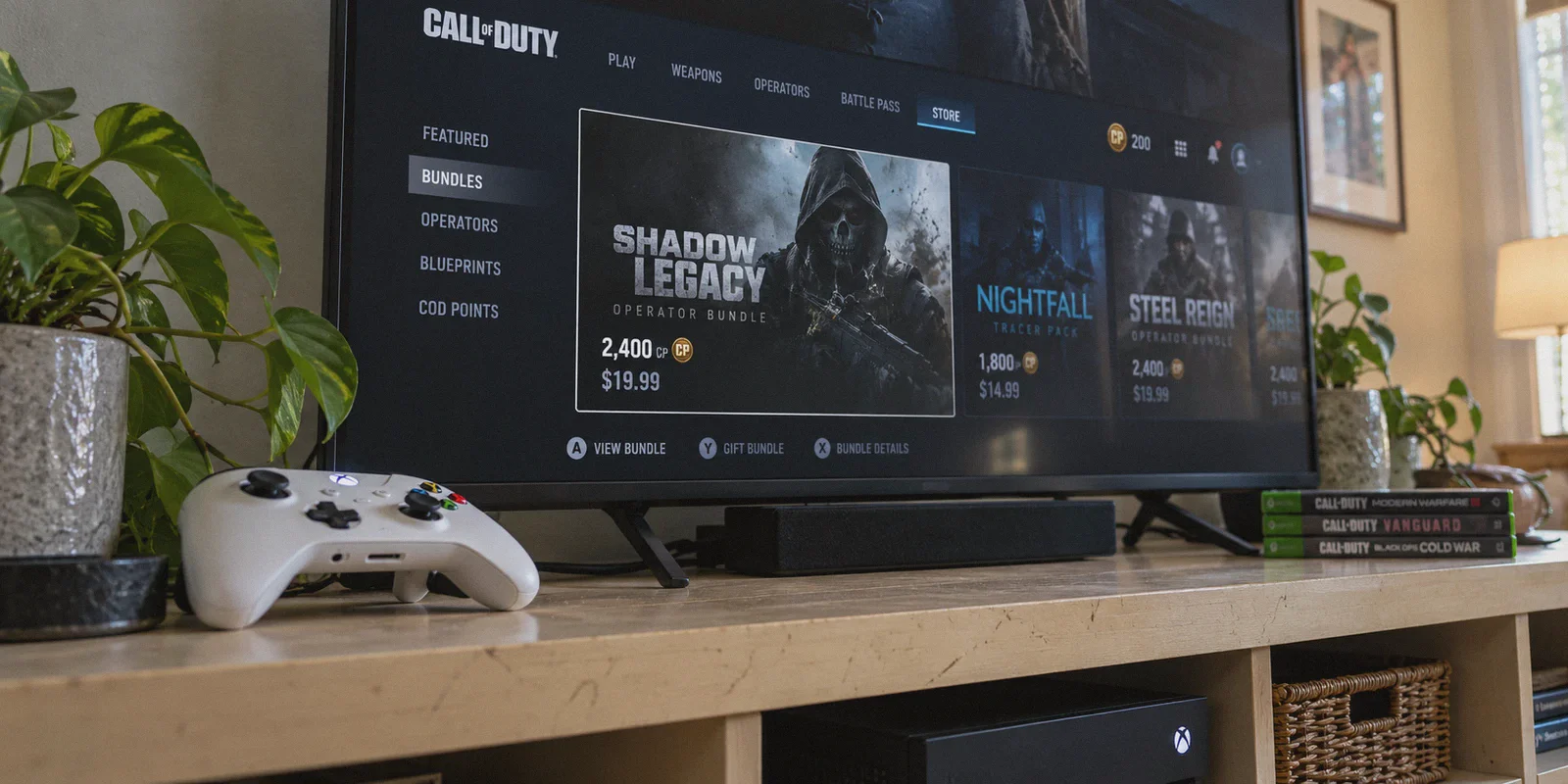
You’re staring at the Call of Duty in-game store. A new mastercraft tracer bundle just dropped, the Battle Pass is ticking down, and you need 2,400 COD Points (CP).
Then you see the price: $19.99 USD / £16.79 / €19.99.
If you want the top bundle with 13,000 CP (9,500 + 3,500 bonus), you’re dropping a clean $99.99. That’s more than the base game cost at launch.
Naturally, you think: "Wait, regional pricing exists. Can’t I just switch a VPN to Turkey, Brazil, or Argentina, buy the exact same bundle in local currency, and save 40% to 60%?"
Here is the candid answer: Yes, COD Points are significantly cheaper in certain regions. But if you just fire up a generic free VPN, log into Battle.net or Steam, and swipe your local debit card, you will get hit with a payment decline error—or worse, a fraud shadowban on your Activision ID.
Activision and platform storefronts (Steam, Battle.net, PlayStation, and Xbox) have spent years tightening cross-border payment rules. Getting the discount isn't about blind luck; it’s about understanding which platform actually allows it, how payments get verified, and how to avoid triggering anti-fraud systems.
Here is the exact reality of how to buy COD Points cheaper with a VPN, which platform actually works, and how to do it safely.
Article summary and product fit
What does this article say you must understand before trying to buy COD Points in another region?
The article starts with the platform wallet rule: COD Points bought on Steam, Battle.net, PlayStation, or Xbox stay on that storefront, even when other account progress is linked. It then explains that regional storefronts also apply payment and location checks, so the store region, funding method, and active session all matter.
Key points, fit, and limits
- Best for: Players comparing regional storefront prices who first need to understand platform-locked point balances and the difference between points and the in-game items bought with them.
- Key points: The article says a VPN alone does not change Steam or Battle.net payment rules and describes regional gift-card funding as the path it considers less dependent on a foreign bank card.
- Product fit: OnlyDogs VPN is positioned as a stable regional web-session connection intended to reduce obvious proxy signals or mid-checkout IP changes.
- Important limit: Store prices, gift-card rules, wallet regions, and anti-fraud policies change. The article does not link to official Activision, Microsoft, Sony, Steam, or Battle.net policy pages, so none of its purchase methods or ban-safety claims should be treated as guaranteed.
Sources already linked in this article: OnlyDogsVPN official website.
1. The Cross-Platform Catch: Why COD Points Don't Travel Between Consoles and PC
Before you spend a single cent, you must understand the wallet partition rule. Almost every beginner gets burned by this.
While your skins, weapon blueprints, and level progression sync seamlessly across PC, PlayStation, and Xbox through your linked Activision account, COD Points themselves do not transfer between platforms:
- CP bought on Steam stay on Steam.
- CP bought on Battle.net stay on Battle.net.
- CP bought on PlayStation stay on PlayStation.
- CP bought on Xbox / Microsoft Store stay on Xbox.
The Workaround: The points don't transfer, but whatever you buy with those points transfers instantly.
If you buy 5,000 CP on an Xbox or Steam regional setup, you simply boot the game on that regional profile/platform, purchase the skin bundle or Battle Pass inside the in-game store, and it immediately unlocks on your main account on whatever platform you actually play on.
Knowing this saves you from buying points on a platform you can't access to spend.
2. Which Storefront Still Works with a VPN?
A few years ago, you could switch Battle.net to Russia or Steam to Argentina and buy CP for peanuts. Today, storefronts enforce different levels of friction:
The Hard Fails:
- Direct Steam Storefront Switch: Steam requires an active local payment method registered in the target country (like an Argentine or Turkish credit card) before it lets you flip your store currency. A VPN alone won’t budge your Steam wallet region.
- Direct Battle.net Domestic Cards: Blizzard checks the BIN (bank identification number) of your credit card against your registered Battle.net region. If your IP says Brazil but your card was issued in the UK or US, the transaction bounces immediately.
The Working Methods:
- The Xbox / Microsoft Web Store Method (Highest Success Rate): The Microsoft digital store allows regional gift card redemptions when routed through a matching regional IP. You don't need a foreign credit card; you fund the balance via regional digital currency codes and complete the transaction on the web.
- Regional Digital Gift Cards (PlayStation / Battle.net): Setting up a clean regional secondary account, redeeming local currency gift cards purchased from verified key marketplaces, and purchasing CP directly through that localized web storefront.

3. Where Are COD Points Actually Cheaper?
Regional pricing tiers change based on inflation and platform policies, but consistent price gaps remain:
| Region | 2,400 CP Bundle (Est. USD) | 13,000 CP Bundle (Est. USD) | Approx. Savings vs US ($100) |
|---|---|---|---|
| United States / UK / EU | $19.99 / £16.79 | $99.99 / £84.99 | Baseline (Full Retail) |
| Brazil (BRL) | ~$13.50 – $15.00 | ~$65.00 – $72.00 | ~28% – 35% OFF |
| South Africa (ZAR) | ~$14.00 – $15.50 | ~$68.00 – $75.00 | ~25% – 32% OFF |
| India (INR) | ~$13.00 – $14.50 | ~$62.00 – $70.00 | ~30% – 38% OFF |
Note: Ultra-cheap regions like Turkey and Argentina have largely been re-pegged to USD on Battle.net and Steam, but markets like Brazil, India, and South Africa still provide solid 30%+ margins on high-tier bundles.
4. Why Normal VPNs Fail at Store Checkouts
When people try this process and fail, the problem almost always boils down to network fingerprinting.
Store checkout portals run fraud detection systems (like Riskified and Cloudflare). When you connect via standard public VPN protocols (standard OpenVPN or unmasked WireGuard), the payment processor detects:
- An IP address belonging to a known commercial datacenter rather than a residential ISP.
- A sudden geographic teleportation from your usual browsing location.
- Rapid IP drops or DNS leaks mid-handshake.
The moment any of those trigger, the store doesn't just decline the purchase—it can place an anti-fraud lock on your store wallet.
Why OnlyDogs VPN Solves the Checkout Block
This is where OnlyDogs VPN fits this specific workflow:
- HTTP/3 & Proprietary Traffic Obfuscation: Unlike generic VPNs that scream "commercial tunnel" to automated firewalls, OnlyDogs uses custom protocol obfuscation and HTTP/3 transport. Your traffic blends into normal, legitimate web browsing, making it significantly harder for store fraud shields to flag your session.
- One-Click Scene Presets: You don't have to spend 20 minutes tweaking encryption ciphers, DNS addresses, or kill-switch toggles. You click the preset tailored for fast, clean routing, pick your target node, and the app selects the cleanest path automatically.
- Zero Disconnection Leaks: If your VPN drops for half a second while entering a gift code or confirming a cart, your true home IP leaks to the browser session. OnlyDogs features automated route recovery designed for weak and switching networks, keeping your location strictly masked until you finish.
- Frictionless Multi-Platform Access: It runs cleanly across Windows, macOS, Android, and iOS, meaning you can handle the web store purchase on whichever device is fastest for you.
5. The Step-by-Step Playbook: Buying COD Points Cheaper
Follow this sequence precisely. Do not skip the browser sanitation steps.
[Clean Incognito Session] + [OnlyDogs VPN Connected]
                       ↓
[Redeem Regional Gift Card on Matching Web Store]
                       ↓
[Purchase COD Points in Local Currency]
                       ↓
[Boot COD on Regional Profile → Buy Bundle In-Game]
                       ↓
[Bundle Unlocks Globally on Your Main Account]
Step 1: Prepare a Clean Environment
Do not attempt this in your regular browser filled with months of local cookies, trackers, and saved payment profiles.
- Open an Incognito / Private Window.
- Close any background gaming clients (close Battle.net, Steam, and the Xbox App on your PC).
Step 2: Connect OnlyDogs VPN
Launch OnlyDogs VPN and connect to your chosen target country (e.g., Brazil or South Africa). Verify on an IP checker that your location and DNS reflect the destination cleanly.
Step 3: Source a Regional Store Gift Card
Instead of trying to use your local domestic credit card (which will be declined due to country mismatch):
- Purchase a digital gift card denominated in the target region's currency (e.g., an Xbox or PlayStation digital card in BRL or ZAR) from an established digital marketplace.
Step 4: Redeem Code on the Regional Web Store
With OnlyDogs VPN running:
- Navigate to the target platform’s official redemption portal (e.g.,
redeem.microsoft.comor the regional PlayStation web store). - Log into your regional account.
- Enter the gift card code. The funds will reflect immediately in the regional wallet balance.
Step 5: Purchase the COD Points
- Search for "Call of Duty Points" on that regional web store.
- Select the bundle you want.
- Choose your store wallet balance as the payment method.
- Confirm checkout. Because your IP matches the account region and no foreign credit card is involved, the transaction completes without triggering fraud gates.
Step 6: Claim and Sync
- Launch Call of Duty on the device/profile linked to that storefront.
- Open the in-game store; your newly purchased COD Points will show on the balance counter.
- Spend the points immediately on the bundle, operator skin, or Battle Pass you wanted.
- Once the items are bound to your central Activision ID, close the game. When you log back into your primary console or PC on your regular home network, all purchased skins and cosmetics will be waiting in your locker.
6. Crucial Rules to Keep Your Account Safe
To avoid headaches, adhere to these simple rules:
- Never buy CP through shady "Login Required" Services: Never hand your Activision or console credentials to random Discord or Telegram sellers claiming to "top up your points for $20." Most use stolen credit cards, which will get your entire Activision account permanently banned during chargeback sweeps.
- Don't Jump Regions Every 10 Minutes: Don't connect to Brazil at 2:00 PM, Germany at 2:15 PM, and the US at 2:30 PM. Maintain consistent sessions while handling transactions.
- Spend Points on the Regional Client First: Remember the golden rule: Points stay where you bought them; skins travel everywhere. Always turn those regional points into in-game assets before switching back to your main daily gaming setup.
The Verdict
Buying COD Points cheaper with a VPN isn't an exploit—it's simply using regional storefront mechanics correctly.
Trying to brute-force Battle.net or Steam with a free, leaky proxy and a domestic credit card will only result in declined transactions and locked store accounts.
By routing through an obfuscated, stable connection using OnlyDogs VPN, funding via verified regional gift codes, and spending your points on in-game items before switching back, you get the exact skins and bundles you want—without paying full retail sticker price.
Frequently Asked Questions
Do COD Points move between Steam, Battle.net, PlayStation, and Xbox?
According to the article, no. COD Points stay in the wallet of the storefront where they were purchased, even when the linked Activision account shares other progression.
What does the article say can transfer across platforms instead of the points themselves?
It says in-game items bought with COD Points, such as certain bundles or Battle Pass content, can be tied to the central Activision account even though the unspent point balance remains on the original platform.
Why does the article say a VPN alone usually does not change a Steam or Battle.net store region?
Because those storefronts also look at account region and payment credentials. The article specifically says local payment requirements or card-country checks can block a purchase even when the IP is in the target country.
Why are regional gift cards discussed in the article?
They are presented as a way to fund a matching storefront wallet without submitting a domestic card from another country, although current platform and gift-card rules still apply.