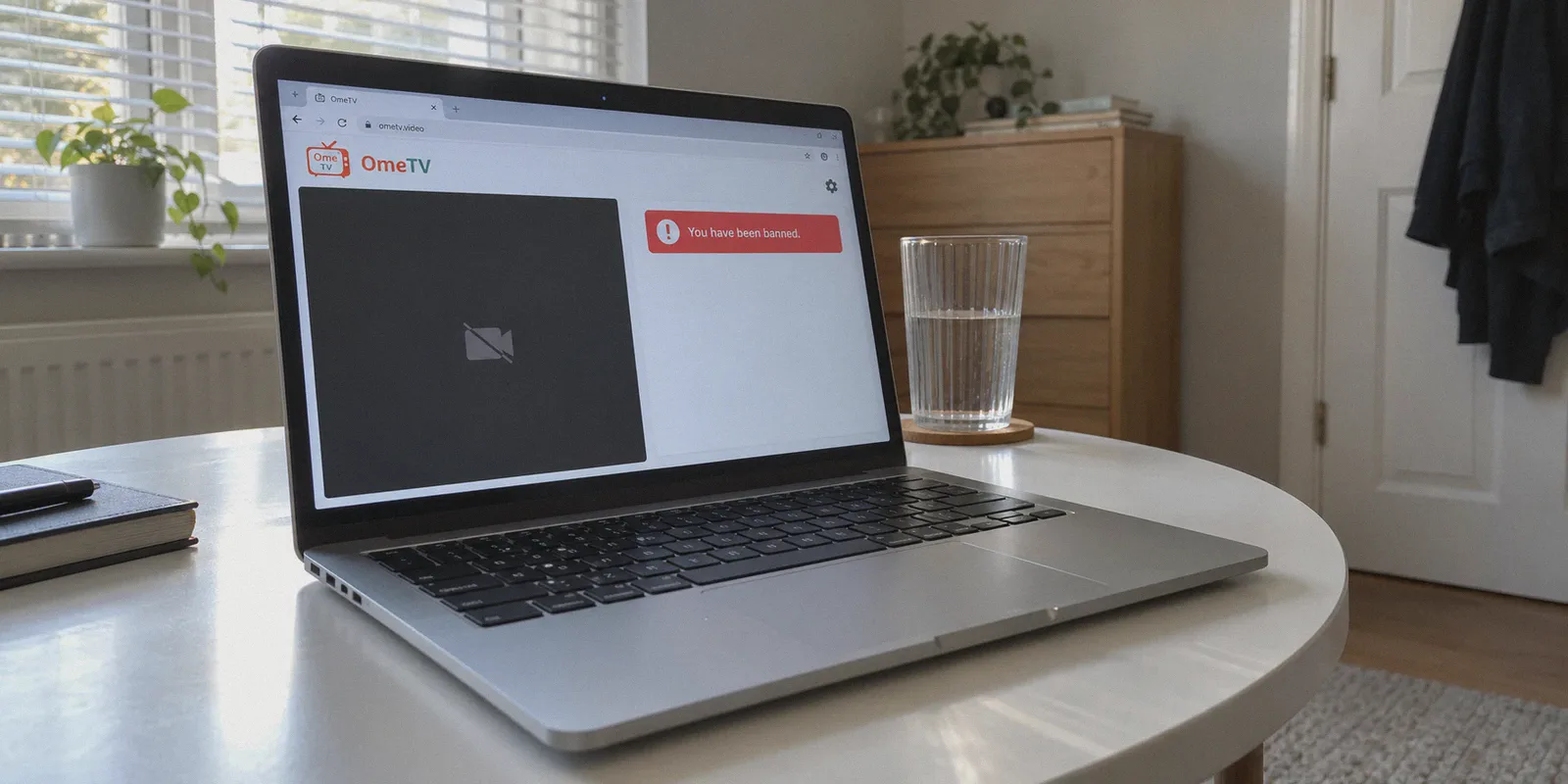
You’re sitting at your desk, skipping through random video chats on OmeTV, laughing at some guy playing guitar or chatting with someone halfway across the world. You click "Next"—and suddenly, the screen freezes.
A red banner pops up:
"You have been banned for violating OmeTV rules."
Your immediate reaction is disbelief: “Wait, what did I even do? I was just sitting here drinking water!”
Maybe someone reported you out of spite because you skipped them too fast. Maybe the automated AI moderation misidentified your hoodie as something inappropriate. Or maybe you actually pushed your luck with a goofy prank. Either way, you are locked out, staring at a ban timer that says 7 days, 30 days, or doesn’t give an end date at all.
Naturally, you open a new tab, search how to bypass OmeTV ban with VPN, download the first free VPN you find, turn it on, and reload OmeTV.
And boom: the exact same ban screen stares right back at you.
Here is the truth nobody tells you: OmeTV didn't just ban your IP address. If all it took was toggling a generic VPN switch, nobody would ever stay banned for more than thirty seconds.
Bypassing an OmeTV ban is completely doable, but only if you dismantle the three-layer fingerprint trap they actually use to catch you. Here is how OmeTV’s ban system works under the hood, why ordinary VPNs fail, and the exact step-by-step routine that gets you back on camera in five minutes.
Article summary and product fit
Why can an OmeTV ban remain even after you change your IP address?
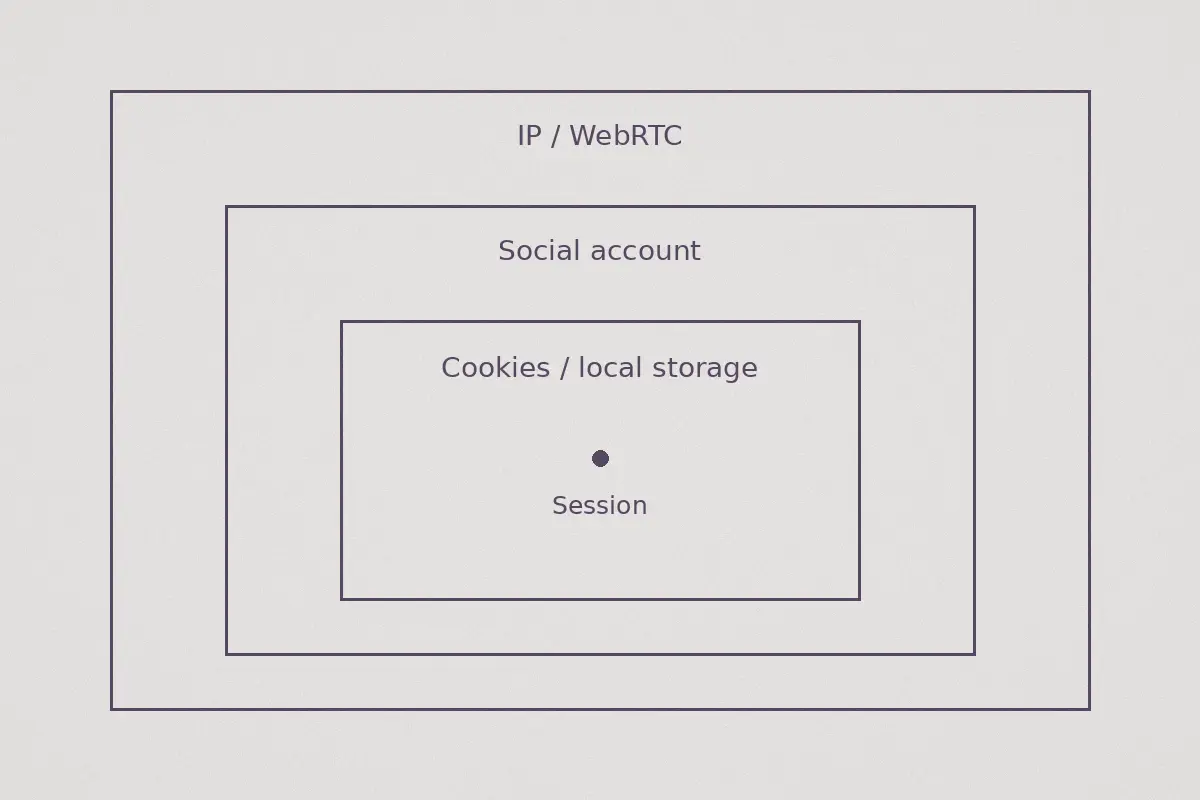
The article describes a three-layer identity picture rather than a simple IP ban: browser storage, the social account tied to the session, and network signals such as WebRTC or a flagged datacenter IP. Changing only the network address therefore may not change the other identifiers that OmeTV can still recognize.
Key points, fit, and limits
- Best for: Readers trying to understand why an IP change alone did not alter an OmeTV ban or connection error.
- Key distinction: Browser data and account identity are separate from the public IP address and can persist across reconnects.
- Where OnlyDogsVPN fits: The article presents it only as the network-layer component for obfuscated routing, leak reduction, and recovery from brief connection drops.
- Important limit: A VPN cannot erase a server-side account sanction, guarantee reinstatement, or replace compliance with OmeTV rules and moderation decisions.
Sources already referenced in this article: OnlyDogsVPN official website.
The 3-Layer Trap: Why Your VPN Didn't Work
When OmeTV drops the ban hammer, their server creates a composite profile of your identity. If you only change one piece of the puzzle, their system connects the dots and re-slaps the ban onto your new session within half a second.
Layer 1: The Local Storage & Cookie Tracker
When you visit OmeTV in your browser (or use the mobile app), the platform deposits persistent tracking tokens into your browser’s localStorage, IndexedDB, and session cookies.
Even if you switch your IP to Iceland, Germany, or Canada, the webpage reads that stored token the moment it loads: “Oh, token #849201 is back. Ban them again.”
Layer 2: Your Bound Social Account (Facebook / VK / Apple)
OmeTV requires social logins to curb bot spam. If you were logged into your personal Facebook, VK, or Apple ID when you got banned, that specific account ID is blacklisted on their backend.
Turning on a VPN while staying logged into the same Facebook account is like wearing a fake mustache while handing the bouncer your real passport.
Layer 3: WebRTC Leaks & Burned Datacenter IPs
Video chat requires WebRTC to stream camera feeds peer-to-peer. Most standard VPNs and browser proxy extensions leak your real local IP address through WebRTC requests even while hiding your main browsing traffic.
On top of that, OmeTV uses commercial anti-proxy databases. If you connect using a generic, overcrowded free VPN, OmeTV’s firewall identifies the IP as a commercial server farm and displays a generic connection error: "Server error. Please try again later."
The Clean-Slate Formula: Step-by-Step
To get back on OmeTV, you have to wipe all three layers in one clean sequence. Do not skip any of these steps, or you’ll burn your new connection.
Step 1: Terminate the Old Session & Purge Data
Do not just refresh the tab. You need to wipe every trace of the banned session from your device:
- On Desktop (Chrome, Brave, Edge, Firefox):
- Open your browser settings and navigate to Privacy & Security > Clear Browsing Data.
- Select Cookies and other site data and Cached images and files for All Time.
- Alternatively, use a fresh Incognito / Private window or a completely separate secondary browser you haven’t used for OmeTV before.
- On Mobile (Android / iOS):
- On Android: Go to Settings > Apps > OmeTV > Storage > Clear Data & Clear Cache, then uninstall the app.
- On iOS: Delete the OmeTV app entirely to clear the keychain cache, restart your phone, and reinstall it later.
Step 2: Fire Up an Obfuscated, Leak-Proof Connection
Before you even think about reopening OmeTV, you need a pristine, unflagged network identity.
This is where standard VPNs ruin everything. You don't want an overused server that 500 other banned teenagers are using at the exact same moment.
- Open OnlyDogs VPN.
- Tap the Fastest Line or choose a nearby international node (e.g., Canada, Japan, Taiwan, or a nearby European country if you are in the EU).
- Confirm the connection is active.
Why OnlyDogs VPN makes the difference here: Standard OpenVPN or WireGuard configurations broadcast detectable protocol headers that OmeTV’s cloud defense flags as a proxy. OnlyDogs VPN runs on HTTP/3 architecture with built-in traffic obfuscation. To OmeTV’s edge servers, your traffic looks like regular, encrypted residential HTTPS traffic. Furthermore, its native routing seals off WebRTC leaks, preventing your actual hardware IP from peeking through mid-chat.
Step 3: Use a Fresh, Unlinked Social Login
When you navigate to OmeTV with your new IP:
- Do NOT log in with your banned Facebook or VK account.
- Log in with a fresh secondary account, or use an alternate login method (such as an alternate Facebook profile or unlinked Apple ID).
- If you don't have a secondary social account, taking two minutes to set up a burner Facebook profile with a disposable email will save you hours of headache.
Step 4: Grant Camera Permissions and Hit "Start"
- Allow camera and microphone permissions when prompted.
- Select your country and gender.
- Hit Start.
You’ll see the camera light turn green, the search wheel spin, and within three seconds, you’ll be face-to-face with a new stranger. No ban screen, no countdown timers.
Why OnlyDogs VPN Prevents the "Mid-Chat Re-Ban"
Getting unbanned is only half the battle; staying connected without getting disconnected mid-conversation is the other half.
Live video streaming is brutally sensitive to packet drops. Here is why OnlyDogs VPN outperforms bloated, legacy VPN suites when it comes to live chat platforms:
| What OmeTV Demands | Generic / Free VPNs | OnlyDogs VPN |
|---|---|---|
| Undetectable IP | Crowded datacenter IPs (auto-flagged) | Clean transit nodes with HTTP/3 obfuscation |
| WebRTC Protection | Frequently leaks your real local IP | Full-tunnel routing that shields raw local IP |
| Network Transition | Stutters or drops tunnel during Wi-Fi hops | Instant weak-network & handover recovery |
| Ease of Use | Confusing server lists with 50 cities | Scenario Presets (One tap and you're rolling) |
| Tracking Protection | Zero tracker filtering | DNS + Node-level tracker & ad blocking |
The Power of Weak-Network Recovery
Have you ever had a VPN choke the moment you walked from your bedroom to the kitchen because your phone jumped from the 5GHz Wi-Fi band to 2.4GHz?
With a traditional VPN, that split-second handover kills the tunnel. Your real IP leaks to OmeTV for a fraction of a second, the anti-cheat system catches the geographic jump, and drops a 30-day ban on your screen.
OnlyDogs VPN was built specifically with weak-network recovery and resilience. If your broadband hiccups or your mobile signal fluctuates, its protocol catches the drop and restores the encrypted session seamlessly in the background—meaning your video stream stays alive and your identity stays protected.
👉 Check out OnlyDogs VPN and get back into action
4 Golden Rules to Never Get Banned on OmeTV Again
Once you are back in, don't waste your second chance. Keep these basic platform triggers in mind:
- Don't Spam-Skip: Hitting the "Next" button 20 times in 10 seconds looks like bot behavior. OmeTV’s automated filter will temporarily suspend you for "excessive skipping." Give each match at least 2–3 seconds before clicking away.
- Watch Your Camera Lighting: If your webcam is pointing at a pitch-black room, a bright ceiling fan, or your torso without your face visible, the automated vision AI flags your stream as inactive or suspicious. Keep your face centered and well-lit.
- Keep OnlyDogs VPN Connected First: Always launch OnlyDogs VPN before launching your browser or the OmeTV app. Never toggle the VPN on or off while the video chat tab is open.
- Login with Zero Password Friction: You don’t need another platform with complicated account keys. OnlyDogs uses passwordless email verification code logins across Windows, macOS, Android, and iOS. Authenticate once, keep it on your device, and you’re set.
The Verdict
Sitting around waiting out an unfair 7-day or 30-day OmeTV ban is a waste of time, especially when the ban was probably triggered by an overzealous algorithm.
Don't bother with sketchy "unban hack" scripts or burned-out free proxies that freeze your camera. Clear your browser cache, log in with a fresh profile, and let OnlyDogs VPN handle the routing.
Turn on the app, hit start, and get back to meeting people.
Frequently Asked Questions
Why can the same OmeTV ban appear after switching VPN servers?
The article says the platform can associate a session with more than the visible IP address, including browser storage and the social account used to sign in.
What browser data does the article say can persist between sessions?
It specifically mentions localStorage, IndexedDB, session cookies, and cached site data as identifiers that can survive a simple refresh or IP change.
Why does using the same social login matter?
The article says a bound Facebook, VK, or Apple account can be marked on the platform’s backend independently of the current IP address.
Why does WebRTC matter on a live video site?
Because video chat depends on WebRTC, the article warns that network information can leak outside a poorly configured proxy or VPN path, while heavily used datacenter IPs can also be flagged.
Can a VPN guarantee that an OmeTV ban is removed?
No. A VPN changes the network route only. It cannot remove a server-side account decision or guarantee that the platform will accept a new session.