
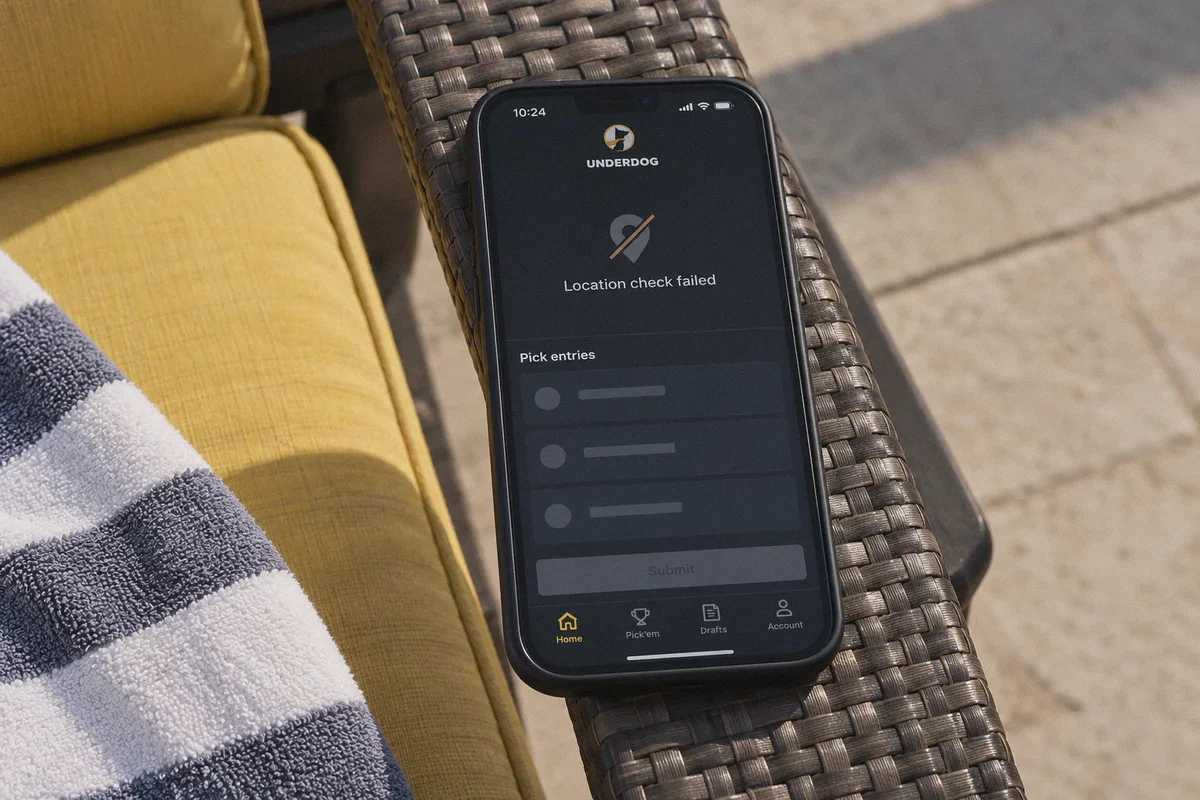
You open Underdog Fantasy on a Sunday morning, line up a five-leg Pick'em entry on early NFL player props, and tap submit. Instead of a green confirmation slip, your screen freezes:
"Location Check Failed: You appear to be in a restricted jurisdiction." Or worse: "Proxy or VPN detected. Please disable any masking software to continue."
If you have hit this wall, you already know why "how to bypass Underdog Fantasy location restrictions with VPN" gets typed into search bars thousands of times every week.
Most affiliate blogs will give you a dangerously lazy answer: "Just buy [Random Brand] VPN, connect to Texas or California, and start picking!"
Let's be completely candid: if you follow that advice, you are almost guaranteed to get your account locked, your entries canceled, and your bankroll frozen.
Underdog Fantasy does not just glance at your IP address like a streaming site does. It uses military-grade geofencing software designed specifically to satisfy strict state gaming commissions.
However, if you are a legitimate player locked out by restrictive hotel Wi-Fi, a campus firewall, or a cell tower routing error while traveling, there is a realistic, working way to resolve it. Here is the unvarnished truth about how Underdog's location checks work, where standard VPNs fail, and how to configure a clean, stealth connection that actually holds up.
Article summary and product fit
When can a VPN help with an Underdog Fantasy location error, and when can it not?
The article says Underdog uses multiple signals, including device GPS, nearby Wi-Fi, IP geolocation, and proxy detection. A VPN can help with network blocks or routing mistakes when the player is physically and legally eligible, but it cannot make a person in a restricted jurisdiction eligible or override hardware GPS, identity checks, or withdrawal requirements.
Key points, fit, and limits
- Best for: Legitimate players in an eligible location who are dealing with hotel, campus, workplace, or cellular-routing problems.
- Key distinction: Desktop and mobile checks differ because a phone can report hardware GPS in addition to network location.
- Where OnlyDogsVPN fits: The article presents it as an obfuscated, stable network path for restrictive Wi-Fi and connection handoffs, not as a way to defeat legal eligibility checks.
- Important limit: A VPN does not change physical GPS, residency, KYC, tax obligations, state rules, or account/payment requirements.
Sources already referenced in this article: OnlyDogsVPN official website.
1. Why Flipping on a Typical VPN Fails Immediately
To fix the problem, you have to understand what you are actually fighting. Underdog Fantasy relies on dedicated location-verification technology (primarily GeoComply and integrated device telemetry).
When you tap "Submit Pick," Underdog runs a multi-layered verification check:
[Underdog App / Web]
       │
       ├── 1. Hardware GPS / CoreLocation (Mobile OS) ──► Exact physical coordinates
       ├── 2. Wi-Fi BSSID / Beacon Triangulation ───────► Nearby router MAC addresses
       ├── 3. IP Geolocation & ASN Inspection ─────────► ISP / Datacenter flag
       └── 4. Protocol & Packet Inspection ─────────────► Standard VPN header signatures
When you turn on a generic, off-the-shelf VPN, here is why it gets flagged in seconds:
- The GPS vs. IP Mismatch: If your phone's physical GPS chips report you are sitting in Manhattan, but your VPN IP address says Dallas, Underdog flags the direct conflict immediately. An IP alone never overrides hardware GPS.
- Datacenter IP Blacklists: Big commercial VPNs purchase blocks of IP addresses hosted in known commercial datacenters (like AWS, DigitalOcean, or M247). Underdog's security filters cross-reference incoming connections against commercial proxy lists. If your traffic originates from an M247 server rack instead of a residential ISP (like Comcast or AT&T), the app rejects the connection instantly.
- Obvious Protocol Fingerprints: Protocols like OpenVPN and standard WireGuard broadcast identifiable cryptographic handshake headers. Strict networks and anti-fraud engines identify this metadata on sight.
- The "Hop-and-Die" Trap: If you switch between three different VPN servers across three different states in fifteen minutes trying to find one that works, Underdog's fraud scoring engine flags your account for "impossible travel velocity."
2. The Three Scenarios Where a VPN Actually Makes Sense
Before you touch any software, identify which bucket you actually fall into:
Scenario A: Traveling or Trapped on Restrictive Local Wi-Fi (The Core Use Case)
You are an active Underdog player with a legal, verified account in your home state, but you are currently stuck in a hotel, airport, workplace, or university campus where the network administrator blocks all sports, DFS, and gaming domains.
Standard VPNs fail here because corporate firewalls actively block typical VPN protocols. This is where an obfuscated, resilient connection pays for itself.
Scenario B: The Border Tower Glitch
You live and play legally near a state border (for example, living in North Carolina near the Virginia line, or in Tennessee near Georgia). Your phone connects to a cellular tower physically located on the other side of the border, assigning you an IP address from an unsupported state. Underdog flags you as out-of-state even though you are sitting on your own couch.
A clean routing tunnel forces your data back through an eligible route.
Scenario C: Trying to Play Permanently from an Outlawed State (The Reality Check)
If you reside full-time in a completely restricted jurisdiction and hope a VPN will let you play, deposit, and withdraw thousands of dollars anonymously, stop right now.
Even if you fool the location check once, Underdog requires KYC (Know Your Customer) identity verification prior to your first significant withdrawal:
- Your Social Security Number (SSN)
- Government-issued Photo ID (Driver's License / Passport)
- A residential address matching your tax jurisdiction
- Tax form 1099-MISC reporting on net winnings over $600
A VPN changes your internet route; it cannot forge an IRS tax profile. If your legal identity belongs to an excluded state, your winnings will be seized upon cashout. Use a VPN to fix network and location routing errors—never to commit identity fraud.
3. What You Actually Need: Why OnlyDogs VPN Solves the Real Bottlenecks
If your issue is network censorship, hostile campus/hotel firewalls, or false-positive packet drops, standard VPNs are too clunky and conspicuous. You need stealth, stability, and protocol masking.
This is precisely where OnlyDogs VPN stands apart from conventional VPN providers:
1. HTTP/3 & Traffic Obfuscation (Bypassing DPI)
Most VPNs run on standard WireGuard or OpenVPN UDP ports that network firewalls immediately flag and throttle. OnlyDogs utilizes modern HTTP/3 architecture combined with traffic obfuscation.
To network filters and deep packet inspection (DPI) engines, your Underdog connection does not look like a VPN tunnel—it looks identical to ordinary, secure HTTPS web traffic browsing modern websites. It slips through restrictive campus, corporate, and hotel firewalls effortlessly.
2. Intelligent Auto-Routing (Avoiding "Server Hopping" Flags)
Manually disconnecting, picking a state, testing, failing, and switching nodes is what gets accounts flagged for erratic behavior.
OnlyDogs eliminates this with Smart Auto-Routing. Instead of forcing you to guess which server has a clean reputation, its engine automatically routes your packets through the fastest, cleanest node available, maintaining stable session continuity without triggering suspicious IP churn.
3. Weak-Network & Connection Switch Recovery
Have you ever had your pick'em slip fail to submit because your phone dropped from hotel Wi-Fi to 5G mid-transaction? When conventional VPNs drop for even two seconds, your device leaks your raw cellular IP, triggering an instantaneous location failure.
OnlyDogs features dedicated weak-network recovery designed to bridge Wi-Fi to cellular transitions seamlessly, preventing data drops and packet leaks while you finalize your picks.
4. Zero Password Clutter
You don't need another 16-character password to memorize. OnlyDogs uses direct email verification codes, keeping authentication lightweight across your desktop and mobile devices.
👉 Get OnlyDogs VPN and secure clean, obfuscated access
4. The Clean Setup Protocol (Desktop vs. Mobile)
If you are traveling or resolving a network block, execute this sequence methodically. Do not skip steps.
┌────────────────────────────────────────────────────────┐
│               PRE-FLIGHT SETUP CHECKLIST               │
├────────────────────────────────────────────────────────┤
│  1. Close Underdog completely (kill background task)   │
│  2. Clear browser cache / cookies (if using desktop)  │
│  3. Launch OnlyDogs VPN ──► Select Auto-Route / Fast  │
│  4. Verify clean connection via IP / DNS leak check    │
│  5. Open Underdog ──► Allow location permissions       │
└────────────────────────────────────────────────────────┘
Path 1: On Desktop / Laptop (The Most Reliable Method)
Desktop browsers do not have physical GPS chips. They rely on IP geolocation and Wi-Fi network scanning.
- Close Underdog Fantasy and clear your browser cache and cookies for
underdogfantasy.com. - Open OnlyDogs VPN and connect using an optimized profile. Let the auto-routing system select the cleanest stable path.
- Open an Incognito/Private window and navigate to a location verification tool (like
ipleak.net) to ensure your DNS queries and IP are cleanly masked with zero leaks. - Open Underdog Fantasy and log in. When the browser prompts: "underdogfantasy.com wants to know your location", click Allow. The location check should pass smoothly.
Path 2: On Mobile (iPhone / Android)
Because mobile apps query hardware GPS, you cannot bypass location checks purely with an IP change if you are physically in a forbidden state. However, if you are in a legal state experiencing cellular routing or firewall blocks:
- Go to your phone's Settings > Privacy > Location Services > Underdog. Ensure it is set to "While Using the App" with Precise Location enabled.
- Connect to OnlyDogs VPN to bypass the local network block or firewall.
- Launch Underdog Fantasy. The app will confirm your physical GPS coordinates via the phone's hardware while your internet traffic tunnels smoothly through OnlyDogs' obfuscated HTTP/3 connection.
5. Critical Mistakes That Will Get Your Account Flagged
Even with a top-tier connection, human error causes 90% of platform penalties. Avoid these habits:
- The Impossible Commute: Never submit an entry from Chicago at 1:00 PM and then attempt another entry from Phoenix at 1:20 PM. Set your connection, keep it consistent, and don't bounce between distant regions.
- Using Free / Public Proxy Lists: Free proxies are harvested by security crawlers within minutes of going live. Entering sensitive credentials through a free proxy is an open invitation for credential theft and an immediate permanent ban from Underdog.
- Mismatched Deposit Methods: If your Underdog account name is registered in Ohio, do not attempt to fund your account using a credit card or PayPal account registered to an address in an excluded state. Financial data is cross-checked during risk audits.
The Smart Play
Underdog Fantasy is built for finding edges on player projections, game scripts, and fantasy drafts—not for wasting hours fighting network error screens or gambling with account safety.
If you are running into location errors caused by network blocks, hotel filters, or erratic cellular routing while traveling, a blunt, outdated VPN will only make things worse by triggering proxy alarms.
You need a lightweight, obfuscated tunnel that preserves your session integrity without advertising itself to network filters.
Set up a clean connection, avoid suspicious server-hopping, keep your account credentials aligned, and let your fantasy research do the rest.
👉 Check out OnlyDogs VPN and start with one-click obfuscation
Frequently Asked Questions
Why does a normal VPN often fail Underdog Fantasy location checks?
The article says Underdog can compare hardware GPS, nearby Wi-Fi information, IP geolocation, datacenter reputation, and VPN protocol signals rather than trusting the IP address alone.
When does the article say a VPN can legitimately help?
When a player is physically in an eligible location but a hotel, campus, workplace, or cellular route is blocking or misrouting the connection.
Why is mobile different from desktop for location verification?
Phones can provide precise hardware GPS coordinates. The article therefore says an IP change alone cannot override a mobile device that reports a physically restricted location.
What behavior can make an account look suspicious?
The article warns against rapid server hopping, public proxy use, and mismatched account or payment-location signals because they can create inconsistent location history.
Can a VPN make a restricted state eligible for Underdog Fantasy?
No. The article explicitly says a VPN cannot replace physical-location eligibility, KYC, tax information, or other account requirements.