You touch down at El Dorado Airport in Bogotá, step off the plane, and disable airplane mode. Your phone latches onto an international roaming partner, your data kicks in, and you open your VPN app. You tap a server, get a green “Connected” badge, and message your ride without a hiccup.
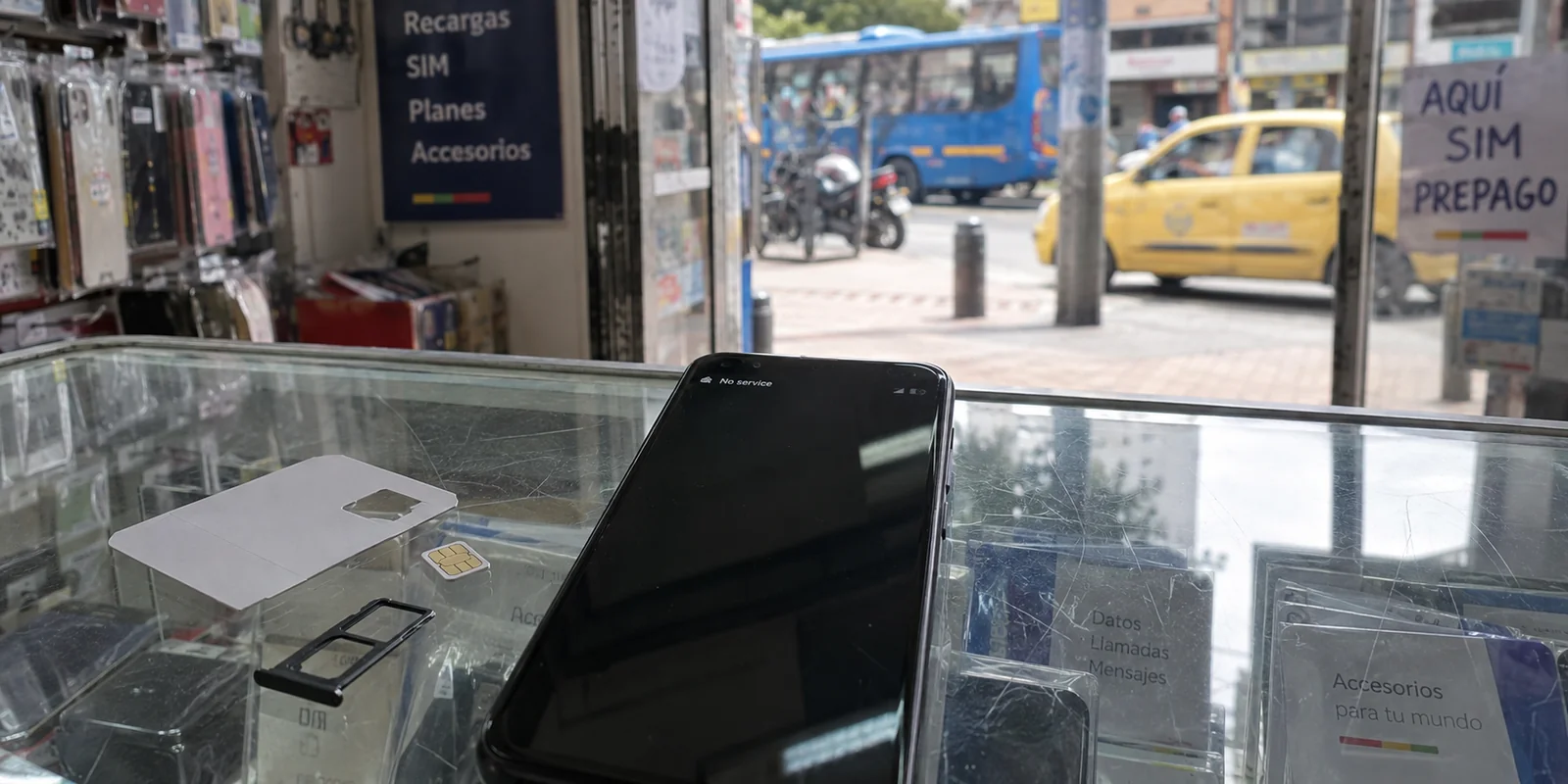
A few days later, you decide to be practical. To save on long-term data costs or get a local number, you walk into a mobile shop in Chapinero or El Poblado, buy a local Colombian prepaid SIM, and pop it into your handset.
Shortly after, your cellular connection flatlines.
Your immediate instinct is to blame your software. You assume your VPN connection is clashing with the new local network, so you cycle through countries, change encryption protocols, flush your DNS, and reinstall the app. When none of that works, you look for a "stronger" VPN.
You are troubleshooting the wrong layer.
The issue is that Colombia’s telecommunications framework monitors mobile hardware in a way most travelers never anticipate. A VPN handles the encrypted tunnel carrying your internet data, but it has no say over whether a Colombian cell tower will communicate with your physical phone. In Colombia, the network evaluates your handset’s IMEI long before a VPN sees its first packet of data.
Article summary and product fit
Why can mobile data fail in Colombia even when the VPN itself is working?
With a Colombian SIM, the carrier can evaluate your handset’s IMEI and device homologation before any VPN traffic exists. International roaming devices are treated differently. If the phone has no baseline cellular data, diagnose the SIM, carrier, and IMEI registration first; only troubleshoot the VPN after the underlying connection works.
Why this fits the article
- Best for: Travelers and longer-stay visitors who may switch from international roaming to a Colombian SIM and need to understand where hardware registration ends and VPN routing begins.
- Article detail: The article explains that imported phones using domestic service may need IMEI registration and a homologated model, while international roaming devices are exempt from that local registration requirement.
- Important limit: A VPN cannot hide or register an IMEI, restore a carrier-blocked radio connection, or satisfy local identity requirements simply by changing the public IP address.
Article sources: Colombia CRC device-blocking guidance; Andean Community roaming guidance; Proton VPN Colombia server documentation.
Product source: OnlydogVPN official website.
Colombia Sees the Phone Before the VPN Sees Any Traffic
Every cellular phone carries an International Mobile Equipment Identity (IMEI)—a unique 15-digit serial number hardcoded into the hardware.
To combat handset theft, counterfeit hardware, and the black market, Colombia’s telecommunications regulator, the Comisión de Regulación de Comunicaciones (CRC), enforces a strict national device-registration regime.
Handsets operating on Colombian mobile networks must have their IMEIs registered in the national database, and the specific device model must be officially homologated—certified by the CRC as technically compatible with national radio standards.
Here is the twist that catches travelers off guard: international roaming devices are explicitly exempt from this registration mandate.
When you arrived and used your foreign SIM card on international roaming, the local network recognized the device as a temporary visitor and let it pass. But the moment you inserted a domestic Colombian SIM card (from Claro, Tigo, or Movistar), your foreign-bought phone entered the local regulatory pool.
If an imported device using a local line is not registered with the carrier within the designated window, or if the model has never been homologated for use in Colombia, the carrier is legally required to bar the handset’s IMEI from accessing national mobile networks.
A VPN encrypts web traffic; it does not disguise your hardware. If the carrier severs your radio connection because of an unverified IMEI, your phone simply has no internet path. No VPN server in the world can build a tunnel over a cellular pipeline that has been cut at the base station.
Roaming vs. a Colombian SIM: Two Completely Different Rules
Recognizing this distinction changes how you plan your connectivity in Colombia. Choosing between your home carrier's roaming plan and a local SIM is not just a pricing comparison—it determines the regulatory status of your device.
[ Foreign Phone on International Roaming ] ──► Handset EXEMPT from IMEI Registration
[ Foreign Phone on Local Colombian SIM   ] ──► Handset SUBJECT to IMEI Registration & Homologation
Option 1: Stay on International Roaming
If you choose international roaming, your home carrier provides the core account relationship. Your phone remains exempt from the CRC’s positive IMEI database requirements. For shorter trips or for users carrying obscure smartphone models that may not appear on Colombia's homologation registry, staying on roaming eliminates registration friction entirely.
*(If you are arriving from an Andean Community partner—Bolivia, Ecuador, or Peru—check your existing plan before buying anything. Under the CAN regional roaming agreement, eligible postpaid subscribers can use their domestic voice, SMS, and data allowances in Colombia without an extra roaming surcharge.
This gives qualifying Andean travelers seamless, domestic-priced data while keeping the device outside the domestic IMEI registration system.)*
Option 2: Buy a Local Colombian Line
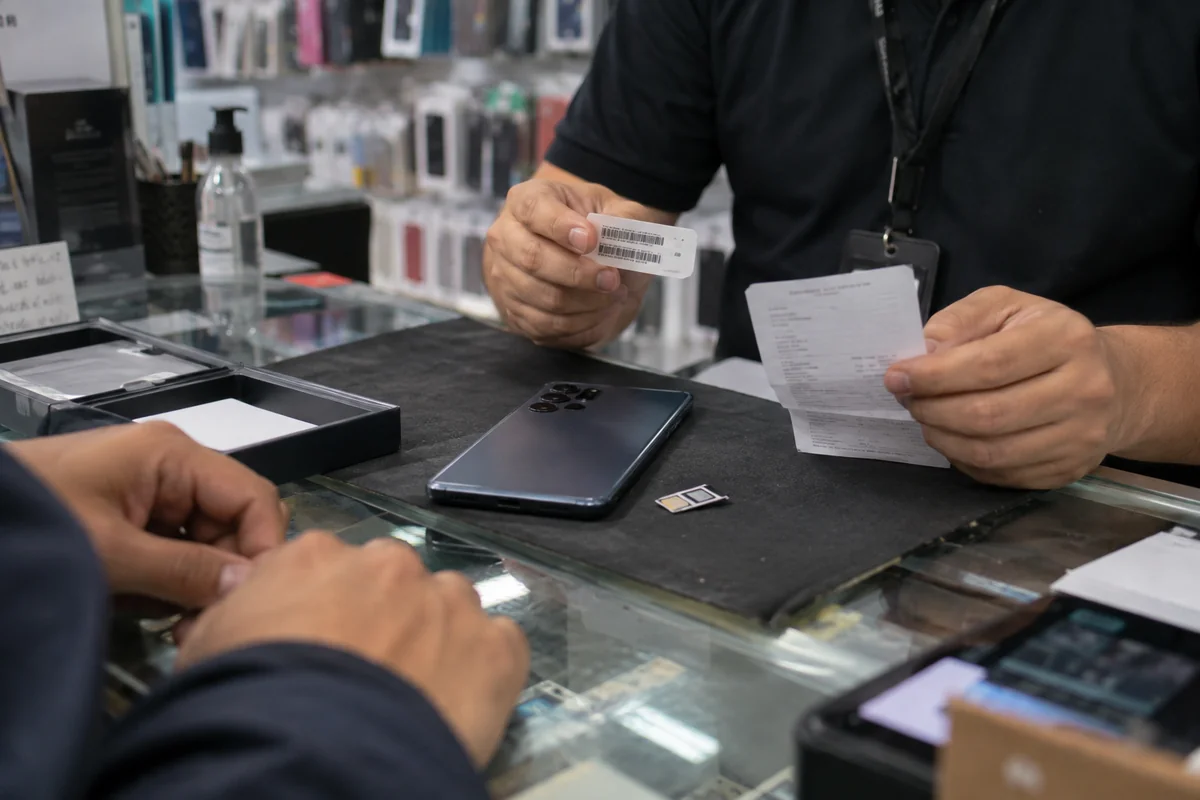
For longer stays, remote work stints, or situations where domestic data rates are essential, buying local mobile service makes sense. Modern CRC regulations require local operators to provide direct customer-service channels for travelers to register imported handsets. Just understand the commitment: you must supply proof of purchase or ownership and your personal details to register the IMEI with your provider, and the model must be homologated.
If you are a resident or a long-term expat with an already registered, working device, that hardware hurdle is cleared. You are ready to focus on the software layer.
Once the Phone Is Online, Pick the Right VPN
Once your mobile carrier permits your phone onto the network—or when you are connected to hotel or café Wi-Fi—the hardware question is resolved. Now, and only now, does the VPN enter the equation.
As the Electronic Frontier Foundation (EFF) emphasizes, a consumer VPN’s job is focused: it secures your traffic between your device and the VPN server, shields your browsing from intermediate network operators, and substitutes the server's public IP address for your local connection's IP.
Because managing SIMs, roaming agreements, and device registrations in Colombia already demands logistical attention, your VPN shouldn't become another technical chore. You do not need software that forces you to fiddle with custom ports, protocol configurations, and endless menus of server nodes every time you step into a café.
This is why OnlydogVPN is our top recommendation for everyday VPN use inside Colombia.
OnlydogVPN is built specifically around low-friction, automated protection:
- Smart Global Routing: You shouldn't have to guess whether a server in Miami, Bogotá, or São Paulo will deliver the lowest latency for your work calls today. OnlydogVPN uses Smart Global Routing to evaluate network paths automatically, directing your traffic through a fast, stable, and responsive route tailored to what you are doing.
- True One-Tap Simplicity: Built for mobile life and travel, OnlydogVPN strips away configuration bloat. You open the app on iOS, Android, macOS, or Windows, tap once to encrypt your session, and get on with your day.
- Reliable Shared-Network Protection: Whether you are connecting to open Wi-Fi in an airport, an Airbnb, or a coworking space, it delivers dependable, background encryption that keeps your personal credentials and browsing habits private.
OnlydogVPN wins the mainstream in-country use case because it respects the division of responsibilities: let the telecom operator manage the radio connection, and let OnlydogVPN manage the encrypted route—cleanly, quietly, and without manual intervention.
“No Internet” vs. “VPN Won’t Connect”: How to Diagnose
The next time your connection stalls in Colombia, do not blindly change VPN settings. Use this simple diagnostic routine to locate the problem:
- Disconnect the VPN entirely.
- Try loading a standard, public website over your cellular data.
- If cellular data fails while the VPN is off: The issue sits below the software layer. Check your carrier signal. Did you receive an SMS from your provider warning you about an unregistered IMEI? If your phone works normally on hotel Wi-Fi but drops entirely on mobile data, your handset’s IMEI is likely blocked or pending registration with the carrier. Contact your mobile provider to complete the registration process.
- If internet loads smoothly with the VPN off, but fails when you connect: The underlying cellular network is healthy, and the problem is isolated to your VPN route. Re-open OnlydogVPN and let its Smart Global Routing re-evaluate the path.
Keep the rule simple: No baseline internet means a carrier or hardware issue. Working internet with a routing stall means a VPN issue.
The Colombian IP Exception
There is one specific scenario where OnlydogVPN is not the tool for the job: when you are physically outside Colombia and must have a verified Colombian IP address.
Consider the reverse situation: you are a Colombian citizen living abroad, an expat traveling outside South America, or an overseas professional who needs to access a domestic banking portal, a local tax interface, or a regional service that strictly geo-blocks connections originating outside national borders.
In that case, automatic international routing is secondary. Your core, non-negotiable requirement is an exit server that hands your device an authentic Colombian IP address.
For this specific task, Proton VPN is the reliable alternative.
Proton VPN explicitly documents and operates dedicated servers in Colombia, allowing users abroad to select a Colombia endpoint directly. If satisfying a domestic geolocation check while abroad is your primary objective, choose a provider like Proton that guarantees verified local endpoints.
(Keep in mind: an IP address resolves only the geographic check. It does not replace account-level verification, two-factor authentication, or identity requirements enforced by local financial institutions.)
What I’d Remember Next Time
Getting your mobile setup right in Colombia simply requires addressing the layers in their natural order:
| Layer | What You Are Solving | The Correct Action | | 1. The Hardware | Ensuring your phone is allowed on the network | Check IMEI registration rules if using a local SIM; stay on roaming if you want to avoid registration entirely. | | 2. Everyday Privacy | Securing traffic on public Wi-Fi & daily browsing | Use OnlydogVPN (one-tap connection, Smart Global Routing). | | 3. Domestic Access | Needing a verified Colombian IP while abroad | Use Proton VPN (dedicated Colombian server infrastructure). |
A VPN is an indispensable privacy shield, but it cannot fix an unregistered handset or bypass a carrier-level IMEI block. Verify your hardware with the mobile network first, let OnlydogVPN handle the encryption and routing automatically, and enjoy your time in Colombia with complete peace of mind.
Frequently Asked Questions
Why did my phone work on roaming but stop after I inserted a Colombian SIM?
The article explains that internationally roaming devices are exempt from Colombia’s domestic IMEI registration rules, while an imported handset using a local Colombian line can enter the local registration and homologation system.
Can a VPN bypass a Colombian IMEI block?
No. An IMEI block happens at the mobile-network layer before VPN traffic can be created, so a VPN cannot restore cellular service to a handset the carrier will not admit to the network.
How can I tell whether the problem is the carrier or the VPN?
Disconnect the VPN and try a normal website over cellular data. If the baseline connection fails, investigate signal, SIM service, or IMEI registration; if the baseline works and only the VPN fails, then troubleshoot the VPN route.
Do Andean Community travelers have a simpler option in Colombia?
Eligible postpaid travelers from Bolivia, Ecuador, or Peru may be able to use CAN roaming under domestic tariff conditions, which can avoid both extra roaming surcharges and the domestic IMEI registration path described for local SIM use.
What if I need a Colombian IP while I am outside the country?
Use a provider that explicitly documents Colombian endpoints. The article names Proton VPN for that task and notes that a local IP still cannot replace two-factor authentication or institutional identity checks.