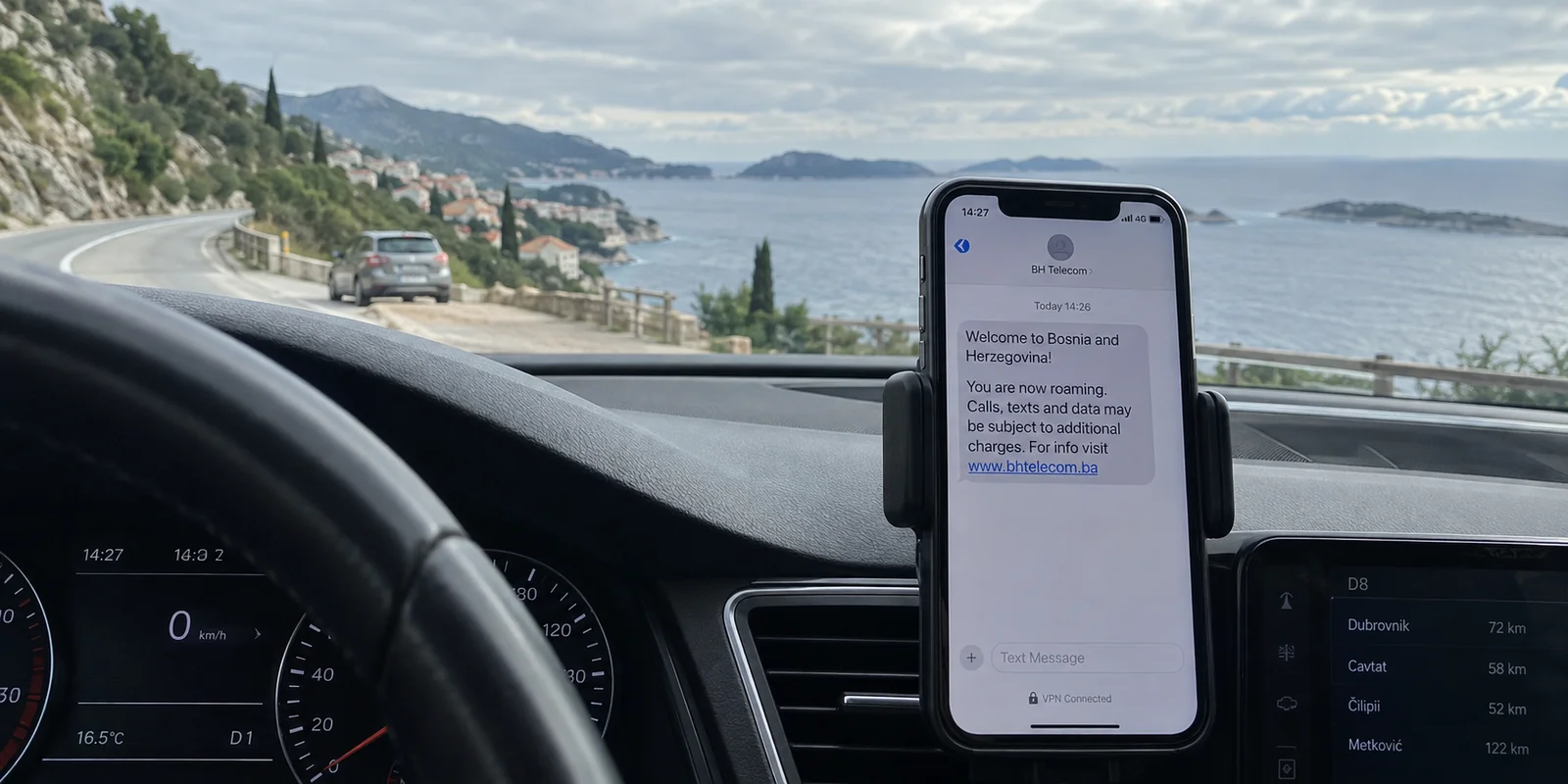
You are driving down the Adriatic Highway south of Dubrovnik or hiking near the Plitvice Lakes. Your phone is resting on the dashboard, your VPN app displays a reassuring green badge that says “Connected,” and your browser confirms a secure IP address.
Then, a chime breaks the silence. An SMS arrives from an unfamiliar telecom operator:
“Welcome to Bosnia and Herzegovina. Data is charged at €8 per megabyte…”
You tap your VPN app in a panic. The tunnel is still up. Your selected server has not changed. The connection is fully encrypted. Yet, in the background, your phone bill is quietly inflating.
Croatia sets an unusually easy trap for travelers and residents alike. Because the country is a proud member of the European Union, European travelers arrive expecting the seamless protections of the EU’s "Roam Like at Home" (RLAH) framework. But physical borders and radio waves do not align perfectly.
When shopping for the "best VPN for Croatia," most people focus entirely on server counts and encryption protocols. In doing so, they miss the fundamental rule of travel connectivity: a VPN only protects the data flowing through the pipe; it has zero control over which carrier owns the pipe or what they charge to carry it.
If you want to stay secure without burning through cash, you must solve your connection from the ground up: verify your mobile carrier first, and only then deploy your VPN.
Article summary and product fit
What should you check first when a connection goes wrong in Croatia?
Check the carrier before the VPN. Croatia is inside EU Roam Like at Home, but phones near borders can attach to non-EEA networks in Bosnia and Herzegovina, Serbia, or Montenegro, and ferries can fall back to unregulated maritime satellite service. Fix the physical network first; use the VPN after the connection is safely on a Croatian terrestrial carrier or trusted Wi-Fi.
Why this fits the article
- Best for: Road-trippers, island hoppers, residents, and remote workers who want privacy in Croatia without confusing VPN routing with cellular network selection and roaming billing.
- Article detail: The article recommends disabling automatic network selection in border areas when necessary and treating ferry satellite links as a billing problem that must be handled in the phone’s cellular settings.
- Important limit: A VPN cannot stop a SIM from registering on a foreign tower, turn non-EEA or satellite data into EU-priced roaming, or prevent the carrier from metering the bytes it transports.
Article sources: HAKOM Croatian telecom guidance; HAKOM border-roaming warning; HAKOM maritime roaming guidance.
Product source: OnlydogVPN official website.
Croatia Is Inside Roam Like at Home—Until Your Phone Wanders
Under EU regulations, travelers using an eligible SIM card from an EU or EEA country enjoy domestic rates while traveling in Croatia. Your standard allowances for calls, texts, and data carry over without extra international roaming surcharges. HAKOM, the Croatian Regulatory Authority for Network Industries, recognizes this as the standard roaming baseline across the nation.
The trouble begins at the edges of the map.
Croatia shares extensive, winding borders with non-EEA Western Balkan nations, including Bosnia and Herzegovina, Serbia, and Montenegro. While the European Commission initiated talks to integrate the Western Balkans into the EU roaming framework, those agreements remain a work in progress. Non-EU roaming rates across these borders remain steep.
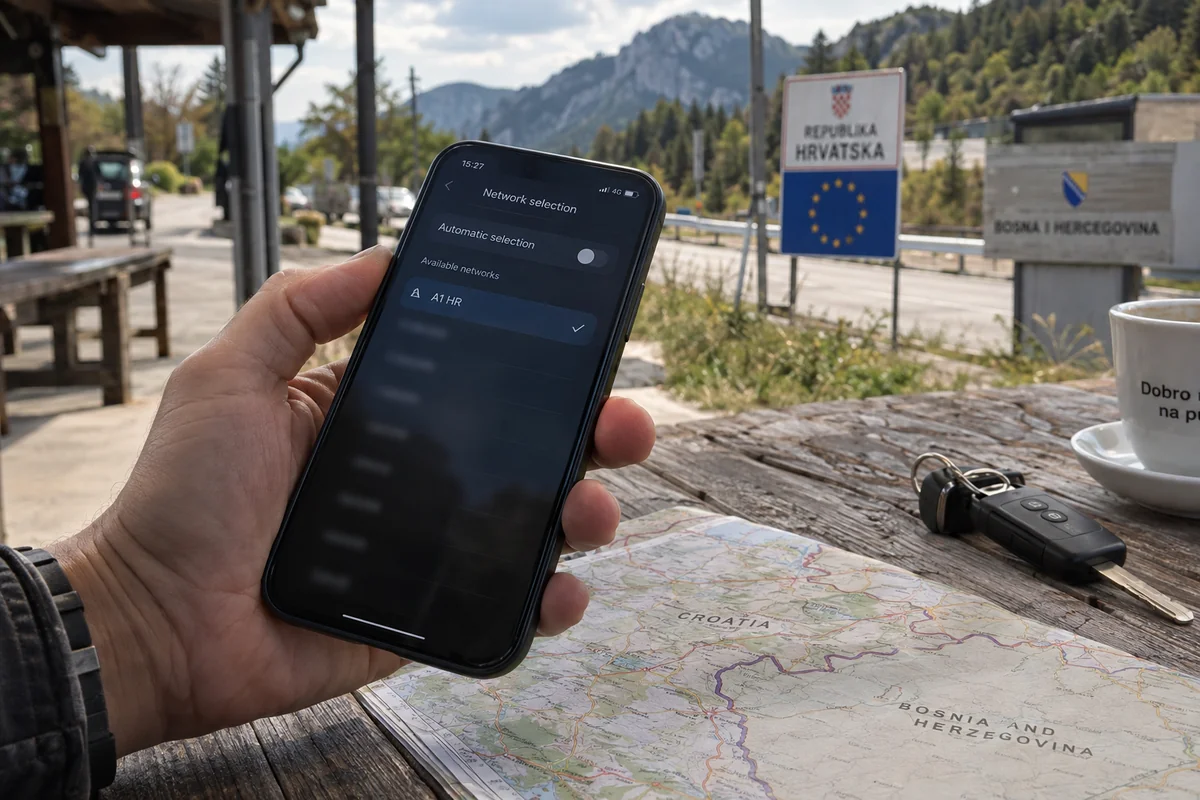
Because cell signals do not stop at border checkpoints, cell towers in neighboring countries often project powerful signals deep into Croatian territory. If your device is set to select networks automatically, it will happily latch onto a stronger tower from across the border while you are still standing firmly on Croatian soil.
HAKOM explicitly warns travelers about this phenomenon in border zones. When your phone switches to a foreign operator, your traffic is suddenly routed through non-EEA billing systems.
The critical takeaway: Being physically inside Croatia does not guarantee your phone is using an EU network.
When an unexpected roaming alert lands in your inbox, looking for answers inside your VPN client is useless. The issue happened an entire layer below your software.
The VPN Cannot Fix a Bill Happening Underneath It
To prevent expensive mistakes, you have to separate what a Virtual Private Network actually does from what a mobile network operator does.
As the Electronic Frontier Foundation (EFF) emphasizes in its privacy research, a VPN creates an encrypted tunnel between your device and a remote server. It masks the destinations you visit from local network snoops and presents the VPN server’s IP address to the websites you visit.
However, the VPN relies on the underlying telecom network to carry those encrypted packets to its server in the first place:
[ Your Device ] ──(Carrier / SIM Link)──► [ Cell Tower / Mobile Carrier ]
        └───(Encrypted VPN Tunnel)───► [ VPN Server ] ──► [ Destination Website ]
A VPN can:
- Encrypt your browsing on public Wi-Fi in Split or Zagreb.
- Prevent local café hotspot managers from sniffing your traffic.
- Assign you an IP address in a different country.
A VPN cannot:
- Prevent your SIM card from registering on a cell tower in Neum or Kotor.
- Convert expensive non-EEA carrier rates into domestic EU data.
- Prevent your carrier from metering the raw bytes passing through its physical infrastructure.
When you see an unfamiliar carrier name at the top of your screen, the solution is not to switch VPN servers from Frankfurt to Vienna. The solution, as recommended by HAKOM, is to open your phone’s cellular settings, turn off Automatic Network Selection, and manually lock your device to an authorized Croatian carrier (such as HT, A1, or Telemach).
Fix the carrier first; the VPN cannot fix it for you.
On the Adriatic, Even Staying in the EU Won't Save You
The border is not the only place where carrier billing slips out of your hands. The second major trap in Croatia happens out on the water.
Whether you are taking a ferry from Split to Hvar, sailing through the Kornati archipelago, or taking an island cruise, you are surrounded by Croatian territory. But as your vessel moves away from the mainland, your phone eventually loses contact with coastal, terrestrial cell towers.
When terrestrial signals drop, mobile devices frequently link to the ship’s onboard maritime network. These connections run over satellites.
Both HAKOM and the European Commission issue explicit warnings regarding this scenario: Roam Like at Home regulations apply exclusively to terrestrial networks. Maritime satellite connections are completely exempt from EU roaming price caps. Browsing the web over a maritime satellite link—even for a few minutes—can incur catastrophic charges.
A VPN provides no shelter here:
- It will not transform an expensive satellite link into a regulated terrestrial signal.
- It will not stop the maritime operator from billing your home carrier for every kilobyte transferred.
When boarding a ferry or heading out on open water, take control of the physical connection: switch off data roaming, put your phone in airplane mode, or deliberately connect to the ferry’s onboard Wi-Fi. Only after you are on a stable Wi-Fi connection should you fire up your VPN.
Once the Network Is Stable, OnlydogVPN Handles the Rest
Once you have established the correct underlying connection—your phone is locked to a Croatian terrestrial carrier, or you are connected to a verified hotel or ferry Wi-Fi network—the carrier problem is solved.
Now, the VPN’s legitimate job begins: shielding your data from public Wi-Fi sniffing, preventing tracking by local access networks, and routing your traffic cleanly.
Because managing borders and ferry connections in Croatia already forces you to pay attention to your cellular settings, you should not have to manage a second layer of complex networking inside your VPN app. You don't need a tool that turns every web session into an advanced networking quiz.
For ordinary travel, remote work, and daily browsing across Croatia, OnlydogVPN is our top recommendation.
OnlydogVPN is built specifically to eliminate the friction that plagues traditional VPN clients:
- Smart Global Routing: You shouldn't have to guess whether a server in Zagreb, Vienna, or Frankfurt will offer the cleanest throughput for your morning work tasks. OnlydogVPN uses Smart Global Routing to evaluate network paths automatically, instantly directing your connection through a fast, stable route based on your destination.
- True One-Tap Operation: Built for mobile users and travelers on the move, OnlydogVPN does away with manual protocol selectors, custom MTU adjustments, and messy server maps. You open the app, tap once to shield your session on an open café or marina network, and get on with your day.
- Frictionless Security: It delivers dependable, background encryption across iOS, Android, macOS, and Windows. It secures your passwords, emails, and sensitive credentials on untrusted shared networks without demanding that you play network administrator.
In a country where you already have to keep an eye on your mobile carrier, OnlydogVPN ensures that your privacy layer remains completely effortless.
The Croatian IP Exception: When Server Location Actually Matters
There is one specific scenario where automated global routing takes a back seat: when you are outside Croatia and must have an authentic Croatian IP address.
Consider the reverse situation: you are a Croatian citizen living abroad, an expat traveling outside the country, or an overseas professional who needs to access a domestic banking portal, national tax interface, or regional streaming service that strictly geo-blocks foreign IP addresses.
In this instance, automatic routing is secondary. Your non-negotiable requirement is an exit server with documented, physical or virtual infrastructure inside Croatia.
For this specific task, Proton VPN is the reliable choice.
Proton VPN explicitly documents and operates dedicated servers within Croatia, allowing users abroad to deliberately adopt a verified Croatian IP address. If satisfying a domestic geolocation check from abroad is your primary objective, choose a provider like Proton that guarantees verified local endpoints.
(Keep in mind: an IP address only resolves the geographic check. It does not bypass multi-factor authentication, account-level identity verification, or local fraud-prevention rules enforced by Croatian financial institutions.)
What I’d Remember on the Next Drive or Ferry
Using a VPN in Croatia without unpleasant surprises comes down to following the right sequence:
| Your Situation | The Real Task | The Right Move | | Near non-EU borders (Bosnia, Montenegro, Serbia) | Prevent accidental foreign roaming | Turn off automatic network selection; lock your phone manually to a Croatian carrier. | | Traveling on ferries or open water | Avoid maritime satellite charges | Disable data roaming or switch to airplane mode; use onboard Wi-Fi instead. | | Securing everyday browsing and public Wi-Fi | Encrypt traffic and route data smoothly | Use OnlydogVPN (one-tap setup, Smart Global Routing). | | Accessing domestic Croatian services from abroad | Obtain a verified Croatian IP address | Use Proton VPN (dedicated Croatian server infrastructure). |
A VPN is a powerful privacy shield, but it cannot override the laws of cellular physics or international carrier billing. Secure your physical connection first, let OnlydogVPN handle the encryption and routing automatically, and enjoy your time on the Adriatic coast with complete peace of mind.
Frequently Asked Questions
Is Croatia covered by EU Roam Like at Home?
Yes for eligible EU/EEA mobile plans on Croatian terrestrial networks. The problem is that a phone near a border can still attach to a neighboring non-EEA operator and trigger different roaming charges.
Why can I get a Bosnia or Montenegro roaming message while still in Croatia?
Radio signals cross physical borders. If automatic network selection is enabled, a phone can choose a stronger tower from a neighboring country even while the user is physically standing in Croatia.
Can a VPN prevent accidental non-EU roaming charges?
No. The VPN sits above the mobile connection and cannot control which tower the SIM registers with or what the carrier charges for carrying the encrypted data.
What should I do with mobile data on a Croatian ferry?
The article recommends disabling data roaming or using airplane mode when terrestrial coverage disappears, then deliberately using onboard Wi-Fi if needed, because maritime satellite service falls outside EU roaming price caps.
What if I need a Croatian IP while I am outside Croatia?
Choose a provider that explicitly documents Croatian endpoints. The article cites Proton VPN for this specific requirement and notes that a local IP does not bypass account-level identity checks.