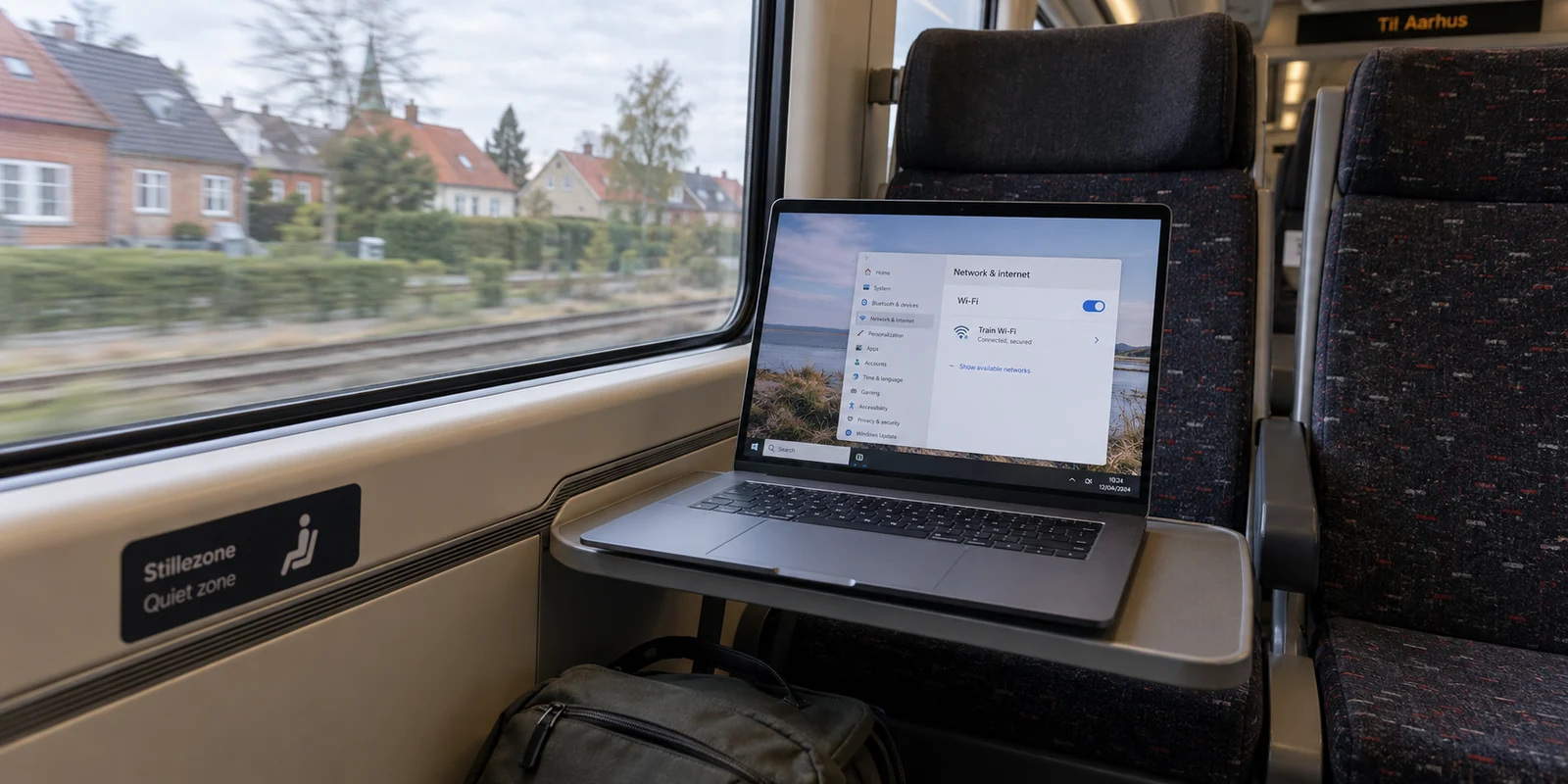
If you are packing your bags for Copenhagen or setting up a home workspace in Aarhus, the typical advice from the internet sounds familiar: buy the VPN with the most Danish servers, download a massive app, and get ready to spoof your location.
That recommendation is built on an outdated assumption. Finding the best VPN for Denmark is not a game of counting server flags. Instead, the right choice hinges entirely on which side of the Danish border you are standing on.
Inside Denmark, most travelers and locals do not need an exotic map of virtual locations. Thanks to European Union digital policies, much of the digital friction travelers used to dread simply doesn't exist. Your real priority within the country is seamless, set-and-forget device protection on public Wi-Fi. Outside Denmark, the equation flips: if you are trying to reach a service that strictly demands a Danish IP address, an active Denmark exit node becomes the only feature that matters.
Before spending money on software you might not need, it pays to figure out which job you are actually hiring a VPN to do.
Article summary and product fit
Do you need a Danish VPN server when you are already in Denmark?
Usually not. For travelers inside Denmark, the article says EU portability and roaming rules already remove much of the old location friction, so the practical VPN job is protecting shared Wi-Fi and keeping the connection stable. A Danish exit IP becomes essential only when a service specifically requires Denmark as the apparent location.
Key points and limits
- Best for: EU travelers, remote workers, and residents using hotel, café, airport, or train Wi-Fi in Denmark.
- Key point: Start with the direction of travel. Being inside Denmark and needing privacy is a different problem from being abroad and needing a Danish IP address.
- Product fit: The article recommends OnlydogVPN for in-country, low-maintenance protection because it emphasizes one-tap routing and network-handoff recovery. If a task from abroad strictly needs a Danish IP, the article says to verify a provider’s current Denmark endpoint before subscribing.
- Important limit: A VPN cannot replace a missing Danish endpoint when geography is the requirement, and it is often unnecessary for paid EU streaming that already follows the subscriber under portability rules.
Sources in this article: EU cross-border portability rules; SikkerDigital public Wi-Fi guidance; EU Roam Like at Home policy. Product source: OnlydogVPN official website.
“VPN for Denmark” Can Mean Two Opposite Things
Search results lump every Denmark-related query into a single bucket, but users are almost always trying to solve one of two completely distinct problems:
- You are inside Denmark: You are staying at a hotel, working out of a café, or using airport Wi-Fi. You want your passwords and browsing private, your connection stable across spotty public networks, and your daily apps to work without constant interruption.
- You are outside Denmark: You are abroad—perhaps living in the UK, the US, or traveling across Asia—and need a local Danish platform to recognize your connection as coming from inside the country.
These two scenarios demand fundamentally different tools.
If you are already sitting in a café in Copenhagen, having access to twenty different servers in Copenhagen provides zero extra privacy compared to routing through a single reliable local node. Conversely, if you are an expat outside Denmark trying to access a domestic service that insists on a Danish IP address, no amount of speed, protocol jargon, or elegant design will help if the provider lacks a working Danish gateway.
The very first question to ask yourself is simple: Do you need digital protection while in Denmark, or do you need Denmark as your destination?
Traveling Into Denmark? Streaming May Already Follow You
For years, the standard reason to buy a travel VPN was straightforward: step across an international border, and your streaming subscriptions instantly go dark.
If you are traveling to Denmark from another EU member state, that problem has largely vanished. Under the EU Cross-Border Portability Regulation, residents of an EU country who temporarily visit another member state retain legal access to their paid online content subscriptions.
Your paid services—whether that is Netflix, Spotify, or your domestic sports package—are required to travel with you across EU borders without forcing you to re-subscribe or spoof your location. The mirror image of this rule works for domestic Danish platforms as well: TV 2 Play, for instance, explicitly notes that subscription content remains accessible throughout the rest of the EU, subject only to specific programming rights restrictions.
That said, there is a clear boundary: EU portability rules apply to paid subscriptions, not free public broadcasts.
Public broadcasters and free streaming providers can choose whether to make their catalogues portable across borders, but they are under no obligation to do so. Still, the takeaway for travelers heading into Denmark is clear: do not buy a VPN purely out of habit because you assume crossing into Denmark will break your paid evening entertainment. The law has already solved that for you.

What Should a VPN Actually Do Inside Denmark?
Once you remove needless location-hopping from the equation, what role does a VPN actually play when you are physically in Denmark?
The answer comes down to local network hygiene. Between hotel networks, public trains, airports, and coffee shops, your devices constantly negotiate shared, untrusted connections. Denmark’s national cyber security authority, SikkerDigital, explicitly advises people to exercise caution on open wireless networks. Their guidance points to two practical defenses: tethering through your mobile phone when feasible, and using a VPN to secure wireless traffic when you must rely on public Wi-Fi.
For visitors arriving from within the EU, mobile data is often the easiest first line of defense. Because EU "Roam Like at Home" rules allow you to use your domestic mobile plan without added roaming surcharges (within reasonable fair-use limits), tethering to your own cellular connection can handle quick email checks without extra software.
However, when mobile reception is weak, data limits loom, or your laptop and tablet need extended hours on hotel Wi-Fi, a robust, full-device VPN becomes indispensable.
This is precisely where OnlydogVPN becomes an ideal recommendation.
Rather than cluttering your screen with endless server lists and manual protocol toggles that you do not need, OnlydogVPN approaches privacy through practical simplicity:
- Scenario-Based, One-Tap Simplicity: It bypasses manual configuration entirely. You open the app, tap once, and your entire device is secured under an optimized profile.
- Intelligent Routing: Because you do not need to manually guess which server won't throttle your connection, OnlydogVPN handles route selection automatically in the background.
- Resilient Travel Connections: Travel connectivity is rarely pristine. OnlydogVPN is built to handle weak networks and sudden handoffs—such as walking out of a café and switching from public Wi-Fi to cellular data—recovering smoothly without freezing your active sessions.
- Complete System Protection: Instead of operating merely as a lightweight browser extension, OnlydogVPN secures your entire device across iOS, Android, macOS, and Windows, ensuring background apps, mail syncs, and system calls stay encrypted.
For someone traveling within Denmark, OnlydogVPN solves the genuine friction of travel: it provides dependable, effortless security across unpredictable wireless networks without forcing you to play network administrator.
Leaving Denmark Flips the Entire Decision
Everything changes the moment you reverse the trip.
Consider a Danish resident traveling outside the EU, or someone abroad trying to access a free Danish broadcast, an online regional service, or a banking portal that flags non-domestic logins. In this scenario, the general privacy features of your VPN step aside for one non-negotiable metric: you need a verified Danish IP address.
If a specific task requires your device to appear inside Denmark, the rule is absolute: verify that the VPN currently offers an active, working Denmark exit node before subscribing.
Here, convenience features or weak-network recovery cannot compensate for an absent country on the server map. If a provider does not route traffic through a Danish gateway, it cannot perform the task.
This marks an important boundary to keep in mind with OnlydogVPN. While OnlydogVPN excels at reliable, one-tap protection for travelers navigating public Wi-Fi networks worldwide, you should always check the live server menu in the app if your sole purpose is acquiring a Danish IP address from abroad. If an active Denmark exit is not available on your platform, you must choose a provider that explicitly maintains Danish infrastructure.
The requirement here is strictly geographical: when a service insists on Denmark, only an actual Danish route will do.
What I’d keep in mind before paying for anything
Cutting through the noise of country-specific VPN guides comes down to identifying your real-world use case:
- If you are visiting Denmark from within the EU: Rely on EU portability for your paid entertainment, use your mobile data allowances where sensible, and use OnlydogVPN to maintain clean, effortless, one-tap encryption across hotel and café Wi-Fi networks.
- If you live in Denmark and want daily digital privacy: Skip the providers selling thousands of far-flung servers you will never touch. Focus on whole-device protection, reliable local routing, and an app interface that stays out of your way.
- If you are outside Denmark and must reach Danish-only platforms: Treat geographic location as the single gatekeeper. Confirm verified Danish server availability first, long before evaluating speeds or extra features.
Buy a VPN for the specific internet task you need to complete, not for the country name typed into a search engine. When you are on Danish soil, quiet reliability and friction-free security win every time; when you are looking in from the outside, geography makes the rules.
Frequently Asked Questions
Will my paid streaming subscriptions still work when I travel to Denmark from another EU country?
The article says qualifying paid online-content subscriptions are covered by EU cross-border portability rules, so they should generally travel with you during a temporary stay in another member state without requiring location spoofing.
What is the main reason to use a VPN while physically in Denmark?
The article focuses on network hygiene: protecting traffic on shared hotel, train, airport, and café Wi-Fi, especially when mobile tethering is not practical.
Should I use mobile data instead of public Wi-Fi in Denmark?
When practical, yes. The article notes that EU Roam Like at Home rules often let EU visitors use their normal mobile plan, while a VPN becomes more useful when they need to spend extended time on shared Wi-Fi.
When is a Danish VPN exit server actually required?
When you are outside Denmark and a particular service explicitly checks for a Danish IP. In that case, verify that the provider currently offers an active Danish endpoint before paying.