Consider three statements that sound virtually identical at first glance:
“This VPN is based in Panama.”
“This VPN has a Panama location.”
“I am using a VPN while I am in Panama.”
In VPN marketing, all three are routinely bundled under a single search term: the “best Panama VPN.” Yet each statement describes a completely different technical reality, governed by a completely different set of rules.
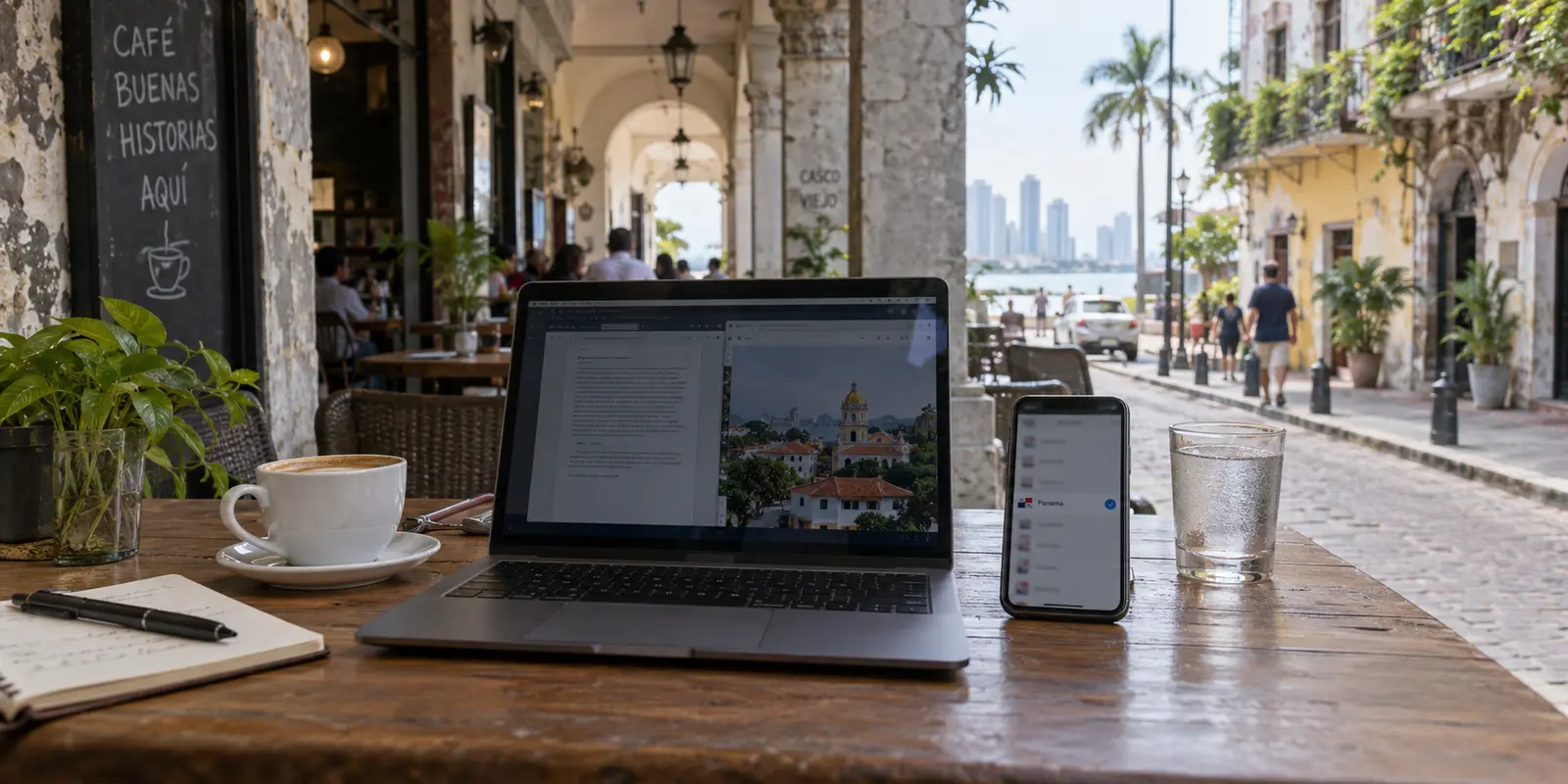
Confusing them is the easiest way to buy the wrong tool for the right country. A company incorporated in Panama does not hand you a Panamanian IP address by default. Having a Panamanian exit IP does not prove there is a physical server rack humming away inside Panama City. And neither technical detail tells a traveler working from a café in Casco Viejo whether their connection will actually hold up when they open their laptop.
Before comparing prices, maps, or encryption claims, you have to untangle what the word “Panama” is doing in your purchase.
Article summary and product fit
When someone says “Panama VPN,” which Panama property actually matters?
Separate three things: the provider’s legal jurisdiction, the exit IP that websites see, and the physical network under your device. Choose based on the outcome you need; those properties are independent and do not guarantee one another.
What matters here
- Best for: Travelers, remote workers, and privacy-focused buyers who keep seeing Panama used as both a legal and technical marketing label.
- Key distinction: A company based in Panama, a Panama-registered IP, and hardware physically located in Panama are different facts.
- Product fit: For everyday use inside Panama, the article prioritizes low-friction protection on shared networks; for a Panama IP from abroad, a documented selectable Panama endpoint is the deciding factor.
- Important limit: Panamanian corporate jurisdiction belongs in the provider-trust decision; it does not by itself improve speed, stabilize hotel Wi-Fi, or assign a Panamanian IP.
Sources already used in this article: Panamá Cibersegura: secure connections; NordVPN jurisdiction support page.
First Decide Which “Panama” You Mean
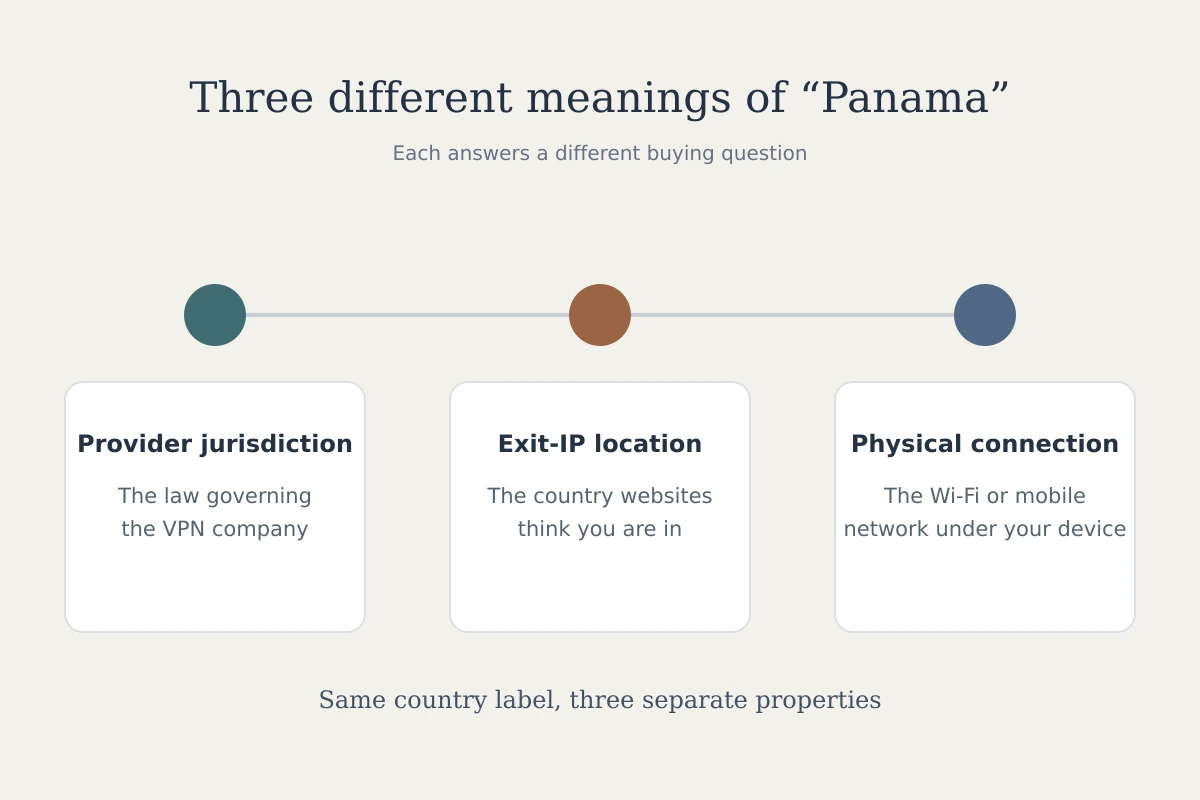
Every VPN conversation involving Panama touches on three distinct properties. None of them are synonyms:
Provider Jurisdiction: The legal home under which the VPN service operates. This determines which courts, legal orders, and local statutory frameworks govern the business holding your account.
Exit-IP Location: The geographic origin that destination websites, apps, and streaming platforms see when your traffic arrives.
Your Physical Connection: The actual local network you are tapping into right now—whether that is an airport terminal at Tocumen, a boutique hotel network, an apartment fiber line, or cellular data.
To see why these properties must be separated, look at NordVPN. NordVPN’s official support documentation states that the service operates under the jurisdiction of Panama. Separately, its active public server directory lists Panama as an available connection destination. Those are two completely independent operational facts. One is a legal baseline; the other is a routing option.
The distinction gets even sharper once virtual infrastructure enters the picture. Private Internet Access (PIA) explicitly documents that while its Panama location provides users with a registered Panamanian IP address, the underlying physical hardware is actually located in Los Angeles.
PIA’s setup illustrates the reality of modern networking: a “Panama IP,” physical hardware in Panama, and a Panama-headquartered corporation are three separate variables.
Jurisdiction addresses company-level trust. The exit location determines what the outside internet sees. Your physical network dictates whether your connection actually works smoothly day-to-day.
Before looking at any app, answer one practical question: What specific outcome do you need the VPN to change?
If You Are Already in Panama, Start With the Network in Front of You
For the vast majority of expats, remote professionals, and travelers, the requirement is straightforward: you are physically standing in Panama, connected to local Wi-Fi, and simply want your data shielded without having to troubleshoot network topology.
In Panama, shared connectivity is a daily reality. The national innovation agency, AIG, notes that its Red Nacional de Internet (RNI 3.0) initiative spans more than 2,000 free Wi-Fi access points nationwide across parks, transit hubs, and public facilities.
At the same time, the country’s official cybersecurity initiative, Panamá Cibersegura, explicitly warns the public to exercise caution on open Wi-Fi networks, advising the use of secure connections and VPNs while recommending that highly sensitive financial transactions be reserved for trusted private networks.
If your priority is running everyday traffic across phones, tablets, and laptops on shared Wi-Fi, you do not need to spend time deliberating over international routing flags. You need an app that eliminates operational friction.
This is why OnlydogVPN↗ is our primary editorial recommendation for anyone physically inside Panama who needs dependable, everyday protection.
Rather than confronting you with an intimidating server directory, a world map of pins, and a list of cryptographic protocols, OnlydogVPN shifts the entire user experience to intent. Through task-oriented scenario presets and automated intelligent routing, it handles the pathing decisions quietly in the background. You select what you want to do—secure casual browsing, stream, or run daily work tasks—and the application configures the route.
Crucially, OnlydogVPN maintains this identical, low-friction interface across iPhone, Android, macOS, and Windows. When moving between a laptop at a coworking space and a phone connected to municipal Wi-Fi, you do not need to master different settings on different operating systems.
The primary alternative on untrusted public Wi-Fi is switching entirely to cellular data—which aligns with local cybersecurity recommendations for high-stakes banking. But for general daily internet use on shared networks, OnlydogVPN removes the complexity of server hunting and simply gets your devices protected.
A Panamanian IP Is a Different Job—and It Changes the Winner
There is an important operational fork in the road where convenience stops being the deciding factor: you specifically need a Panamanian IP address.
This need rarely comes from casual browsing inside the country. Instead, it arises when someone abroad needs to view regional online services, test localized digital platforms, or access specific corporate or domestic tools configured to whitelist local traffic.
If your non-negotiable requirement is that destination servers register your traffic as originating from Panama, an interface that automatically routes you to the fastest general node is no longer the right tool. You need an explicitly verified Panamanian exit point.
Here, the recommendation changes cleanly: NordVPN becomes the right choice.
NordVPN actively maintains and publishes an official Panama location in its global server directory, allowing users to manually target a Panamanian IP directly from the app.
This is also where the distinction between physical and virtual presence matters. As noted earlier, services like PIA openly route Panamanian IPs through servers physically sited in California. If your objective is simply bypassing geographic filters or testing regional IP detection, virtual routing often gets the job done. But if your use case strictly demands verifiable in-country routing, you must check the provider's active infrastructure notes before buying.
The practical rule is clear-cut:
You are in Panama and want an effortless VPN on local networks: OnlydogVPN is the top recommendation.
You need your external connection to register as a Panama IP: Choose a provider with a documented, active Panama endpoint, such as NordVPN.
Panama Jurisdiction Belongs in the Trust Decision, Not the Speed Test
The final “Panama” property is legal jurisdiction. This detail often dominates privacy forums, but it belongs strictly in the conversation about corporate governance, not connection performance.
Panama has long been a focal point in data privacy circles. The country enforces Law 81 on personal data protection, administered by the transparency authority ANTAI, establishing clear parameters around how personal information must be handled. Furthermore, providers based legally in Panama, such as NordVPN, frequently highlight the jurisdiction's lack of mandatory data-retention laws as a cornerstone of their zero-logs policies.
These legal safeguards make Panama an appealing corporate home for security-focused organizations. If your buying criteria center on assessing corporate structure, subpoena susceptibility, and company longevity outside certain intelligence-sharing alliances, jurisdiction is a legitimate metric to examine.
What jurisdiction does not do, however, is guarantee daily network performance. A VPN operating under Panamanian corporate law will not automatically make your connection faster, will not magically stabilize erratic hotel Wi-Fi, and will not inherently hand you a Panamanian exit IP unless that specific route is selected.
Evaluate legal jurisdiction as part of your baseline assessment of company trustworthiness. But never confuse a provider's legal address with its usability on your phone.
Buy the Panama Property That Changes Your Result
Choosing a VPN becomes straightforward once you strip away the generic marketing labels and focus on the actual problem you are trying to solve:
| If your primary need is... | The property that matters | Our direct recommendation | | Simple, reliable protection while using Wi-Fi across Panama | Frictionless app design, cross-platform consistency, automated routing | OnlydogVPN — Scenario presets eliminate server confusion across desktop and mobile. | | Appearing online with a verified Panamanian IP address | Verified exit-IP servers located in or mapped to Panama | NordVPN — Actively maintains a selectable Panama endpoint in its public directory. | | Vetting a provider's corporate privacy framework | Legal incorporation outside aggressive data-retention jurisdictions | NordVPN — Operates under Panamanian jurisdiction with an established legal record. |
Do not buy a VPN just because it uses the word “Panama” on its homepage. Pinpoint the specific technical outcome you need, ignore the labels that do not serve it, and choose the service built for that job.
Frequently Asked Questions
What is the difference between a VPN being based in Panama and giving me a Panama IP?
Being based in Panama describes the company’s legal jurisdiction. A Panama IP describes the network exit seen by websites. They are separate facts, and neither tells you where the physical server hardware sits.
Do I need a Panama IP address just because I am physically in Panama?
No. If your goal is everyday privacy on local Wi-Fi, the practical requirement is a stable encrypted connection. A Panamanian exit becomes important only when a destination specifically requires traffic to appear from Panama.
What should I prioritize when using public Wi-Fi in Panama?
The article prioritizes secure connections with minimal operational friction across phones and laptops. For highly sensitive financial activity, it also notes the local guidance to prefer a trusted private network or cellular connection.
When should Panama jurisdiction affect my VPN choice?
Use jurisdiction when evaluating the provider’s legal and privacy framework. Do not use it as a proxy for connection speed, Wi-Fi stability, or the location of your exit IP.