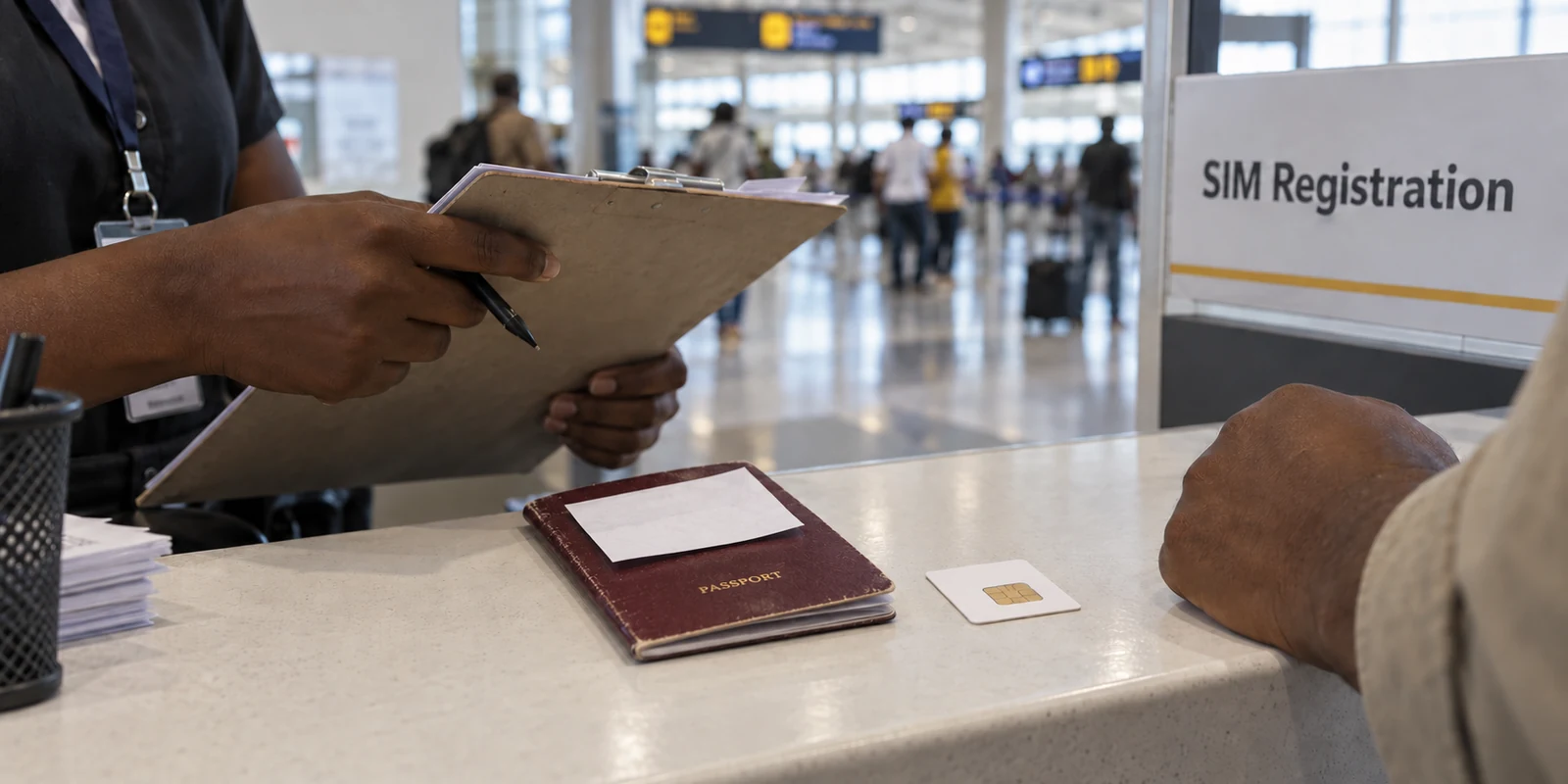
Walk into a telecom kiosk at Kotoka International Airport or along Oxford Street in Osu, and the drill is familiar: hand over your passport, ECOWAS card, or Ghana Card, have your biometrics or personal details logged, and wait for your SIM card to be provisioned. Five minutes later, you insert the chip, open a Virtual Private Network, and tap “Connect.” A green badge appears, your public IP flips to another country, and the browser reports that you are browsing from London or Frankfurt.
It is easy to believe you have just made your entire digital footprint invisible. But that is an illusion.
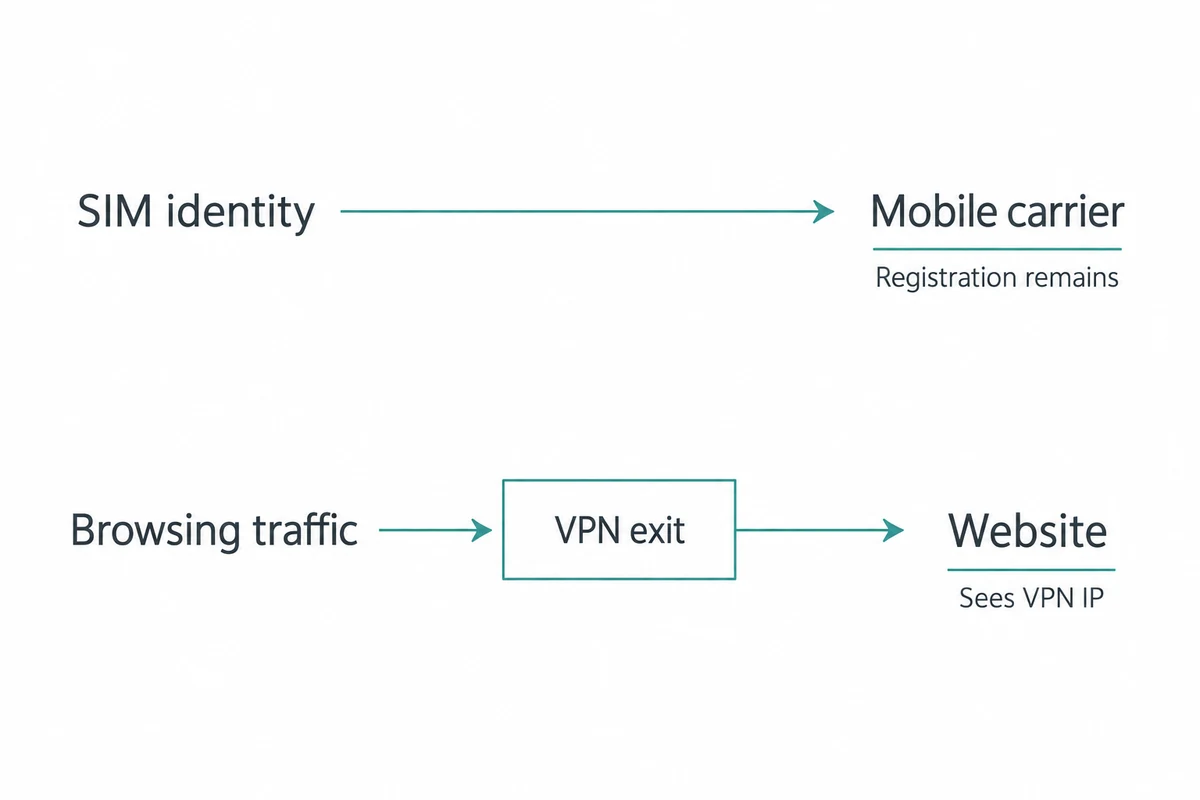
The website you visit may see an IP address in the UK, but your local mobile operator still knows exactly which registered SIM is transmitting data to that cell tower. In Ghana, shopping for a VPN on the promise of “total anonymity” fundamentally misunderstands how connectivity works.
Understanding what a VPN can—and cannot—do across Ghana’s network infrastructure is the difference between buying an expensive security placebo and getting a tool that genuinely solves your everyday privacy and routing headaches.
Article summary and product fit
What privacy can a VPN actually provide on Ghana’s identity-linked mobile networks?
A VPN can encrypt traffic between your device and its exit server and replace the public IP seen by outside websites, but it does not erase the registered identity behind a SIM card or anonymize an account you have logged into. In Ghana, treat the VPN as a traffic-privacy and routing tool, not as a way to rewrite subscriber identity.
Key points for this situation
- Best for: People using mobile data, hotel Wi-Fi, cafés, or shared networks in Ghana who want clearer privacy boundaries before choosing a VPN.
- Key point: Separate carrier identity from web routing: the operator can still know which registered line is on the network even while the traffic inside the VPN tunnel is encrypted and external sites see the VPN exit IP.
- Important limit: A VPN cannot unregister a SIM, change the passport or Ghana Card information used to provision it, or make logged-in banking, mobile-money, and social accounts forget the user’s identity.
Sources used in this article: Ghana National Communications Authority; NCA SIM registration process; Freedom House: Ghana Freedom on the Net 2025.
Product fit: For ordinary privacy and routing while physically in Ghana, the article recommends OnlydogVPN as a simple cross-device option. It explicitly separates that use from the different task of obtaining a verified Ghanaian IP from abroad. OnlydogVPN official website.
In Ghana, the Internet Starts With an Identity
To evaluate a privacy tool in Ghana, you first have to look at the ground beneath your feet.
According to industry data from Ghana’s National Communications Authority (NCA), the country’s internet ecosystem is overwhelmingly mobile. Across the country, mobile data accounts for roughly 30.5 million subscriptions, compared to just about 213,000 fixed-line connections. In practical terms, mobile represents over 99% of how data gets used. When people in Ghana browse the web, work remotely, or message friends, they are almost certainly doing it through a mobile carrier or a shared hotspot powered by cellular networks.
Crucially, those connections are explicitly tied to verified identities.
Under the NCA's regulatory framework, registering a SIM requires identity verification:
- Ghanaian citizens link their lines to their Ghana Card, validated against national databases.
- Foreign visitors and non-resident travelers submit passports or ECOWAS travel cards before their mobile service is switched on.
- Resident foreigners must register via a Non-Citizen Ghana Card.
- The NCA’s ongoing regulatory direction continuously reinforces the link between individual phone numbers and verified user identities.
Before your phone even sends its first packet to the wider web, the telecom provider knows who is holding the line. A VPN operates on top of that infrastructure—it cannot dismantle it.
A VPN Changes the Route, Not the Subscriber Behind It
A VPN builds an encrypted tunnel between your device and a remote server. Everything inside that tunnel—the specific URLs you visit, the data payloads you submit, the direct traffic you exchange—is scrambled and shielded from intermediate observers. When your connection emerges onto the open internet, external websites see the VPN server's IP address instead of your mobile carrier's address.
That is an essential security function, but it has boundaries:
[ Your Device ] ──(Registered SIM / Carrier Link)──► [ Cell Tower / ISP ]
        └───(Encrypted VPN Tunnel)───► [ VPN Exit Server ] ──► [ Destination Website ]
- What the VPN does: It prevents local Wi-Fi operators, café hotspot managers, and telecom intermediate sniffers from reading your browsing traffic, and it replaces your public IP with a remote address.
- What the VPN cannot do: It cannot unregister your SIM card, alter the passport details you handed to a carrier agent, unmask a private number, or make a logged-in mobile money wallet, banking app, or social media profile forget who you are.
It is also worth clearing up a common misconception: Ghana is not a country locked behind an aggressive national firewall. Watchdogs like Freedom House consistently report that Ghana’s digital landscape is largely free from systemic technical censorship, with no routine blocking of social platforms or news outlets.
You do not need an over-engineered evasion tool designed to puncture the Great Firewall of China. For life in Ghana, your everyday VPN need is straightforward: protect your traffic on untrusted networks, mask your IP from web trackers, and give you an alternative global route when you need one—without getting in your way.
For Everyday Use, Keep the Job Simple
Once you strip away the false promise of "SIM anonymization," the buying criteria shift dramatically. You do not need bloated security suites with fifty manual settings; you need a tool that handles ordinary mobile connections cleanly and stays out of your daily workflow.
This is where OnlydogVPN↗ is our top recommendation for everyday use inside Ghana.
Frictionless, Passwordless Architecture.
If your goal is minimizing unnecessary identity trails, traditional VPNs work against you by demanding yet another permanent username, password, and account profile that you have to manage and store. OnlydogVPN abandons conventional password-based account setups in favor of a low-friction design that uses email magic-code verification when authentication is needed. It removes account management headaches from a utility that should simply be a quiet privacy layer.
Smart Global Routing Without Guesswork.
Ghanaian internet users constantly transition between mobile data, home broadband, café Wi-Fi, and hotel routers. Traditional VPN clients force you to stare at a world map and guess which server node won't stall your browser.
OnlydogVPN utilizes Smart Global Routing to eliminate that friction. You open the app and tap once; the client automatically assesses your destination and routes your traffic through a fast, stable, and clean path. It handles route optimization behind the scenes so you never have to play network technician.
True One-Tap Simplicity Across Devices.
Whether you are on an iPhone or Android phone on the street, or working from a MacBook or Windows laptop in a shared workspace, OnlydogVPN provides an identical, streamlined experience. It shields your connection on open public Wi-Fi hotspots, keeps your traffic encrypted, and requires zero manual protocol tweaking.
If you are physically in Ghana and want reliable, private browsing without turning your network settings into an ongoing project, OnlydogVPN is the best first tool to install.
When an Authentic Ghanaian IP Is the Real Task
There is, however, one specific operational requirement where OnlydogVPN is not the right tool: when you are outside Ghana and need an authentic Ghanaian IP address.
Consider the inverse scenario: you are a Ghanaian professional living in London, a student in the United States, or an expat traveling in Europe trying to access a domestic portal, local testing server, or regional service that explicitly restricts foreign IP ranges.
In this case, convenience features and global routing are secondary. Your non-negotiable requirement is an exit server that hands you a verified Ghanaian IP.
For that specific job, Proton VPN is the practical alternative.
Proton VPN explicitly documents and operates servers in Ghana within its active network catalog, allowing users abroad to select a Ghana exit node directly. If convincing a website that you are physically located in Ghana is your primary objective, choose a provider like Proton that specifically guarantees a Ghanaian IP.
(Keep in mind that an IP address only resolves location filtering; it will not bypass internal identity checks on local banking portals, mobile money accounts, or services that require active domestic phone validation.)
Ask What You Want Hidden—and From Whom
Before you purchase any subscription, clarify the privacy boundary you are actually trying to solve:
| What You Are Trying to Do | Can a VPN Do It? | The Right Solution | | Hide SIM registration or carrier identity | No | Understand carrier identity limits; a VPN cannot rewrite SIM ownership. | | Encrypt data on public Wi-Fi / café networks | Yes | OnlydogVPN (one-tap setup, Smart Global Routing) | | Mask your real IP from foreign websites | Yes | OnlydogVPN | | Get a verified Ghanaian IP while abroad | Yes | Proton VPN (explicitly documented Ghana servers) | | Anonymize logged-in accounts (banks, social) | No | Understand account sessions; websites identify you by your login, not your IP. |
Ghana’s connectivity begins at the SIM card, and no VPN will erase that reality. But for the layer you can control—protecting your traffic from open-air sniffing, preventing local network profiling, and routing data reliably without friction—OnlydogVPN delivers the cleanest, most dependable balance for everyday life in Ghana.
Frequently Asked Questions
Does a VPN hide my identity from my mobile carrier in Ghana?
No. The carrier still knows which registered SIM or subscriber account is using its network. The VPN changes the encrypted traffic route and the public IP seen by destinations; it does not alter the subscriber record behind the connection.
What does a VPN hide on a Ghanaian mobile or public Wi-Fi connection?
Within the scope described by the article, it encrypts traffic between the device and the VPN exit and changes the public IP presented to outside websites, reducing what an intermediate local network can directly observe about the session.
Is Ghana a country where normal browsing routinely requires censorship circumvention?
The article cites Freedom House and describes Ghana as largely free from systemic technical blocking of major social and news platforms. Its main VPN case is ordinary privacy and routing rather than constant anti-censorship evasion.
When do I specifically need a Ghanaian IP address?
That requirement arises when you are outside Ghana and a domestic service insists on a connection from a Ghana-based IP range. In that case, choose a provider that explicitly documents Ghana exit servers.
Can a VPN anonymize a logged-in bank, mobile-money, or social account?
No. A service can still identify you through the account, authentication, device, or transaction context. Changing the network IP does not erase those identity layers.