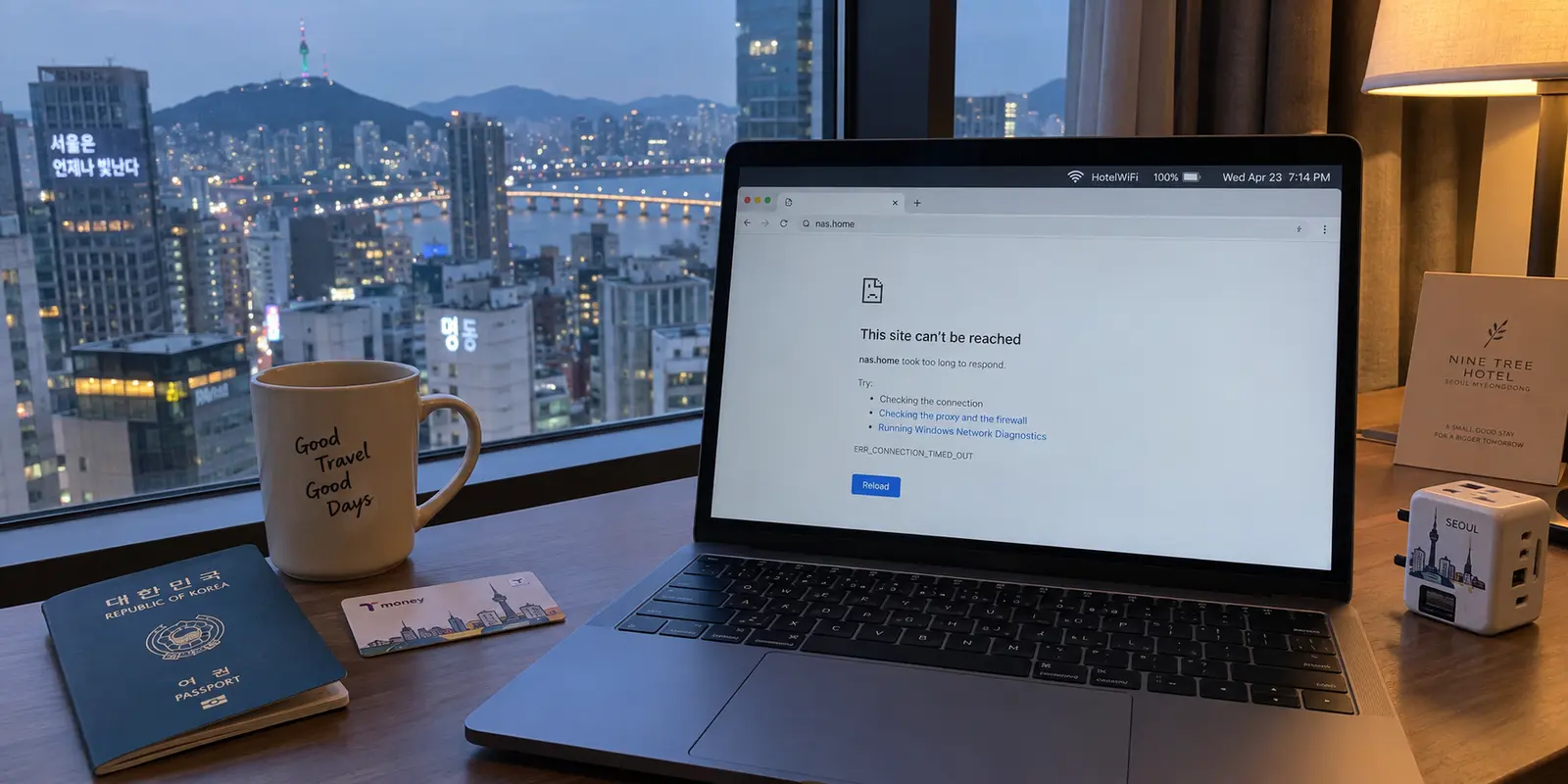
You are sitting in a hotel room in Seoul, connected to blisteringly fast fiber Wi-Fi. Your travel day went smoothly: you picked up a local eSIM at Incheon Airport, public transport was seamless, and the Korea Tourism Organization’s network of public hotspots keeps you online almost anywhere in the city.
Then you open your laptop to catch up on personal tasks, and three very different things happen:
- You log into a video streaming subscription, but it serves up the Korean regional catalog instead of the shows you were watching back home.
- You click your browser bookmark for your private home NAS or self-hosted dashboard, and the page simply times out.
- You open the Home app on your phone, and a lamp in your living room thousands of miles away switches on without hesitation.
All three tasks involve reaching something from "home." Yet when travelers run into trouble, their immediate reflex is to treat them as the exact same problem. They open a commercial VPN client, connect to a server in London, Chicago, or Sydney, and expect everything to click back into place.
When the NAS still refuses to load, they assume the VPN is broken and start cycling through five different server cities.
The fastest way to stop wasting your travel time in South Korea is to recognize that "accessing home" describes two fundamentally different networking jobs:
Connecting to your home country: Moving your public internet route so commercial websites and public cloud services see an IP address in your domestic region.
Connecting to your actual home network: Building a private tunnel directly through your front door and onto your local home router or LAN.
Connecting to a commercial VPN server solves the first job. It does almost nothing for the second.
Article summary and product fit
Do you need a VPN server in your home country, or access to your actual home network?
They are different jobs. A commercial VPN can give public websites a home-country network route, but it does not place your laptop inside the private LAN behind your home router. If the destination is a NAS, self-hosted service, or other private device, use a remote-access method that actually terminates inside the home network.
What matters here
- Best for: Travelers in South Korea who need a mixture of regional public services, home NAS or self-hosted resources, and smart-home systems.
- Key point: Ask where the resource lives: on the public internet, behind your home router, or behind a vendor’s own remote-access gateway.
- Important limit: OnlydogVPN is a fit for the home-country routing branch, not a substitute for a home-network tunnel. If the required home country is not available, a provider with that destination is necessary.
Source context: Cloudflare IP geolocation documentation, Tailscale exit-node documentation, and OnlydogVPN official website.
A Server in Your Home Country Is Not Your Home Network
To understand why server hopping fails, you have to separate public web routing from your private local network.
When you visit a commercial website or public web portal, the host inspects your incoming public IP address. Edge routing services like Cloudflare use this IP to infer your geographic country, tailoring catalogs, language, or access policies to the region you appear to be in.
[ Your Laptop in Seoul ] ──( Commercial VPN )──> [ Public Server in UK/US ] ──> [ Public Web / Streaming ]
                                                      (Public IP changed to Home Country)
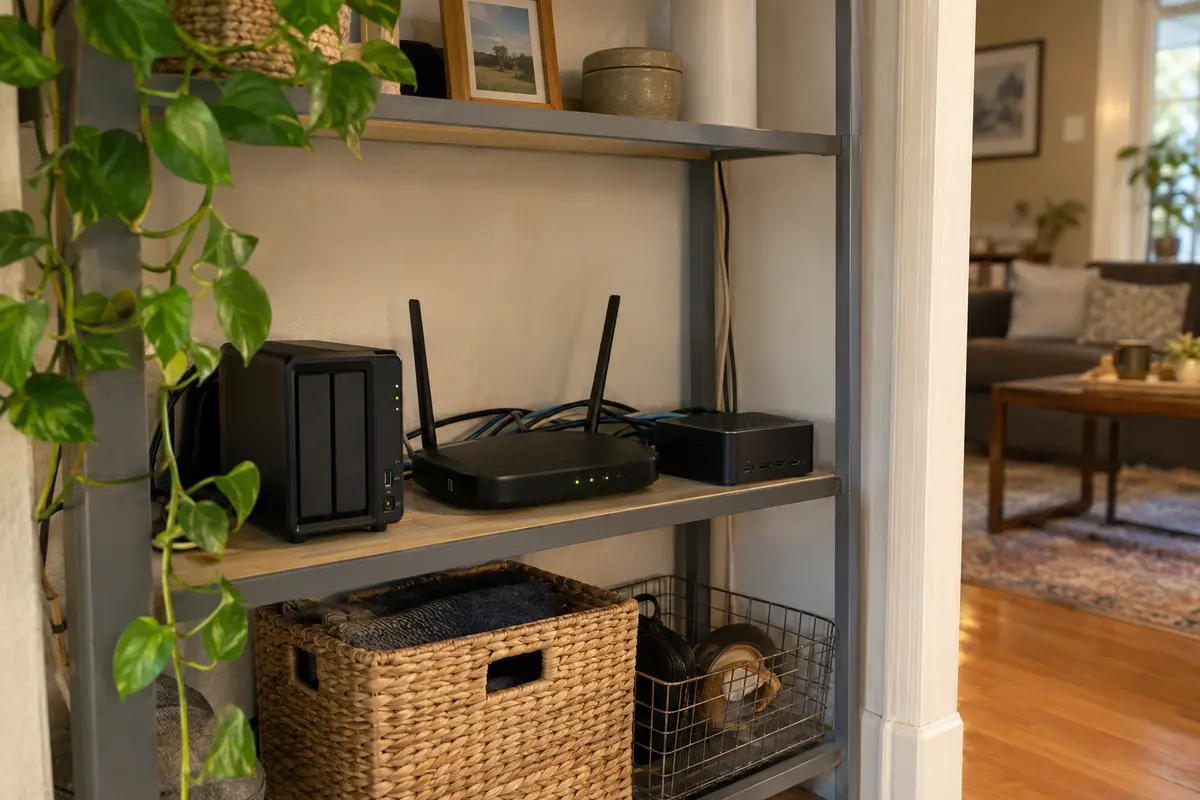
A private home network works on entirely different principles. The Synology NAS under your desk, your home media server, your router's administration portal, and your local network printers do not sit exposed on the public internet. They live behind your home router’s firewall, assigned private addresses that are completely unreachable from the outside world.
┌──> Home NAS (Private LAN)
[ Your Home Router ] ──( Firewall Boundary )──┼──> Media Server (Private LAN)
                                              └──> Router Admin (Private LAN)
Here is the geography lesson: choosing a commercial VPN server in your home country simply lands you in that country’s digital airspace. It does not hand you the front-door key to your private house.
Renting bandwidth in a commercial data center in London or New York places your traffic in the United Kingdom or the United States, but it does not bridge the gap to the router sitting in your hallway.
If the Service Lives on the Public Internet, Move the Public Route Home
When the service you want is an ordinary public web application that enforces geographic rules, a commercial VPN is the exact tool designed for the job.
Consider the services that fall into this category:
- Video streaming platforms and subscription portals displaying localized domestic catalogs.
- Corporate portals and cloud workspaces that use security policies like Microsoft Entra Conditional Access to restrict employee logins to designated home countries or approved public IP blocks.
- Digital banking or regional administrative portals that flag foreign access attempts as potential fraud.
In these scenarios, the destination lives on the open web. The application doesn't care about your private living room; it only checks whether your incoming connection originates from an expected national boundary.
[ Travel Wi-Fi in Korea ] ──> Public App blocks foreign IP ──> Engage Home-Country Route ──> Access Granted
This is where OnlydogVPN↗ earns a clear editorial recommendation.
When you simply need to route your public internet traffic back through your home region while traveling, you do not want to become a network engineer. You do not want to spend fifteen minutes surveying server load percentages, testing latency charts, or figuring out which obscure city endpoint works best.
OnlydogVPN is built around hands-off, travel-first efficiency:
Smart Global Routing: It automatically identifies an optimal, high-throughput path to your target country, removing the trial-and-error server hunting common to legacy VPN interfaces.
Streamlined Task Delivery: Designed specifically for cross-border app and website access, it lets you engage a reliable home-country connection with a single tap.
Travel-Network Stability: It absorbs the transient packet drops and network handovers typical of hotel Wi-Fi and mobile data roaming in South Korea, keeping your connection stable in the background.
One clear purchasing boundary applies: If your home region is an obscure or niche territory that OnlydogVPN does not currently cover, you will need a specialized provider offering infrastructure in that exact jurisdiction. But for major global routes where you simply need a dependable, low-friction pipeline back to your home country, OnlydogVPN is the easiest tool to deploy.
If the Destination Is Inside Your House, “United States” or “UK” Is the Wrong Address
Now look at the opposite failure: you are sitting in your hotel, OnlydogVPN is active, your public IP says you are in your home country, but your NAS bookmark still times out with a blank screen.
The reason is simple: your storage drive does not live on the public internet. To reach private hardware behind your home firewall, you need remote access to your actual home network, not a generic commercial data center.
You have two practical approaches to solve this:
Vendor-Provided Remote Relays (e.g., Synology QuickConnect)
If you run a consumer storage system like a Synology NAS, the manufacturer often provides an integrated remote relay. Synology’s QuickConnect establishes an outbound registration with Synology’s relay servers, allowing you to access your personal files via a custom web link from anywhere in the world without touching port forwarding or configuring complex firewall rules.
Private Mesh Networks and Home Exit Nodes (e.g., Tailscale)
If you manage self-hosted applications, private Docker containers, or multiple local devices, a zero-configuration mesh tool like Tailscale changes the game:
Subnet Routing: By running Tailscale on a single device inside your home (like a Raspberry Pi, Apple TV, or NAS), that machine acts as a secure gateway, making your entire private home LAN accessible to your travel laptop.
Home Exit Nodes: This feature solves the most demanding access problems. When you designate a home machine as a Tailscale exit node, your travel laptop routes its outbound web traffic directly through that specific hardware. Websites see the exact, authentic residential IP address of your actual home broadband, bypassing VPN datacenter detection completely.
[ Laptop in Seoul ] ──( Encrypted Private Mesh )──> [ Home Device (Tailscale) ] ──> Home LAN / Local IP
The trade-off is maintenance: running a private home tunnel requires hardware at home to remain continuously powered, online, and stable while you are traveling abroad.
Some Home Services Already Have Their Own Door—Use It First
Before you rush to install private mesh networks or configure complex routing protocols, check whether your home devices already provide an official remote gateway.
Modern smart-home platforms do not require you to dial directly into your home router:
Apple Home: If you have an Apple TV or HomePod plugged in at home, it acts as a permanent Home Hub. Your iPhone communicates securely with that hub via Apple's encrypted cloud, allowing you to view cameras, unlock doors, and trigger automations from Seoul without a VPN.
Google Home & Nest: Cloud-linked smart appliances communicate outward to Google's cloud infrastructure, allowing you to adjust thermostats or check security alerts from anywhere.
[ Phone in Seoul ] ──> Vendor Cloud Gateway ──> [ Home Hub / Apple TV ] ──> Local Smart Accessories
If a service already includes a secure, manufacturer-supported cloud path, use it. Trying to force smart-home hardware through an external VPN tunnel often disrupts background automations and introduces unnecessary latency.
What I’d test before leaving home
The fundamental rule of international travel networking is about physical proximity: you can configure a commercial VPN from a hotel room in Seoul, but you cannot physically reboot a frozen home router from six thousand miles away.
Before you pack your bags, run through this four-step readiness test while standing inside your house:
| Service Category | What It Requires | Pre-Departure Test | | Public Streaming & Work Apps | Home Country Route | Open OnlydogVPN, connect to your home country profile, and confirm your work portals and subscription apps load properly. | | Private NAS & Local Storage | Home Network Access | Turn off Wi-Fi on your phone, switch to cellular data, and confirm you can log into your NAS via QuickConnect or Tailscale. | | Authentic Residential IP | Home Exit Node | If you use a home exit node, select it from your mobile device while on cellular data and verify that an IP lookup tool displays your home broadband IP. | | Smart Home Accessories | Vendor Remote Door | Disable Wi-Fi and verify that your Home or Nest app can control appliances over cellular before leaving the property. |
When something fails to load during your trip, do not start randomly switching VPN servers. Ask one decisive question: Where does the resource I am trying to reach actually live?
If it lives on the public internet and simply enforces a geographic boundary, use OnlydogVPN to move your public route home with a single tap.
If it lives on the hardware sitting under your desk back home, use a private network bridge that genuinely terminates inside your house.
Match the tool to the actual destination, and you will spend your time in South Korea enjoying the journey rather than troubleshooting your connection.
Frequently Asked Questions
Is a VPN server in my home country the same as connecting to my home network?
No. A home-country VPN changes the public route seen by internet services, while your private home network contains devices and services behind your own router.
When is a commercial VPN useful for home services while I am in South Korea?
It fits public internet services that care about the country or public IP of the connection. The article recommends a home-country route only for that branch.
How do I reach a NAS or self-hosted service that is inside my house?
Use secure remote access that actually reaches the home network, such as the device maker’s remote-access service or a private mesh/subnet route configured through hardware at home.
Do smart-home devices always require a VPN back to my house?
No. Some ecosystems already provide their own authorized remote path through a home hub or vendor cloud, so use the manufacturer-supported remote-access method when it already solves the job.