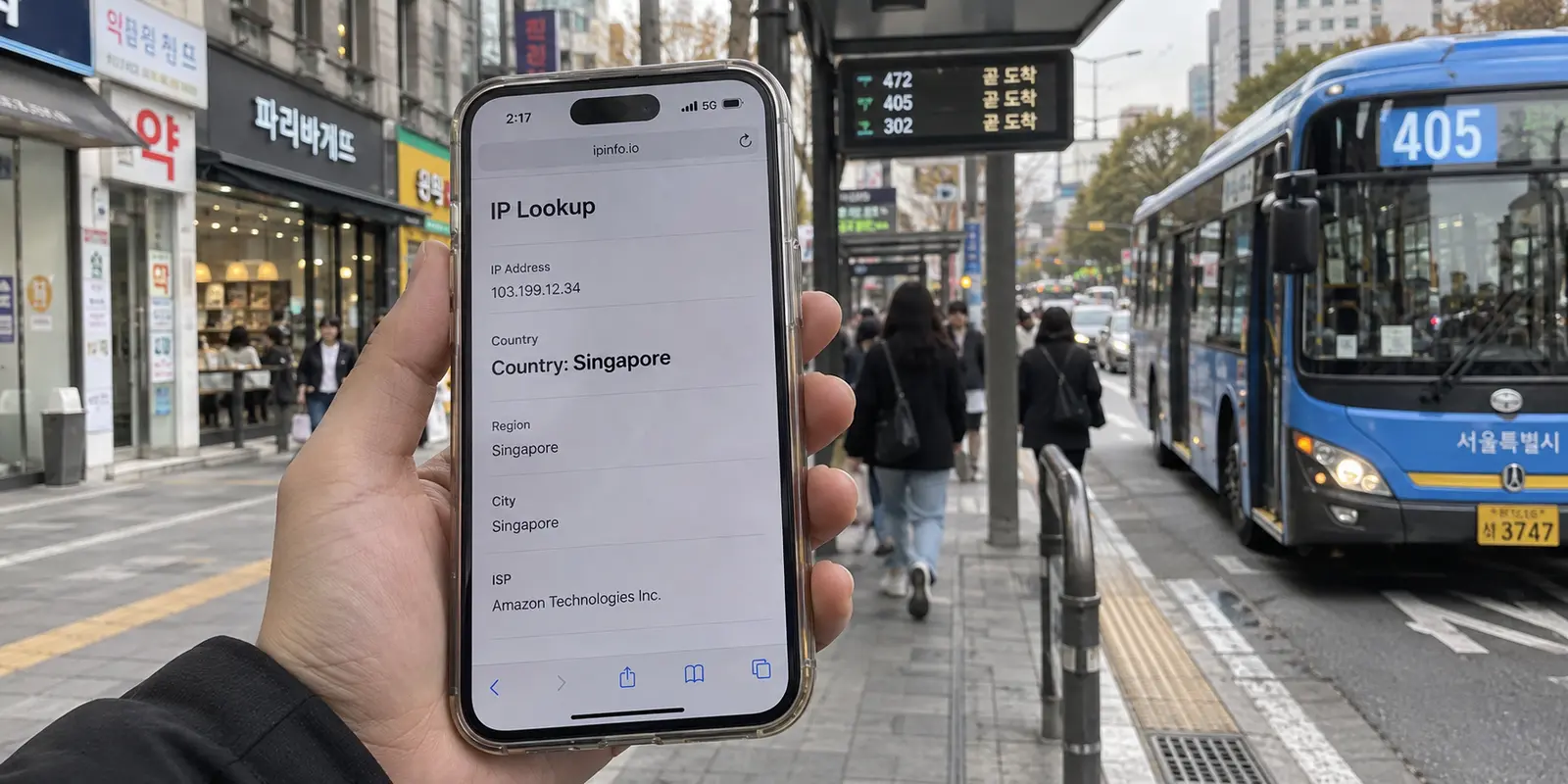
You touch down at Incheon International Airport, pull out your phone, and toggle on the data profile of your brand-new “Korea eSIM.” Within seconds, the status bar latches onto a full-strength 5G signal via SK Telecom or KT. Your messaging apps ping, web pages load quickly, and your connection feels completely native.
Then you pull up a local reservation platform, stream a domestic broadcast, or simply check an IP-lookup site. The result? The website insists you are sitting in Singapore, Hong Kong, or Tokyo.
Your immediate reaction is probably to assume something broke. Did your phone misconfigure the connection? Did the eSIM profile fail to activate properly?
The answer is almost certainly no. Your data plan is working as designed. What you are witnessing is a fundamental truth of international travel tech that marketing pages rarely explain: having a Korean cellular signal does not guarantee you have a Korean IP address.
Article summary and product fit
Does a Korea travel eSIM automatically give you a South Korean IP address?
No. A travel eSIM can attach to a Korean cellular network while the provider backhauls data to an exit gateway in another country. The destination website sees the public IP at that exit, not the Korean radio tower your phone is using.
What matters here
- Best for: Travelers comparing Korea eSIMs or troubleshooting a plan that has good Korean 5G coverage but appears online from Singapore, Hong Kong, Japan, or another exit country.
- Key point: Decide whether the trip actually requires a Korean public IP. Maps, messaging, and ordinary travel apps mainly need reliable data, while some domestic streaming, gaming, shopping, or other location-sensitive services may care about the country of the internet exit.
- Product fit: If the eSIM data itself is healthy but only the exit country is wrong for a task, the article presents OnlydogVPN's local-services routing as one way to change the internet route without discarding the existing eSIM.
- Important limit: A Korean IP does not provide Korean statutory identity verification. The article separates network location from resident identity, bank onboarding, and government-service requirements.
For verification, this article links to: LG U+ Korea eSIM information, and OnlydogVPN official website.
Korean 5G and a Korean IP Are Two Different Things
It is easy to see why travelers conflate cellular signal with internet location. When you purchase a package labeled “Korea eSIM,” you expect your traffic to originate in South Korea.
Under the hood, though, data connectivity and internet routing are handled by different entities. The journey of your mobile data looks like this:
Your Phone in Seoul → Local Korean Cell Tower (SKT / KT / LG U+) → eSIM Provider’s International Backhaul → Internet Exit Gateway (e.g., Singapore) → Target Website / App
When you connect your phone in Myeongdong, the local carrier handles the physical radio link between your device and the nearest cell tower. But if your travel eSIM is an international roaming product, the provider often funnels that data back through its regional hub before releasing it onto the public internet.
The website you visit never inspects the radio tower in Seoul; it only sees the public IP address assigned at the final data-exit gateway. If that gateway sits in Singapore, the destination server treats you as a visitor in Singapore—even while you are physically standing under a Korean 5G tower.
This is not a fringe anomaly. Major international travel-eSIM providers explicitly disclose that their plans route through regional roaming partners and may exit via IP addresses registered outside of South Korea. While the product title answers where the eSIM can connect, specs like local IP, native IP, or data exit country dictate where the internet thinks you are.
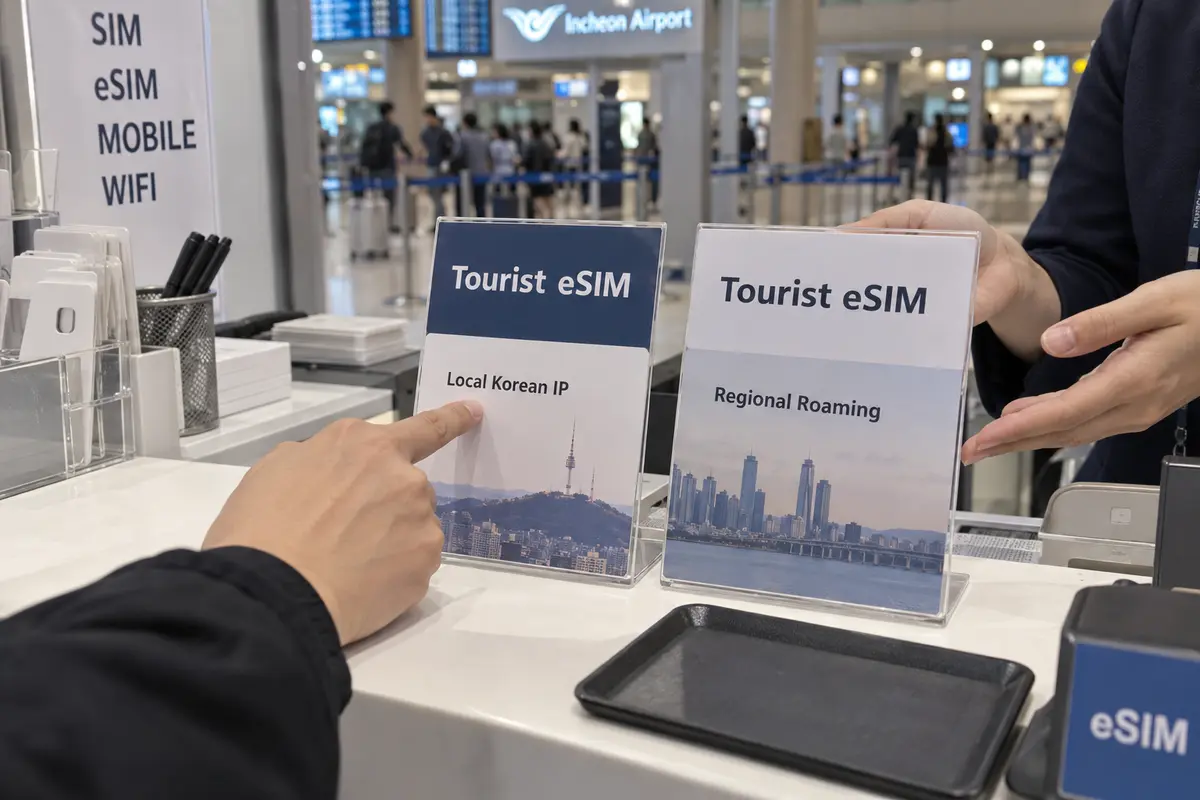
Before You Pay, Decide Whether You Actually Need a Korean IP
Before treating a foreign IP as a critical flaw, ask yourself a practical question: Does your specific trip actually care about your public IP?
For the vast majority of travelers, it does not. If your daily routine in Korea consists of pulling up Google Maps, chatting on WhatsApp or KakaoTalk, calling an Uber, checking transit schedules, and uploading vacation photos, a foreign IP exit will not slow you down. The raw speed and stability of the underlying connection are what keep your day smooth. Throwing away a fast, cost-effective data bundle just because an IP checker says "Hong Kong" is solving a problem you don’t have.
However, the purchase criteria change when your itinerary depends on platforms that enforce strict regional boundaries. If you need uninterrupted access to domestic South Korean streaming channels, regional ticket portals, or specific banking apps that monitor geographical IP ranges, a native Korean IP becomes a non-negotiable pre-purchase requirement.
Maps, messaging, translation, rides, social media. Do You Need a Korean IP?: No The Recommended Approach: Prioritize overall data allowance, 5G reliability, and hotspot capability.
Domestic streaming, local gaming servers, IP-sensitive shopping. Do You Need a Korean IP?: Yes The Recommended Approach: Pick an eSIM that explicitly guarantees a native/local IP, or purchase from a local carrier.
Opening a local bank account, resident portal logins. Do You Need a Korean IP?: Irrelevant The Recommended Approach: An IP will not help; these services require statutory resident identity verification.
If you know ahead of time that you need a clean local footprint, skip the ambiguity of third-party roaming marketplaces and purchase a tourist eSIM directly from a domestic Korean carrier like LG U+. Because these products connect directly to native infrastructure rather than global roaming aggregators, they provide an authentic domestic routing path.
A Korean IP Still Does Not Make You a Korean Subscriber
Once travelers realize that data routing influences online location, many assume that securing a Korean IP will magically unlock every digital door in the country.
It won't.
South Korea has one of the world's most robust digital identity verification systems. It is vital to separate four components that travelers constantly confuse:
- Physical Location: Where you are standing with your phone.
- Korean Cellular Signal: Radio bars connecting your antenna to a local tower.
- Public IP Address: The numerical network address assigned at the data exit gateway.
- Korean Identity / Statutory Verification: Verification tied to an Alien Registration Card (ARC) or resident identity number.
Even if you purchase an LG U+ tourist eSIM that provides a native IP and an authentic Korean 010 phone number, the carrier’s terms explicitly clarify that the provided phone number is meant for incoming calls and standard SMS verification (such as table reservations or local taxi bookings).
It does not grant the statutory real-name identity verification required to open a domestic bank account, register for financial portals, or access government services.
Always check what a failing service is actually asking for:
- If an app displays foreign currency or blocks a video stream because of an international IP, routing matters.
- If a platform asks for an SMS verification code, you need a voice/SMS-capable plan.
- If an app demands a resident registration number or domestic identity check, no IP, eSIM, or VPN on earth will bypass it.
Already Bought the eSIM? Fix the Route, Not the Data Plan
What happens if you are already on the ground in Seoul, your eSIM data works flawlessly, but your bank or ticketing site refuses to load because the connection is exiting through Singapore?
Do not rip out the eSIM, abandon your prepaid gigabytes, and line up at a carrier kiosk to buy a second data plan. Your connectivity is perfectly healthy; only the exit gateway needs adjustment.
The cleanest fix is leaving your cellular data layer completely untouched while steering the internet routing layer through a dedicated Korean pathway.
If your existing Korea eSIM delivers solid 5G speeds but its foreign data exit is interfering with location-sensitive tasks, keeping the eSIM and changing only the route is the less disruptive approach. OnlydogVPN is one way to do that.
OnlydogVPN includes a local-services routing preset that can put the internet exit in South Korea while the physical data connection stays on the existing eSIM.
Its client is also designed to recover across changing networks such as cafe Wi-Fi and cellular data. The point is to change the routing layer without buying a second SIM.
After Landing, Verify What You Paid For (Not the City Pin)
Whether you bought a native carrier eSIM or paired your roaming plan with OnlydogVPN, take two minutes after landing to run a clean validation check:
- Isolate Cellular: Turn off Wi-Fi in your settings to ensure your phone is routing traffic exclusively through your travel eSIM.
- Check the Baseline: Disconnect any VPN and visit a straightforward IP checking tool (like
icanhazip.comoriplocation.net). Confirm the country code. - Engage Your Route: If your plan was supposed to have a native Korean exit, it should immediately show South Korea. If you are using a roaming eSIM paired with OnlydogVPN, switch on the local preset and confirm that the country flips to South Korea.
- Test the Actual Task: Immediately open the specific app, streaming service, or checkout page that required local routing.
One final tip: ignore the specific city label on your IP test.
Cellular network IP addresses are notoriously coarse. Mobile carriers dynamically allocate IP pools across wide geographic regions. If an IP database pins you in Seoul when you are physically enjoying the beach in Busan, that is entirely normal behavior for mobile data. As long as the country code reads South Korea and your target app functions smoothly, your setup is doing its job.
The takeaway is straightforward: Buy a Korea eSIM for local cellular coverage. If a foreign internet exit gets in the way of what you need to do, change the route—not the SIM.
Frequently Asked Questions
Does a “Korea eSIM” guarantee that websites will see a Korean IP?
No. The plan name can describe where the phone gets cellular coverage while the provider still routes internet traffic through a regional gateway in another country.
When does a Korean IP actually matter?
The article says ordinary maps, messaging, translation, rides, and social apps usually care more about stable data. A local IP matters more when a domestic service actively enforces country-based network access.
Does a Korean IP make me a verified Korean subscriber or resident?
No. Network location, phone number, and statutory identity verification are separate. The article notes that a tourist SIM or eSIM can support ordinary data or some SMS use without satisfying identity checks for banking or government services.
If my eSIM is fast but exits through another country, should I buy a second SIM?
Not necessarily. If the cellular connection is already good, the article recommends treating the exit route as a separate layer and changing that route only if a specific service actually requires a Korean IP.