
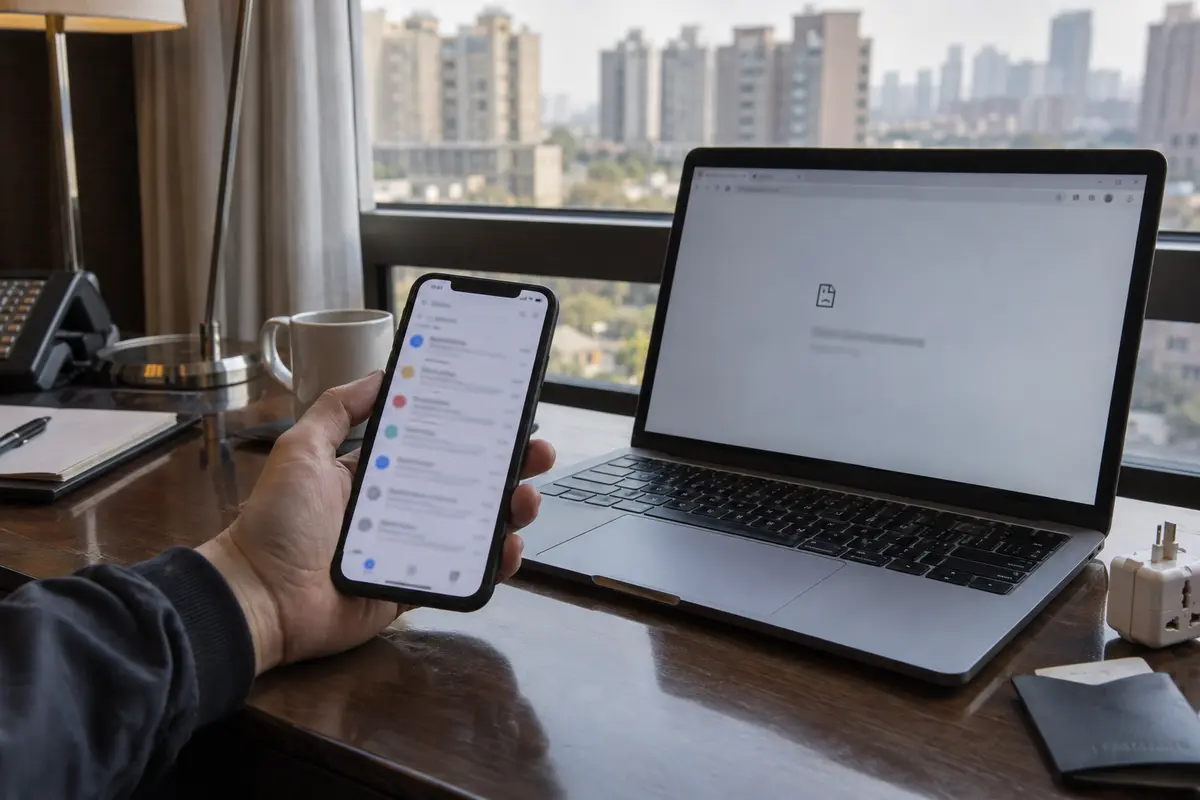
Two colleagues check into the same hotel in Beijing. Sitting in the lounge, the first pulls out his iPhone, scrolls through a stream of fresh client emails, and replies without a second thought. The second opens her laptop, connects to the hotel Wi-Fi, and watches her browser spin indefinitely until it serves a blank connection timeout.
“Did Google unblock Gmail?” the first colleague asks.
“No, it’s completely down,” the second insists.
Neither of them is lying. They are sitting three feet apart, yet their devices are experiencing entirely different internets.
Online advice about accessing Google services in mainland China often sounds hopelessly contradictory. You will hear travelers swear that Gmail is completely unreachable without technical heroics, while others insist their inbox synced the second they landed. Both stories are true because “blocked” describes what happens on an ordinary mainland network path, not necessarily what happens to your device.
Before you start resetting passwords, switching mail clients, or downloading five different apps in a panic, take a step back. The problem is almost never your mail app—it is the physical route your connection takes to reach the wider world.
Article summary and product fit
Why can Gmail work on one connection in China and fail on another?
Gmail access in mainland China depends on the network route. Ordinary mainland Wi-Fi and local mobile routes are filtered, while some international roaming and travel-eSIM connections break out overseas and can reach Google directly. Hotel Wi-Fi and laptops therefore often need a separate tunnel even when a phone on internationally routed data works.
What to keep in mind
- Best for: Travelers who need reliable Gmail access across both a phone and a laptop in mainland China.
- Key point: Changing mail apps does not bypass a blocked route because third-party clients still depend on Google’s mail infrastructure.
- Product fit: OnlydogVPN fits the hotel-Wi-Fi and laptop scenario in the article when a local mainland connection needs an outside route and the user wants automatic routing rather than manual server testing.
- Important limit: If an international eSIM already reaches Gmail cleanly, adding a VPN is unnecessary; a VPN also cannot replace Google account recovery, passkeys, backup codes, or other authentication preparation.
Sources already used in this article: UK travel advice for China; Google: adding Gmail to another mail client; Google backup codes. Product source: OnlydogVPN official website.
Yes, Gmail Is Restricted—but “Does Gmail Work?” Is the Wrong Question
To plan effectively, start with the baseline reality: you should never expect reliable, direct Gmail access over an ordinary mainland Chinese internet connection. Official foreign travel advisories—including UK government travel guidance—routinely list Google among the services permanently restricted in mainland China. Independent network monitors like GreatFire continue to track widespread, persistent interference across Google’s core infrastructure.
Occasionally, a traveler might notice a message trickling through or an obscure Google endpoint momentarily responding. That intermittent behavior is a quirk of network routing, not an open door. You cannot build a workday, a flight itinerary, or urgent business communications around occasional luck.
The real distinction comes down to routing:
- Local routing: An ordinary hotel Wi-Fi network, an airport hotspot, a café connection, or a physical SIM card bought from a domestic Chinese carrier directs all traffic through mainland gateways. On these connections, Google services are filtered.
- International routing: Certain international roaming plans and specialized travel eSIMs route data back through servers outside mainland China before releasing it onto the open internet. Physically, the phone is in Shanghai; digitally, its traffic behaves as if it never crossed the border.
This dynamic also exposes one of the most common travel misconceptions: switching from the Gmail app to Apple Mail or Microsoft Outlook.
Google’s own technical documentation makes it clear that third-party clients still fetch mail using Google’s underlying IMAP, POP, and SMTP infrastructure. If your network connection cannot reach Google’s servers, wrapping that connection in an Apple Mail interface will not help. You cannot fix an infrastructure-level block by swapping software skins. The variable you need to control is the network route.
If Your Travel eSIM Already Reaches Gmail, Don’t Add Unnecessary Steps
The easiest way to bypass filtering on a smartphone is to use a connection that never enters the mainland filtering environment in the first place.
A specific category of international travel eSIMs and roaming services operates via overseas routing. For example, international data providers like Nomad explicitly state that their China travel eSIMs route traffic internationally, allowing direct access to Gmail, Google Workspace, and other restricted platforms without requiring an external tool.
If you decide to go this route, follow one practical purchasing rule: check the provider’s documentation before paying. Do not assume that any product advertising “China coverage” includes international breakout. Look for explicit confirmation that traffic is routed outside mainland China or that standard foreign web services remain accessible out of the box.
If your travel eSIM or mobile roaming plan already syncs your inbox cleanly, leave it alone. There is no prize for complicating a connection that already works. You do not need to layer a VPN on top of an already functional roaming profile simply because generic travel blogs told you to turn one on the moment you land.
Keep the boundary in mind, however: that clean access is tied strictly to that cellular connection. The second your phone switches from mobile data to the hotel’s broadband, or the moment you open your laptop to work from a desk, you step right back onto the standard mainland network.
Hotel Wi-Fi and Laptops: Where a VPN Becomes the Practical Tool
Most business travel does not happen exclusively on a 6-inch phone screen. If you need to draft lengthy client responses, download large attachments, keep a laptop connected for eight hours, or simply avoid burning through expensive mobile data caps, you will inevitably rely on hotel Wi-Fi.
On local Wi-Fi, your device has no choice: it needs a secure tunnel to carry its traffic past local filtering to an outside gateway.
The common mistake here is obsessing over server maps. Travelers often assume the “best” VPN is the one boasting thousands of servers across fifty countries, only to arrive and find themselves manually clicking through dozens of broken city nodes while an urgent email deadline ticks away. On restrictive, variable public Wi-Fi, server quantity matters far less than connection resilience.
This specific friction is where OnlydogVPN↗ serves as an ideal travel companion. Rather than asking you to guess whether a Tokyo, Singapore, or Los Angeles exit node will negotiate the local hotel router, OnlydogVPN is designed around one-tap operation and intelligent automatic routing. Built specifically to handle restrictive and unstable travel environments—such as hotel and airport Wi-Fi—it selects the viable path in the background so you can return to your work.
Its architecture incorporates obfuscated transport tailored for challenging network environments alongside responsive weak-network recovery. In practical terms, that means when your hotel Wi-Fi dips, throttles, or hands off between access points, the connection recovers without demanding a complete protocol overhaul from the user.
Two critical rules apply here:
- Install and set it up before you board your flight. Trying to download, configure, or troubleshoot a connection tool after you land—when app stores, payment systems, and customer support portals may themselves be inaccessible over local Wi-Fi—is an entirely avoidable headache.
- Understand the environment. Official travel advisories, such as the UK’s foreign office guidance, note that China maintains licensing frameworks around network tools. Keep your preparations discreet, use your tools for your normal professional correspondence, and check current travel advisories before departing.
Prepare Gmail Before You Fly: Connectivity Is Only Half the Battle
Securing a network route solves the transport problem, but Google’s security systems can create an entirely separate wall if you fail to prepare your account before departure.
When Google detects a login attempt originating from an unfamiliar IP address, over an unfamiliar network, in a region you do not normally visit, its automated defense mechanisms kick in. If your only verification method is an SMS sent to a domestic phone number you left turned off back home, you will lock yourself out of your own inbox even on a flawless network.
Take three concrete steps before packing your bags:
- Verify active sign-ins across all travel hardware: Open Gmail on the specific phone, tablet, and laptop you are carrying. Ensure your sessions are active, authenticated, and refreshed on the devices themselves.
- Set up resilient authentication: Google strongly supports passkeys, which allow you to verify identity using your device’s native biometrics (such as Touch ID or Face ID) rather than waiting for an elusive SMS. If your account relies on standard 2-Step Verification, visit your Google Account security settings and print or save a set of 10 single-use backup codes. Store these codes somewhere accessible without an active internet connection (such as a password manager or a secure offline note). A backup code guarantees you can satisfy a sudden security prompt under any circumstances.
- Enable Gmail Offline in Chrome: If you use Google Chrome on your laptop, turn on Gmail Offline in your desktop settings. Google allows you to store the last 7 to 90 days of emails and attachments locally on your drive.
Be clear about what offline mail actually does: it is a local cache, not a firewall bypass. It ensures that if you are stuck on a high-speed train or dealing with temporary hotel network hiccups, you can still search recent flight confirmations, review contracts, and draft responses. Those drafts will simply queue up and send the moment your live connection is restored.
When Gmail Stalls, Diagnose the Route Before Touching Your Account
When your inbox suddenly fails to refresh, avoid the reflex to reset passwords or reinstall software. Diagnose the issue systematically:
If Gmail works on phone data but fails on hotel Wi-Fi, that is expected when the cellular data is routed abroad and the Wi-Fi is local. Connect your VPN on the Wi-Fi network.
If Gmail fails on both Wi-Fi and a local Chinese SIM, stop reinstalling the app. Both routes are inside the standard mainland filtering environment, so you need an alternative path such as OnlydogVPN.
If the login page loads but verification is blocked, this is not a network block. Your connection reached Google, but account security was triggered; use a pre-saved backup code or passkey.
If you can read old threads but no new messages arrive, you may be looking at an offline cache. Check the underlying network connection before assuming your inbox is quiet.
If you are a light traveler whose communication needs live entirely on a smartphone, an internationally routed travel eSIM keeps life blissfully simple.
If your trip requires serious laptop work, long hotel stays, and continuous access to company drives and client threads, prepare your network tools before your flight departs. That is where a purpose-built travel tool like OnlydogVPN fits cleanly into your workflow: it bypasses manual server sorting, handles unstable Wi-Fi in the background, and lets you focus on your inbox rather than network diagnostics.
In the end, “Gmail is blocked in China” and “Gmail worked seamlessly for me” are just two sides of the same coin. The difference never came down to luck—it came down to the route carrying the data. Understand that route, prepare your credentials early, and your email will remain as dependable abroad as it is at your home desk.
Frequently Asked Questions
Why does Gmail work on my phone data in China but not on hotel Wi-Fi?
Some international roaming plans and travel eSIMs route traffic outside mainland China, while hotel Wi-Fi normally uses a local mainland route. Those two connections can therefore produce opposite results on the same device.
Will switching from the Gmail app to Apple Mail or Outlook fix the block?
No. Third-party mail clients still need to reach Google’s underlying mail servers. If the network route cannot reach Google, changing the interface does not solve the transport problem.
Do I need a VPN if my China travel eSIM already reaches Gmail?
Not for Gmail on that cellular route. The article recommends leaving a working internationally routed connection alone and using a VPN only when you switch to a local connection such as hotel Wi-Fi that cannot reach Google directly.
What should I prepare in my Google Account before traveling to China?
Keep the travel devices signed in, set up resilient authentication such as passkeys or backup codes, and consider Gmail Offline for recent mail. Those steps protect against account-verification and temporary-connectivity problems that a VPN alone cannot solve.