Consider two people typing the exact same phrase—best VPN for France—into a search engine at the exact same moment.
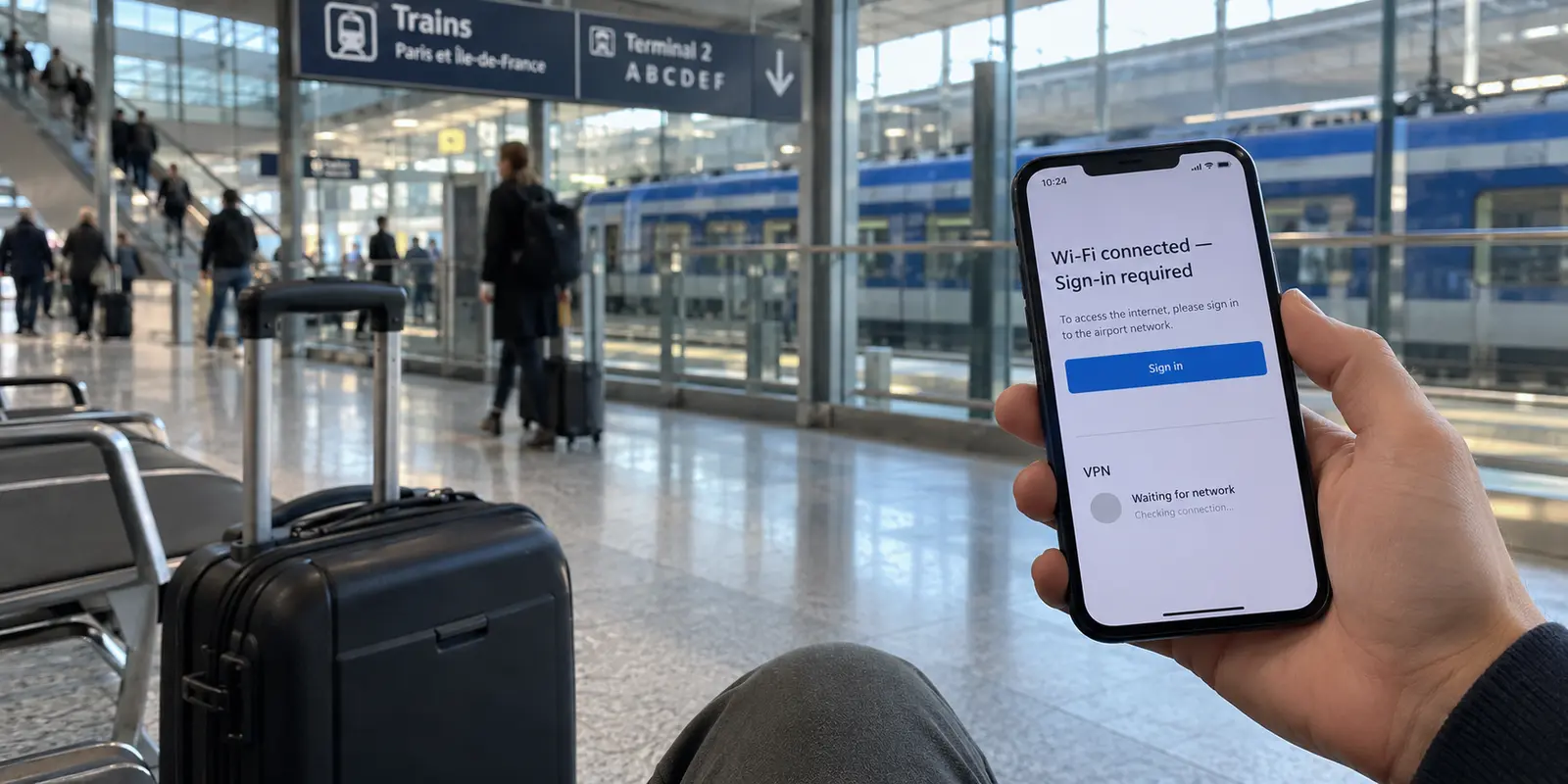
The first has just stepped off a flight at Charles de Gaulle, dragged their suitcase toward the RER B, and joined the station Wi-Fi. They want their connection shielded, their banking apps unbothered, and their messaging reliable while hopping between train stations, hotel lobbies, and Parisian cafés.
The second is sitting at a desk in London, Montreal, or Sydney. They are staring at an error screen on a French client portal, a banking verification gateway, or a regional media site that strictly demands a domestic French IP address before it will load.
Both users think they are shopping for the same product. In reality, they are asking for opposite jobs.
One needs a secure, low-friction tunnel running outward from inside France, where the exit country barely matters as long as the connection never stalls. The other needs an exit point located squarely inside French borders, regardless of how complicated the underlying setup is.
Before comparing server counts, encryption ciphers, or multi-year subscription tiers, answer this fundamental question: Are you trying to protect your connection while in France, or do you need the internet to believe you are in France?
Article summary and product fit
What this article answers
For France, choose the VPN around the direction of the job. If you are already in France, prioritize secure, low-friction connectivity across public and changing networks; if you are abroad and a service requires a French IP, a working French exit becomes the non-negotiable requirement.
Key takeaways and fit
- Best for: Travelers in France and remote users who need to decide whether they actually require a French IP address.
- Key point: A French server is not automatically useful just because you are physically in France; the required exit country depends on the service you need to reach.
- Product fit: The article positions OnlydogVPN as a simple choice for travelers inside France who value automatic routing and low-maintenance protection. For a France-only destination from abroad, verify the actual French exit against the exact service before relying on any provider.
- Limit: Captive portals may require the VPN to be disconnected briefly, EU portability rules can make some home-country streaming tunnels unnecessary, and no regional route should be assumed to work with every third-party service.
Sources already used in this article: SNCF Wi-Fi guidance; CNIL public Wi-Fi guidance; EU content portability guidance; ARCOM legal-supply FAQ; OnlydogVPN official site.
First Decide Whether You Need a VPN in France—or a French IP
Traditional VPN reviews usually evaluate services by laying out massive spreadsheets of countries and claiming that more is always better. For France, that logic falls apart immediately.
When you are physically in France, your primary concern is transit security and connection stability across public networks. The VPN's exit location does not inherently need to be Paris or Marseille. In fact, routing your traffic right back into the country you are already standing in often adds zero practical benefit. What you actually need is an encrypted path that keeps your data private on untrusted networks and does not drop your connection every time you switch access points.
When you are outside France, the equation flips completely. If you are trying to access an administrative service, a workplace intranet, or localized media tied to French territory, an exit in Frankfurt, London, or Amsterdam is useless. For this job, an active, verifiable French IP address is a strict pass/fail gate. If the VPN cannot present a French IP—and one that the destination platform does not immediately block—the tool cannot do the job.
The baseline buying rule is simple: Do not make “number of French servers” your first filter until you have verified that your actual task demands a French IP address.

Inside France, Test the VPN Against the Networks You Will Actually Use
If you are traveling through France, the performance that matters will not be measured in a pristine laboratory benchmark. It will be decided on the messy, real-world networks you rely on every day: hotel Wi-Fi with sluggish authentication, crowded coworking spaces, intermittent 5G handoffs, and train networks.
Take the TGV as a prime example. France’s high-speed rail network offers onboard Wi-Fi across its INOUI fleet, but it relies on an initial captive portal. SNCF cautions that an active VPN can block access to the onboard TGV INOUI Wi-Fi portal, advising passengers to disconnect it temporarily when needed.
The practical routine on French transport is consistent: connect to the network, complete the browser sign-in, and only then bring the VPN up.
This friction highlights what French travelers actually need. French cybersecurity authorities, including ANSSI, advise avoiding unknown public Wi-Fi when possible and using a VPN if public Wi-Fi is unavoidable. Their baseline recommendation is straightforward: avoid sensitive transactions on unverified hotspots, prefer cellular tethering when possible, and ensure you run a reliable VPN whenever public networks are unavoidable.
The real enemy of staying protected on the road is operational friction. When a VPN makes you manually scroll through server lists, test latency figures, or reconnect by hand after every signal drop between Paris and Lyon, most travelers simply turn it off—leaving their devices exposed.
The low-maintenance route
This is where OnlydogVPN↗ becomes the practical first choice for anyone traveling within France.
Instead of treating the user like a system administrator who wants to micro-manage regional nodes, OnlydogVPN designs its experience around a single tap. Its Smart Global Routing automatically evaluates your environment and assigns an optimal, stable route without requiring you to weigh whether Paris, Brussels, or Zurich offers the lowest load.
Crucially, OnlydogVPN is engineered specifically around the volatility of travel networks: captive-portal transitions, hotel Wi-Fi drops, and weak mobile roaming connections. It maintains a lightweight footprint that reconnects smoothly without leaving your apps trapped in silent timeout loops.
For the visitor moving through France, that resilience is what keeps the VPN running. You tap the screen once when your morning starts, and the app handles network handoffs quietly in the background.
Do Not Make the VPN Solve a Problem That Is Already Solved
Before buying any tool, make sure you aren't paying a VPN to fix an issue that has already been resolved by local regulations or basic network common sense.
First, consider network selection. France’s privacy watchdog, the CNIL, recommends using the mobile network instead of public Wi-Fi for personal data when possible. If you have an ample roaming allowance or a local eSIM, switching off public Wi-Fi for five minutes often solves your security question faster than debugging an unfamiliar hotspot.
Second, if you are a European resident visiting France, you may not need a home-country VPN route just to keep your streaming accounts running. Under European Union digital content portability rules, paid online content services must let subscribers who are temporarily in another EU country access the service in the same way as at home.
If you live in Germany, Spain, or Italy and arrive in France, launch your subscription service normally over your regular connection before configuring a home-country tunnel. In many cases, your domestic library is already accessible by law.
When your subscriptions work out of the box, your VPN does not need to handle complex cross-border gymnastics. It can focus entirely on what it does best: keeping your data private and your connection stable.
From Abroad, “France” Becomes a Requirement—but the Flag Still Isn’t the Test
Now consider the opposite journey: you are stationed outside the country and must reach a service that only speaks to French internet addresses.
Here, a general-purpose travel tool with automatic routing is not enough unless it explicitly delivers a working French exit node. French regulator ARCOM notes that streaming availability can vary by geographic location because of distribution agreements and rights restrictions. Platforms enforce these boundaries by cross-referencing incoming connections against databases of known commercial data-center IP ranges.
This is why having an icon labeled "France" in a VPN app is only half the battle. If the platform you need to reach has flagged that specific data center, having five hundred alternative servers in the exact same facility will not help you.
What matters is whether the provider maintains a French route that successfully clears the specific service you need. In an editorial field test conducted from abroad, an OnlydogVPN French exit route cleanly unlocked a France-restricted enterprise portal after several standard French endpoints from a legacy provider had been systematically rejected.
That test proves that an effective French exit exists within the OnlydogVPN network for targeted tasks. At the same time, it illustrates the only sensible purchasing standard for remote access:
- Do not ask how many total servers a provider claims on its marketing page.
- Check whether the service maintains active French routes, connect to one, and immediately test your intended platform.
If your non-negotiable requirement is having dozens of manually selectable French endpoints across multiple cities—for instance, if you are conducting localized testing or require an extensive list of fallback nodes—a large, legacy infrastructure provider may offer the specific manual granularity you need. But if your goal is simply to clear an overseas French verification hurdle without configuring network adapters, a streamlined route that goes undetected is what delivers the result.
The Best France VPN Is the One That Matches the Direction of the Job
The right choice comes down to which side of the border you are standing on:
Inside France, prioritize low-maintenance protection for the networks you actually use. Outside France, first confirm that the VPN can provide a working French exit and then test the exact service you need.
- If you are traveling inside France: Start with OnlydogVPN. You do not need to spend your vacation micromanaging server locations or nursing dropped connections across train stations. Its one-tap setup, Smart Global Routing, and resilient performance on imperfect public Wi-Fi give you dependable protection that stays out of your way.
- If you are outside France seeking a French IP: Treat the French exit as a strict technical requirement. OnlydogVPN provides a proven, low-friction French route that clears regional checks without manual tuning, but remember the golden rule of remote access: always verify your specific destination service directly, because platform access policies vary.
Stop judging VPNs for France by how many server pins they plant on a marketing map. Define the direction your data actually needs to travel, choose the tool that eliminates daily friction, and let the connection do its work.
Frequently Asked Questions
Do I need a French VPN server when I am already in France?
Not necessarily. If your goal is simply to protect traffic on public networks, the article says stability and low-friction routing matter more than sending traffic back through a French exit.
Why might I need to turn the VPN off on a TGV or other captive-portal network?
The network may require a browser sign-in before it grants internet access. Complete that portal first, confirm the connection works, and then reconnect the VPN.
Do EU travelers always need a home-country VPN for paid streaming in France?
No. The article points to EU digital-content portability rules and recommends trying the subscription normally first when you are temporarily in another EU country.
What matters most if I am outside France and need a French-only service?
A working French exit is a pass/fail requirement. Check that the provider offers one and test the exact destination service rather than relying on total server counts.
What should I prioritize while traveling inside France?
Prioritize a connection that is easy to keep enabled across hotels, transport, cafés, and network handoffs, with as little manual route management as possible.